Community listing page, reviews may not be monitored by the author.


Community voices
Reviews
No reviews yet. Be the first to review this project!
Get it on
Available Platforms
About
Project Details
For authors
Embed Badge
If you're the author of this project, you can embed a live badge anywhere that supports HTML or Markdown. It updates automatically whenever ratings change.
Use HTML for any page that supports it, or Markdown for README files and Markdown-based descriptions.
Identifiers
Platform IDs
Resources
External Links
About
Description
# TabSwap
**Swap your hotbar with your inventory in one keypress, and lock the slots that should never move.**
## How it works
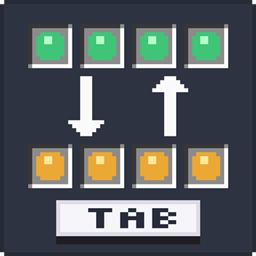
Press **Tab** and your hotbar cycles through your inventory rows:
- Your bottom inventory row moves up to the hotbar
- Your hotbar moves to the top inventory row
- Every other row shifts down by one
Four presses bring everything back to where it started. Keep a building row, a mining row and a combat row, and flip between them instantly.
## Lock your important slots
Tired of your sword or pickaxe getting shuffled away?
**Hold Tab** to open the lock screen and click any hotbar slot to lock it. Locked slots stay exactly where they are when you cycle rows, so your essential tools are always in the same place.
- A small **gold padlock** shows on every locked slot
- Locks are **saved** and stay after restarting the game
- Hold Tab again anytime to unlock
## Features
- One key cycles your hotbar through all three inventory rows
- Hold the key to lock or unlock individual hotbar slots
- Padlock icon on locked slots
- Locks are remembered between sessions
- Key can be changed in **Options > Controls**
- English and Hebrew translations
## Client-side only
TabSwap only needs to be installed on **your** game. It works in singleplayer and on any multiplayer server, even if the server doesn't have the mod.
## Requirements
- Minecraft **26.1 – 26.1.2**
- **Fabric Loader**
- **Fabric API**
## Tip
Tab is also Minecraft's default key for the player list. If you play on servers, you may want to move one of them to a different key in **Options > Controls**.
Screenshots
Gallery
Versions
Files
Relations
Project Relations
More like this
Similar Mods
Suggestions use data such as tags, dependencies, dependents, descriptions, titles, and more to rank how much they overlap with this mod.
On ModDex
Community snapshot
By the numbers
Statistics

Get it on
Available Platforms
On ModDex
Community snapshot
By the numbers
Statistics
Resources