Task Manager
No reviews yet
Adds feature to add tasks and create your own to-do lists and track their completion.
Fabric is a mod loader for versions 1.14+ of Minecraft, particularly popular for client side and optimization mods.
Community voices
Reviews
Click once to include, again to exclude, again to clear
No reviews yet. Be the first to review this project!
Get it on
Available Platforms
 Modrinth
Compatibility
Supported Environments
For authors
Embed Badge
If you're the author of this project, you can embed a live badge anywhere that supports HTML or Markdown. It updates automatically whenever ratings change.
Use HTML for any page that supports it, or Markdown for README files and Markdown-based descriptions.
Identifiers
Platform IDs
Resources
External Links
About
Description
Subscribe on our Youtube channel, we will post announcement and release trailers there soon!
TasksManager is a lightweight, client-side Fabric mod that helps you track item-collection goals without leaving the game. Whether you're grinding resources for a mega-build, hunting rare drops, or just organising your survival checklist TasksManager keeps everything visible on your HUD.
Features
Task Tracking - Create tasks with or without items. Tasks with items track your inventory automatically and mark as complete when you hit the target.
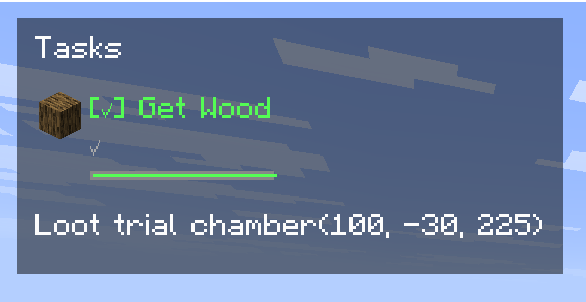
A live progress bar and countdown timer show exactly how much time remains.
Pause on Exit - Deadlines freeze when you leave the world and resume when you return. No penalty for taking a break.
Per-World / Per-Server - Every world and server has its own task list. Your single-player goals won't interfere with your server chores.
Deadlines - Set a time limit on any task.
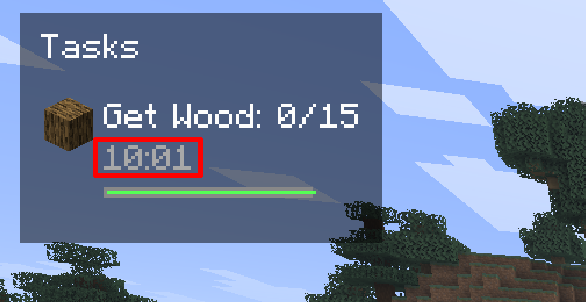
Auto-Complete - Item-based tasks finish automatically the moment you collect enough. Manual tasks can be checked off with a single click.
HUD Display - See your active tasks in the top-left corner with progress, status icons, deadline bars, and countdowns.
Responsive layout adapts to tasks with and without deadlines.
Full Task Management UI - Press U (configurable) to open the task screen.
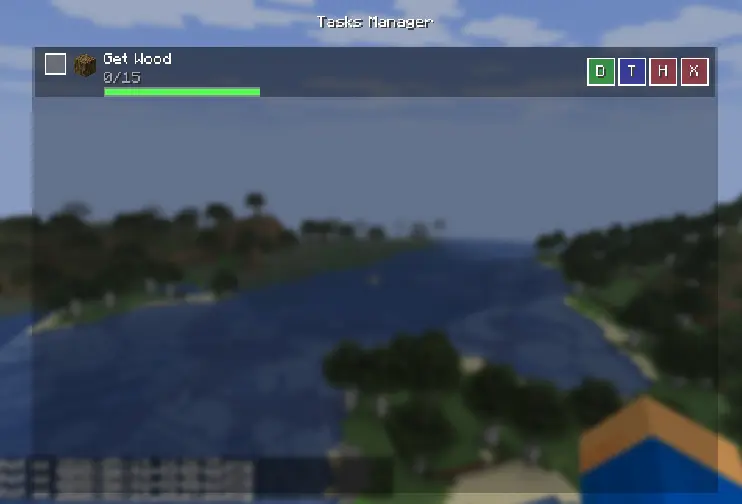
Add, edit targets, set deadlines, hide, or delete tasks.
Built-in item search helps you find the right item ID.
How to Use
Press U to open the task manager, Click "Add Task", give it a name, optionally link an item (search by name or ID), set a target count, and assign a deadline in minutes Tasks appear on the HUD automatically. Item counts update in real time as you pick up or drop items. Click the checkbox in the task list to manually mark a task complete, or let auto-complete handle it. Use the H, T, D, X buttons to hide, edit target, set deadline, or delete a task
Screenshots
Gallery
-
 Mod Logo
 -
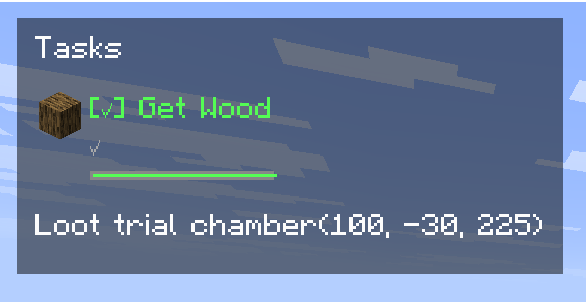 Tasks tracker in HUD
 -
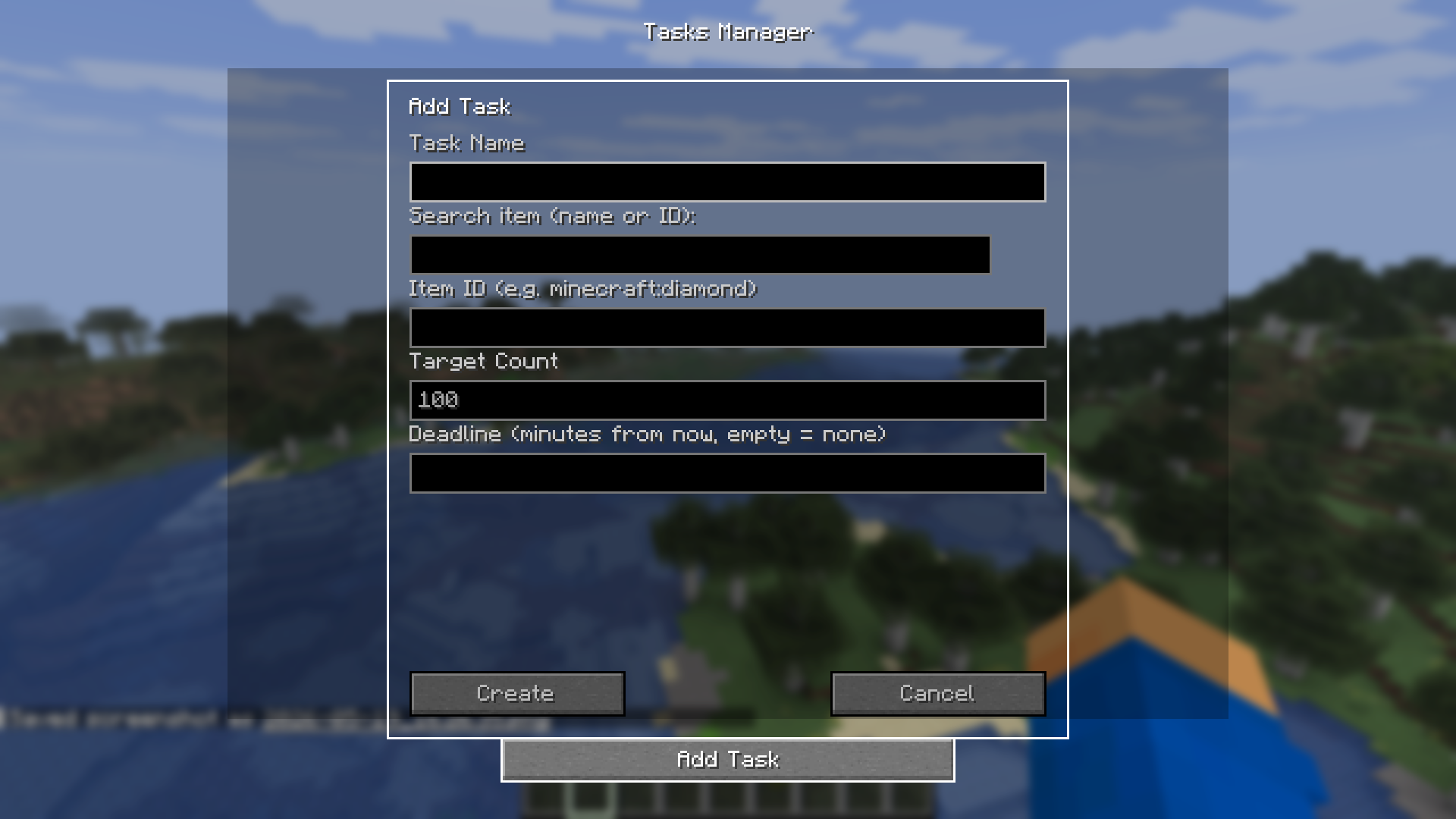 Task Creation Window
 -
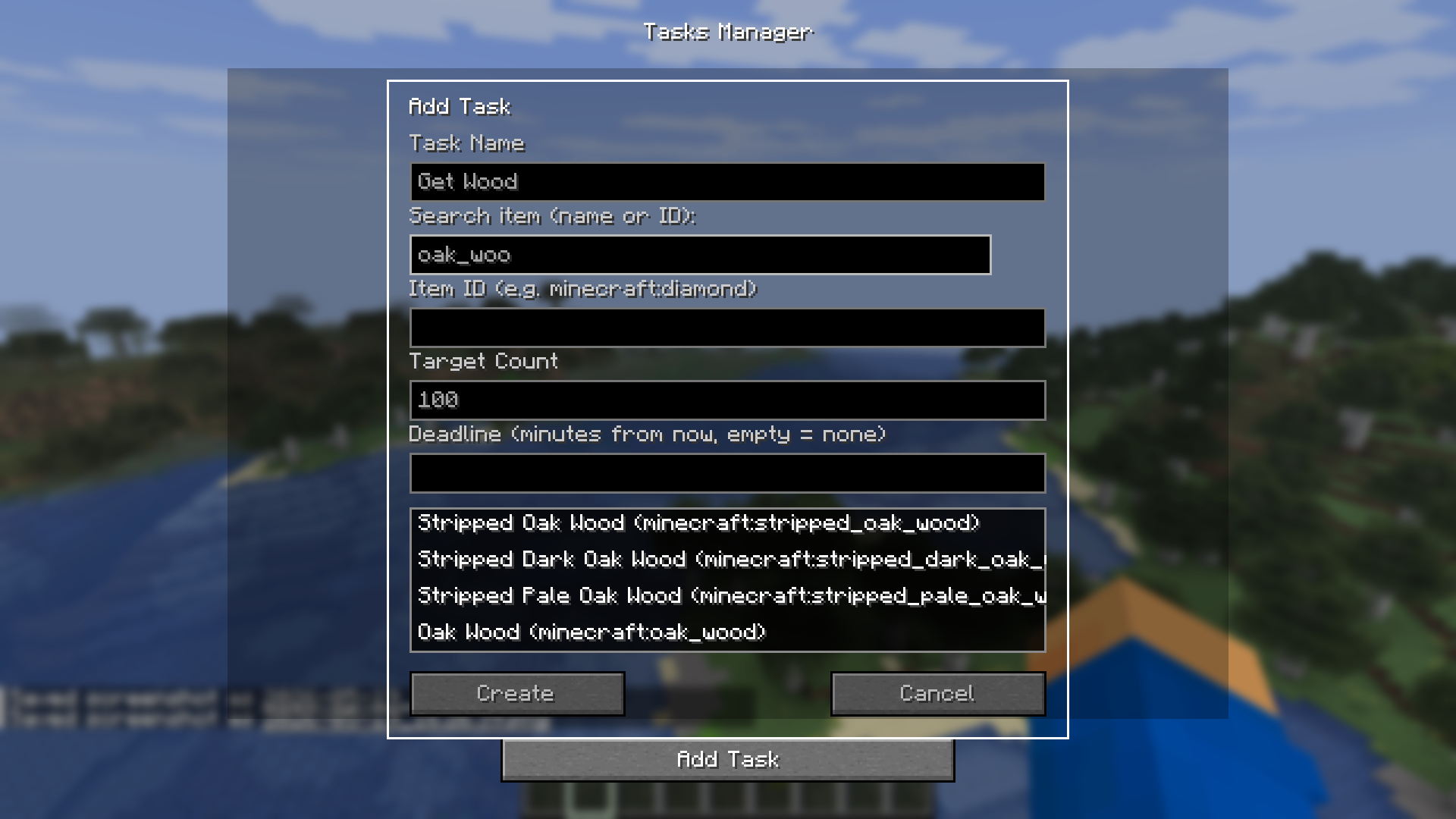 Item Search work this is a feature to search for item IDs to input in item ID field
Versions
Files
Relations
Project Relations
More like this
Similar Mods
Suggestions use data such as tags, dependencies, dependents, descriptions, titles, and more to rank how much they overlap with this mod.
On ModDex
Community snapshot
By the numbers
Statistics

Want to reach Minecraft players?
We're looking for a server hosting partner to feature here and other parts of the site. Interested? Send us a message!
Get in touchGet it on
Available Platforms
On ModDex
Community snapshot
By the numbers
Statistics
Resources