
Community listing page, reviews here may not be monitored by the author.
Team Stages

No reviews yet
Team Stages is an addon for Game Stages, allowing stages to be given to both players and teams.
Community voices
Reviews
No reviews yet. Be the first to review this project!
Get it on
Available Platforms
About
Project Details
For authors
Embed Badge
If you're the author of this project, you can embed a live badge anywhere that supports HTML or Markdown. It updates automatically whenever ratings change.
Use HTML for any page that supports it, or Markdown for README files and Markdown-based descriptions.
Identifiers
Platform IDs
Resources
External Links
About
Description
About Team Stages
Team Stages is an addon for Game Stages, allowing stages to be given to both players and teams.
Team Stages adds a new command, /teamstage, which can be used to give stages to and remove stages from the specified player or team. The Game Stages API and the /gamestage command by default only affects the player's team but this can be changed in the config to affect just the player or both the player and the team.
FTB Quests Integration
Team Stages integrates with FTB Quests adding one new task and reward.
Stage Task
The stage task has 2 settings, stage, and effect.
Stage is the stage you want to check for.
Effect is one of three options and changes whose stages are being checked. Allowed options: player, team, or both. If set to both either the player or the team has to have the stage.
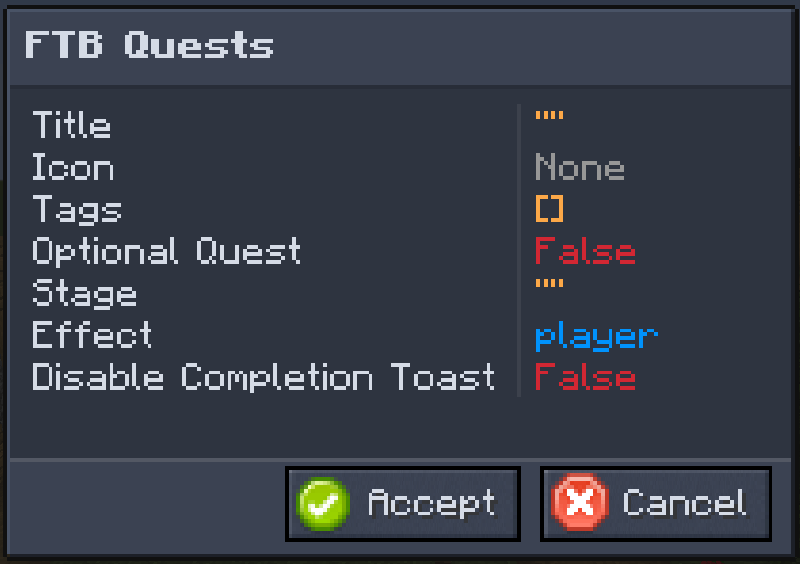
Stage Reward
The stage reward has 3 settings, stage, effect, and remove.
Stage is the stage you want to grant or remove.
Effect is one of three options and changes who stages are granted to or removed from. Allowed options: player, team, or both.
Remove determines whether stages will be granted or removed, with true removing a stage.
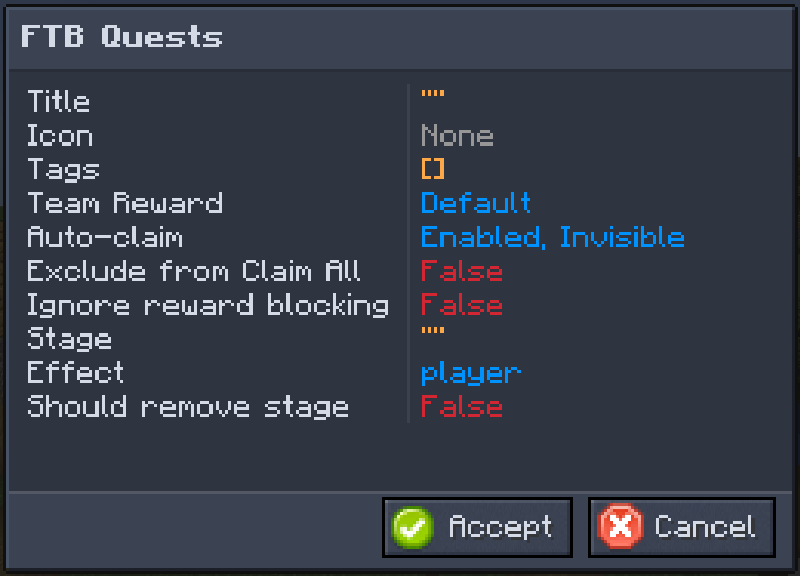
Team Stages API
Getting Started
To start using the Team Stages API in your mod add the following to your build script (build.gradle):
Repositories
repositories {
    maven {
        url "https://maven.scsupercraft.dev"
    }
}
Dependencies
dependencies {
    implementation fg.deobf("dev.scsupercraft.teamstages:teamstages-${minecraft_version}:${teamstages_version}")
}
Choose a Version
For a list of available versions, see CurseForge.
In your gradle.properties file add the following:
teamstages_version = 1.2.0Using the API
The TeamStageHelper class contains all the APIs you'll need.
It has two static methods called player and team, which you call to get either the player stage helper or the team stage helper.
These helpers send events and sync data for you, so you don't have to.
Screenshots
Gallery
Versions
Files
Relations
Project Relations
More like this
Similar Mods
Suggestions use data such as tags, dependencies, dependents, descriptions, titles, and more to rank how much they overlap with this mod.
On ModDex
Community snapshot
By the numbers
Statistics
Want to reach Minecraft players?
We're looking for a server hosting partner to feature here and other parts of the site. Interested? Send us a message!
Get in touchGet it on
Available Platforms
On ModDex
Community snapshot
By the numbers
Statistics
Resources