Teamwork Makes a Dream Work
No reviews yet
A mod about Minecraft's scoreboard system that puts power into the hands of the player. Team up, stand out, and rule the scoreboard- just don’t lose your Charter! Includes craftable items to give team functionality to survival mode players.
Fabric is a mod loader for versions 1.14+ of Minecraft, particularly popular for client side and optimization mods.
Community voices
Reviews
Click once to include, again to exclude, again to clear
No reviews yet. Be the first to review this project!
Get it on
Available Platforms
 Modrinth
Compatibility
Supported Environments
About
Project Details
For authors
Embed Badge
If you're the author of this project, you can embed a live badge anywhere that supports HTML or Markdown. It updates automatically whenever ratings change.
Use HTML for any page that supports it, or Markdown for README files and Markdown-based descriptions.
Identifiers
Platform IDs
Resources
External Links
About
Description
Description
Teamwork Makes a Dream Work gives the player control over the scoreboard system without commands, instead using craftable blocks and items. The items currently included allow players to create, disband, join, leave, and remove members from teams, as well as change a team's name, prefix, suffix, color, and friendly fire settings. Players can also view a team's status and members.
Instead of being limited by Minecraft's formatting colors, you can modify your team color using dyes, opening up many more possibilities! The team color is applied to any team members' names in chat, their names in the player list, and their nameplates. This allows players to use a team as a way to customize their name's appearance.
Features:
- Items to give survival mode players access to team functionality
- Teams can be assigned a dye color value as a display name color
- Direct link to config file for editing via Mod Menu if installed
| Item | Information |
|---|---|
Team Charter  |
Creates a team or applies changes to an existing team when used. Starts as a Blank Team Charter. Can be renamed in an Anvil to seperately change team display name, prefix, and suffix. When used while sneaking, changes friendly fire setting. Can be dyed to change team color. Changes must be applied to take effect. This item is the life of the team- if it is destroyed or despawns, the team is disbanded! As a safety measure, an active Team Charter cannot be deleted in the creative mode inventory screen. Crafted shapelessly using paper, an ink sac, and a feather. |
Team Joining Token  |
Must be crafted with a valid Team Charter to assign a team. Joins assigned team and consumes token on use. Will not join team if user is already on a team. Stacks to 64, in case you need to pass out large quantities of them. Crafted shapelessly using paper and yellow dye. |
Team Departing Token  |
If not crafted with a valid Team Charter, removes you from your current team and consumes token on use. If a different player needs to be removed from a team, a Team Departing Token can be crafted with a valid Team Charter to be converted to a Team Revoking Token. Team Revoking Token can be renamed in an Anvil to input a player name. When used, that player will be kicked from the assigned team and token will be consumed. Crafted shapelessly using paper and red dye. |
Team Roster  |
Must be crafted with a valid Team Charter to assign a team. Works like an uncopyable Written Book, displaying team status, member count, and member list on use. Can be placed on a Lectern or in a Chiseled Bookshelf. Must be used in hand to update information. Crafted shapelessly using leather, an ink sac, and paper. |
Tips:
- Keep your Team Charter safe!
- Without any instructions (anvil renaming, dyeing, sneaking while using) the Blank Team Charter will create a team with a random name, a random color, and friendly fire set to off when used.
- When you create a team with the Team Charter, you are not automatically added to that team. You must craft the charter with a Team Joining Token and then use that token to join the team.
- You can wash a Team Charter in a Cauldron to reset the team color, otherwise dye colors will be mixed like with leather armor.
- By default, if you rename a Team Charter in an Anvil to (without quotes) "name=Happy Llamas", the charter's name value will be changed to "Happy Llamas" on item update. The change can be applied to the team by using the charter. You can also do this with the team prefix and suffix by naming the charter (without quotes) "prefix=team prefix" and "suffix=team suffix" respectively.
- On destruction/despawn, an active Team Charter notifies current team members and anyone within a 5 block radius of its destruction that the team has been disbanded.
- By default, the Team Revoking Token can be renamed in an Anvil to (without quotes) "revert" to be turned back into a Team Departing Token.
- The team joining/leaving visual effects clutter your screen, so we do not advise trying to switch teams in the middle of a heated battle!
- There are server-wide particle effects for creating, applying changes to, joining, leaving, and getting kicked from a team.
- Sound effects are server-wide- players nearby can hear when you join or leave a team.
Config:
The keywords used in the anvil to update the Team Charter and the Team Revoking Token can be changed.
Default .minecraft/config/tmadw.json:
{
  "teamCharterNameChangePrefixString": "name=",
  "teamCharterPrefixChangePrefixString": "prefix=",
  "teamCharterSuffixChangePrefixString": "suffix=",
  "teamRevokingTokenPlayerChangePrefixString": "player=",
  "teamRevokingTokenRevertString": "revert"
}
Support
If you have a bug report, feature request, or any other type of issue, please post on our GitHub issues page. This is an issues page for all of our mods, so be sure to include the mod's name and version in your post. We appreciate all feedback!
If you'd like to support development, you can leave a tip at our BuyMeACoffee. Only if it's within your means- otherwise, using, sharing, and enjoying the mod is support enough. Thank you!
Credits
Inspired by Team Emblems by skyebound.
Team Charter textures derived from Villager Contract texture from Villager Contracts by Invadermonky, used under the MIT license.
Special thanks to TheWhyEvenHow and Bawnorton from the Fabric Discord.
Screenshots
Gallery
-
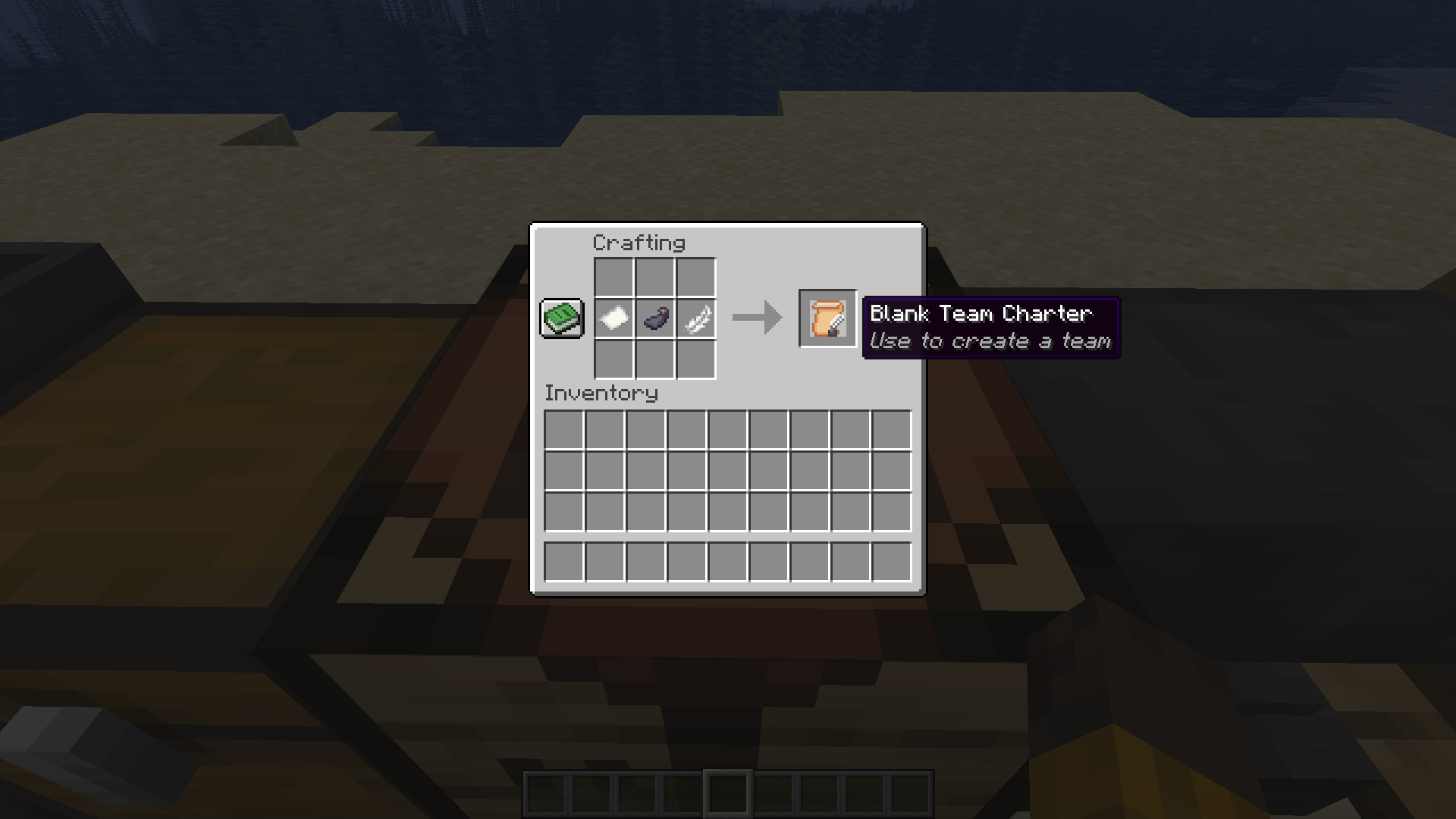 Crafting a Blank Team Charter How to craft a Blank Team Charter.
 -
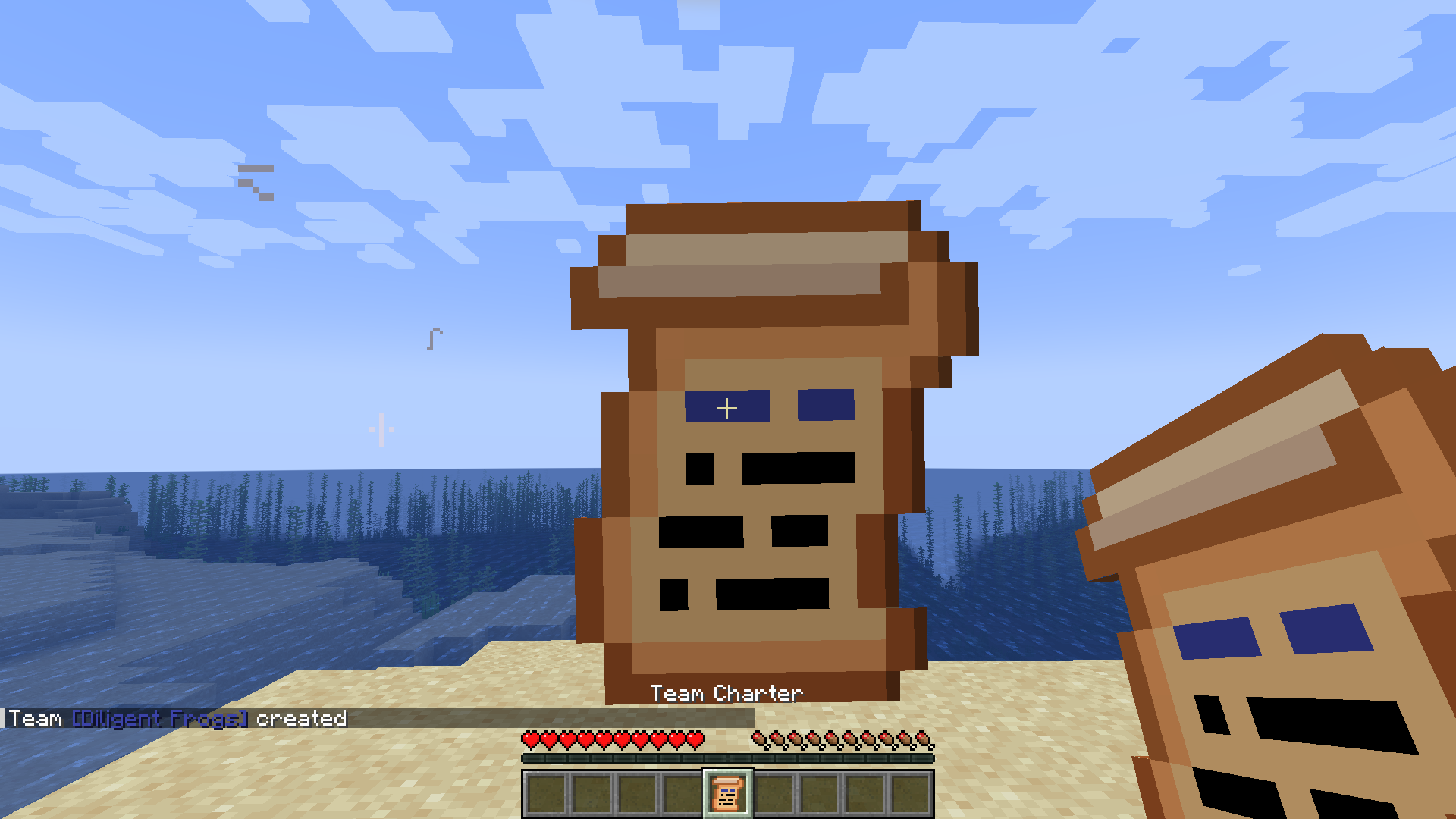 Team Creation What it looks like when a team is created. This charter was not assigned a team name and team color before creation, so this team was given a random team name (Diligent Frogs) and team color (blue #3C44AA).
 -
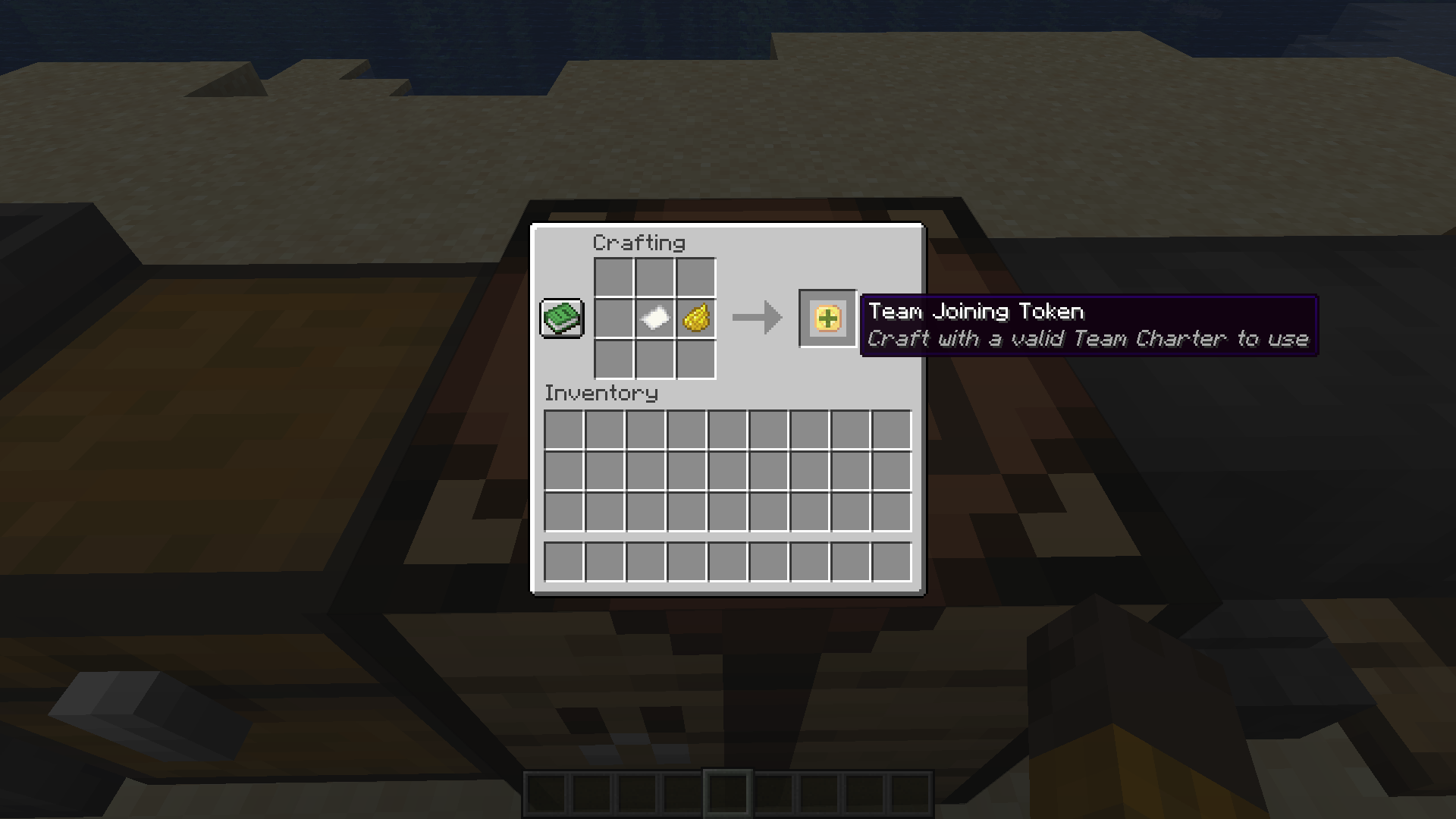 Crafting a Team Joining Token How to craft a Team Joining Token.
 -
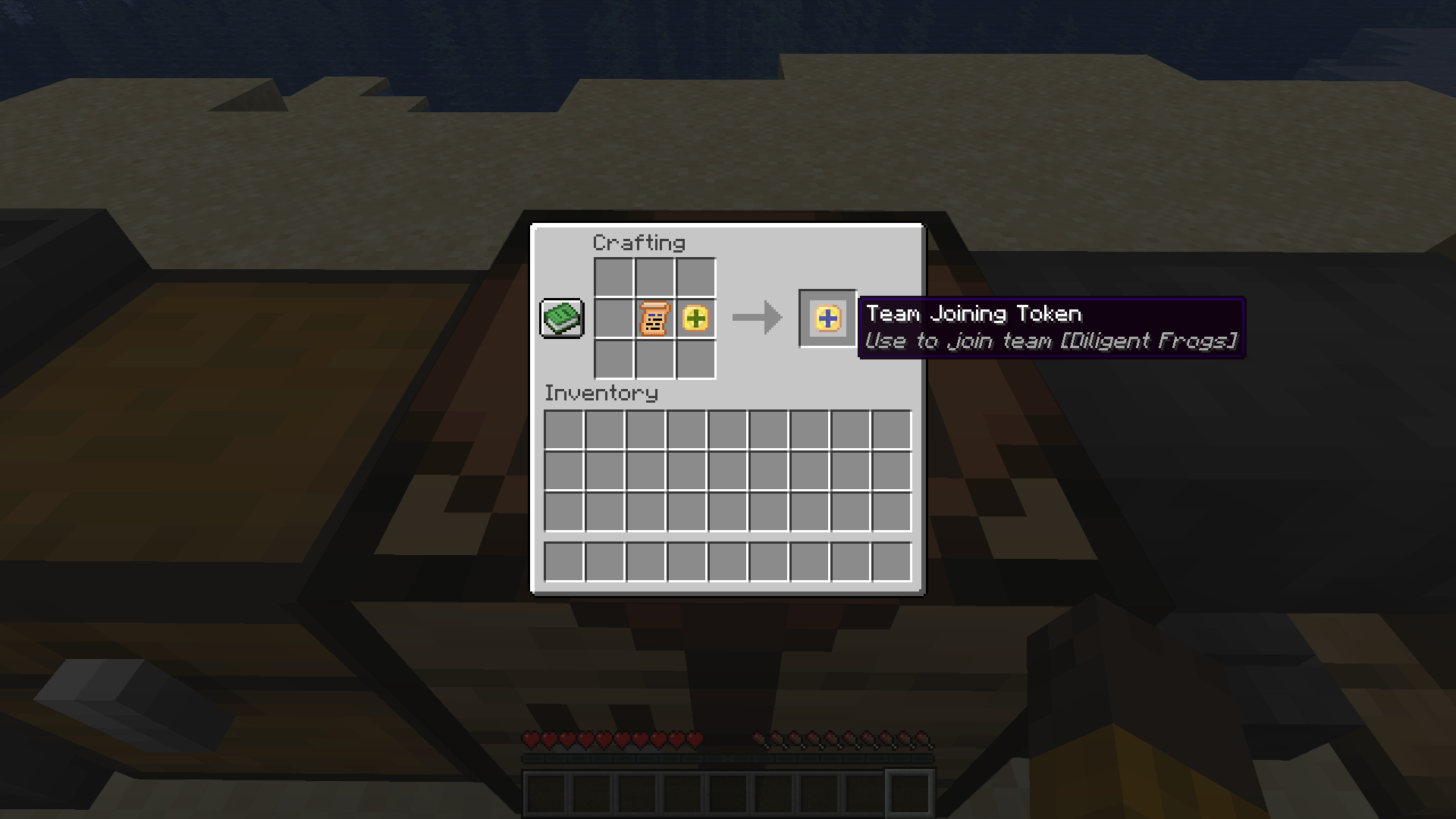 Assigning a Team to a Team Joining Token Craft a Team Joining Token with a valid Team Charter to assign a team to the token.
 -
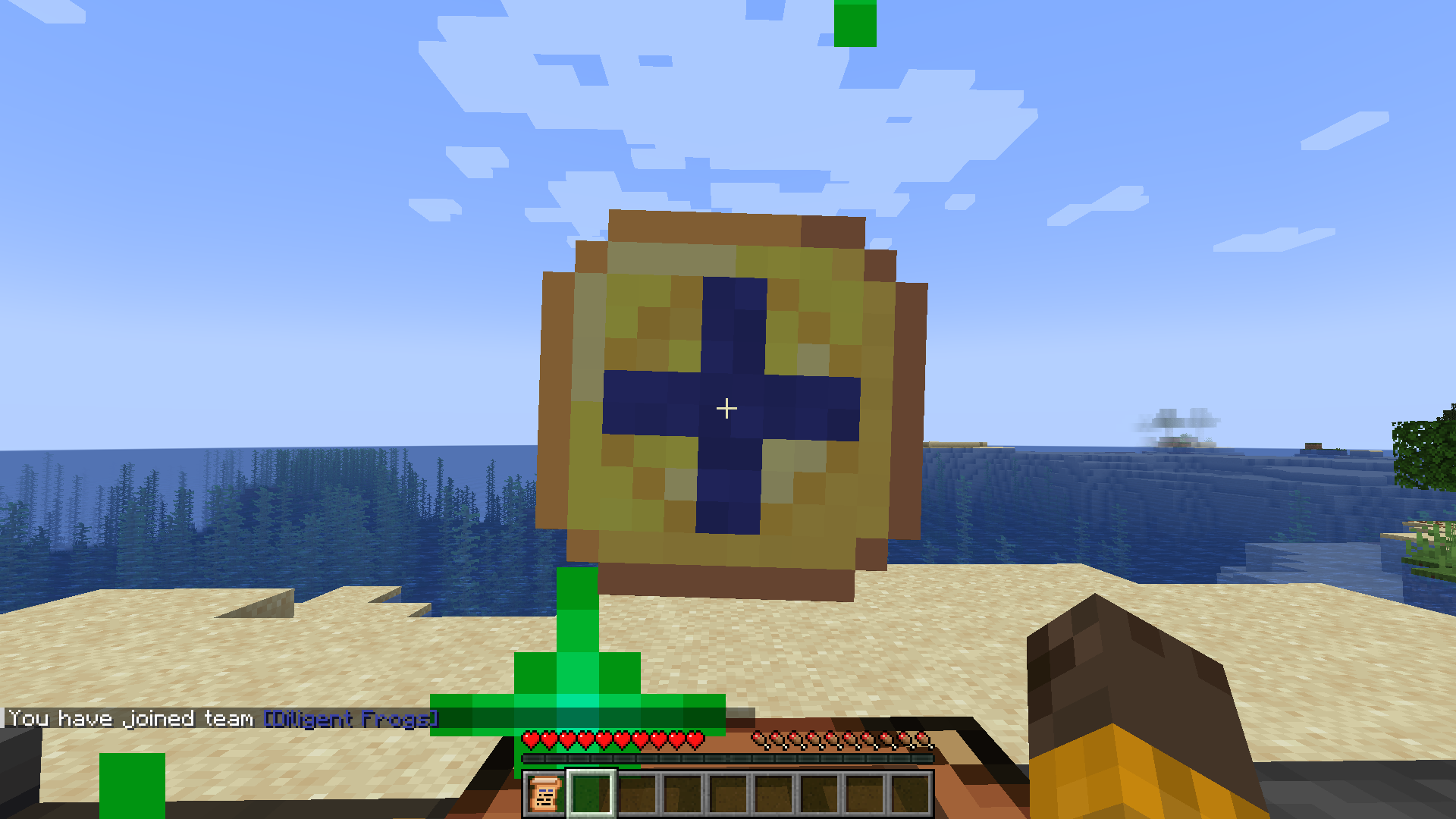 Using a Team Joining Token What it looks like to use a valid Team Joining Token.
 -
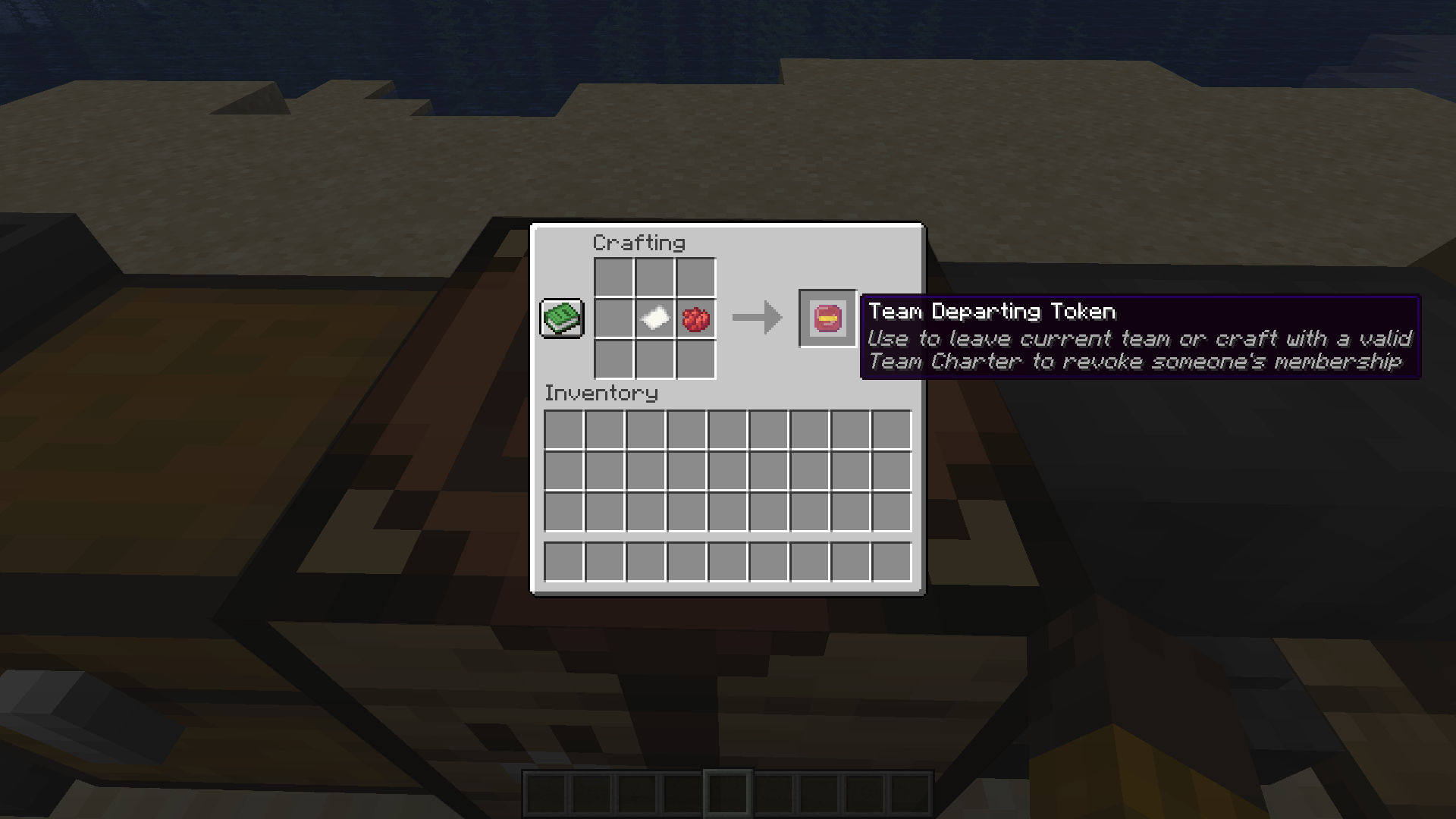 Crafting a Team Departing Token How to craft a Team Departing Token.
 -
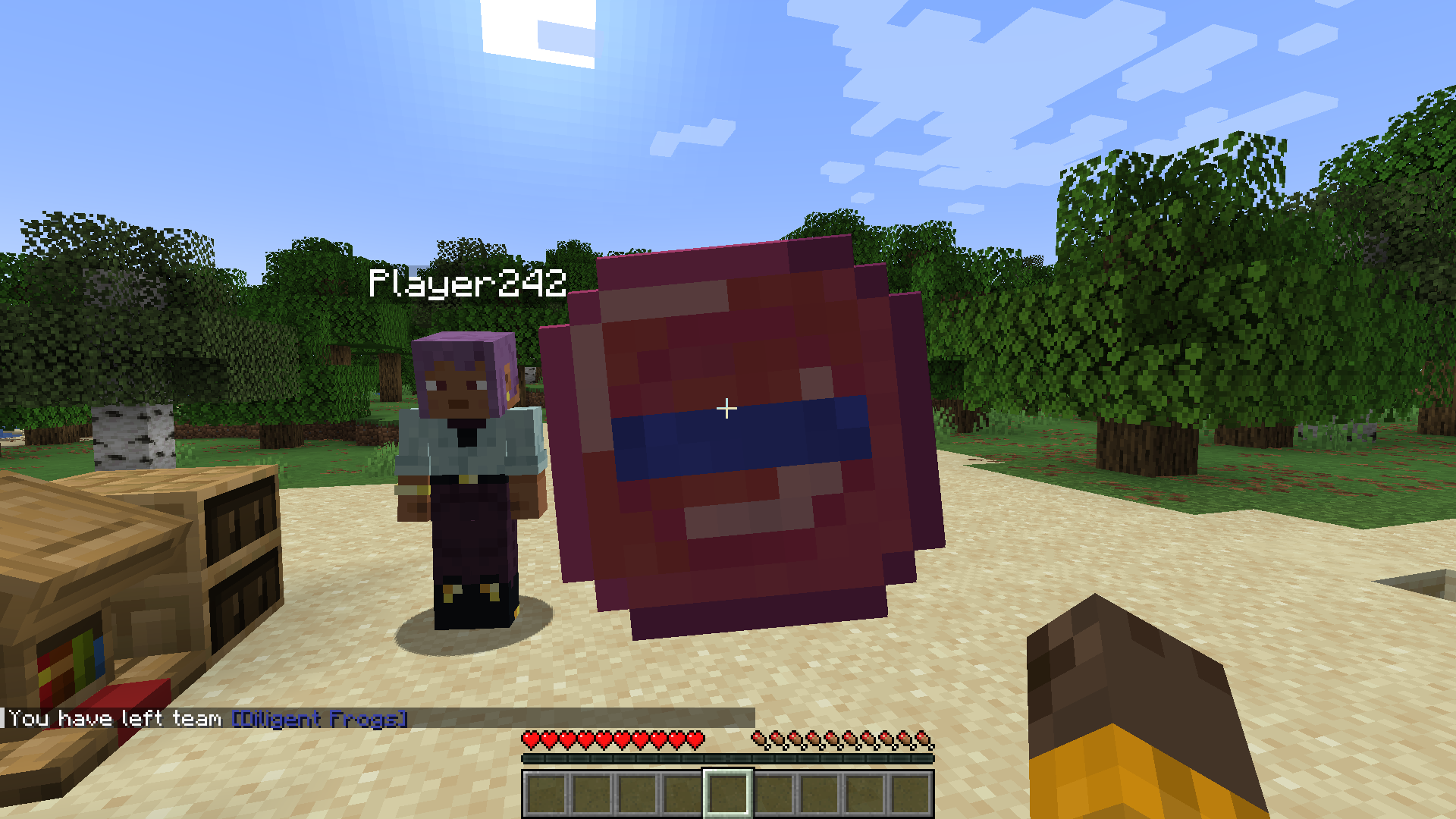 Using a Team Departing Token What it looks like to use a Team Departing Token.
 -
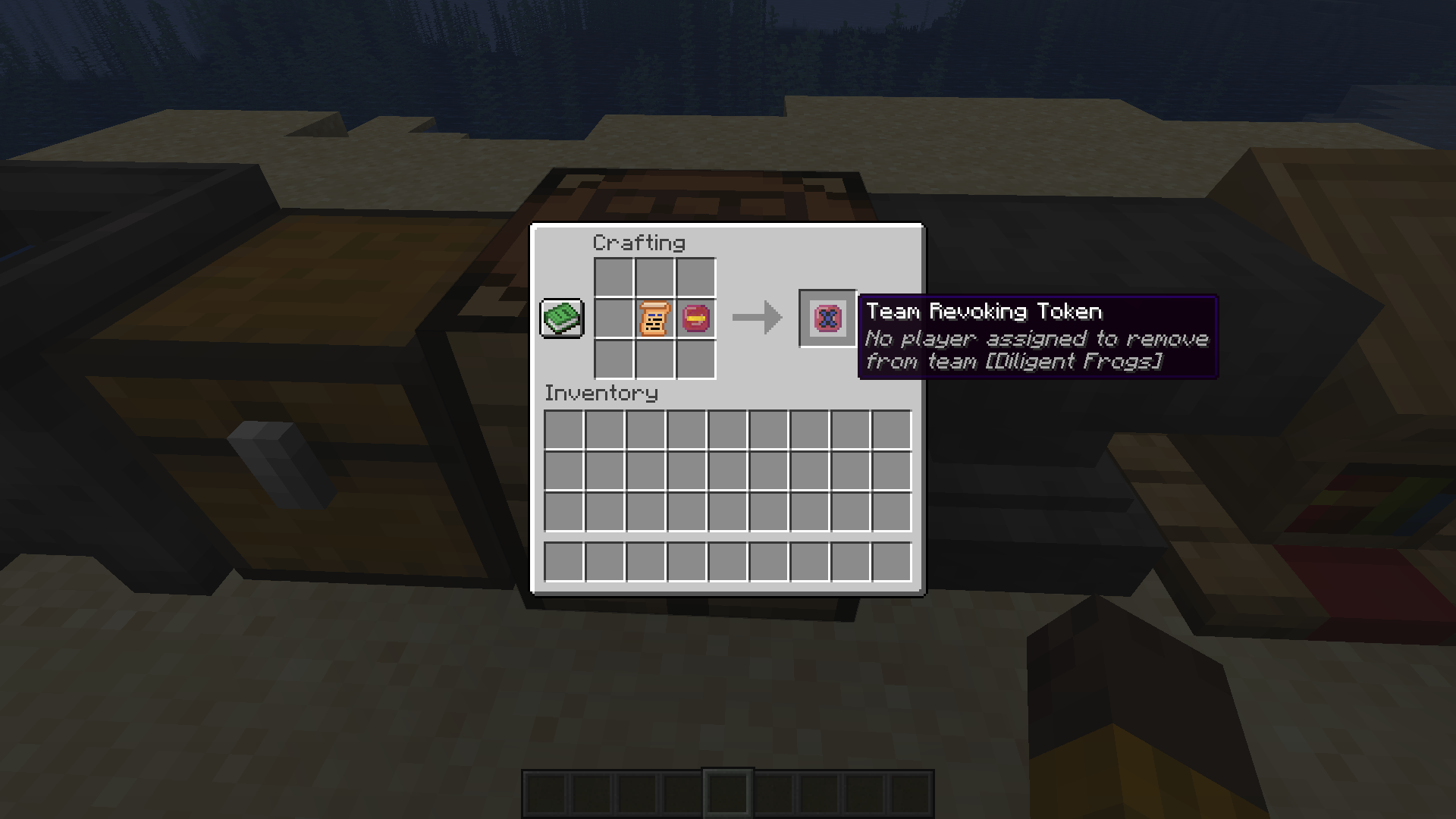 Crafting a Team Revoking Token How to craft a Team Revoking Token.
 -
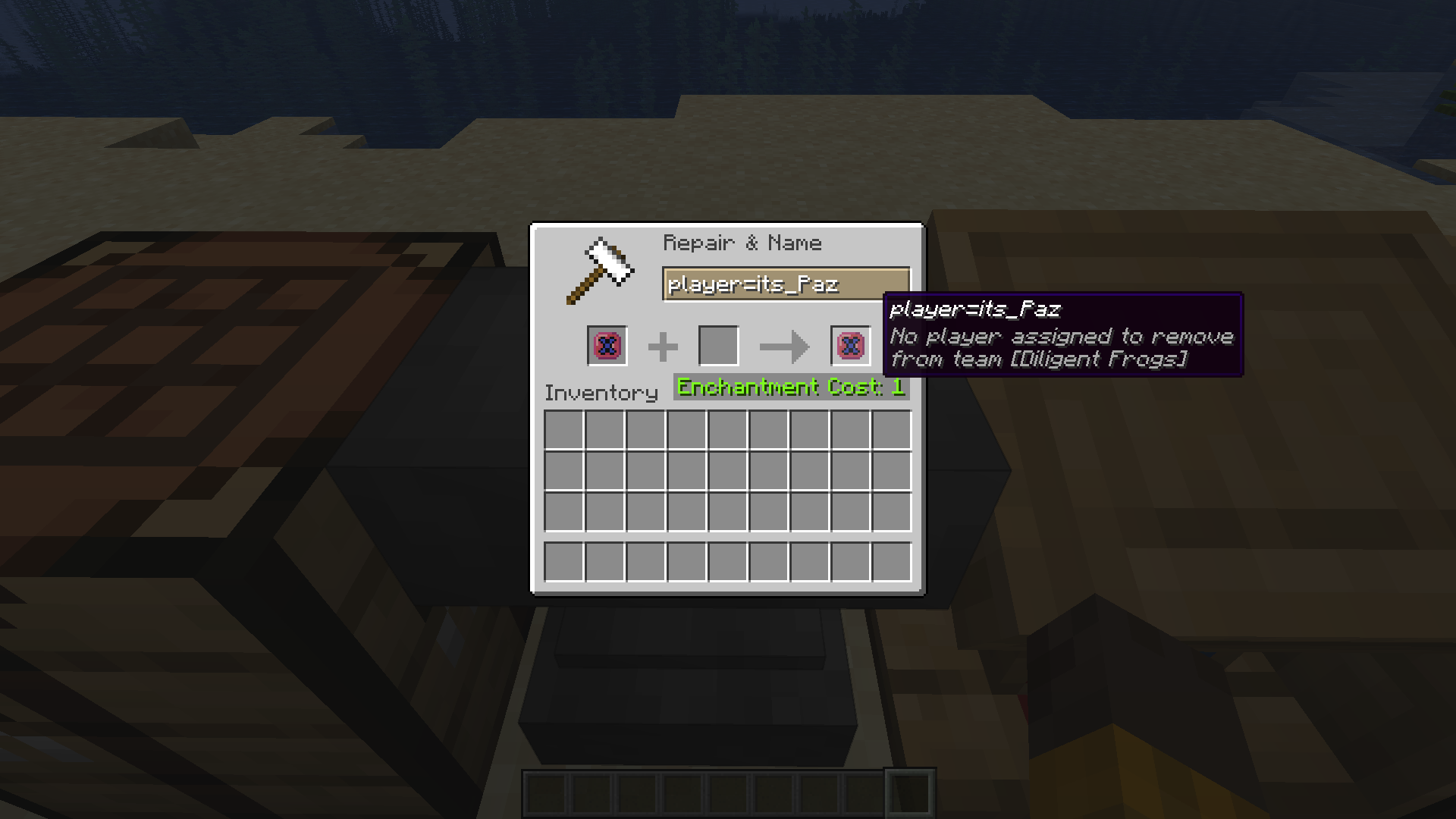 Revoking a Player's Team Part 1 Use an Anvil to rename the Team Revoking Token "player=player name" (by default).
 -
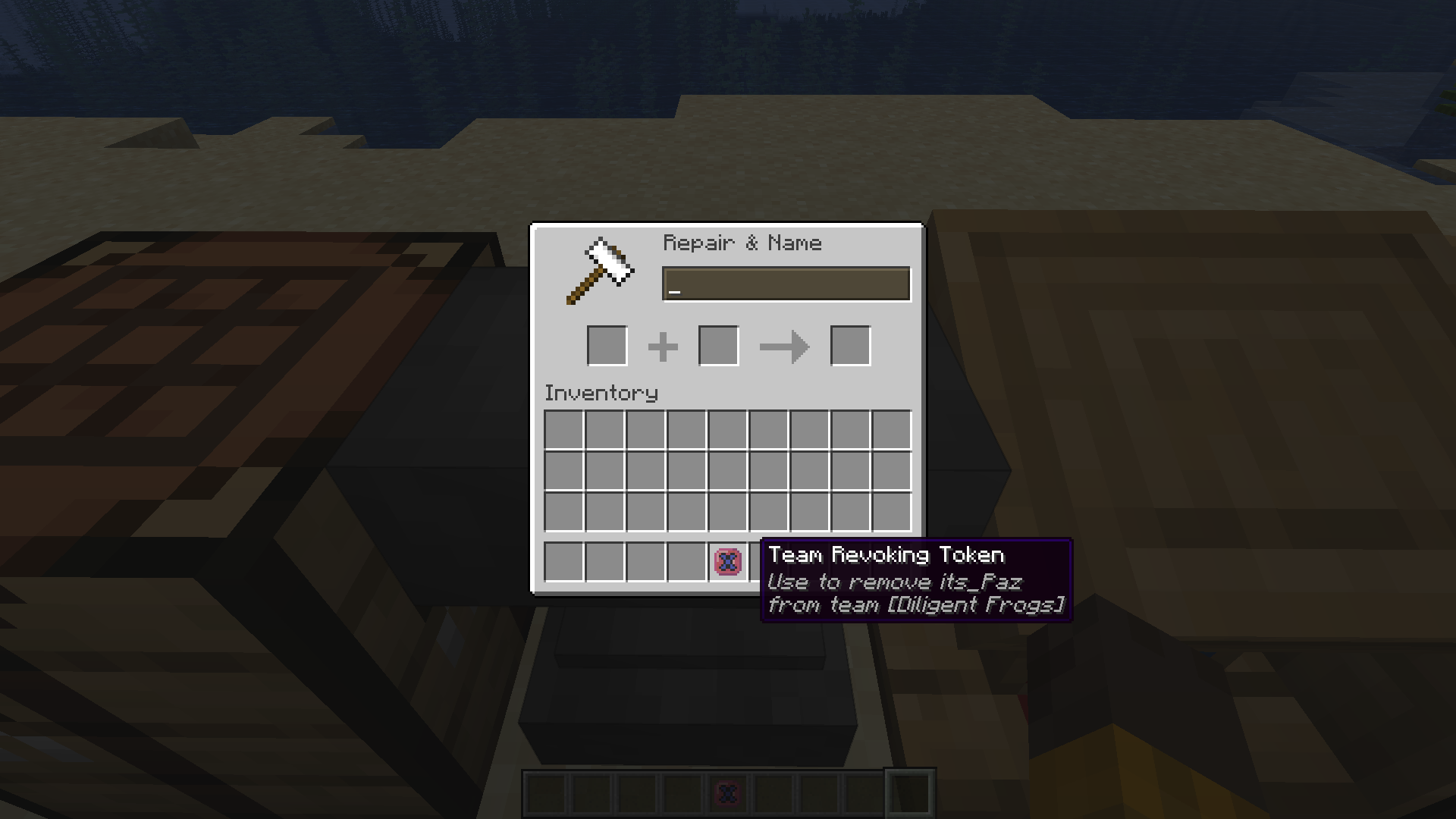 Revoking a Player's Team Part 2 The Team Revoking Token updates when taken out of the Anvil.
 -
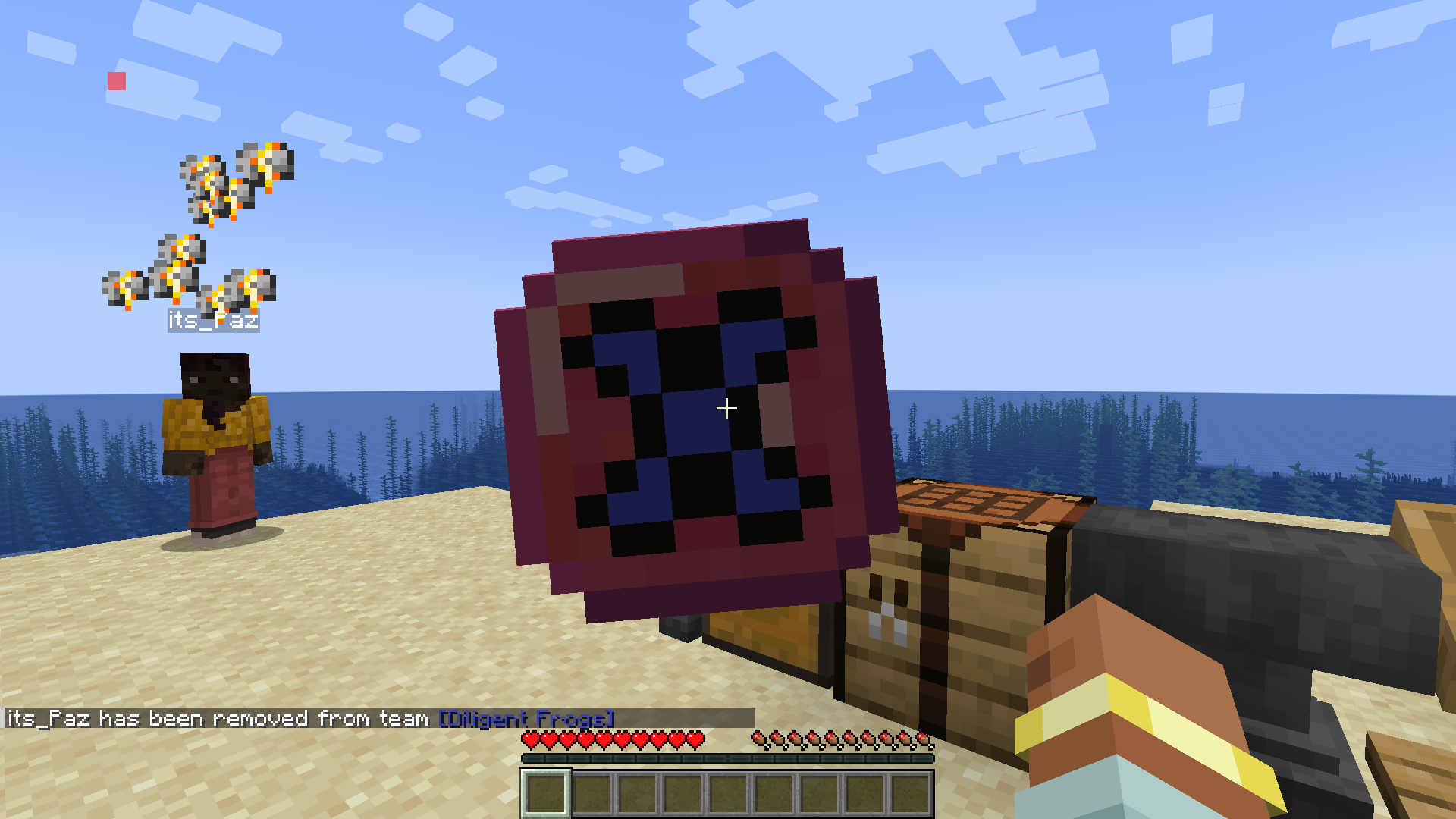 Using a Team Revoking Token Once a player is assigned, the Team Revoking Token can be used to remove that player from the team.
 -
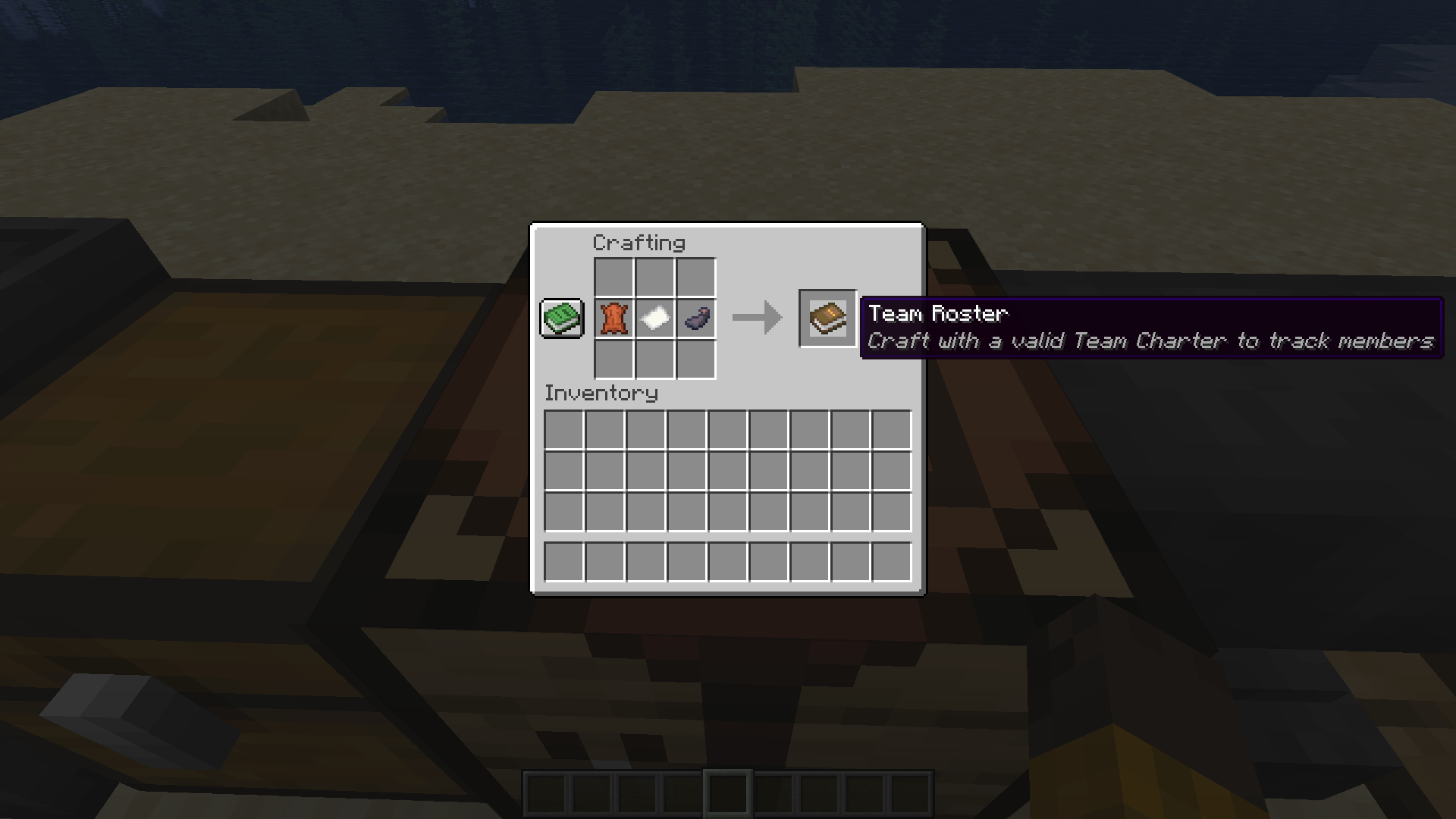 Crafting a Team Roster How to craft a Team Roster.
 -
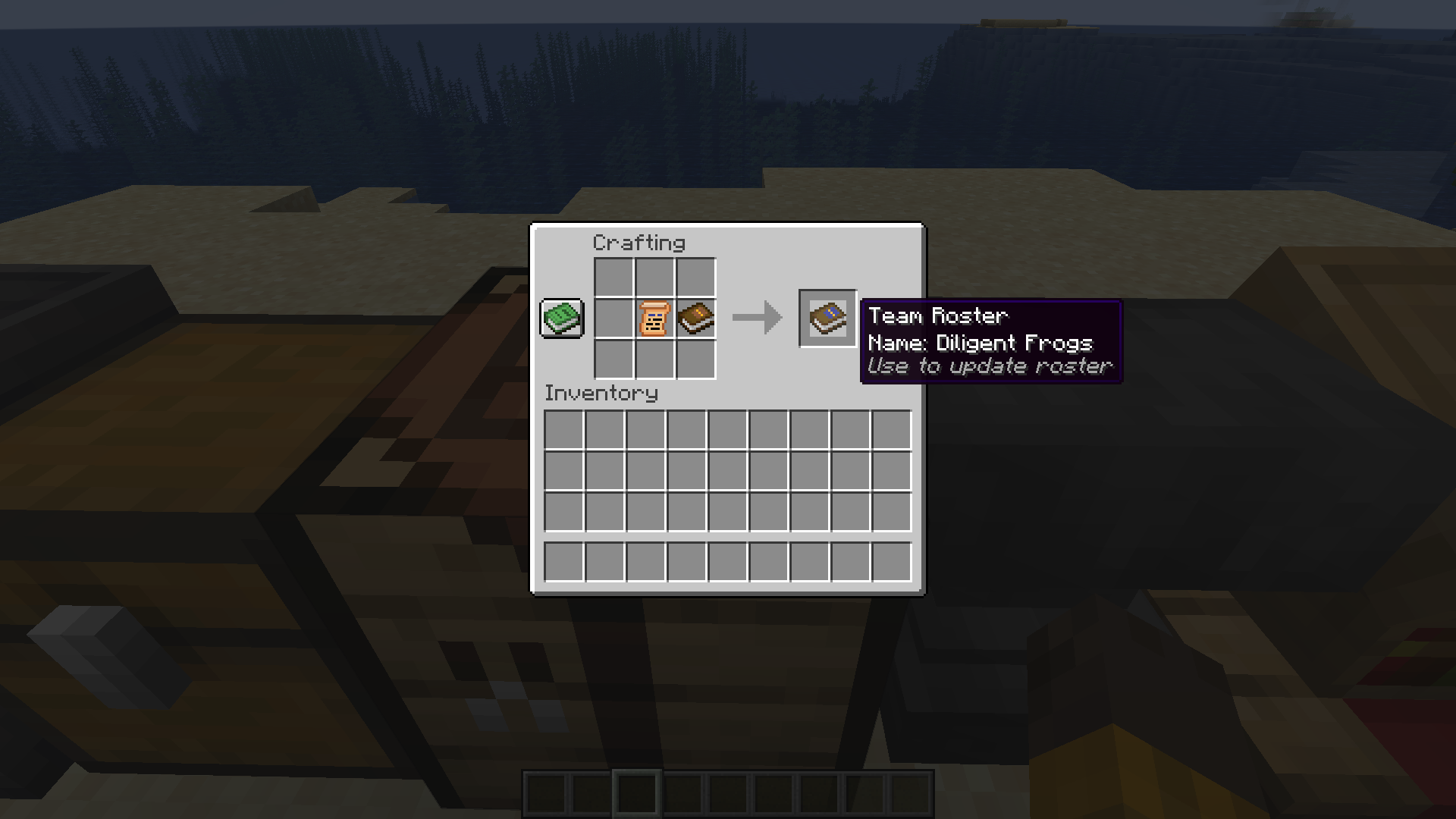 Assigning a Team to a Team Roster Craft a Team Roster with a valid Team Charter to assign a team to the roster.
 -
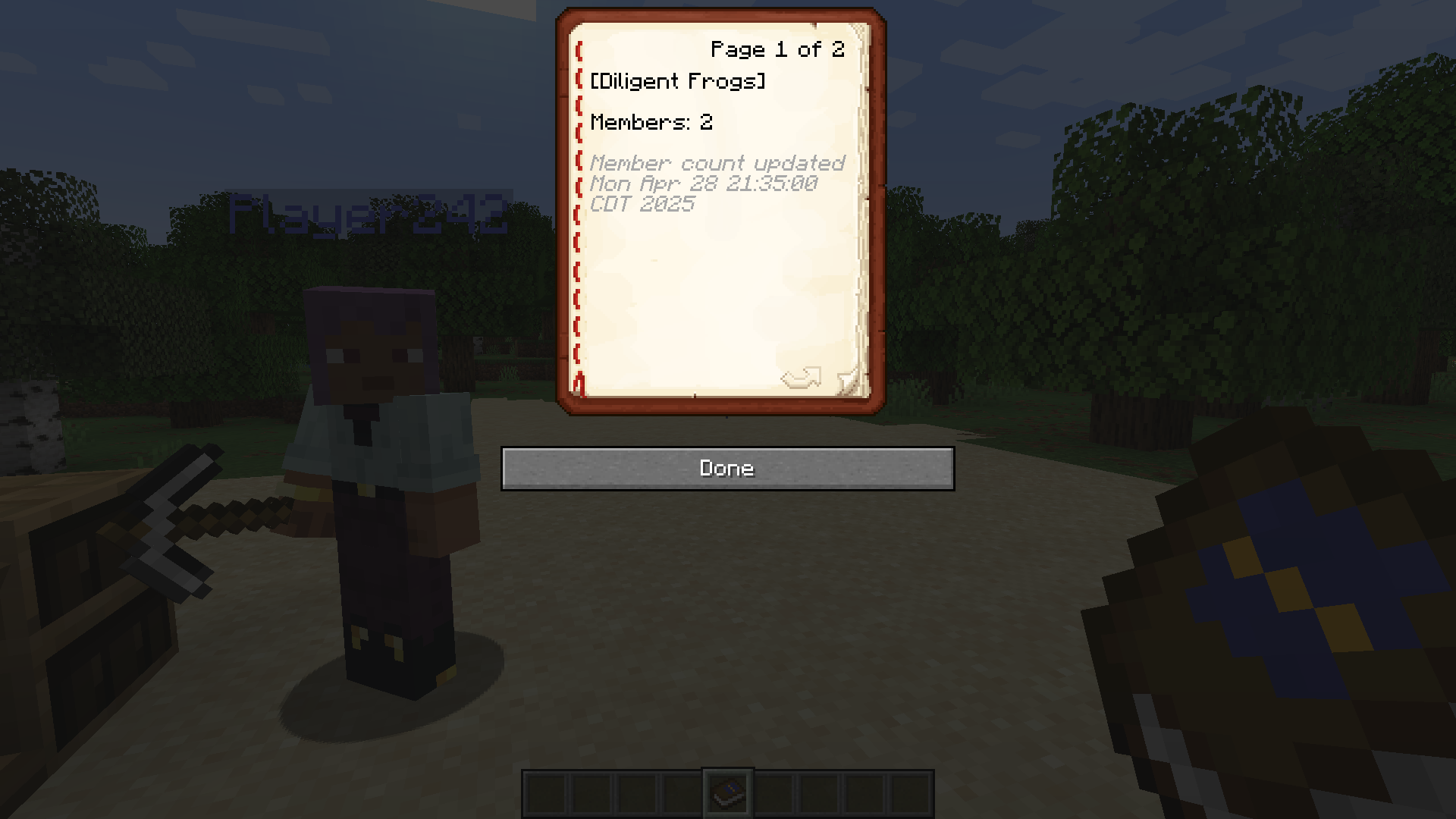 Team Roster Main Page What it looks like to use a valid Team Roster.
 -
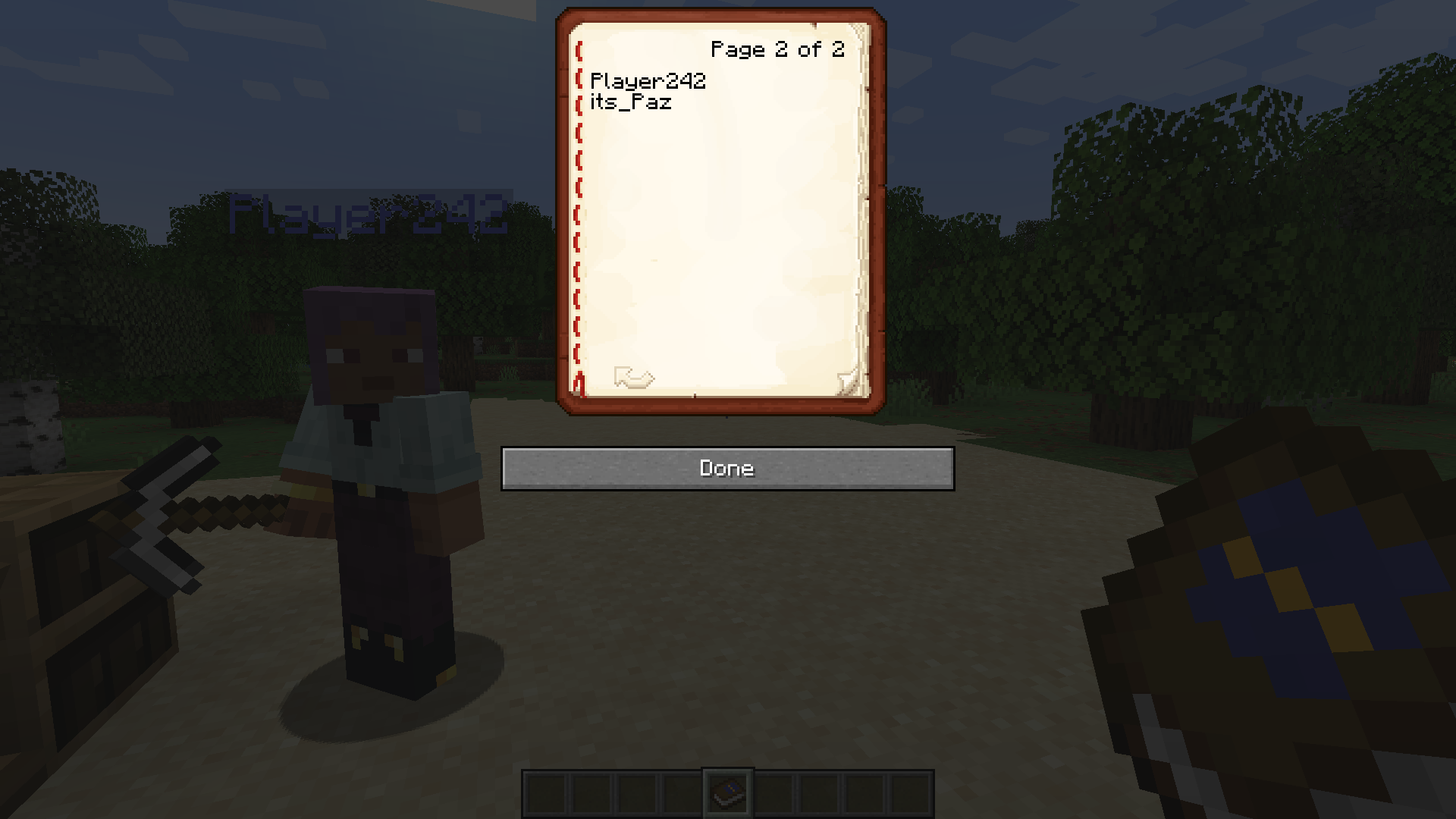 Team Roster Member List Member list starts immediately after the main page and is in alphabetical order.
 -
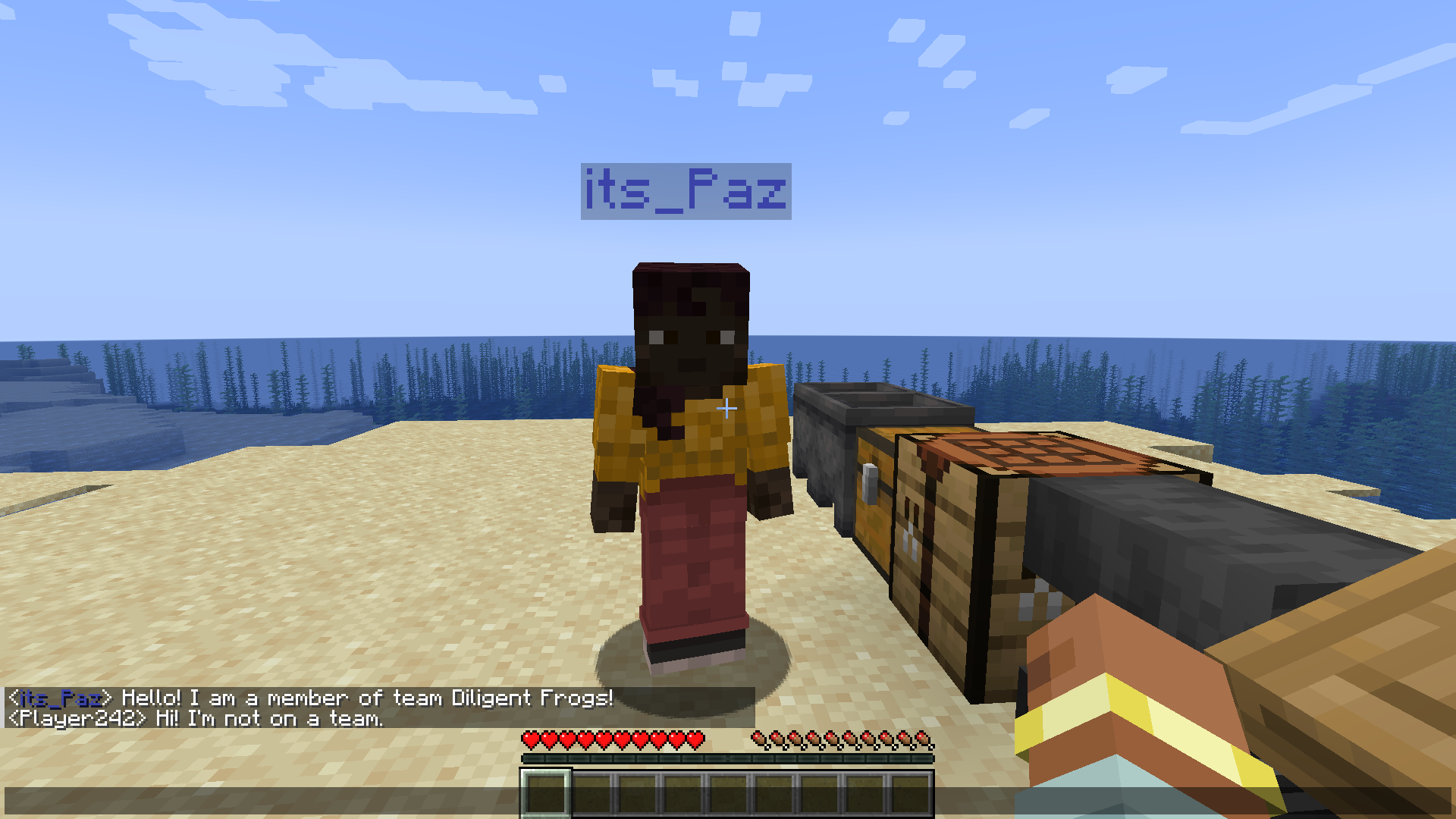 Player Name Matches Team Color Team members' names will match team color, which can be changed by dyeing the team's charter.
 -
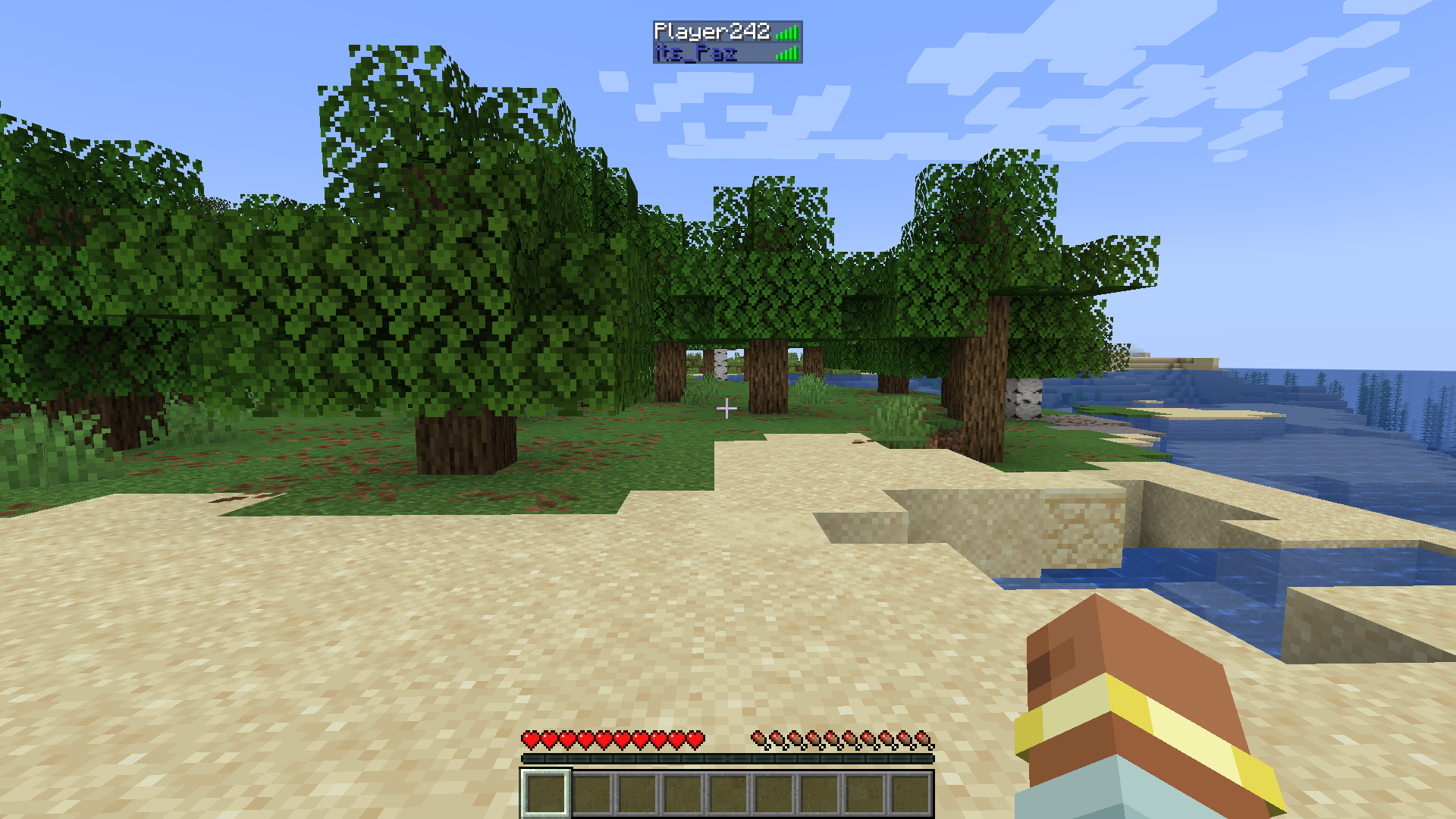 Player List Name Also Matches Team Color Team members' names in the player list will be colored to match their team's color, which can be changed by dyeing the team's charter.
Versions
Files
Relations
Project Relations
More like this
Similar Mods
Suggestions use data such as tags, dependencies, dependents, descriptions, titles, and more to rank how much they overlap with this mod.
On ModDex
Community snapshot
By the numbers
Statistics

Want to reach Minecraft players?
We're looking for a server hosting partner to feature here and other parts of the site. Interested? Send us a message!
Get in touchGet it on
Available Platforms
On ModDex
Community snapshot
By the numbers
Statistics
Resources