
Community listing page, reviews here may not be monitored by the author.
Technical Enchant+


No reviews yet
TE+ adds a new enchanting ecosystem with new mechanincs and features with over 50+ new enchantments

Community voices
Reviews
No reviews yet. Be the first to review this project!
Get it on
Available Platforms
Compatibility
Supported Environments
Must be installed on both the client and the server.
About
Project Details
For authors
Embed Badge
If you're the author of this project, you can embed a live badge anywhere that supports HTML or Markdown. It updates automatically whenever ratings change.
Use HTML for any page that supports it, or Markdown for README files and Markdown-based descriptions.
Identifiers
Platform IDs
About
Description

Attention!! This is a pseudo-mod because it's originial version comes from a datapack with the same name. However it has some exclusive features.
With that said there are TWO main mod versions of it:

GET IT ALSO AT:

[Useful Commands]
/function enchantplus:give/all -------------> To obtain all the enchantments and items
/function #enchantplus:uninstall -------------> To uninstall the datapack addons and complements
/function enchantplus:config -------------> To access to the Main Config MENU
/function enchantplus:heldenchant/apply/<enchantment> -----------> To enchant the item you're holding
/function enchantplus:force_conversion -----------> To convert the nearest entity into an "Enchanted mob"
Technical Enchant+ let you obtain ober 52 enchantemnts and 5 new curses. It adds it's own enchanting mechanic which is fully customizable thorugh an in-game config. You can even expand it's content with Addons (more encahntments) and Complements (make other modded items compatible with TE+ enchantments).
How to start?
When you first enter the world you will unlock a new advancement tab in relation with Technical Enchant+ for the first time you place an enchanting table. After that you can throw a Book and Quill
on top of an enchanting table to get a GUIDE BOOK.
You may also need to check the full wiki of it using this link: https://github.com/Frektip/Technical-Enchant-Renewed/wiki
NEW ITEMS
- Charged Bookshelf: Crafted with 8 lapis and 1 normal bookshelf, it is used to increase the enchanting Tier of an enchanting setup
- Technical Anvil: Crafter with 8 lapis blocks and 1 undamaged anvil, it is used to combine or extract custom and/or vanilla enchatments
- Birthday Potion: Obtained through the Guide Book, it is just for fun, try it out ;)
- Polished Lapis: Sold by Advanced Enchanters, it is used as the main currency to trade with them
- Isolated Core: Sold by Advanced Enchanters, it is used to extract custom and vanilla curses
- Blessed Orb: Sold by Advanced Enchanters, it is used to convert a mob into an enchanted one
ENCHANTING SETUP TIERS
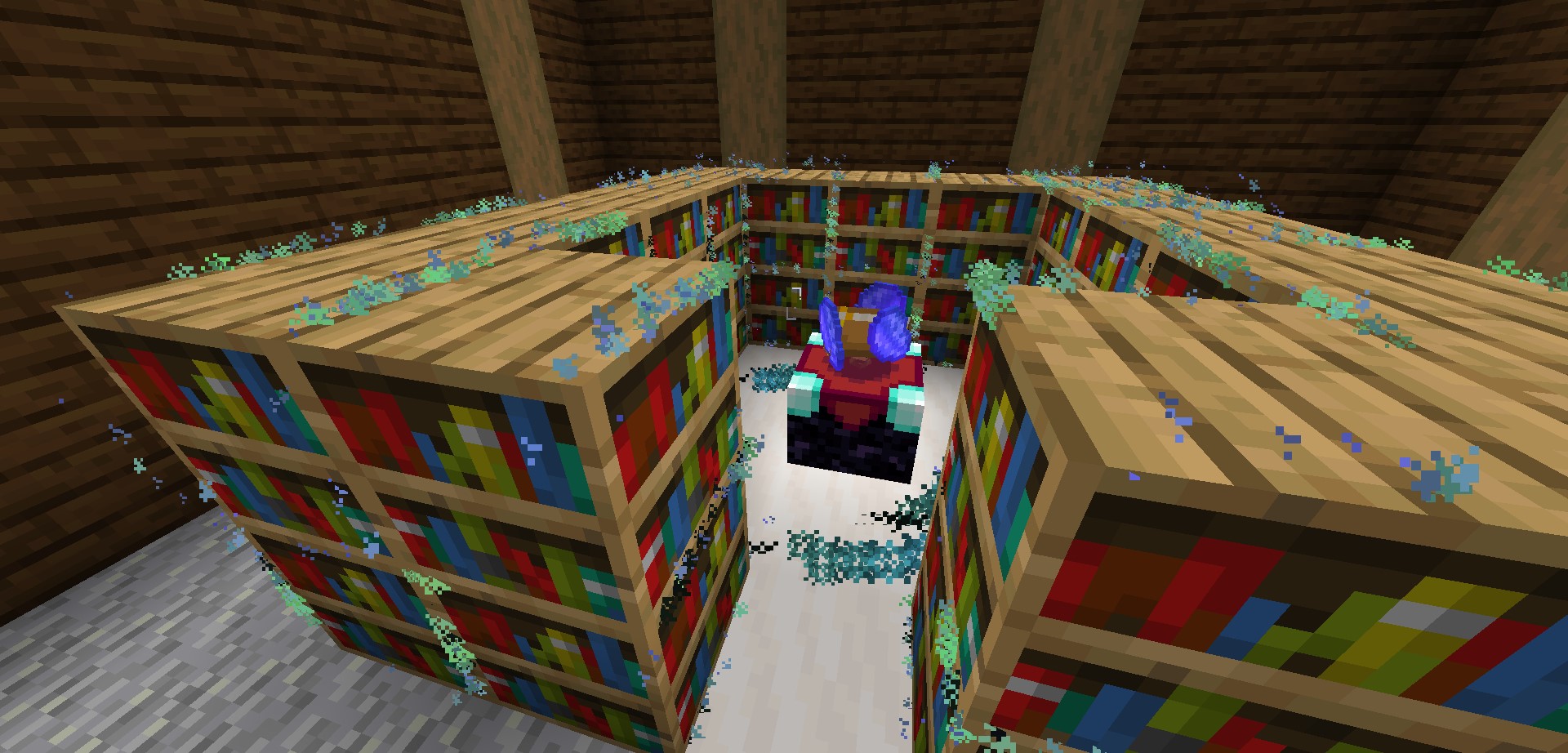
You can place charged bookshelves around the encahnting table from 2 to 5 blocks to increase it's Tier. Each time you level it up it will change the Enchanting table a bit. Like Adding hovering Lapis on top of it.
Tier 1: Allowed to get Low enchantments only ---requirements---> 10 levels and 1 lapis
Tier 2: Allowed to get Average enchantments ---requirements---> 20 levels and 2 lapis
Tier 3: Allowed to get Strong enchantments ---requirements---> 30 levels and 3 lapis
Tier 4: Convert Pages of Power into an enchanted book
Tier 5: Cool particles (for now)
At the end a maxed out enchanting setup should look something like this:
TECHNICAL ANVIL MODES
Merging Mode
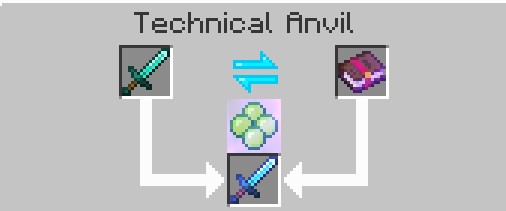
This mode is similar as vanilla's one. You can combine enchanted books with other enchanted books; enchanted books with items; enchanted items with other enchaned items of the same type. It will give you a preview of the result item, then you can confirm the action by clicking on the middle button.
The base XP cost to use the Technical Anvil is 10 levels, however you can modify it by using the in-game Menu Confing
Extracting Mode
This mode allow you to extract any custom or vanilla enchantment. You just need to place your enchanted item on the left and some normal books on the right and click on the middle bottom button to get the enchantment. This method has no cost!
In case you want to remove custom or vanilla curses, place an Isolated Core on the right in order to extract it, however there is a small chance that during this action your enchanted item may lose some of it's custom or vanilla enchantments, be careful with that.

DISENCHANT SYSTEM
In case you want to get rid of ALL your custom and vanilla enchantments. Jus throw your enchanted item or book on top of a grindstone to get rewarded with XP (kind of similar as vanilla's). Keep in mind that you won't be able to remove custom curses or vanilla cuses using this method.
The XP reward is based on how many enchantments your item has and at what level they were with some randomization to add more XP.
CUSTOM ENCHANTMENTS RATES
All enchantments and curses can be obtained through the enchanting table setup. You have more information about the rates in the enchanting table as well as loot-table chest in the following table:

Get more detailed information about every enchantment and curse at: https://github.com/Frektip/Technical-Enchant-Renewed/wiki/Custom-Enchantments
EXTENSIONS
These are built-in features that can be toggled on/off depending on your needs.
1.- Mob Use
Most hostile mobs can use any custom enchanted gear, this depends if the mob is capable of using ranged or melee weapons; as well as wearing armor.
2.- Mob Spawning
Every few often you should see hostile mobs spawning with TE+ enchanted gear. They can't spawn wearing netherite gear though. Be prepared, some of them could result being a bit challenging to face.
3.- Chest Loot
Any vanilla structure chest has a 30% chance to have a custom enchanted book as loot! However, this book has also a 10% chance of being a curse. Important to notice that TE+ uses a different system to achieve this, and it doesn't overwrite vanilla loot-table, meaning that TE+ is complatible with any chest loot-table datapacks.
4.- Exceed vanilla enchantment level
You can basically get enchantments such as Efficiency VI or Looting IV. For this you need to combine to max level books in the Technical Anvil, and then you can use that exceeded book in your items, using yet again, the Technical Anvil. You can find the complete enchantments list in the wiki, or checking the Guide Book.
In total there is a new max enchantment level for 20 vanilla enchantments!!
5.- Villagers
You can change a default librarian into an "Advanced Enchanter" by placing down a charged bookshelf below it's workstation. After that you will be able to trade custom enchantments and curses with it and maybe some exclusive items!
By default this type of villager won't be able to have discounts, it will have some limited trades and they can't restock speacial item trades. However you can change all of that with the Extensions Config menu
CONFIG MENU
There are 3 main config Menus:
1.- Gamplay Config Menu
It allows you to change some features of the core mechanincs in this mod, such as the XP level cost to use the Tehnical Anvil, enable/disable the enchanting setup Tiers and many more

2.- Enchantments Config Menu
It allows you to enable or disable every enchantment from this mod (you can't disable custom curses). It also allows you to set the max level each enchantment can get

3.- Extensions Config Menu
It allows you to modify each extension from the mod. You can toggle many settings as you prefer

TECHNICAL ENCHANT+ has an official discord! Come an join us to discuss many things about this project such as Addons and Complement assitance

This project wouldn't be possible with the help/contribution of:
- Splatus for custom bow system
- Aeldrion for her rng system
- PauseKawa for his custom UI system
- Blue Commander for the base for a custom anvil system
- Stoupy51 for an amazing job helping me to improve the code
- Ziromanean for making Complement Creator software
- Jaro for creating all the textures
- 龍吾トルティーヤ for translating to Japanese
- SuetinLoL for translating to Spanish
- Jeffrey131313 翻译成中文 for translating to Chinese
- MeiaQuatru for translating to Portuguese
- RayKo for translating to Thai
TECHNICAL ENCHANT+
This is a pseudo-mod because it's originial version comes from a datapack with the same name. However it has some exclusive features for both Fabric and Forge.
Mod Overview
- Useful Commands
/function enchantplus:give/all ---> To obtain all the enchantments and items
/function #enchantplus:uninstall ---> To uninstall the datapack addons and complements
/function enchantplus:config ---> To access to the Main Config MENU
/function enchantplus:heldenchant/apply/<enchantment> ---> To enchant the item you're holding
/function enchantplus:force_conversion ---> To convert the nearest entity into an "Enchanted mob"
-
New Items
- Guide book: Get it by throwing a book and quill on top of an enchanting table
- Charged Bookshelf: Used to increase the enchanting setup Tiers
- Technical Anvil: Used to merge or extract custom enchantments and curses
- Polished Lapis: Currency to trade with an Advanced Enchanter
- Isolated Core: Rare item to remove custom and vanilla curses
- Blessed Orb: Item to convert a mob into an enchanted one
- Enchanting Setup
You can place charged bookshelves around the encahnting table from 2 to 5 blocks to increase it's Tier. Each time you level it up it will change the Enchanting table a bit. Like Adding hovering Lapis on top of it.
Tier 1: Allowed to get Low enchantments only ---requirements---> 10 levels and 1 lapis
Tier 2: Allowed to get Average enchantments ---requirements---> 20 levels and 2 lapis
Tier 3: Allowed to get Strong enchantments ---requirements---> 30 levels and 3 lapis
Tier 4: Convert Pages of Power into an enchanted book
Tier 5: Cool particles (for now)
-
Technical Anvil Modes
- Merging Mode
This mode is similar as vanilla's one. You can combine enchanted books with other enchanted books; enchanted books with items; enchanted items with other enchaned items of the same type. It will give you a preview of the result item, then you can confirm the action by clicking on the middle button.
The base XP cost to use the Technical Anvil is 10 levels, however you can modify it by using the in-game Menu Confing
- Extracting Mode
This mode allow you to extract any custom or vanilla enchantment. You just need to place your enchanted item on the left and some normal books on the right and click on the middle bottom button to get the enchantment. This method has no cost!
In case you want to remove custom or vanilla curses, place an Isolated Core on the right in order to extract it, however there is a small chance that during this action your enchanted item may lose some of it's custom or vanilla enchantments, be careful with that.
- Disenchant System
In case you want to get rid of ALL your custom and vanilla enchantments. Jus throw your enchanted item or book on top of a grindstone to get rewarded with XP (kind of similar as vanilla's). Keep in mind that you won't be able to remove custom curses or vanilla cuses using this method.
The XP reward is based on how many enchantments your item has and at what level they were with some randomization to add more XP.
- Extensions
These are built-in features that can be toggled on/off depending on your needs.
1.- Mob Use
Most hostile mobs can use any custom enchanted gear, this depends if the mob is capable of using ranged or melee weapons; as well as wearing armor.
2.- Mob Spawning
Every few often you should see hostile mobs spawning with TE+ enchanted gear. They can't spawn wearing netherite gear though. Be prepared, some of them could result being a bit challenging to face.
3.- Chest Loot
Any vanilla structure chest has a 30% chance to have a custom enchanted book as loot! However, this book has also a 10% chance of being a curse. Important to notice that TE+ uses a different system to achieve this, and it doesn't overwrite vanilla loot-table, meaning that TE+ is complatible with any chest loot-table datapacks.
4.- Exceed vanilla enchantment level
You can basically get enchantments such as Efficiency VI or Looting IV. For this you need to combine to max level books in the Technical Anvil, and then you can use that exceeded book in your items, using yet again, the Technical Anvil. You can find the complete enchantments list in the wiki, or checking the Guide Book.
In total there is a new max enchantment level for 20 vanilla enchantments!!
5.- Villagers
You can change a default librarian into an "Advanced Enchanter" by placing down a charged bookshelf below it's workstation. After that you will be able to trade custom enchantments and curses with it and maybe some exclusive items!
By default this type of villager won't be able to have discounts, it will have some limited trades and they can't restock speacial item trades. However you can change all of that with the Extensions Config menu
You can expend TE+ content with:
Addons: Add more enchantments with TE+ environment
Complements: Make modded items compatible with TE+ enchantments
Screenshots
Gallery
-
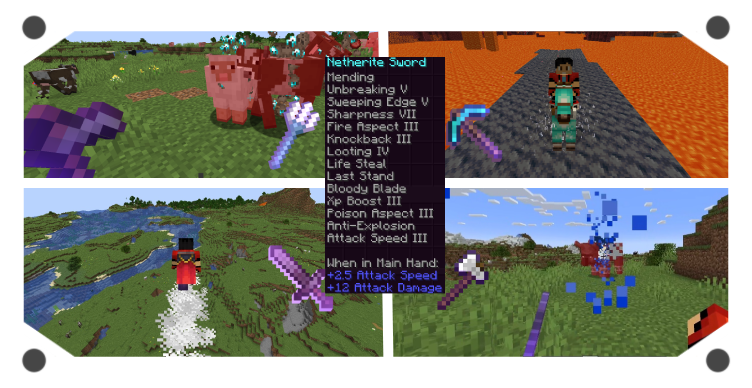 In-game screenshots Examples of some enchantments in-game!!
 -
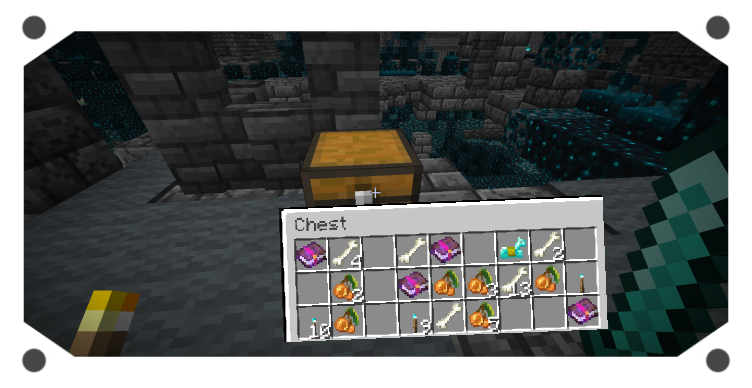 Find Custom Enchantments Get lucky and find custom enchantments in any chest loot
 -
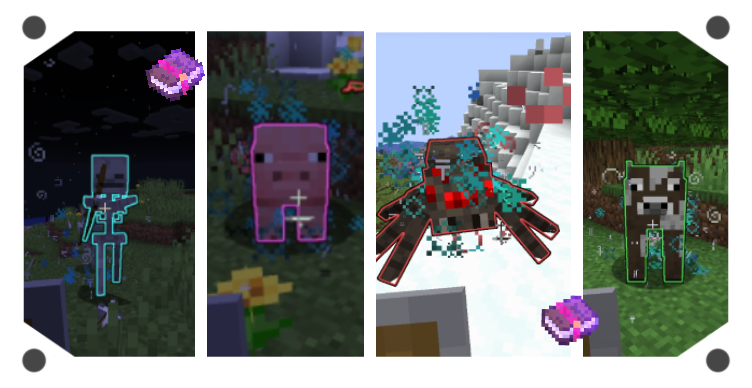 Enchanted Mobs Fight against enchanted mobs to get custom enchantments or curses
 -
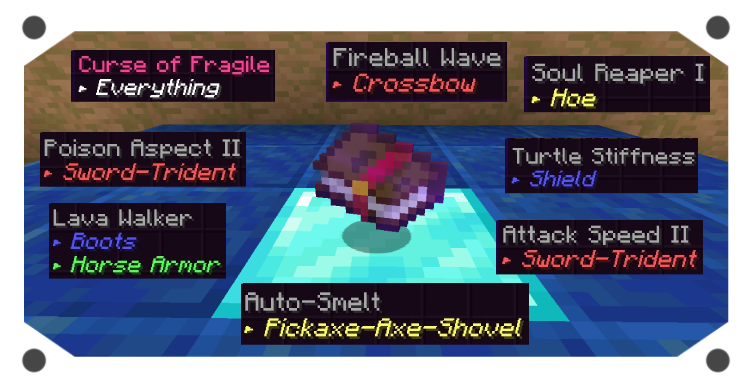 Enchantment Examples Custom enchantments and curses have their proper description
 -
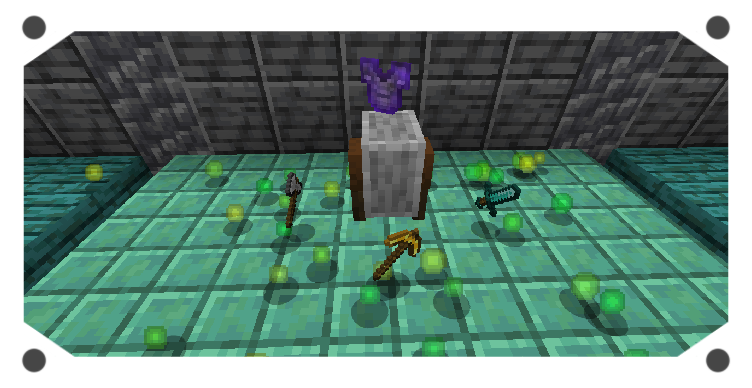 Disenchant System Main disenchant system with the gridstone
 -
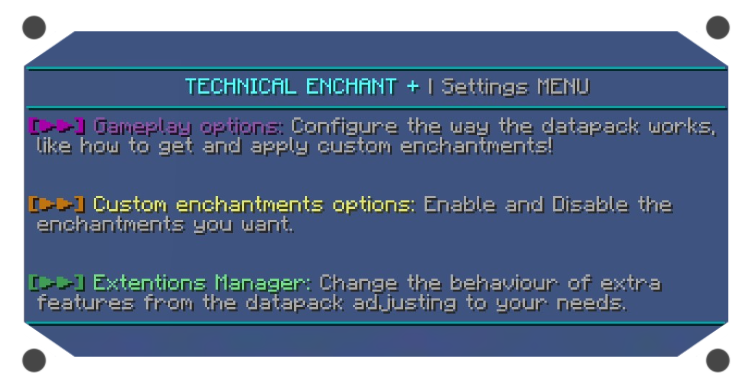 Main Config Menu Used for the mod configuration, use: /function enchantplus:config
 -
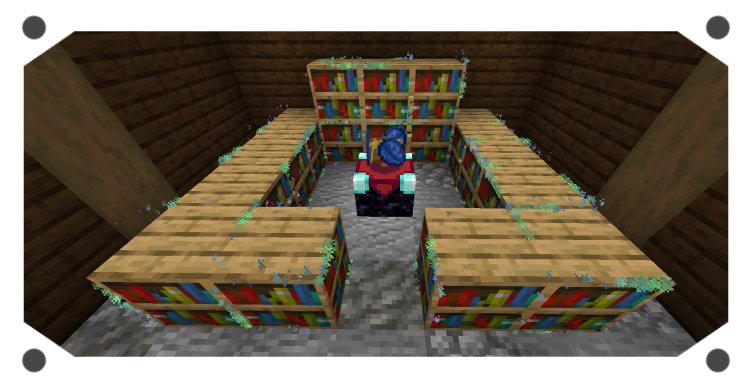 Enchantig Setup Example This is a Tier 3 enchanting setup
-
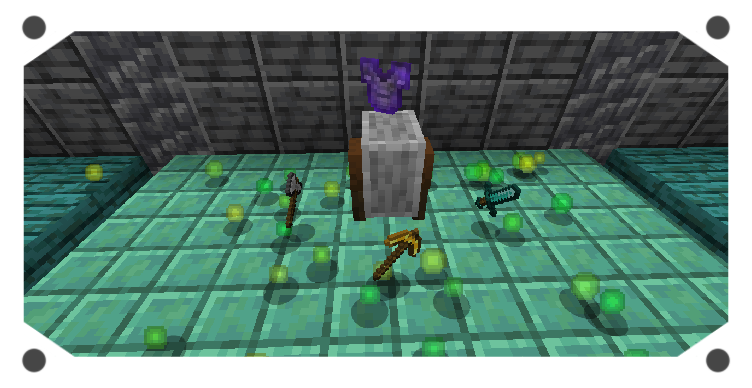 Disenchant System Custom disenchant system using the grindstone
 -
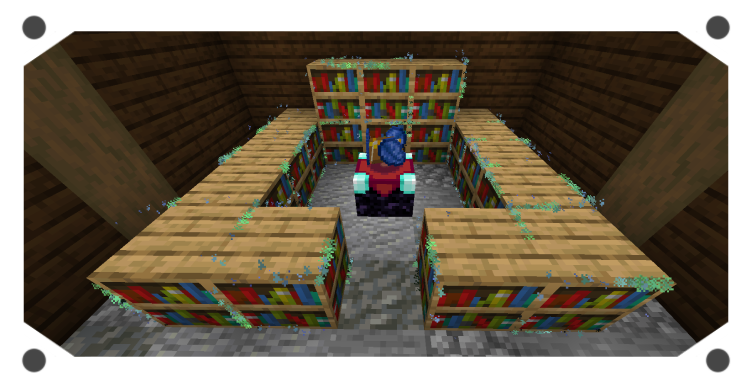 Enchanting Setup Example of a Tier 3 enchanting Setup
 -
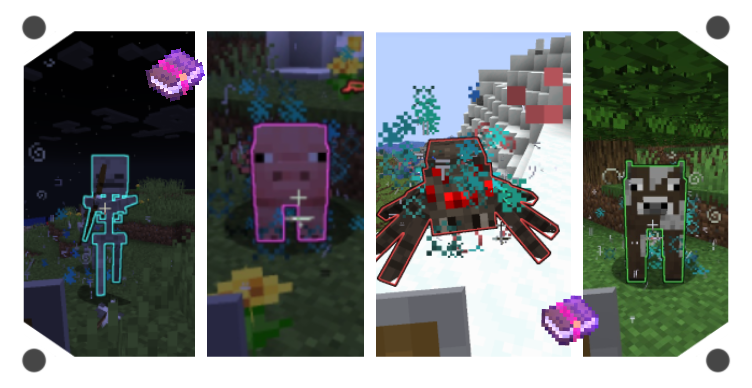 Enchanted Mobs Fight against enchanted mobs to get custom enchantments
 -
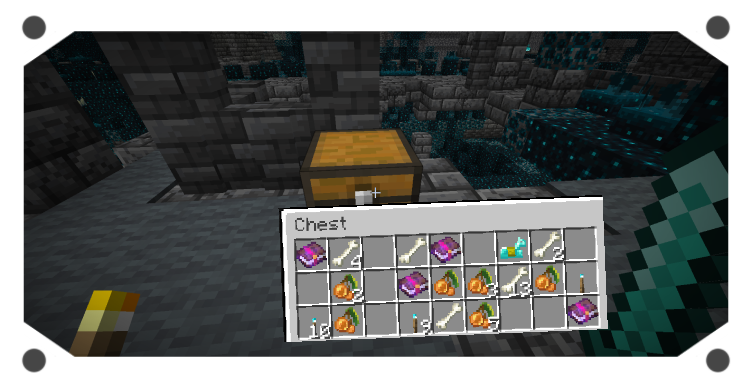 Custom Chest Loot Get lucky to find custom enchanted books!
 -
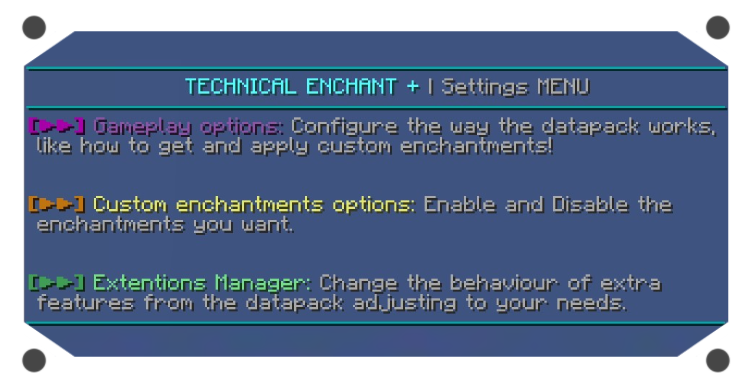 In-game Config Menu Main config Menu to modify the mod as you want
 -
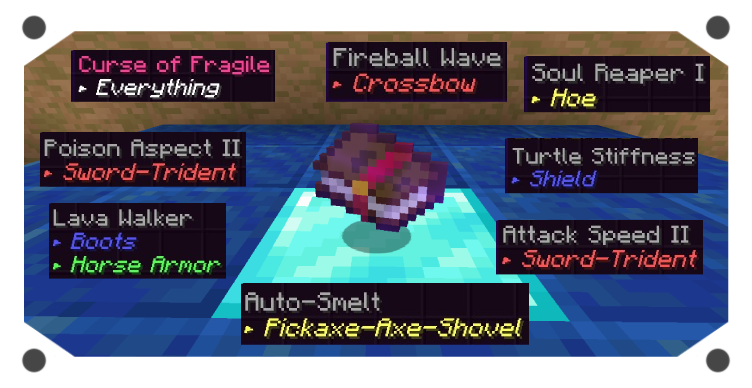 Enchantments Custom enchantments and curses have their description
 -
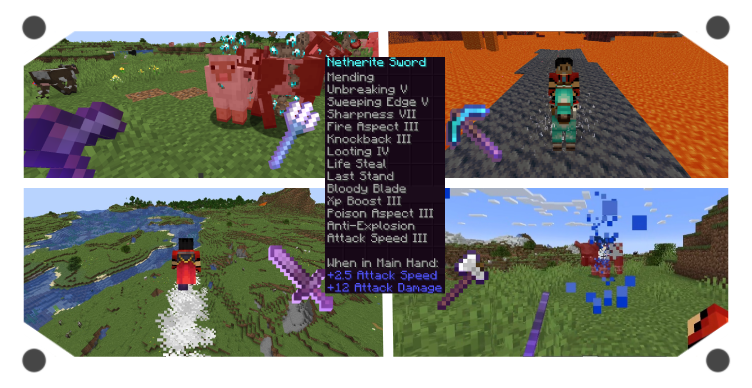 Enchantment examples In-game Screenshots of some enchantments
Versions
Files
Relations
Project Relations
More like this
Similar Mods
Suggestions use data such as tags, dependencies, dependents, descriptions, titles, and more to rank how much they overlap with this mod.
On ModDex
Community snapshot
By the numbers
Statistics
 (opens in a new tab)
Get it on
Available Platforms
On ModDex
Community snapshot
By the numbers