
Community listing page, reviews here may not be monitored by the author.
Teleport Stone

No reviews yet
Place with an item a teleport stone in the world. Set you own Teleport Stone Network. You can teleport between the stones. No knowlage needed over commands.
Community voices
Reviews
No reviews yet. Be the first to review this project!
Get it on
Available Platforms
About
Project Details
For authors
Embed Badge
If you're the author of this project, you can embed a live badge anywhere that supports HTML or Markdown. It updates automatically whenever ratings change.
Use HTML for any page that supports it, or Markdown for README files and Markdown-based descriptions.
Identifiers
Platform IDs
About
Description
Place with an item a teleport stone in the world, for your Teleport Stone Network
With a right click, you can teleport between the stones.
No knowlage needed over commands. All needed commands are in this description
Installation (update):
- Remove the old version from datapack folder
Installation (New):
-
Download it from your favorit portal
-
- Note to Github, it is possible you have to extract the datapack in your Datapack folder
-
Put this datapack in your savegame, in the folder datapacks
-
- Example: .minecraft - saves - YourWorld - datapacks - Teleport_Stone_by_Xenton_V26_x_x(.zip)
-
After start your world, you can check is the datapack available with the command "/datapack list".
-
- From Github as folder:
-
-
- When you find in green brackets: [file/Teleport_Stone_by_Xenton (world)], than the datapack is correct installed
-
-
- From Curseforge/Modrinth as ZIP:
-
-
- When you find in green brackets: [file/Teleport_Stone_by_Xenton_V26_x_x.zip (world)], than the datapack is correct installed.
-
-
You don't need to do anything to initalise this datapack, it will be run automaticly after correct install.
Run:
-
To get Config/Admin items
-
- /function x_ts__teleport_stone:give_items
-
Using the Admin Items:
-
- Item: "Place Teleportstone", you can with a right click on a block, place the teleport stone over the highest block
-
-
- When the block is to far away, you get the message in chat "Zu weit weg", and no teleport stone will be set
-
-
- Item: "Edit Teleportstone", you can with a right click on a teleport stone, the open the admin dialog
-
-
- Button: Set name, here you can change the name from the stone
-
-
-
- Button: Delete - Delete this teleport stone, and remove it from the teleporatation list
-
-
- Item: Set Teleportpoint, you can see and set in the near from a Teleport stone the target from teleport
-
-
- Hold in Mainhand, you can see a cloud on target from teleportpoint, when you in the distance to 10 Block around from Teleport Stone
-
-
-
- Rightclick: You can set an new target point, when you in the distance to 10 Block around from Teleport Stone
-
Screenshots
Gallery
-
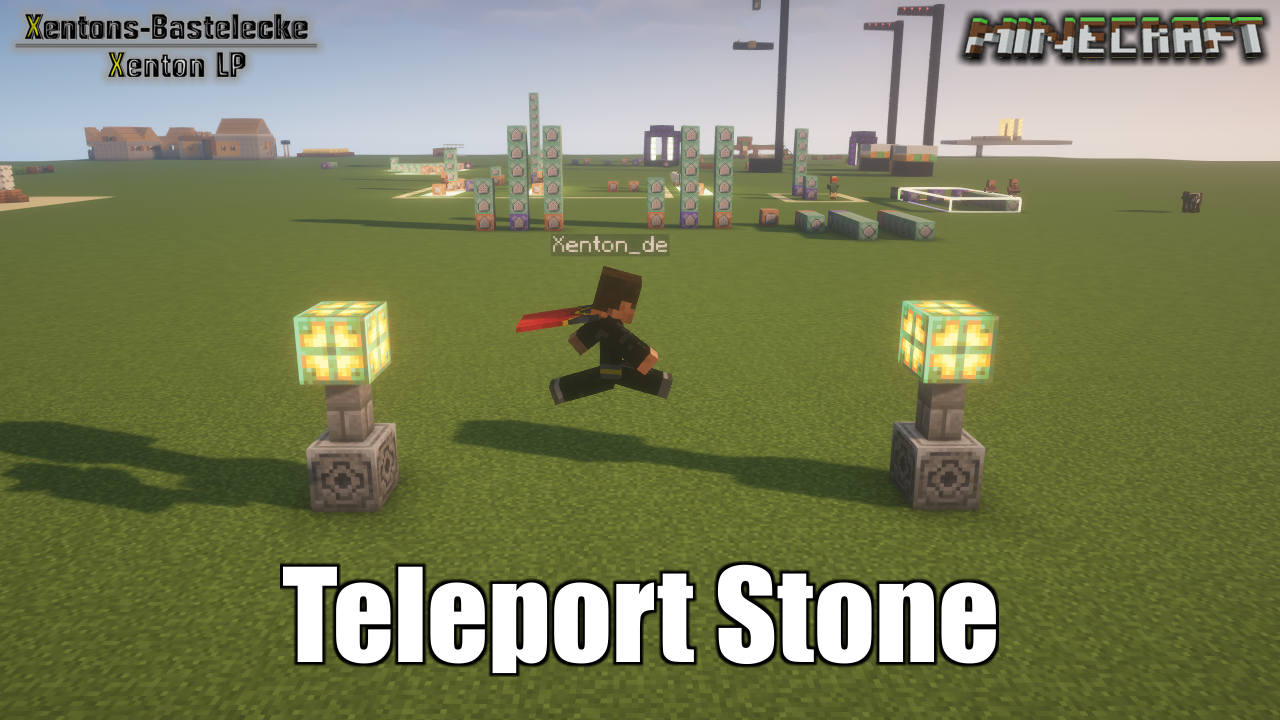 Banner Banner
 -
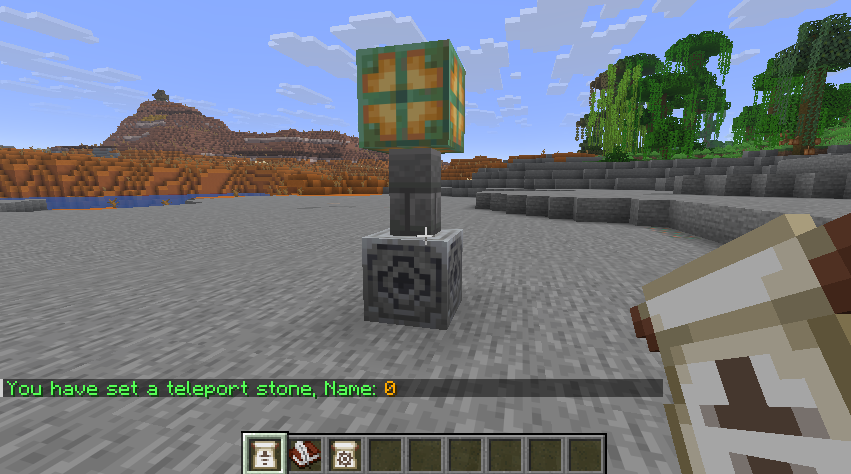 Place a Teleport Stone Screenshot after place a Teleport Stone
 -
 Admin Item Set new Stone, Edit Stone and set Spawnpoint
Versions
Files
Relations
Project Relations
More like this
Similar Mods
Suggestions use data such as tags, dependencies, dependents, descriptions, titles, and more to rank how much they overlap with this mod.
On ModDex
Community snapshot
By the numbers
Statistics

Want to reach Minecraft players?
We're looking for a server hosting partner to feature here and other parts of the site. Interested? Send us a message!
Get in touchGet it on
Available Platforms
On ModDex
Community snapshot
By the numbers