Community listing page, reviews here may not be monitored by the author.
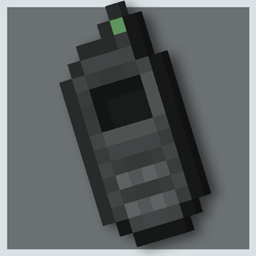
Teleporter Control


No reviews yet
A control that teleports you to a marked location.
Community voices
Reviews
No reviews yet. Be the first to review this project!
Get it on
Available Platforms
Compatibility
Supported Environments
Must be installed on both the client and the server.
About
Project Details
For authors
Embed Badge
If you're the author of this project, you can embed a live badge anywhere that supports HTML or Markdown. It updates automatically whenever ratings change.
Use HTML for any page that supports it, or Markdown for README files and Markdown-based descriptions.
Identifiers
Platform IDs
Resources
External Links
About
Description

A teleporter control, basic and fun to use!
How to use?
- By holding the SHIFT key and clicking on a block, its current position will be PRINTED or MARKED
- If you have the Battery item in your inventory, you can use it, if you don't have a Battery in your inventory it will not work
- With a marked location, by clicking in the air with the right mouse button, you will teleport to the marked position, leaving you on cooldown
Not only is there a control that will teleport you, there are several new items and blocks for you to explore, if you have any doubts download and install the Just Enough Items MOD, this mod will give you the possibility to see the recipes from my mod
What is Teleportation?
The user is able to make their body simply disappear from the place where it is and reappear in a new desired location, performing a type of "instant movement". Generally, he can make this ability affect any type of matter and energy, being able to teleport not only himself, but also other individuals, objects and, in some cases, non-physical bodies. In combat, the user can combine their teleportation with different forms of attack and defense, creating a highly fast, precise and strategic fighting style.
There are several ways to make teleportation happen. Most users rely on making the atoms of a body travel from one place to another at a speed great enough for the act to be instantaneous. However, there are several other ways to produce the same effect: distorting the surrounding space-time to travel between dimensional gaps and "shorten the path", getting involved with elements and moving along with them, etc.
Note: Feats of speed and teleportation are different, those who teleport are not using speed, as while speed is a division of space and time, teleportation is instantaneous (not using time) and goes directly to the exit point (not taking up space in the path).
**A teleporter control, basic and fun to use!
How to use?**
By holding the SHIFT key and clicking on a block, its current position will be PRINTED or MARKED If you have the Battery item in your inventory, you can use it, if you don't have a Battery in your inventory it will not work With a marked location, by clicking in the air with the right mouse button, you will teleport to the marked position, leaving you on cooldown
Not only is there a control that will teleport you, there are several new items and blocks for you to explore, if you have any doubts download and install the Just Enough Items MOD, this mod will give you the possibility to see the recipes from my mod
What is Teleportation?
The user is able to make their body simply disappear from the place where it is and reappear in a new desired location, performing a type of "instant movement". Generally, he can make this ability affect any type of matter and energy, being able to teleport not only himself, but also other individuals, objects and, in some cases, non-physical bodies. In combat, the user can combine their teleportation with different forms of attack and defense, creating a highly fast, precise and strategic fighting style.
There are several ways to make teleportation happen. Most users rely on making the atoms of a body travel from one place to another at a speed great enough for the act to be instantaneous. However, there are several other ways to produce the same effect: distorting the surrounding space-time to travel between dimensional gaps and "shorten the path", getting involved with elements and moving along with them, etc.
Note: Feats of speed and teleportation are different, those who teleport are not using speed, as while speed is a division of space and time, teleportation is instantaneous (not using time) and goes directly to the exit point (not taking up space in the path).
Screenshots
Gallery
Versions
Files
Relations
Project Relations
More like this
Similar Mods
Suggestions use data such as tags, dependencies, dependents, descriptions, titles, and more to rank how much they overlap with this mod.
On ModDex
Community snapshot
By the numbers
Statistics
Want to reach Minecraft players?
We're looking for a server hosting partner to feature here and other parts of the site. Interested? Send us a message!
Get in touchGet it on
Available Platforms
On ModDex
Community snapshot
By the numbers
Statistics
Resources