
Community listing page, reviews here may not be monitored by the author.
Teleprompter

No reviews yet
An in-game teleprompter with live file syncing and dialogue highlighting for content creators and actors so they don't need to Alt-Tab.

Community voices
Reviews
No reviews yet. Be the first to review this project!
Get it on
Available Platforms
Compatibility
Supported Environments
Runs entirely on the client. Works on vanilla servers.
About
Project Details
For authors
Embed Badge
If you're the author of this project, you can embed a live badge anywhere that supports HTML or Markdown. It updates automatically whenever ratings change.
Use HTML for any page that supports it, or Markdown for README files and Markdown-based descriptions.
Identifiers
Platform IDs
About
Description
Teleprompter Mod
An in-game, highly customizable teleprompter designed for Minecraft content creators, actors, and directors. Read your scripts, stage directions, and dialogue directly on your screen while recording without ever having to Alt-Tab!
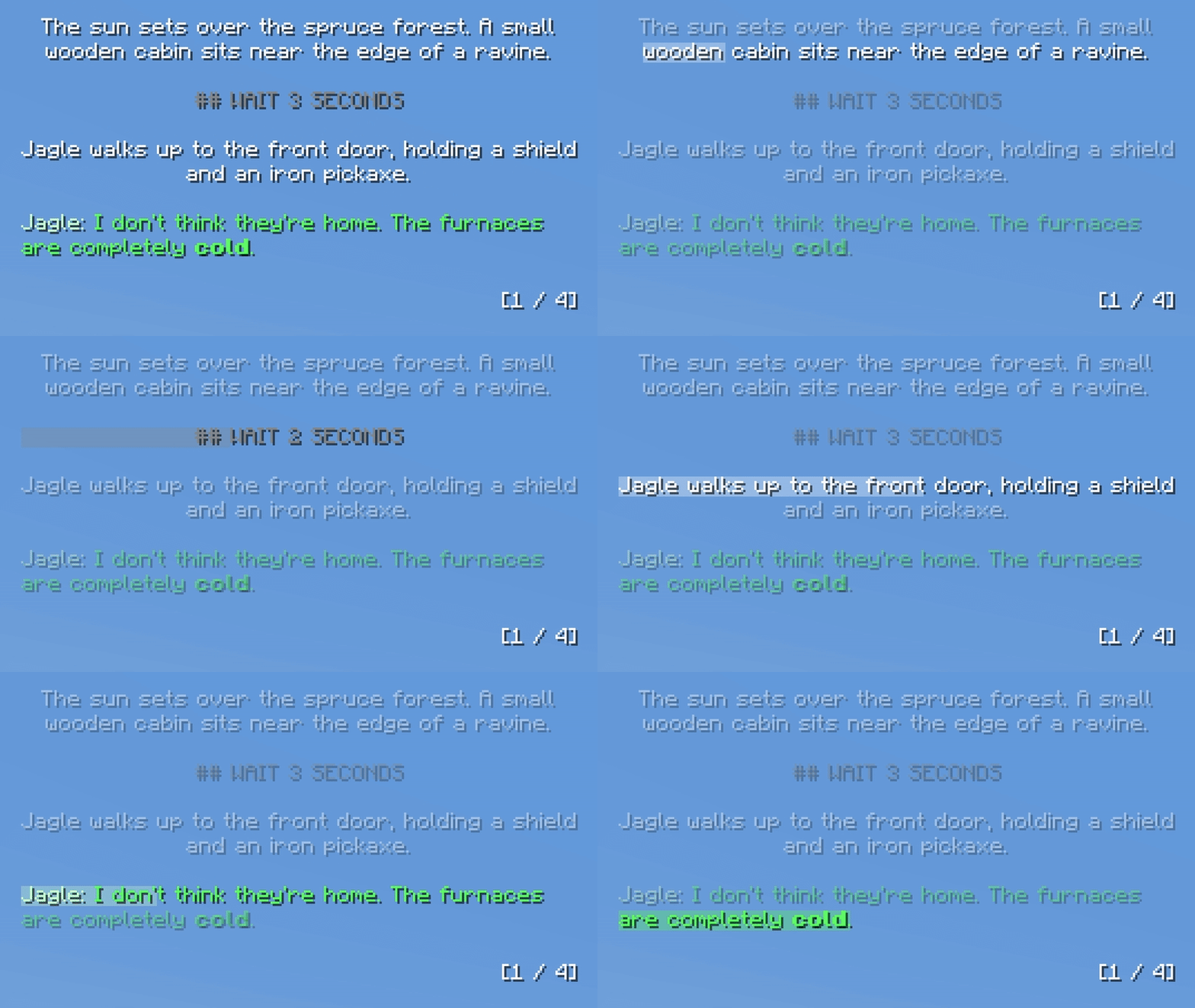
Note: This mod renders directly in-game. If you are capturing your own screen for a video (via OBS, etc.), the teleprompter will show up in your final footage.
Features
- Live File Syncing: Edit your scripts in your text editor. As soon as you hit
Ctrl + S, the teleprompter updates in-game instantly. - Line Highlighter: The active line tracker smoothly progresses down the page based on a customizable WPM setting.
- Dialogue Formatting: Automatically detects character names and colors them differently from stage directions. Set your username in the settings for a unique color.
- Markdown Support: Use standard Markdown in your text files to make words bold, italic, or underlined.
- UI-Responsive Scaling: Pin the prompter to any corner of your screen. It smoothly scales with your native Minecraft GUI scale, allowing you to fine-tune the box padding, text scale, and pixel offsets.
- Multi-Script Support: Drop as many
.txtfiles as you want into theconfig/scripts/folder and instantly cycle between them in-game via hotkey.
Writing Scripts
When you launch the game for the first time, the mod will generate a config/scripts/ folder with a built-in tutorial script. You can edit this or add your own.
Formatting Tips:
- Page Breaks: Type three dashes (
---) on a new line to force a smooth, hard page flip. (Paragraphs are also dynamically protected, ensuring sentences are never cut in half by a page break!) - Wait Commands: Type
## WAIT 10 SECONDSor## WAIT 2 MINUTESon its own line. The line highlighter feature will slow, and the text will physically count down to 0 live on your screen before moving to the next line. - Dialogue Formatting: To trigger the dialogue coloring and smart-alignment feature, you must use a colon and quotation marks.
- Example:
Michael: "Hello?" - Note: The quotation marks are used purely for the mod to detect the dialogue. They will be removed and hidden from the final text in-game.
- Stage Directions: Any standard text or list (without the dialogue formatting) will automatically be centered in the box.
- Example:
Screenshots
Gallery
-
Auto Highlighter Showcases the text auto highlighting (configurable WPM).
-
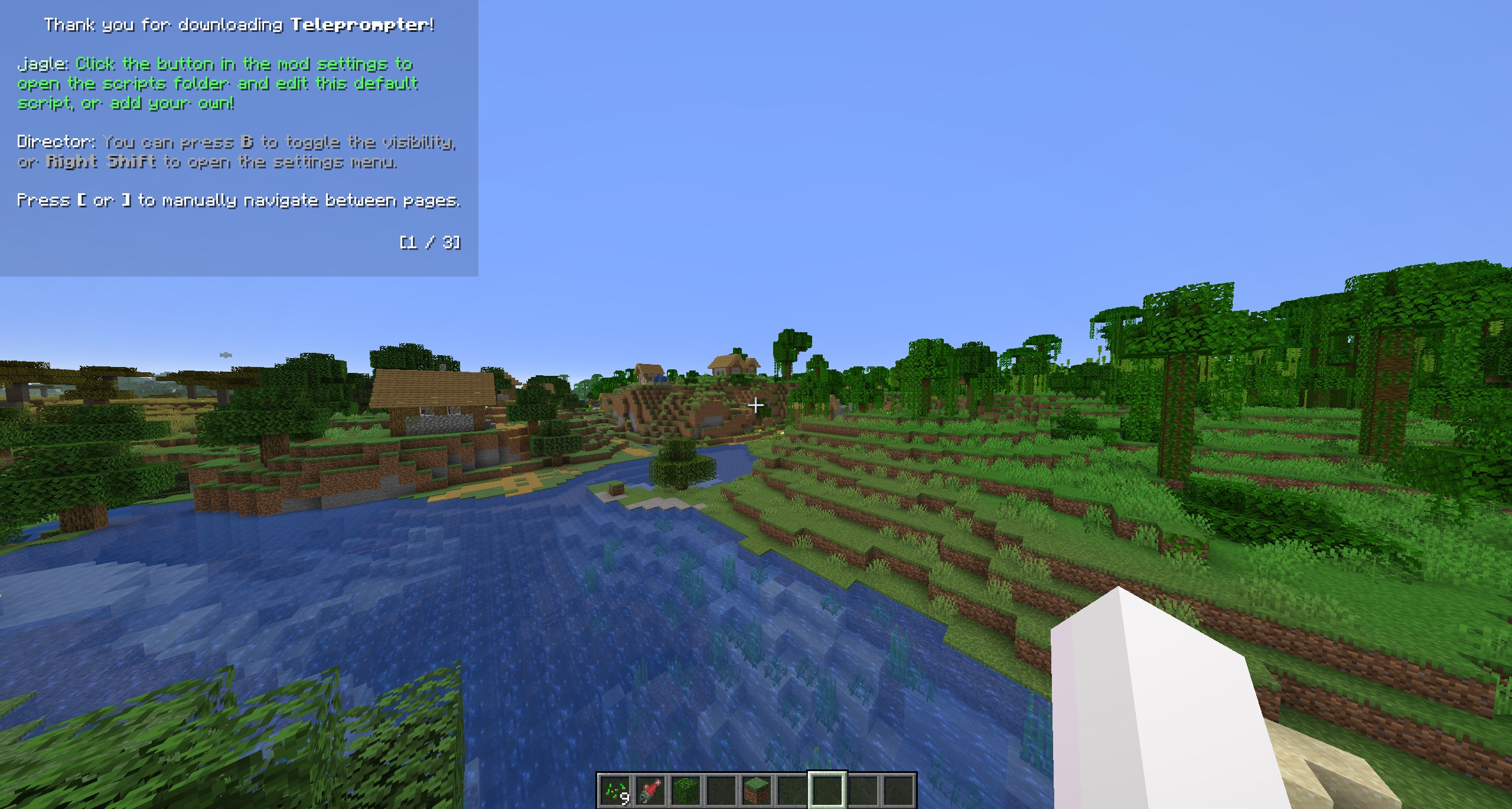 Default Script / Welcome Screen This image shows the first page of the welcome screen (default script).
Versions
Files
Relations
Project Relations
More like this
Similar Mods
Suggestions use data such as tags, dependencies, dependents, descriptions, titles, and more to rank how much they overlap with this mod.
On ModDex
Community snapshot
By the numbers
Statistics

 (opens in a new tab)
Get it on
Available Platforms
On ModDex
Community snapshot
By the numbers