
Community listing page, reviews here may not be monitored by the author.
Textures++

No reviews yet
More mossy blocks... and beyond! Add new textures to any face of any full block.
Community voices
Reviews
No reviews yet. Be the first to review this project!
Get it on
Available Platforms
About
Project Details
For authors
Embed Badge
If you're the author of this project, you can embed a live badge anywhere that supports HTML or Markdown. It updates automatically whenever ratings change.
Use HTML for any page that supports it, or Markdown for README files and Markdown-based descriptions.
Identifiers
Platform IDs
About
Description
Textures++ adds over 20,000 combinations of textures to Minecraft in a survival-friendly, true-to-vanilla way. If you try adding multiple textures to a single block, the number of combinations reaches over one googol.

Description
Textures++ adds 76 new textures that work like resin clumps—placed on the sides of a block—to spruce up (or, more accurately, moss up) your builds. Using the pack couldn't be easier: just hold a valid item and right click the side of a block to apply a texture. Don't like the texture you placed? Just break the block the texture is sitting on or scrape the texture off with your sword.
The following textures can be added to any full block:
- Moss
- Pale moss
- Pink petals
- Wildflowers
- Lilac vines
- Rose bush vines
- Peony vines
- Weeping vines
- Twisting vines
- Pitcher plant vines
- Cobweb
- Slime ball
- Honey block
- Sulfur spike
- Magma cream
- Hanging roots
- Dirt
- Gravel
- Sand
- Red sand
- Mud
- Clay
- Snow
- Soul Sand
- Ancient debris
- Coal
- Raw iron
- Raw copper
- Raw gold
- Gold nugget
- Emerald
- Lapis lazuli
- Diamond
- Redstone dust
- Quartz
- Amethyst shard
- All corals/dead corals (x10)
- All concrete powders (x16)
- All wool variants (x16)
Notes
Placing Textures

Right clicking any face of a block should apply its texture to that face of the block.
- If the texture isn't placed where you expected, make sure you're facing exactly in the direction you'd like the texture to be placed. For example, look straight down to place a texture on the top side of the block.
- If the texture is being placed behind the block you expected, make sure the block you're targeting is a full block. Textures can't be placed on things like slabs or stairs.
- If the item in your hand is being placed as a block instead of a texture, get closer to the block. Some of the items already have place functionality, so you'll need to put yourself in a position where the block can't be placed.
Removing Textures
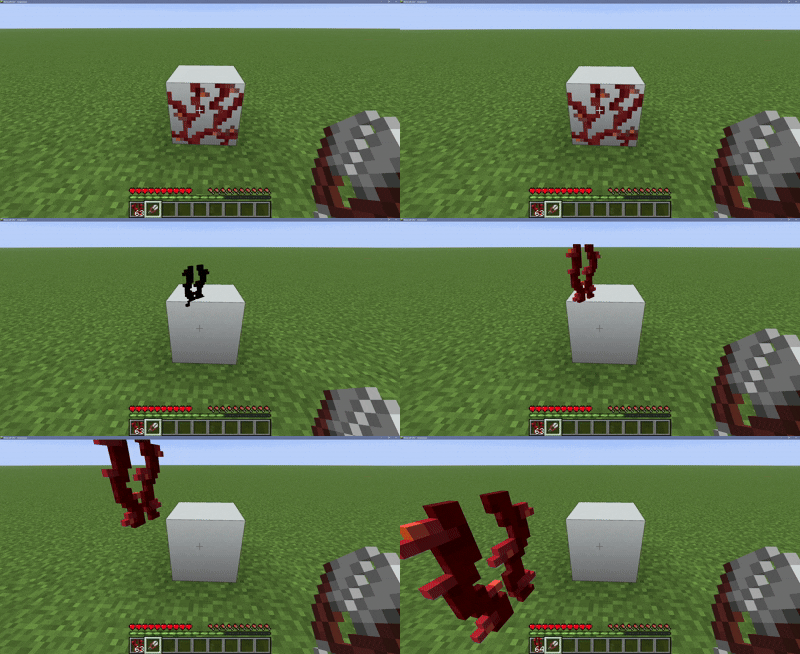
Breaking the block a texture is sitting on will remove all textures from that block. If you want to be more specific, right click any face of a block with shears to scrape only nearby textures off.
Offhand
As of version 1.1.0, you are no longer able to place/remove textures while holding a shield or any other tool with right-click functionality in your offhand. This is to prevent the player from being unable to shield while holding a sword.
Performance
Will adding this datapack to your world impact performance? Not really! Issues begin occuring when roughly 250,000 textures are being rendered at once, or at roughly 60,000 textures if every texture is the same. While this pack offers a lot of potential for decoration, it's hard to reach the limit! Having other datapacks installed will lower the texture limit.
Screenshots
Gallery
-
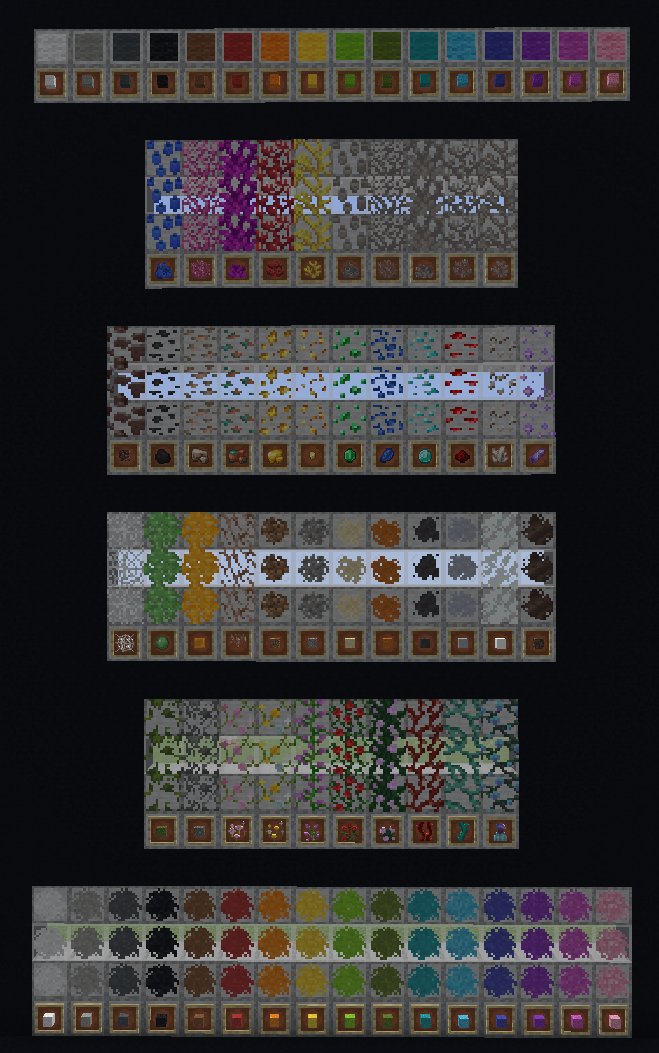 Full texture collection Each of these 76 items can be placed as textures on the sides of blocks
 -
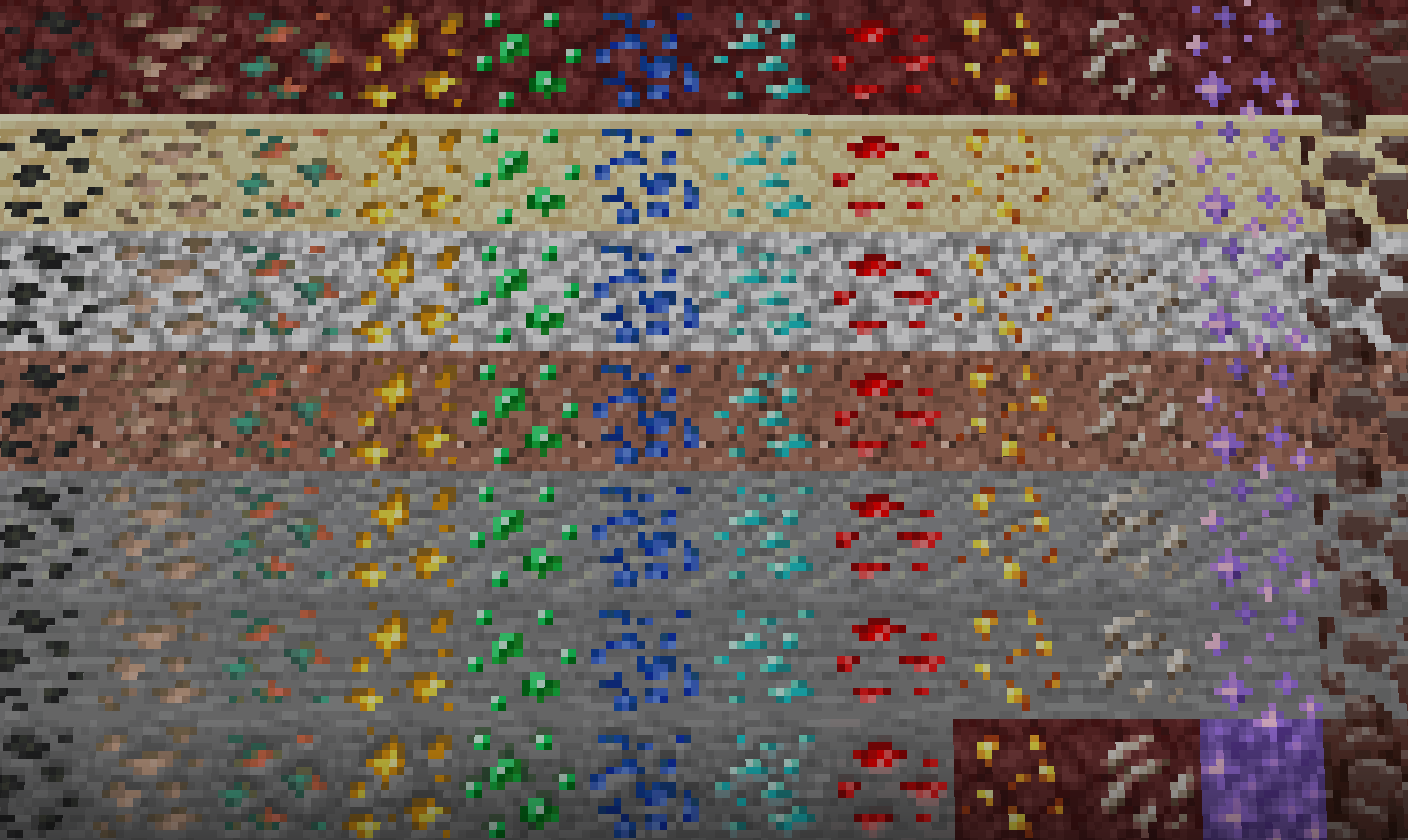 Ores Galore! Turn any block into an ore block, including amethyst and ancient debris.
 -
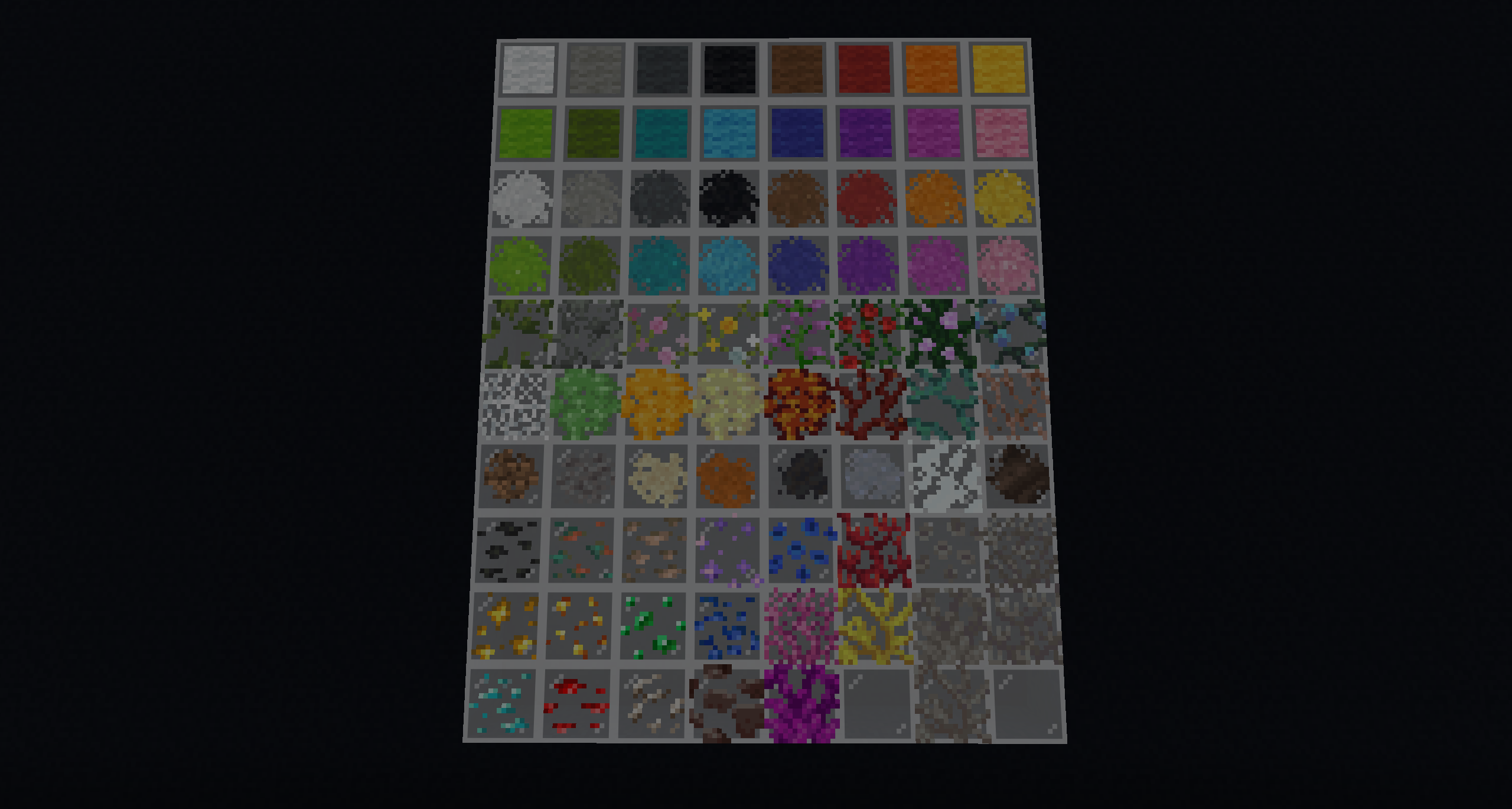 Full Texture Collection (v1.3) Each of these 76 items can be placed as textures on the sides of blocks
 -
 Color-Coded Barrels Wool is a helpful tool for color-coding your storage. It won't even get in the way of opening a barrel!
 -
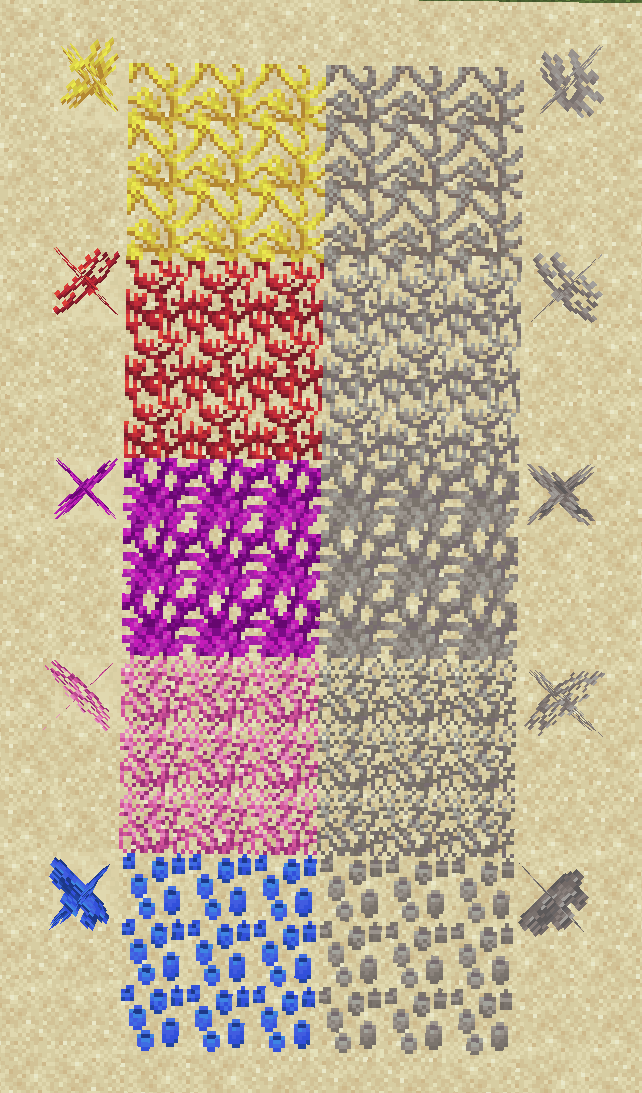 Climbing Coral! All coral variants can be placed on blocks. Tube coral can be placed as "barnacles."
 -
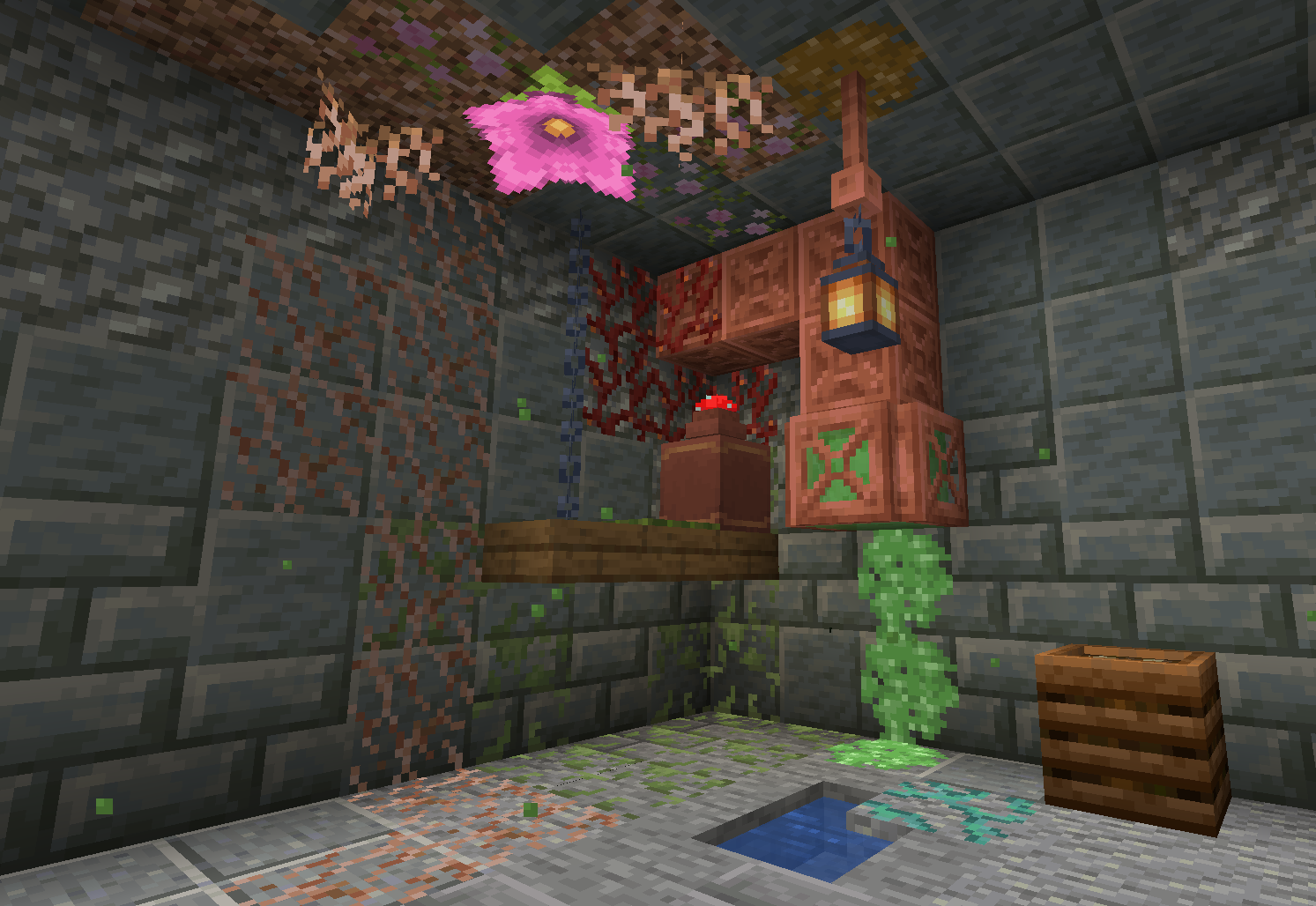 Sewer Scene A small-scale example of how these textures bring a build to life.
 -
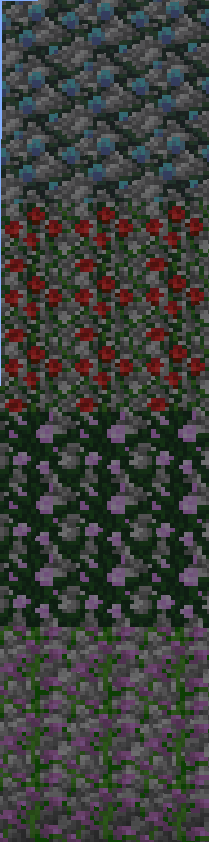 Flower Power! Any 2-tall flower can be placed on blocks as vines.
Versions
Files
Relations
Project Relations
More like this
Similar Mods
Suggestions use data such as tags, dependencies, dependents, descriptions, titles, and more to rank how much they overlap with this mod.
On ModDex
Community snapshot
By the numbers
Statistics

Want to reach Minecraft players?
We're looking for a server hosting partner to feature here and other parts of the site. Interested? Send us a message!
Get in touchGet it on
Available Platforms
On ModDex
Community snapshot
By the numbers