Community listing page, reviews here may not be monitored by the author.
TexTweaks


No reviews yet
Utilities for Minecraft textures
Community voices
Reviews
No reviews yet. Be the first to review this project!
Get it on
Available Platforms
Compatibility
Supported Environments
Runs entirely on the client. Works on vanilla servers.
About
Project Details
For authors
Embed Badge
If you're the author of this project, you can embed a live badge anywhere that supports HTML or Markdown. It updates automatically whenever ratings change.
Use HTML for any page that supports it, or Markdown for README files and Markdown-based descriptions.
Identifiers
Platform IDs
About
Description
TexTweaks Mod for Minecraft Fabric
Utilities for tweaking textures and high resolution texture packs
Features
Upscale lower resolution textures to a higher resolution
- Required for higher mipmap levels
- Scaled textures will look identical to original textures
- Useful for using SEUS PTGI with different resource packs that have different resolutions
Note: will make loading take more time, can significantly increase RAM and VRAM usage at higher resolution
Set mipmap levels above vanilla's maximum of 4
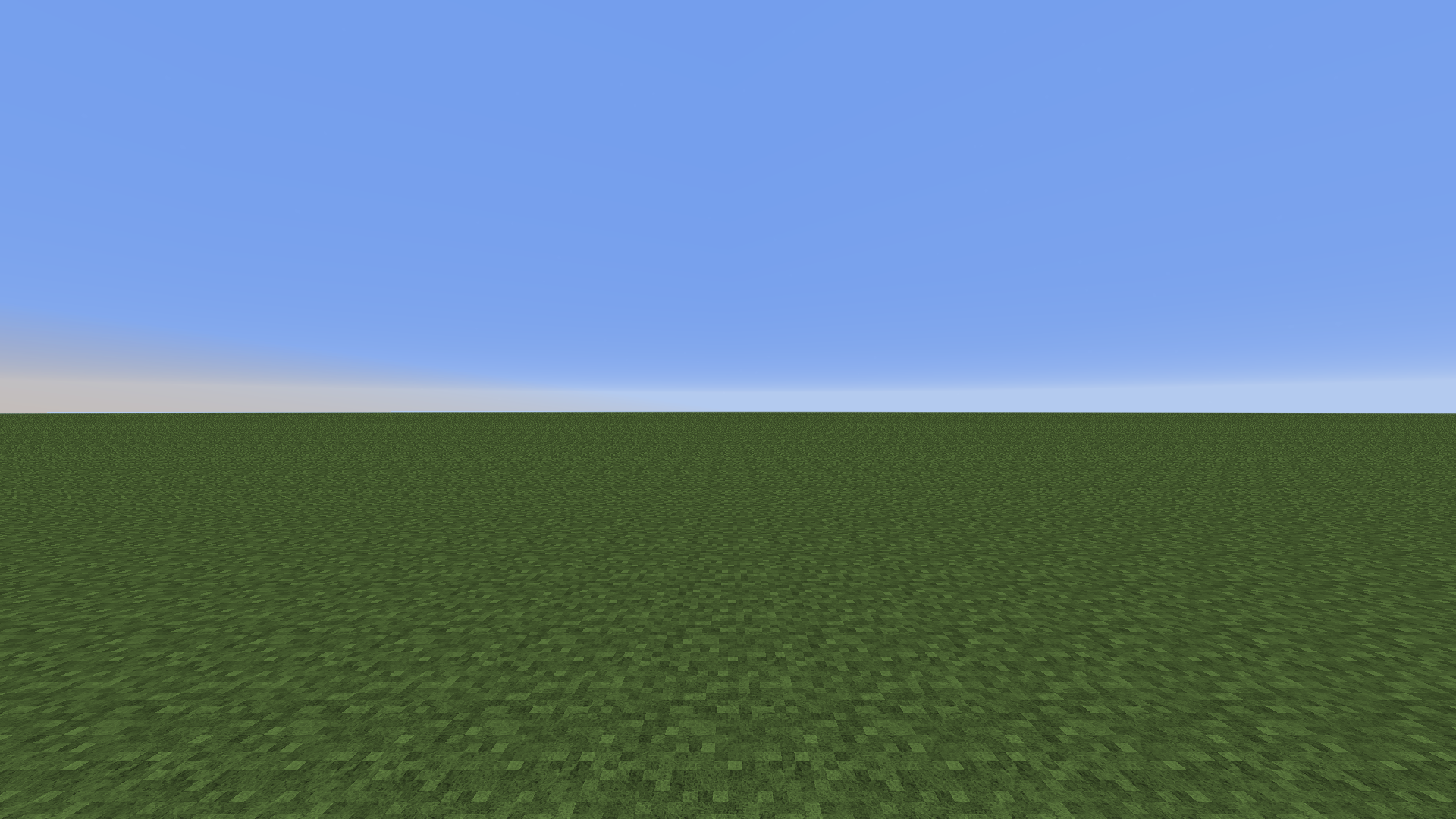
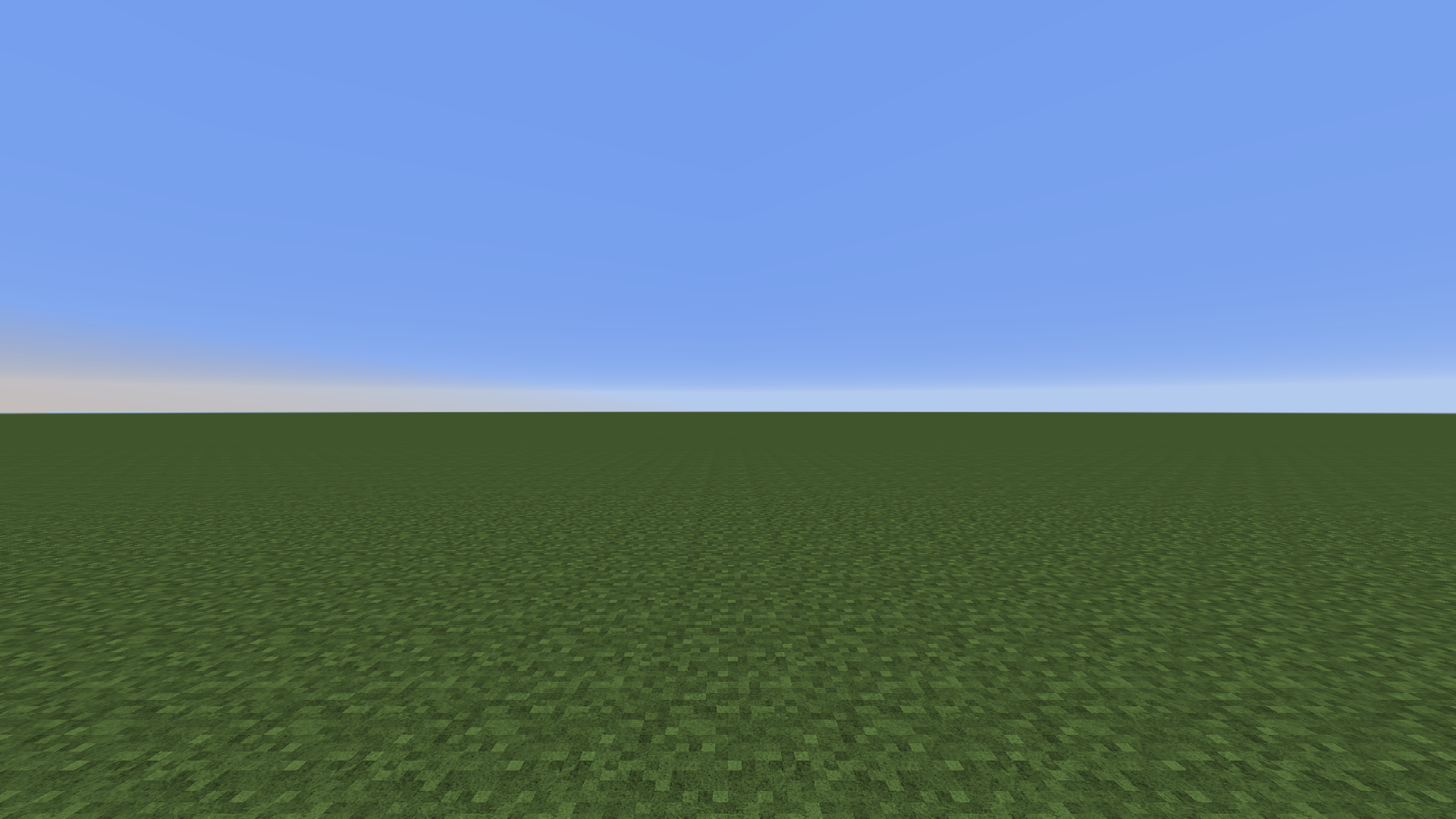
256x texture pack: 4x mipmapping vs. 8x mipmapping. View the image for more details. Note the aliasing in the first image which is removed by upping the mipmap
- Reduces distant aliasing when using higher resolution texture packs
Note: increases VRAM usage
Set mipmap LOD bias
- Fine-tune distant texture detail
- Works with shaders (previously forcing it in the graphics control panel makes the screen blurry when shaders are turned on)
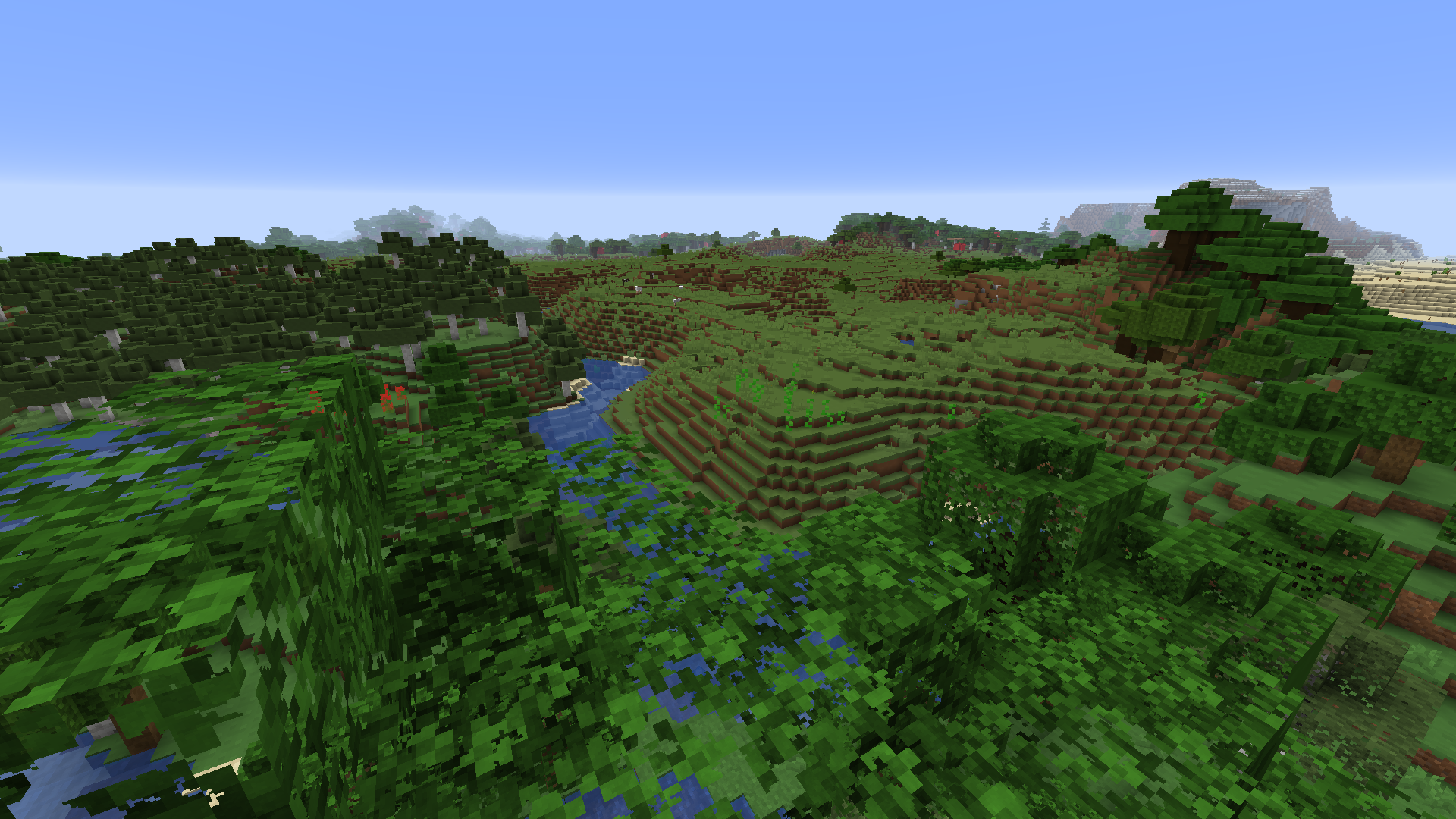
LOD bias at +3, distant textures have lower resolution. Optifine is needed for foliage to be mipmapped.
Basic Setup
1. Install mod
2. Open mod config through ModMenu
3. Set texture resolution to the highest resolution of all used resource packs. Unit is in powers of 2 (4 = 16x, 5 = 32x, 6 = 64x etc.)
4. After setting up the mod config, reload resources with F3+T
5. Done!
Compatibility
Compatible with Optifine
Should be compatible with Sodium
TexTweaks
TexTweaks is a mod that has various features for modifying textures and how they are handled in Minecraft.
Texture Scaling
Upscale or downscale textures at runtime with customizable algorithm (linear/nearest neighbor). This is useful for:
- Creating complete mipmaps (more about this down below)
- Reducing the hardware requirements of texture packs that are only available at very high resolutions
- Playing Minecraft using 1x1 textures
Better Mipmaps
By default, Minecraft allows you to set mipmap levels up to 4 in the options. This is enough for the default 16x16 textures. But, if you are using a higher resolution texture pack, the mipmaps will not be complete (not going all the way down to 1x1). This causes distant textures to become significantly more aliased than normal.
It's not so easy to just force the game to generate more levels, as it requires all textures to be equal or larger than 2 to the power of the mipmap level, and most high resolution texture packs don't have all textures (including items) done. However, by upscaling all textures to the same size in game, it's now possible to generate higher level mipmaps easily, without bothering with any image tools.
Here is a comparison of 4x mipmapping vs 8x mipmapping using a 256x resource pack: 4x 8x (please view at native resolution for accuracy)
To test if this is working, press the "Show Texture Info" keybind (unbound by default) and check the mipmap level for the block.png atlas.
LOD Bias
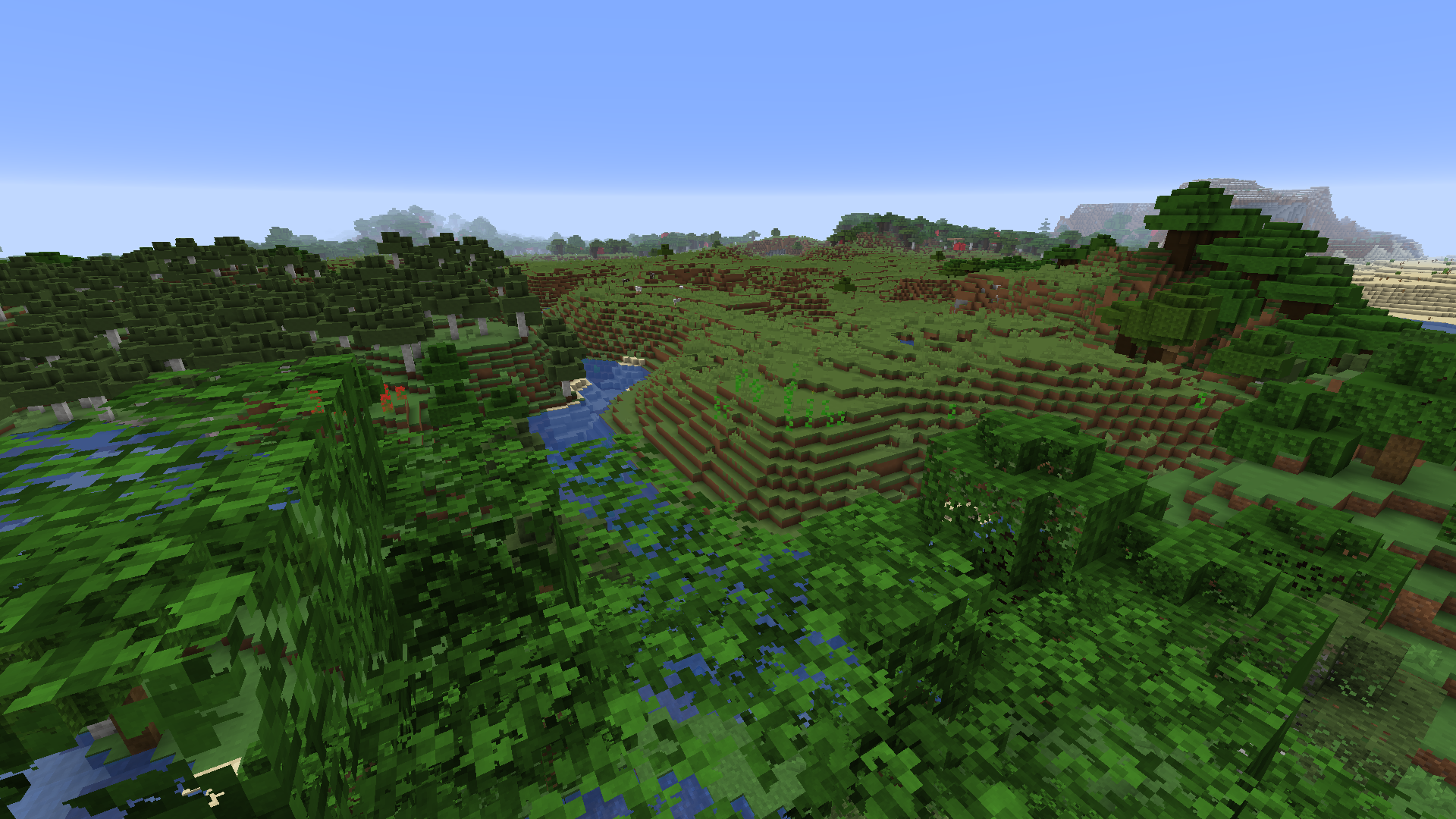
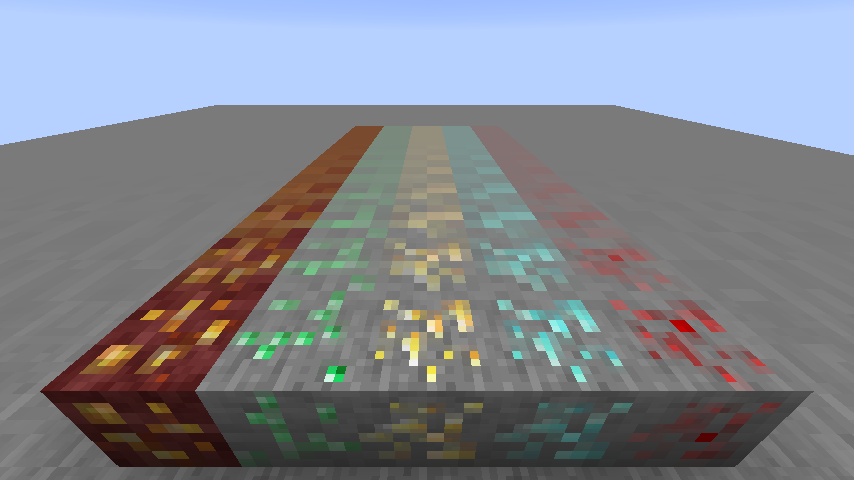
LOD Bias changes how far before the next mipmap level is used. This can be used for fine-tuning sharpness and aliasing of the textures, or as a way to give Minecraft an interesting look.
This is what happens when you set LOD Bias very high:
Compatibility
TexTweaks is tested to work with optifine, sodium, iris and canvas renderer. There are no conflicts found so far at least in the main features. If you found a bug or conflict, please report to the issue tracker.
Screenshots
Gallery
Versions
Files
Relations
Project Relations
More like this
Similar Mods
Suggestions use data such as tags, dependencies, dependents, descriptions, titles, and more to rank how much they overlap with this mod.
On ModDex
Community snapshot
By the numbers
Statistics
Want to reach Minecraft players?
We're looking for a server hosting partner to feature here and other parts of the site. Interested? Send us a message!
Get in touchGet it on
Available Platforms
On ModDex
Community snapshot
By the numbers