Community listing page, reviews may not be monitored by the author.
Teyvat Cartographia

No reviews yet
A Genshin Impact inspired world map and minimap: painted explored map, cave layers, pins, waypoints in the world and a walking path.

Community voices
Reviews
No reviews yet. Be the first to review this project!
Get it on
Available Platforms
About
Project Details
For authors
Embed Badge
If you're the author of this project, you can embed a live badge anywhere that supports HTML or Markdown. It updates automatically whenever ratings change.
Use HTML for any page that supports it, or Markdown for README files and Markdown-based descriptions.
Identifiers
Platform IDs
Resources
External Links
About
Description


A world map and minimap in the spirit of Genshin Impact.
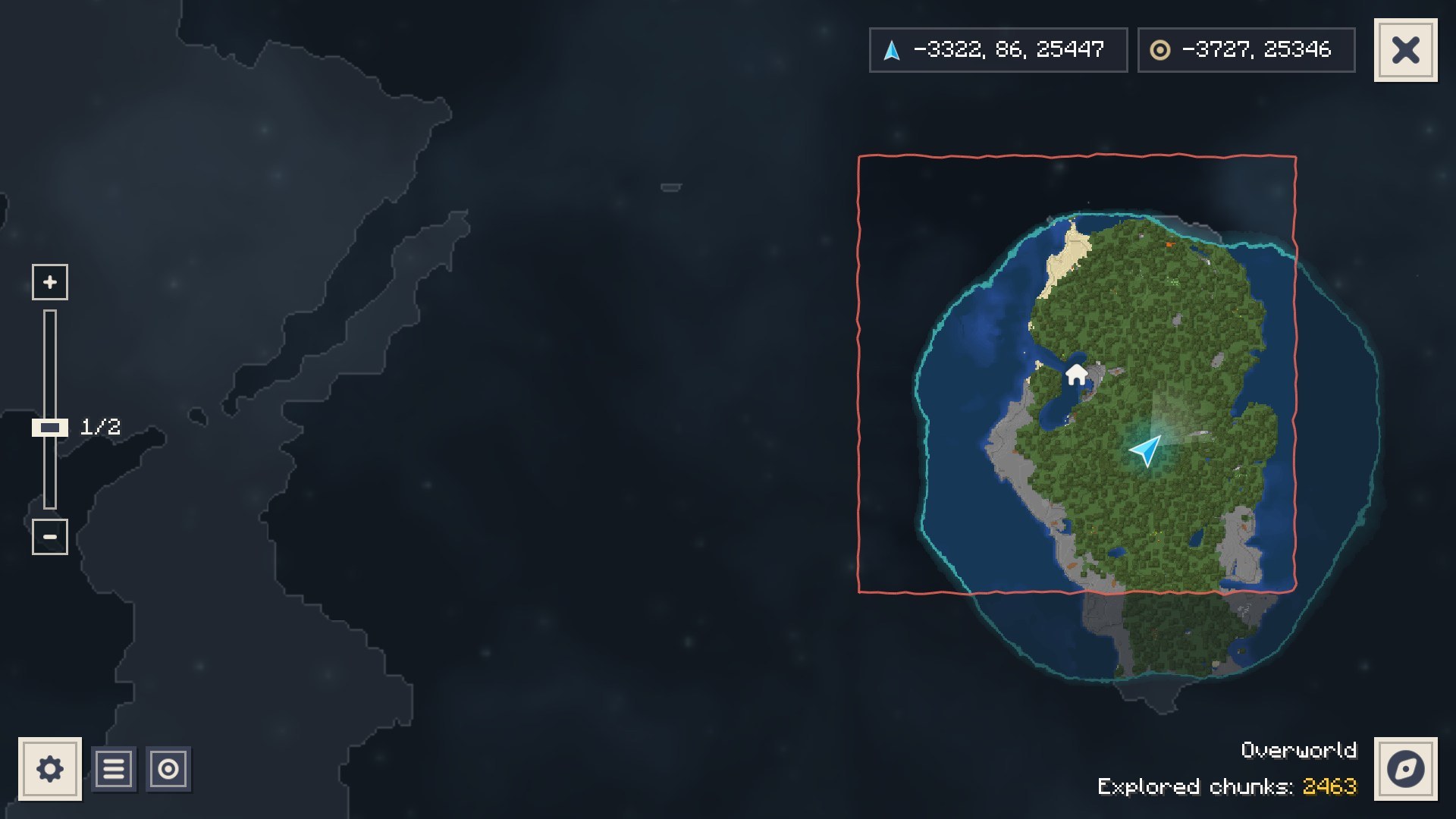
Explore, and the land you see is painted onto the map. Everything else stays under the Fog of War.


✨ Features
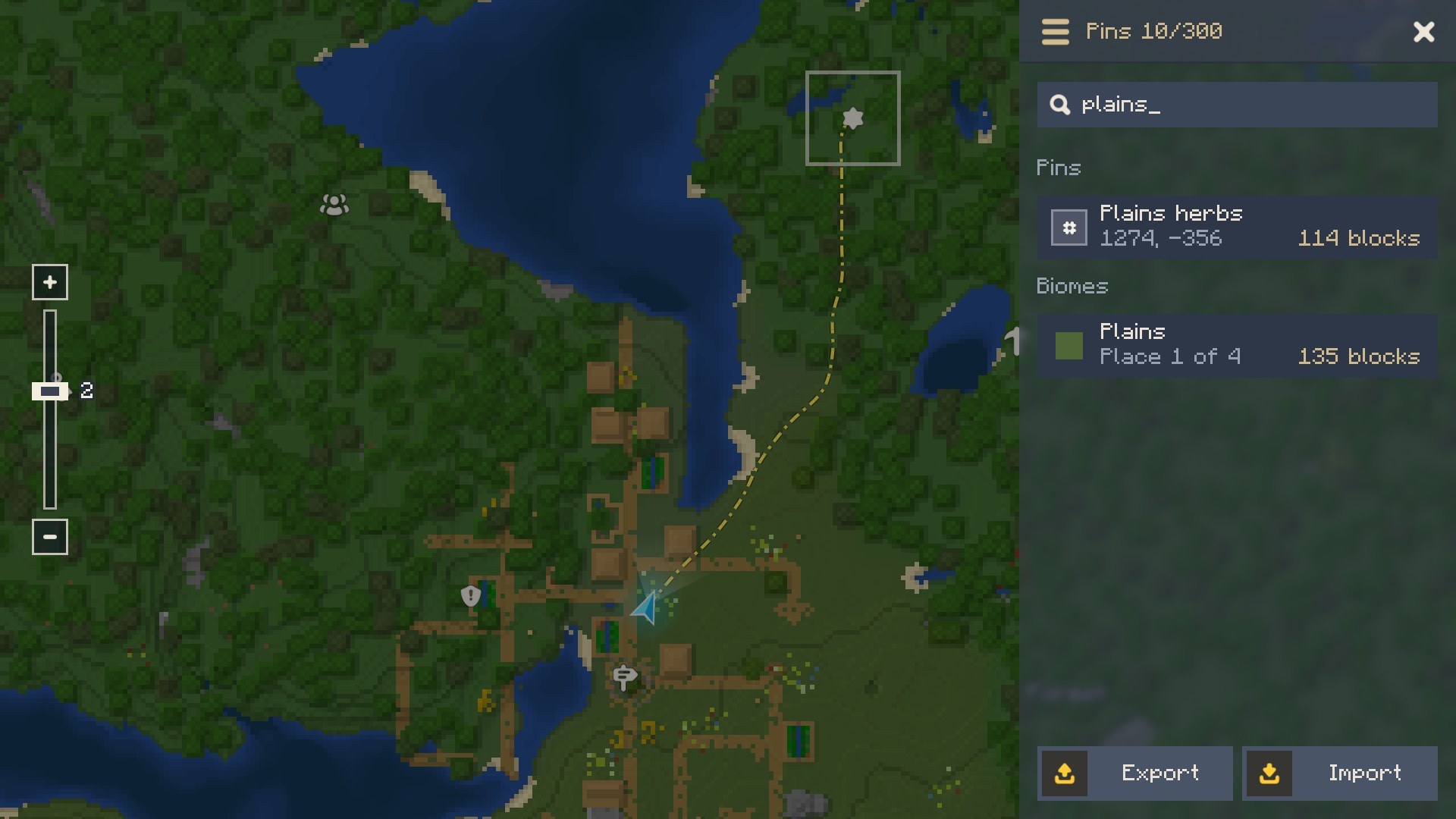
- World map (M): the land you explored, in the colours of its blocks, with shading and water depth. Pan, zoom from 1/32 to 32, search pins and biomes with Ctrl+F.
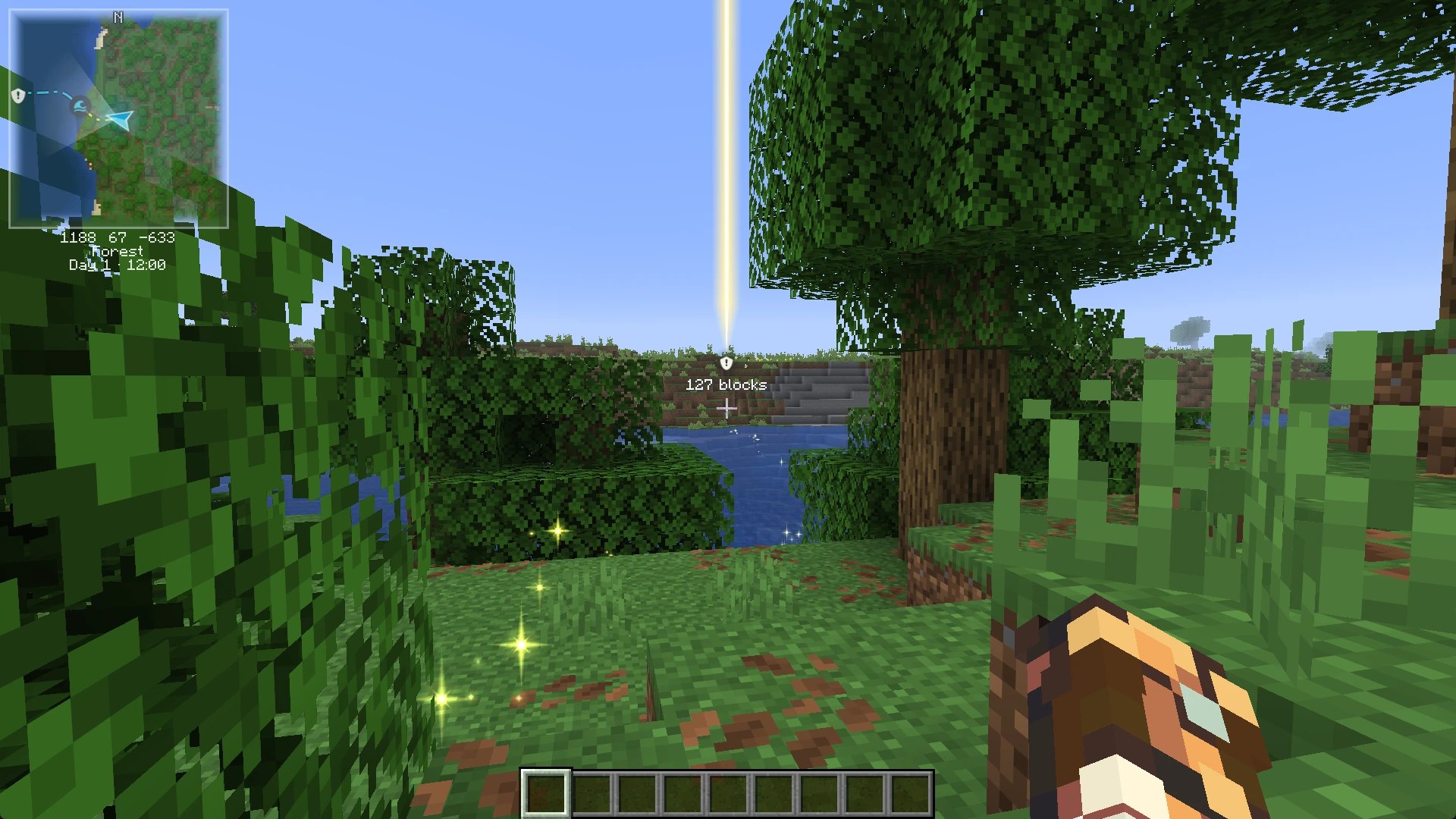
- Minimap: square or round, north up or turning with you, with coordinates, biome and a clock.
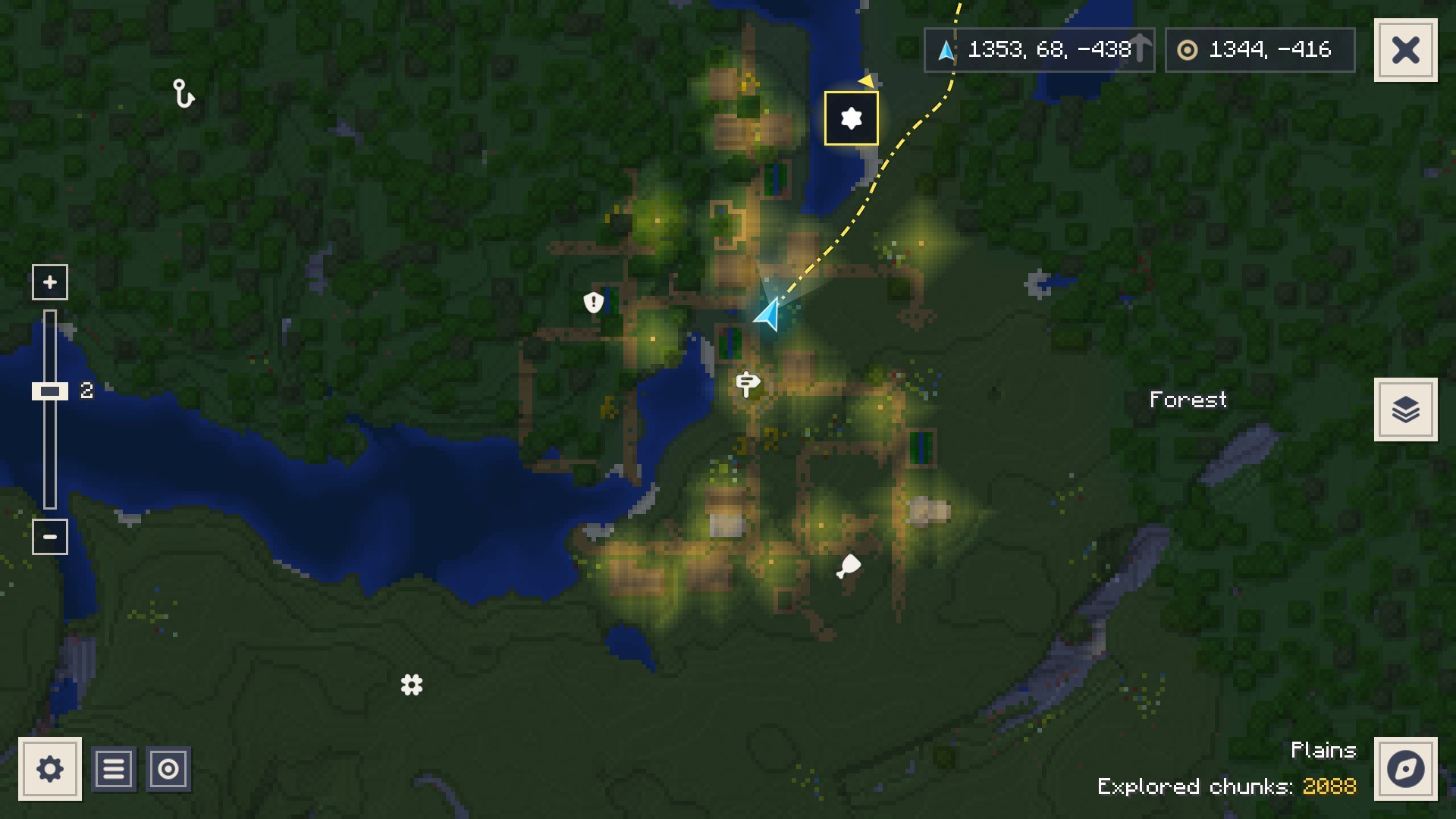
- Pins: seven types, up to 300 per world. Right-click the map to place one, or press B where you stand.
- Tracking: a golden beam of light over the pin, sparkles on the ground and a line on both maps that walks you there, around water and mountains. Or by boat, or straight through the air for elytra.
- Caves: underground, the map switches to the layer you are in.
- Every dimension gets its own map, The Nether and The End their own fog.
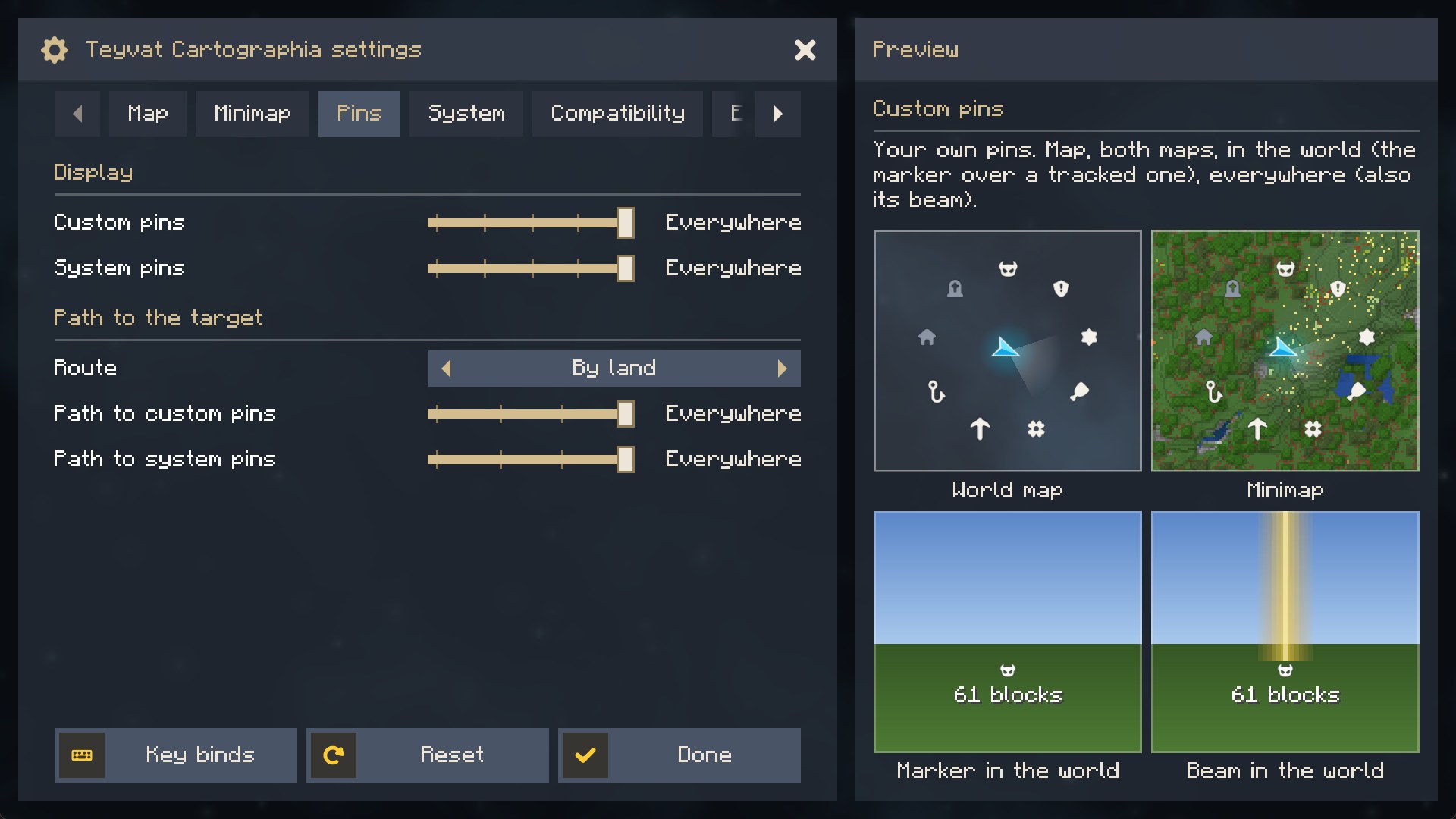
- Settings with a live preview of whatever you point at. English and Russian.
- Experimental, off by default: Far land (the outline of unexplored land from the world's generator), soft animated map edges, the world border on the map.
📥 Installation
| Minecraft | Loader | You also need |
|---|---|---|
| 1.21.1, 26.1.2, 26.2, 26.3 | Fabric | Fabric API |
| 1.21.1, 26.1.2, 26.2, 26.3 | NeoForge | nothing |
Download the file for your game and loader (+mc1.21.1-fabric, +mc26.3-neoforge and so on), put it into mods/ and press M in a world. The mod is client-side only: it works on any server, vanilla or modded, and the server does not need it.
🔌 Sinytra Connector
On NeoForge, take the NeoForge file. The Fabric file runs there too, through Sinytra Connector with Forgified Fabric API (checked on 1.21.1, 26.1.2 and 26.2); Connector Extras adds its settings button to NeoForge's mod list.
🎮 Controls
| Key | What it does |
|---|---|
| M | World map (Esc or M closes it) |
| N / = / - | Minimap on or off, zoom in, zoom out |
| B | New pin where you stand |
| V | Show the tracked pin and its path again |
| Z | Stop tracking |
| On the map | Drag to pan, wheel to zoom, right-click for a new pin, Ctrl+F to search, Space to come back to you |
Every key can be changed in the game's controls.
🧩 Works with
Blocks of any mod are drawn in the colours of their textures, so most mods just work. Some get a little more: Waystones (its stones on the map, trackable), Xaero's Minimap (import its waypoints) and Xaero's World Map (import the explored map), The Aether and Mielon's The Sift (their own fog), Sodium, Iris, VulkanMod and Mod Menu.
The mod costs at most a few percent of your frame rate: the minimap is redrawn only when it changes, and the map is made on background threads.
❓ Questions
Does it show the land I have not visited?
No, that is the point: you map the world by exploring it. Far land (Settings > Experimental, single player) can show the outline of unexplored land if you want it.
Where is my map saved?
In teyvatcartographia/ of your game folder, one map per world or server and per dimension. Pins are in markers.json there. They can also be exported to a file from the pin list.
Can I make my own theme?
Yes, as a resource pack: colours, icons and the fog live in assets/teyvatcartographia/themes/<id>/. Copy the built-in default theme from the mod's file and change what you like.
🔗 Links
- Report a bug or suggest an idea (please attach
logs/latest.log) - Changelog
- Source code:
./gradlew build(branchmainfor 1.21.1,mc26for 26.x)
MIT License. Icons from Game Icon Pack by Nieobie (CC0). The settings screen is made with Actually Amazing Config Screen. A fan-made mod, not affiliated with HoYoverse; no Genshin Impact assets.
Screenshots
Gallery
Versions
Files
Relations
Project Relations
More like this
Similar Mods
Suggestions use data such as tags, dependencies, dependents, descriptions, titles, and more to rank how much they overlap with this mod.
On ModDex
Community snapshot
By the numbers
Statistics

Get it on
Available Platforms
On ModDex
Community snapshot
By the numbers
Statistics
Resources