Community listing page, reviews here may not be monitored by the author.
TFC Anvil Hepler


No reviews yet
Mod for simplified forging

Community voices
Reviews
No reviews yet. Be the first to review this project!
Get it on
Available Platforms
Compatibility
Supported Environments
Must be installed on both the client and the server.
About
Project Details
For authors
Embed Badge
If you're the author of this project, you can embed a live badge anywhere that supports HTML or Markdown. It updates automatically whenever ratings change.
Use HTML for any page that supports it, or Markdown for README files and Markdown-based descriptions.
Identifiers
Platform IDs
Resources
External Links
About
Description
TfcAnvilHelper is a lightweight helper mod for the anvil in TerraFirmaCraft (and modpacks like TerraFirmaGreg). It handles all the math for you, allowing you to focus on the forging process rather than counting clicks.
How to Use: Open the anvil interface.
Click the ⧉ button (the overlay icon) at the top of the screen.
Target Value: Enter the number currently indicated by the arrow on the anvil.
Actions: Specify the final 2 or 3 required actions (as dictated by the recipe). If an action is not needed, select "-".
Click "Calculate".
A notification displaying the first action will appear at the bottom of the screen. Once you have performed that action on the anvil, the mod will automatically display the next one.
To skip an action, simply click on the notification itself.
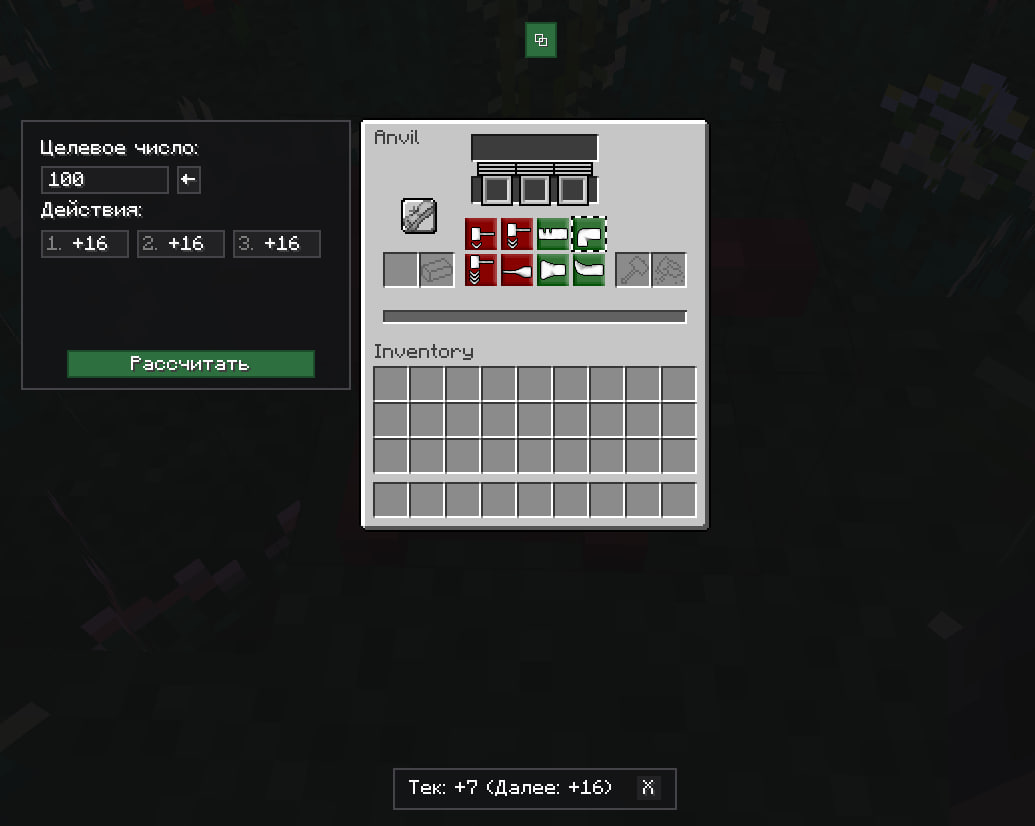
TfcAnvilHelper is a lightweight helper mod for the anvil in TerraFirmaCraft (and modpacks like TerraFirmaGreg). It handles all the math for you, allowing you to focus on the forging process rather than counting clicks.
How to Use: Open the anvil interface.
Click the ⧉ button (the overlay icon) at the top of the screen.
Target Value: Enter the number currently indicated by the arrow on the anvil.
Actions: Specify the final 2 or 3 required actions (as dictated by the recipe). If an action is not needed, select "-".
Click "Calculate".
A notification displaying the first action will appear at the bottom of the screen. Once you have performed that action on the anvil, the mod will automatically display the next one.
To skip an action, simply click on the notification itself.
Screenshots
Gallery
-
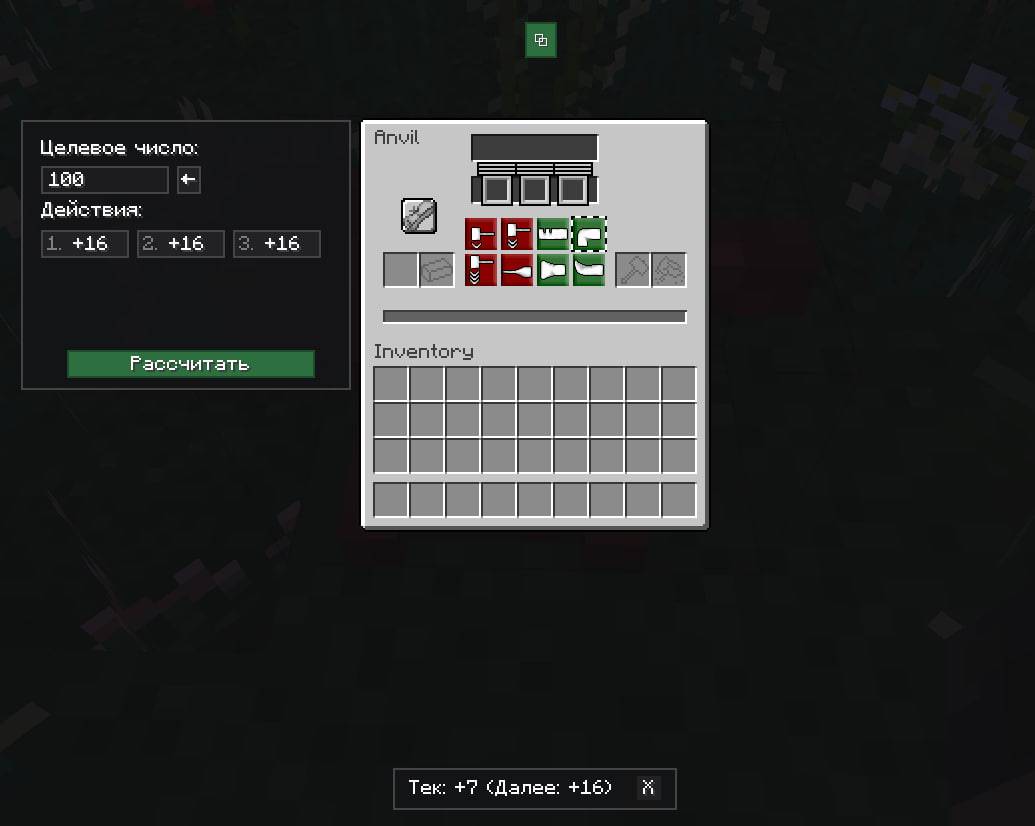 photo_1.jpg photo_1.jpg
Versions
Files
Relations
Project Relations
More like this
Similar Mods
Suggestions use data such as tags, dependencies, dependents, descriptions, titles, and more to rank how much they overlap with this mod.
On ModDex
Community snapshot
By the numbers
Statistics
 (opens in a new tab)
Get it on
Available Platforms
On ModDex
Community snapshot
By the numbers
Statistics
Resources