Community listing page, reviews here may not be monitored by the author.
The Almighty (But Past revision)

No reviews yet
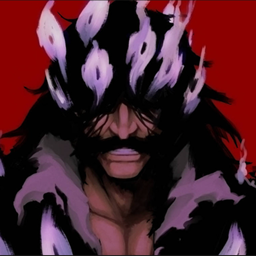
Stop time, rewind the world by up to 60 seconds, edit past events, and establish your altered timeline as the new present. Inspired by Yhwach’s “The Almighty” from Bleach, this Forge 1.20.1 mod lets you rewrite blocks, entities, equipment, explosions, and

Community voices
Reviews
No reviews yet. Be the first to review this project!
Get it on
Available Platforms
About
Project Details
For authors
Embed Badge
If you're the author of this project, you can embed a live badge anywhere that supports HTML or Markdown. It updates automatically whenever ratings change.
Use HTML for any page that supports it, or Markdown for README files and Markdown-based descriptions.
Identifiers
Platform IDs
Resources
External Links
About
Description
Description
Past Alteration is a Forge 1.20.1 mod that allows one chosen player to wield The Almighty, inspired by Yhwach’s power from Bleach.
Stop time, rewind the world by up to 60 real-time seconds, and rewrite past events. Restore destroyed blocks, revive entities that were alive in the selected past, reposition mobs, players, projectiles, dropped items, blocks, fluids, and past-player echoes, then establish the altered timeline as the new present.
The mod also features mob movement prediction, personal state reversal, automatic death recall, equipment and effect alteration, complete timeline freezing, explosion suspension, and general compatibility support for GeckoLib and PlayerAnimator animations.
How to Obtain the Power
Only one player per server can possess The Almighty at a time.
Use the following command to grant the power:
/schrift give The_Almighty <your Minecraft username>Remove the power from its current owner with:
/schrift clear The_Almighty <your Minecraft username>After the current owner’s power has been removed, The Almighty can be granted to another player.
Key Controls
-
V — Open / Close The Almighty
Activates or deactivates the power. While active, moving mobs display blue translucent afterimages predicting their movement approximately 1.5 seconds into the future. Stationary mobs do not display unnecessary afterimages. -
N — World Timeline Selection
Completely stops time and opens the timeline slider. Select any recorded moment from 0 to 60 real-time seconds in the past. The selected world state is then shown through a visible rewind sequence. -
Shift + N — Personal Past Revision
Rewinds only the wielder’s recorded state without rewinding their current position. Health, hunger, air supply, effects, game mode, abilities, and other recorded state data can be restored. Inventory, equipment, and experience are preserved to prevent item duplication or accidental deletion.The player remains free to move and fight while their state is being rewound. If the selected interval contains the player’s death, they return to the location where they died in perfect condition and can immediately resume the battle.
-
G — Grab and Move
During World Past Revision, holdGwhile looking at a mob, player, projectile, dropped item, block, or past-player echo. Move your view to reposition the selected target. -
H — Grab Fluids
Used exclusively for moving water, lava, and other liquid blocks. RegularGignores fluids. -
Mouse Wheel — Adjust Grab Distance
While holding a block, fluid, or past-player echo, scroll to adjust its distance. Distance adjustment is disabled for mobs, players, projectiles, dropped items, and other entities. -
R — Alter Target Equipment and Effects
During World Past Revision, look at a mob or player and pressRto inspect their equipment, inventory, and active effects.You may secretly steal or forcibly destroy one selected item. Choosing either item action immediately confirms the altered timeline and resumes time.
Active effects can also be selected for suppression. A selected target effect is removed and blocked for 10 seconds, with the countdown beginning only after the altered timeline is confirmed with
U. -
Shift + R — Manage Personal Effects
Opens an effect-only interface for the wielder during past editing. Click an active effect to move it into the Blocked Effects list. Click a blocked effect again to restore it to the active list.Self-blocked effects remain suppressed for 5 minutes, even if another mod continuously attempts to reapply them.
-
U — Commit the Altered Past
Confirms all changes made during World Past Revision, establishes them as the new present, displays 《The Almighty》, and resumes time. -
ESC / Cancel Button — Restore the Original Present
Closes timeline selection or cancels past editing. All uncommitted world changes and pending target-effect blocks are discarded.
All key bindings can be changed through Minecraft’s control settings.
Additional Information
- Left-click attacks and most right-click interactions are disabled during World Past Revision to prevent crashes and unintended changes.
- Blocks can still be placed with right-click while editing the past.
- Grabbed blocks and entities cannot be placed inside solid objects, preventing forced suffocation.
- Projectiles, dropped items, TNT, End Crystals, explosions, and other moving or explosive objects remain frozen during timeline selection, visible rewinding, and past editing.
- Non-awakened players are completely frozen and have their vision blocked while The Almighty is manipulating the world timeline.
- The Almighty does not provide permanent passive invulnerability.
- If the awakened player receives fatal damage, World Timeline Selection automatically opens. Automatic death recall has a 60-second cooldown.
- Self-effect and target-effect suppression timers cannot be reset through either form of time reversal.
- Game modes are restored correctly. Rewinding to a Creative, Survival, Adventure, or Spectator state will restore the appropriate abilities for that mode.
- GeckoLib and PlayerAnimator animations are resynchronized after stopped time so compatible entities do not remain permanently frozen in an animation pose.
Cooldowns
- World Past Revision: 40 seconds after confirming the timeline
- Personal Past Revision: 25 seconds after the personal rewind finishes
- Automatic Death Recall: 60 seconds
- Self-Effect Suppression: 5 minutes
- Target-Effect Suppression: 10 seconds after confirmation
- Cancelled Timeline Retry Delay: 3 seconds
Cooldowns are measured independently using real elapsed time and cannot be reset or shortened through World Past Revision or Personal Past Revision.
Compatibility
- Minecraft: 1.20.1
- Mod Loader: Forge
- GeckoLib: Optional compatibility
- PlayerAnimator: Optional compatibility
GeckoLib and PlayerAnimator are not required to run the mod.
Screenshots
Gallery
Versions
Files
Relations
Project Relations
More like this
Similar Mods
Suggestions use data such as tags, dependencies, dependents, descriptions, titles, and more to rank how much they overlap with this mod.
On ModDex
Community snapshot
By the numbers
Statistics
 (opens in a new tab)
Get it on
Available Platforms
On ModDex
Community snapshot
By the numbers
Statistics
Resources