
Community listing page, reviews may not be monitored by the author.
The best zoom mechanic

No reviews yet
A powerful customizable zoom with Smooth & Quick modes, Eagle Eye and Stabilizer.

Community voices
Reviews
No reviews yet. Be the first to review this project!
Get it on
Available Platforms
About
Project Details
For authors
Embed Badge
If you're the author of this project, you can embed a live badge anywhere that supports HTML or Markdown. It updates automatically whenever ratings change.
Use HTML for any page that supports it, or Markdown for README files and Markdown-based descriptions.
Identifiers
Platform IDs
Resources
External Links
About
Description
The Best Zoom Mechanism
A simple zoom mod? Not quite.
The Best Zoom Mechanism is a lightweight Minecraft zoom mod that gives you more control over how you see and explore your world.
Choose between smooth cinematic zoom and instant zoom, adjust your zoom level with the mouse wheel, and enable additional features like Eagle Eye and Stabilizer.
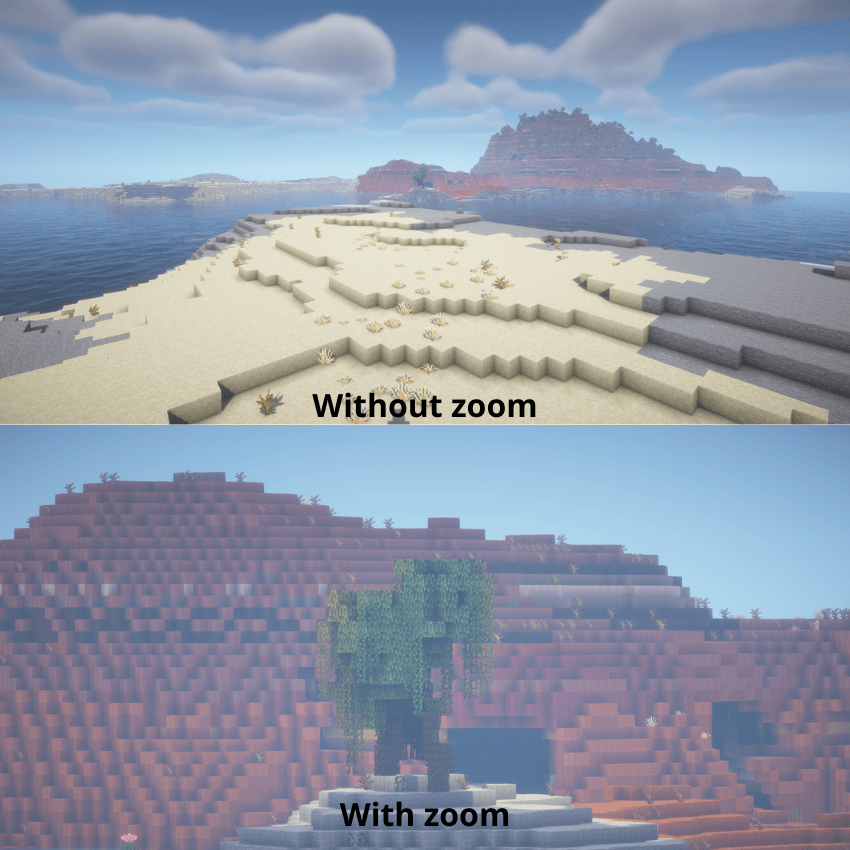
🔭 Zoom
Press C to activate the zoom.
While zoomed in, use your mouse wheel to adjust the zoom level. You can smoothly move from a normal view to a powerful long-distance zoom without opening any menus.
The zoom supports two different styles:
✦ Smooth Zoom — gradually transitions between your normal FOV and the selected zoom level. ⚡ Quick Zoom — instantly switches to the selected zoom level.
This makes it useful for both relaxed exploration and situations where you need to react quickly.
⚙️ Zoom Configuration
Press V to open the configuration menu.
From there you can change your zoom mode and enable additional features:
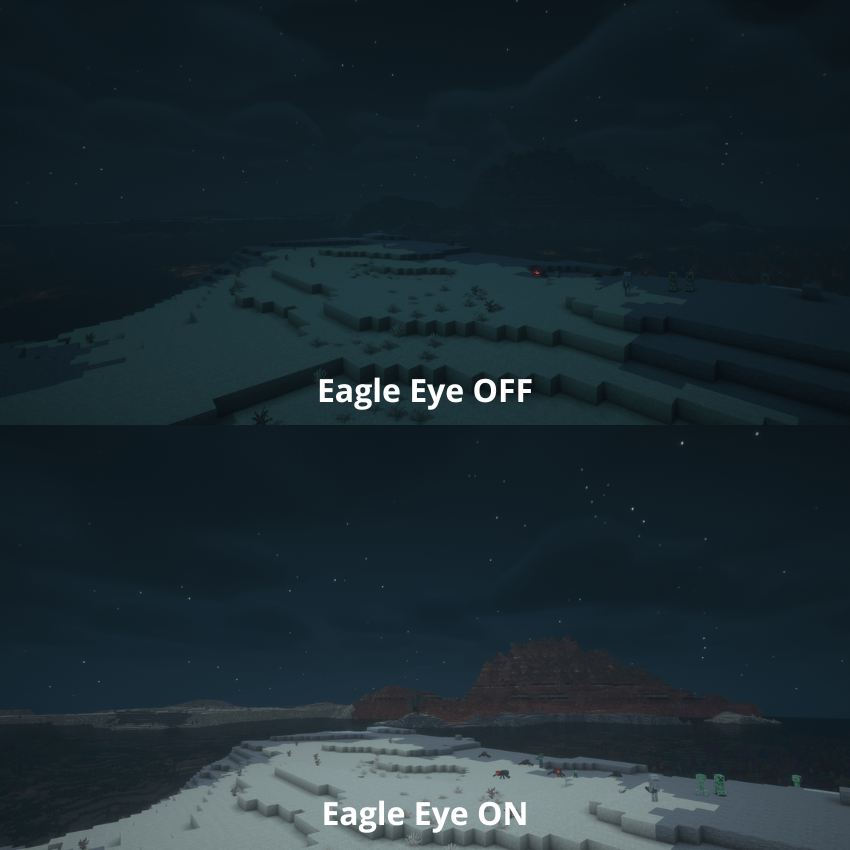
🦅 Eagle Eye
Enable Eagle Eye to give your zoom a better long-distance viewing experience.
It is especially useful when exploring large areas, looking for structures, checking distant terrain, or trying to spot something through the darkness.
⚖️Stabilizer
Stabilizer adjusts mouse sensitivity while zoomed in, making precise camera movement much easier at high zoom levels.
Instead of making your mouse feel uncontrollably sensitive when you're heavily zoomed in, the sensitivity is adjusted to match the zoom.
🎮 Controls Key / Input Action C Activate / deactivate zoom Mouse Wheel Increase / decrease zoom level V Open Zoom Configuration Smooth Zoom Gradual zoom transition Quick Zoom Instant zoom Eagle Eye Enhanced long-distance vision Stabilizer Reduced sensitivity while zoomed
🌎 Built for Exploration
Whether you're searching for a structure across a huge landscape, checking out a distant mountain, building from a high vantage point, or simply want a better view of your world, The Best Zoom Mechanism gives you a flexible way to do it.
The goal is simple:
Zoom when you need it. Customize how it feels. Keep playing.
Screenshots
Gallery
-
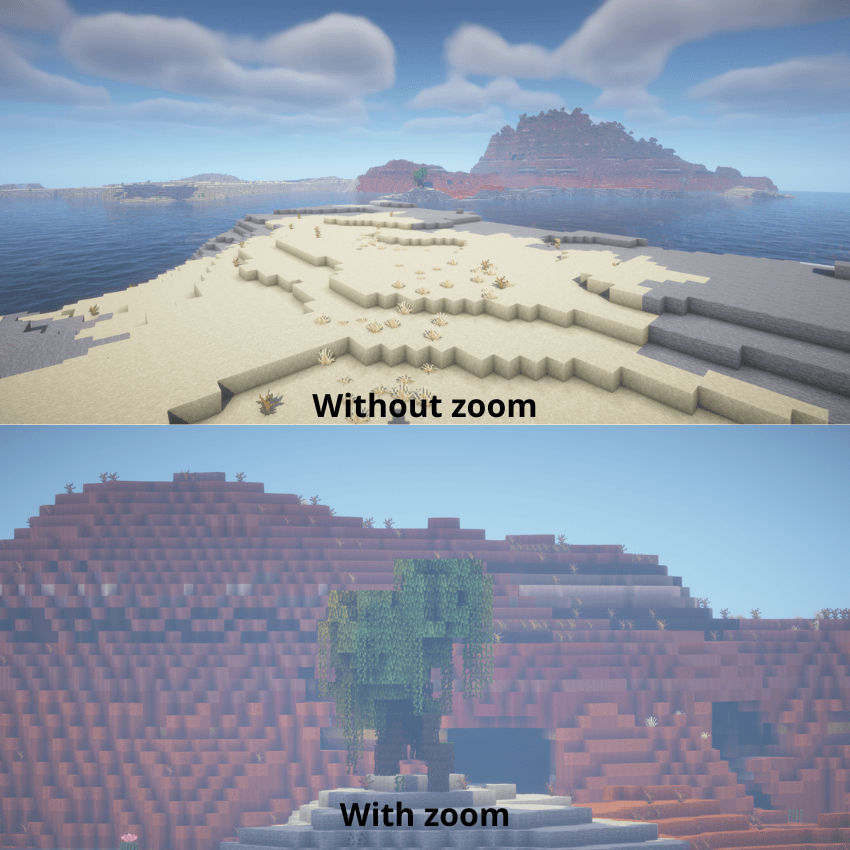 Comparison with and without zoom Comparison with and without zoom
 -
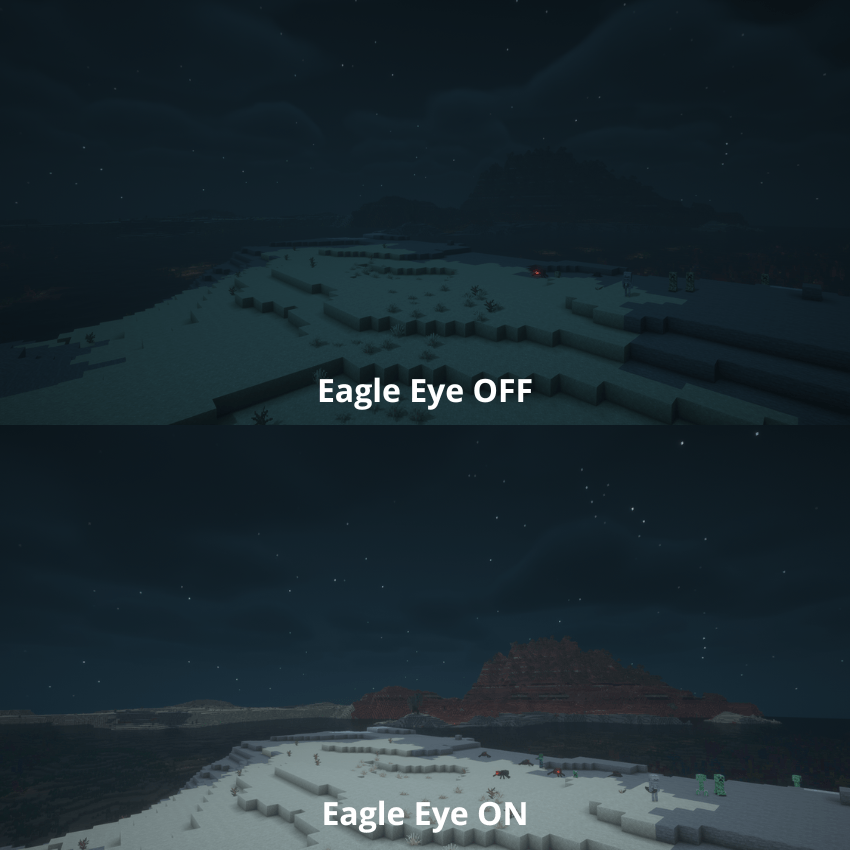 Eagle Eye ON, Eagle Eye OFF
 -
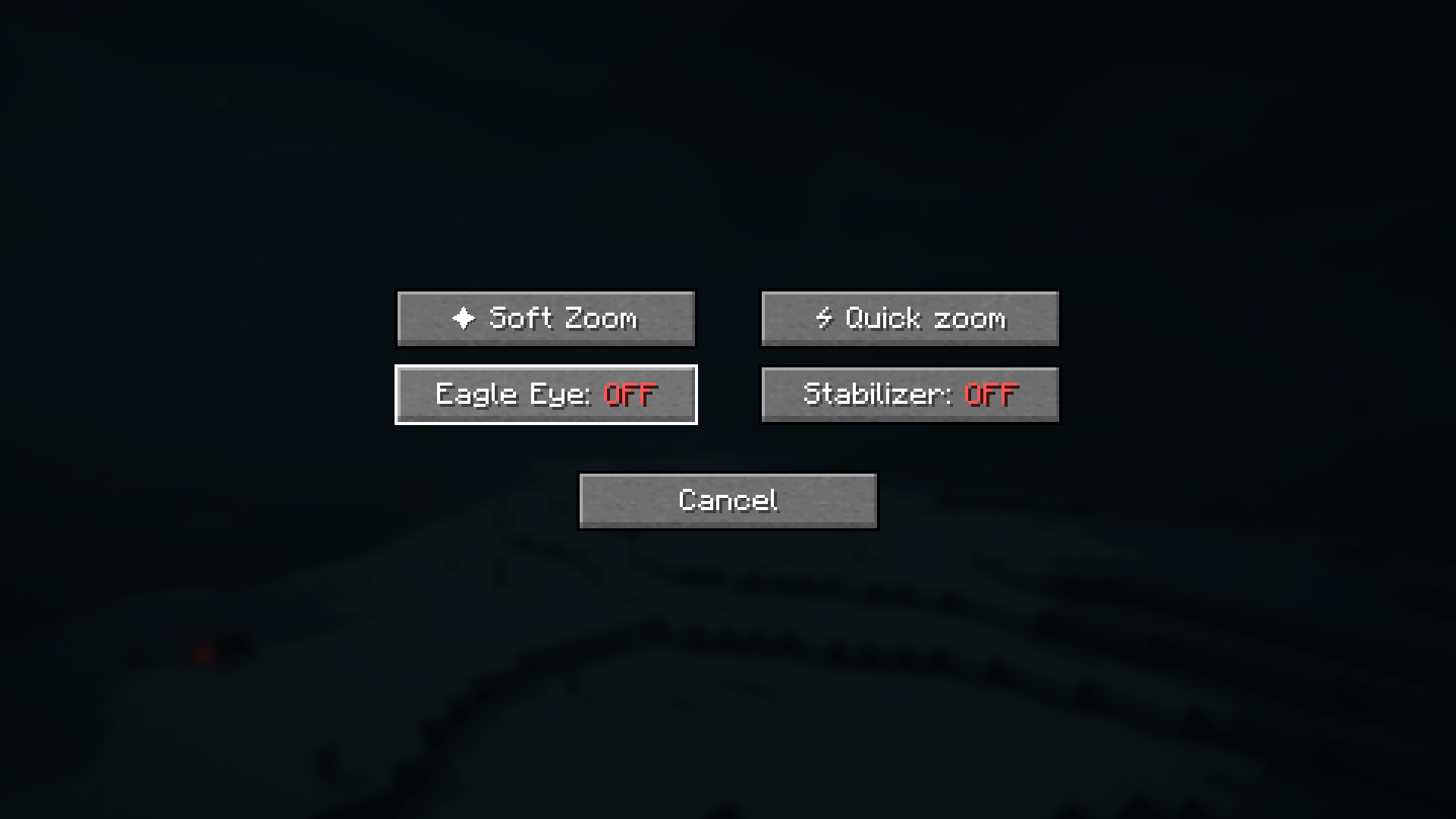 Zoom settings In this image you can see the zoom settings menu
Versions
Files
Relations
Project Relations
More like this
Similar Mods
Suggestions use data such as tags, dependencies, dependents, descriptions, titles, and more to rank how much they overlap with this mod.
On ModDex
Community snapshot
By the numbers
Statistics

Get it on
Available Platforms
On ModDex
Community snapshot
By the numbers
Statistics
Resources