
Community listing page, reviews here may not be monitored by the author.
Bricks and Cubes

No reviews yet
Rebuilds Minecraft's construction materials into one consistent system of canonical full blocks, volume-preserving micro forms, connected structures, terrain layers, and material finishes.
Community voices
Reviews
No reviews yet. Be the first to review this project!
Get it on
Available Platforms
About
Project Details
For authors
Embed Badge
If you're the author of this project, you can embed a live badge anywhere that supports HTML or Markdown. It updates automatically whenever ratings change.
Use HTML for any page that supports it, or Markdown for README files and Markdown-based descriptions.
Identifiers
Platform IDs
Resources
External Links
About
Description
The Bricks Mod (Bricks and Cubes)
One material system. Every scale of build.
Bricks and Cubes rebuilds Minecraft's construction materials into one consistent, survival-friendly building system. Use familiar full blocks for large structures, divide them into precise pieces for fine detail, turn those same materials into functional connected blocks, or shape terrain in smooth eighth-block steps.
Everything follows the same rule: material is conserved. Changing a block into smaller forms gives you exactly the same amount of building material, and changing it back does not create or destroy resources.
Build with precision
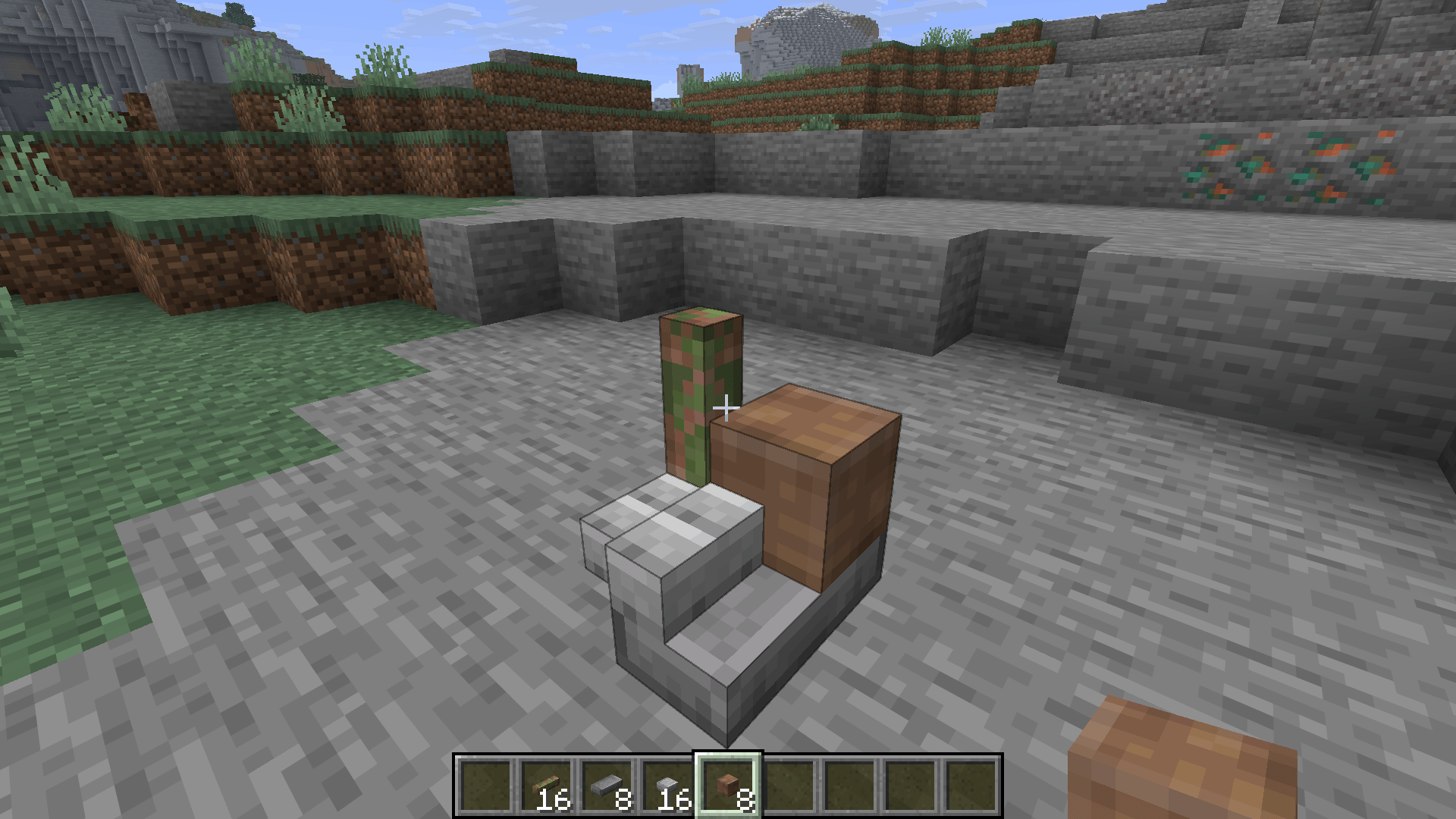
Supported construction materials can be placed on a 4 x 4 x 4 grid. Different shapes and materials can share the same block space, opening the door to trim, framing, furniture, relief, gradients, detailed facades, compact redstone decoration, and much more.
The system includes nine reusable micro forms:
- Slabs and bricks for broad structure
- Cubes for half-scale details
- Plates and tiles for thin surfaces
- Rods for narrow beams and supports
- Small slabs, small bricks, and small cubes for fine work
Parts snap to their natural positions and orientations. Composite blocks support waterlogging, return every contained piece when broken, and let you remove one targeted component at a time by sneak-right-clicking with an empty hand.
333 materials, one coherent library
Build across a large catalog of stone, wood, glass, metal, concrete, terracotta, wool, Nether, End, and other familiar material families. Raw, cobbled, smooth, cut or polished, mossy, cracked, weathered, and waxed forms are included where they make sense—without inventing unnecessary stages for materials that do not need them.
Wood pieces use builder-friendly names such as beams, planks, and sticks, while canonical items such as bricks, ingots, and nuggets keep familiar identities and recipes.
Functional forms from the same material
Your building pieces are more than decoration. Materials can become connected and functional structures, including:
- Fences, walls, gates, glass panes, and metal bars
- Shelves, signs, and hanging signs
- Carpets, buttons, pressure plates, and levers
- Freestanding and wall-mounted decorative heads
These forms return their original components when broken, so experimenting with a design does not waste material.
Change finishes without rebuilding
Transform a placed full block, connected structure, or individual micro component directly in the world:
- Apply a Moss Block or Vine to add moss
- Use Shears to clean moss away
- Use a Pickaxe to chip smooth or polished material into a cracked finish
- Apply a Resin Clump to repair cracks
- Wax, scrape, and naturally weather copper while preserving each piece's shape and position
Only the targeted component changes, even inside a mixed-material composite.
Smooth, fractional terrain
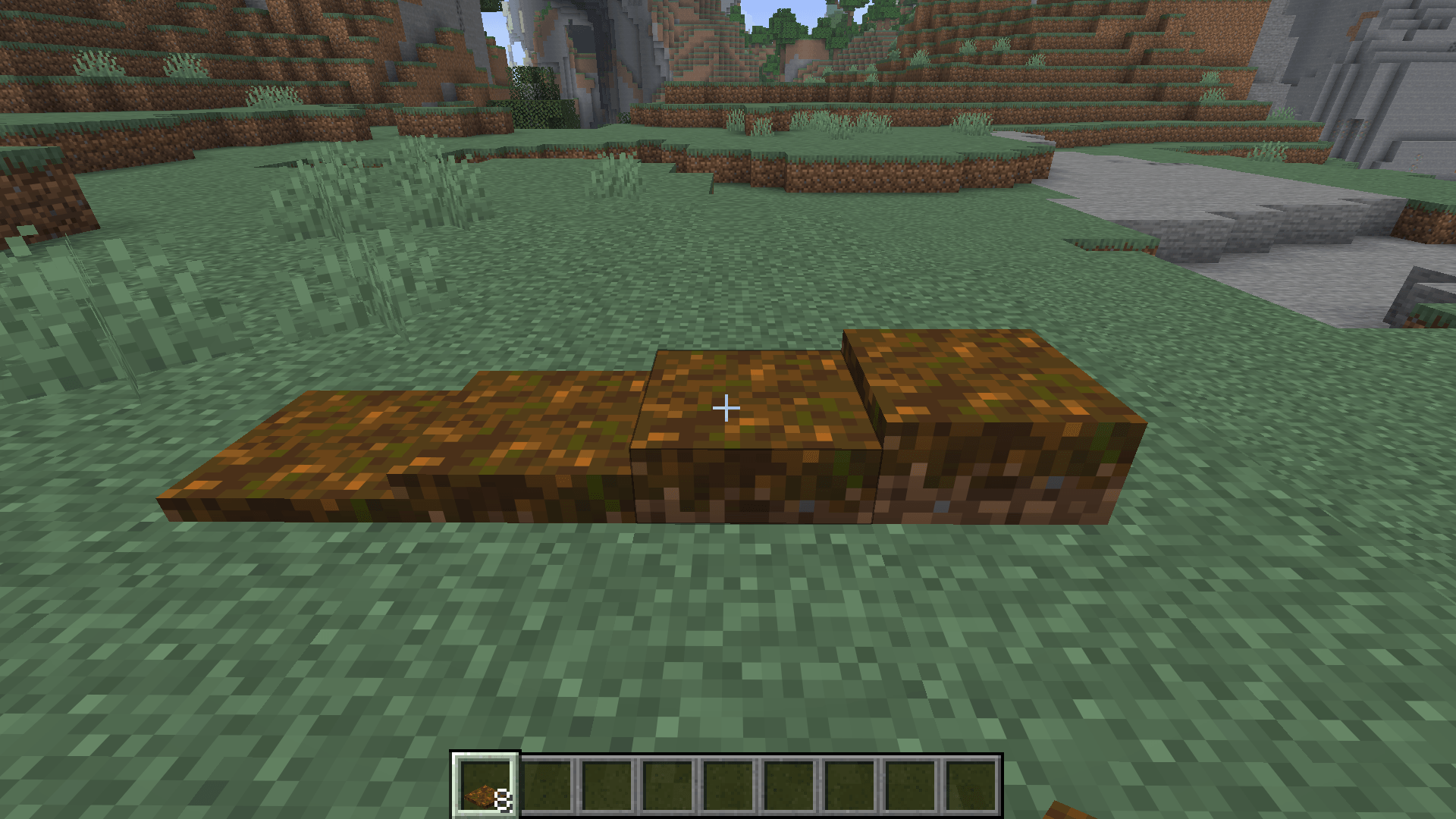
Shape natural ground with stackable 1/8-height layers for dirt, coarse dirt, rooted dirt, gravel, sand, red sand, clay, mud, soul materials, grass, podzol, mycelium, and every concrete powder color.
Terrain layers retain the behavior that belongs to them: sand and gravel fall, layers can be waterlogged, grass and mycelium spread while preserving height, and concrete powder hydrates into the correct amount of solid concrete.
Simple form selection
Hold Shift and scroll while holding a supported material—or while hovering over it in the survival inventory—to cycle between the full block and its available forms.
Stack counts automatically rescale to preserve exact volume. Fractional leftovers are retained, and the selection falls back safely when there is not enough material for a larger form. Micro forms stay out of the creative tabs, keeping thousands of implementation items from cluttering the inventory.
Designed to live alongside Minecraft
The mod normalizes superseded vanilla construction blocks, recipes, commands, inventory items, and newly generated structures into the canonical material system while keeping legacy registry entries available for save and mod compatibility.
Only newly generated chunks receive world-generation normalization. Existing chunks and player builds are not scanned or rewritten.
Requirements and compatibility
- Minecraft 26.2
- NeoForge 26.2.0.25-beta or newer
- Required on both the client and server
- No additional mod dependencies
The first public release is 1.0.0. Because the mod intentionally unifies many vanilla building forms, back up important worlds before introducing it to a long-running instance.
Build smaller details. Build smoother terrain. Build everything from the same material.
Screenshots
Gallery
-
 Layers.png Layers.png
 -
 Bricks.png Bricks.png
Versions
Files
Relations
Project Relations
More like this
Similar Mods
Suggestions use data such as tags, dependencies, dependents, descriptions, titles, and more to rank how much they overlap with this mod.
On ModDex
Community snapshot
By the numbers
Statistics
Want to reach Minecraft players?
We're looking for a server hosting partner to feature here and other parts of the site. Interested? Send us a message!
Get in touchGet it on
Available Platforms
On ModDex
Community snapshot
By the numbers
Statistics
Resources