
Community listing page, reviews here may not be monitored by the author.
The Entity - An AI-based presence in your game


No reviews yet
A mysterious AI-powered presence that watches over your Minecraft world, reacting to player behavior using an LLM.
Community voices
Reviews
No reviews yet. Be the first to review this project!
Get it on
Available Platforms
Compatibility
Supported Environments
Must be installed on both the client and the server.
About
Project Details
For authors
Embed Badge
If you're the author of this project, you can embed a live badge anywhere that supports HTML or Markdown. It updates automatically whenever ratings change.
Use HTML for any page that supports it, or Markdown for README files and Markdown-based descriptions.
Identifiers
Platform IDs
Resources
External Links
About
Description
The Entity
The Entity turns your singleplayer Minecraft world into a reactive, AI-driven sandbox. Instead of being another helpful chatbot, this mod actively watches your gameplay and acts as a dynamic Dungeon Master.
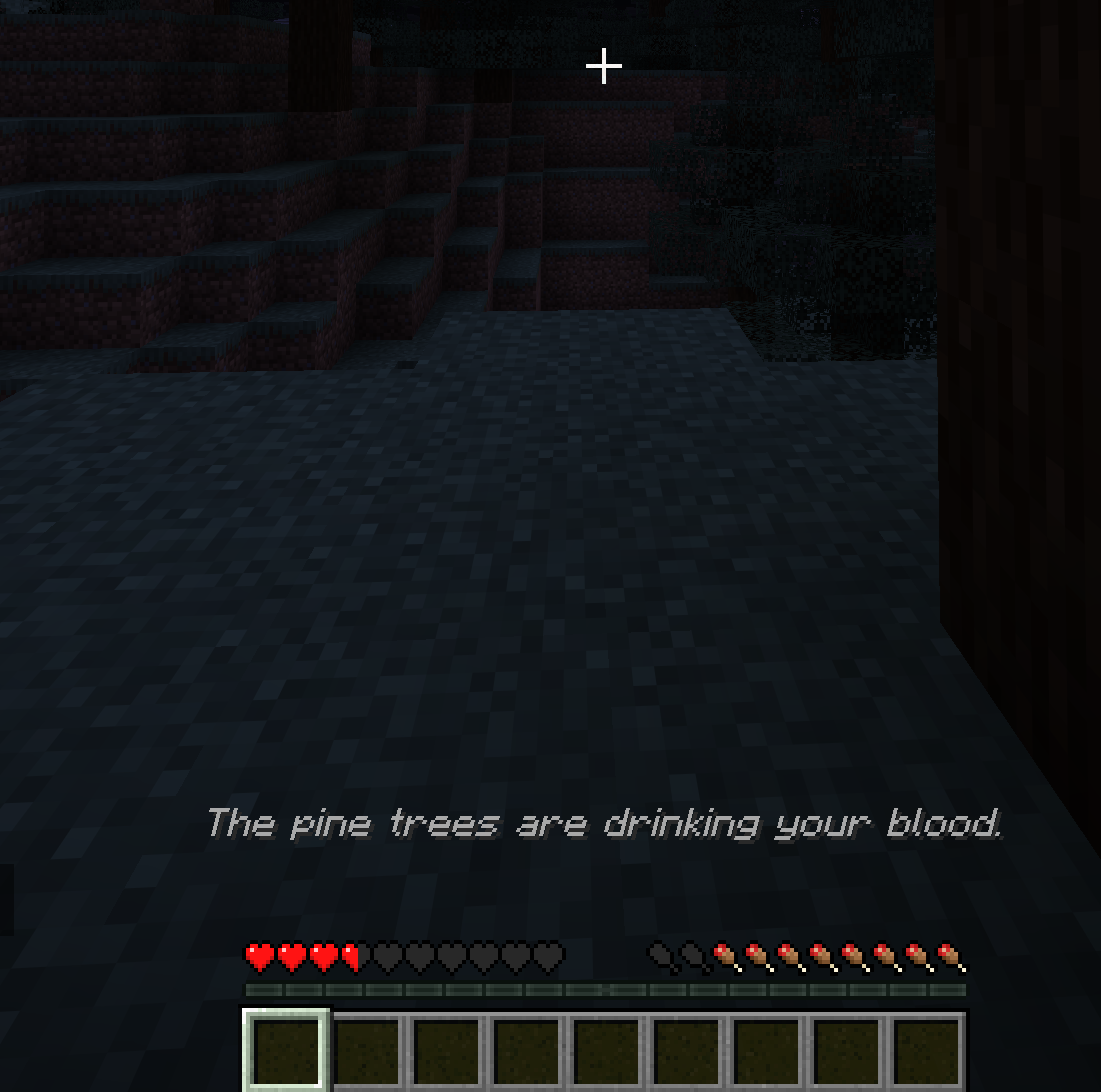
It reads your health, inventory, location, and recent actions, and responds in real-time. Depending on its configured personality, it might quietly guide you to safety, gaslight you with phantom sounds, or actively try to kill you.
Features
- Active Surveillance: The mod constantly monitors your state. It knows if you are bleeding out, holding a raw porkchop, sprinting through a forest, or drowning in a river.
- Dynamic World Control: The AI can execute commands to spawn mobs, change the weather, alter the time of day, play sounds, drop items, and speak to you in chat or via action bars.
- Infinite Customization: The Entity's brain is entirely controlled by simple YAML files. You can rewrite its system prompt by editing or creating new configurations in
.minecraft/config/the-entity/prompts. Turn it into a benevolent nature spirit, a cryptic cosmic horror, or an unhinged manager roasting your terrible survival skills, the limit is only your imagination.
Setup Guide (Local LLM)
This mod requires an LLM to function. While you can use paid APIs, polling the game state gets expensive quickly. Running a local model or using a free API like Groq is highly recommended.
Here is the beginner-friendly setup using llama.cpp:
1. Download llama.cpp
Grab the latest release for your OS from the official repository: ggml-org/llama.cpp.
2. Get a Model
For the best balance of logic and hardware performance, Qwen 3.5 models are recommended. You can find several versions in the Qwen 3.5 unsloth Collection on Hugging Face.
- Minimum requirement: An 8B model.
- Recommended: 27B or 35B (if you have the VRAM for it) for the best situational awareness.
3. Start the Server
Open your terminal and boot up the llama.cpp server. You must include specific flags for the mod to work correctly. For example, using the 27B model:
llama-server -hf unsloth/Qwen3.5-27B-GGUF:UD-Q4_K_XL --reasoning off -c 16384
--reasoning off: Prevents the model from getting stuck in internal thinking loops.-c 16384: Sets the context window high enough so the AI can remember your recent game history and inventory state.
4. Connect the Mod
Boot up Minecraft, load into your world, and open The Entity's config screen from Mod Menu. Point the endpoint to your local server (usually http://127.0.0.1:8080), tune the rest of the configuration values to your taste, save, and see how long you survive.
Note: This mod is heavily resource-intensive depending on the local model you choose to run. It is currently designed for Singleplayer only.
The Entity
The Entity turns your singleplayer Minecraft world into a reactive, AI-driven sandbox. Instead of being another helpful chatbot, this mod actively watches your gameplay and acts as a dynamic Dungeon Master.
It reads your health, inventory, location, and recent actions, and responds in real-time. Depending on its configured personality, it might quietly guide you to safety, gaslight you with phantom sounds, or actively try to kill you.
Features
- Active Surveillance: The mod constantly monitors your state. It knows if you are bleeding out, holding a raw porkchop, sprinting through a forest, or drowning in a river.
- Dynamic World Control: The AI can execute commands to spawn mobs, change the weather, alter the time of day, play sounds, drop items, and speak to you in chat or via action bars.
- Infinite Customization: The Entity's brain is entirely controlled by simple YAML files. You can rewrite its system prompt by editing or creating new configurations in
.minecraft/config/the-entity/prompts. Turn it into a benevolent nature spirit, a cryptic cosmic horror, or an unhinged manager roasting your terrible survival skills, the limit is only your imagination.
Setup Guide (Local LLM)
This mod requires an LLM to function. While you can use paid APIs, polling the game state gets expensive quickly. Running a local model or using a free API like Groq is highly recommended.
Here is the beginner-friendly setup using llama.cpp:
1. Download llama.cpp
Grab the latest release for your OS from the official repository: ggml-org/llama.cpp.
2. Get a Model
For the best balance of logic and hardware performance, Qwen 3.5 models are recommended. You can find several versions in the Qwen 3.5 unsloth Collection on Hugging Face.
- Minimum requirement: An 8B model.
- Recommended: 27B or 35B (if you have the VRAM for it) for the best situational awareness.
3. Start the Server
Open your terminal and boot up the llama.cpp server. You must include specific flags for the mod to work correctly. For example, using the 27B model:
llama-server -hf unsloth/Qwen3.5-27B-GGUF:UD-Q4_K_XL --reasoning off -c 16384
--reasoning off: Prevents the model from getting stuck in internal thinking loops.-c 16384: Sets the context window high enough so the AI can remember your recent game history and inventory state.
4. Connect the Mod
Boot up Minecraft, load into your world, and open The Entity's config screen from Mod Menu. Point the endpoint to your local server (usually http://127.0.0.1:8080), tune the rest of the configuration values to your taste, save, and see how long you survive.
Note: This mod is heavily resource-intensive depending on the local model you choose to run. It is currently designed for Singleplayer only.
Screenshots
Gallery
-
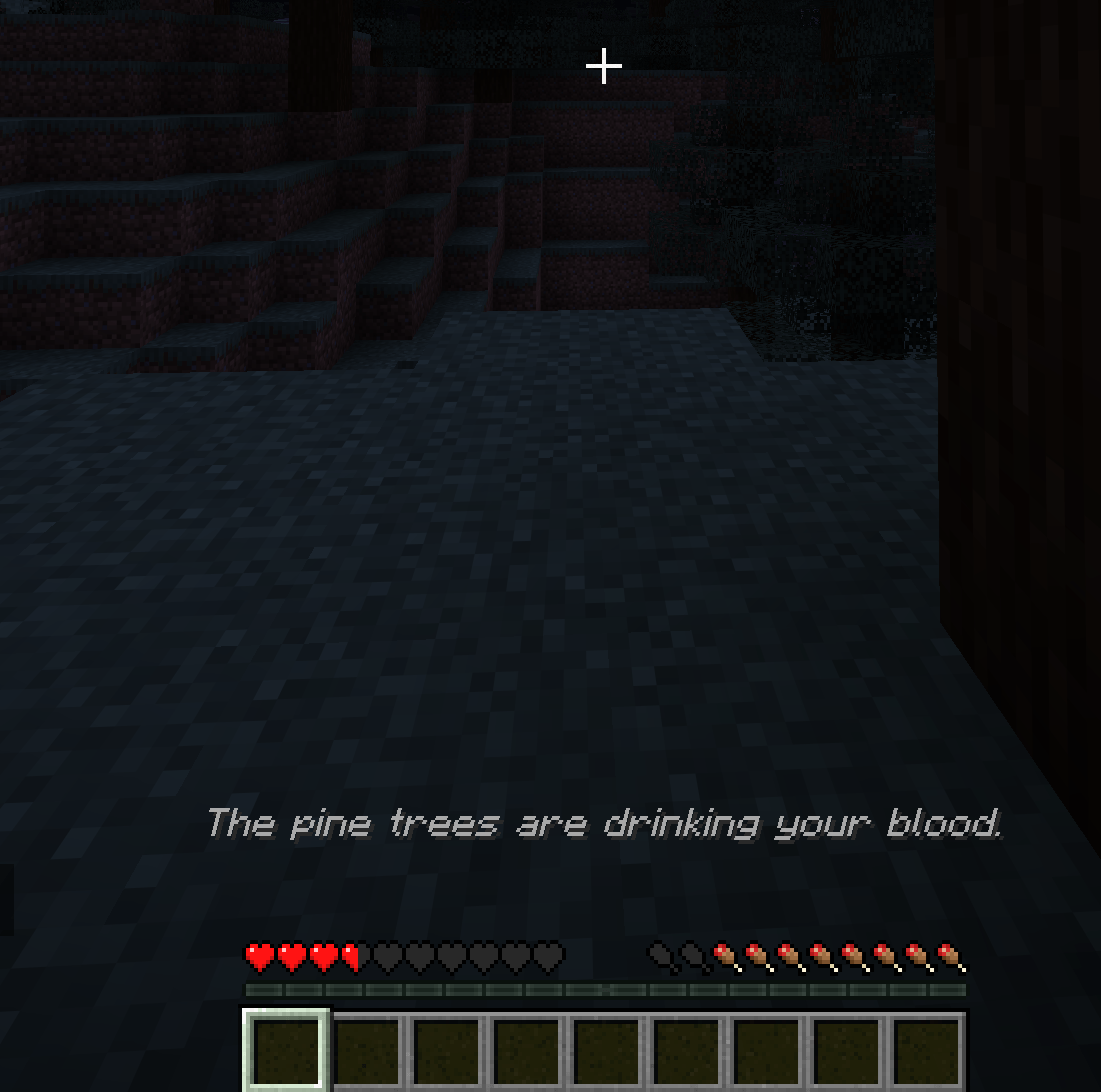 entity.png entity.png
Versions
Files
Relations
Project Relations
More like this
Similar Mods
Suggestions use data such as tags, dependencies, dependents, descriptions, titles, and more to rank how much they overlap with this mod.
On ModDex
Community snapshot
By the numbers
Statistics
Want to reach Minecraft players?
We're looking for a server hosting partner to feature here and other parts of the site. Interested? Send us a message!
Get in touchGet it on
Available Platforms
On ModDex
Community snapshot
By the numbers
Statistics
Resources