
ThePjotyr's Speedsters
No reviews yet
Bring to your game your favourite superhero - The Flash, and everything that comes along with him
Centers around fantasy elements such as spells, rituals, and magical energies, often involving personal empowerment and magical automation.
Data Packs were introduced to vanilla Minecraft in version 1.13 and allow the server to modify data about the game, or run commands. Data Packs are compatible with all mod loaders.
Forge is a popular mod loader for versions 1.1+ of Minecraft.
Neoforge is a fork of the Minecraft Forge available for versions 1.20.1+ of Minecraft. Many Forge mods are compatible with Neoforge and vice versa.
Fabric is a mod loader for versions 1.14+ of Minecraft, particularly popular for client side and optimization mods.
Quilt is a fork of the Fabric mod loader. Many Fabric mods are compatible with Quilt and vice versa.
Community voices
Reviews
Click once to include, again to exclude, again to clear
No reviews yet. Be the first to review this project!
Get it on
Available Platforms
 Modrinth
Compatibility
Supported Environments
About
Project Details
For authors
Embed Badge
If you're the author of this project, you can embed a live badge anywhere that supports HTML or Markdown. It updates automatically whenever ratings change.
Use HTML for any page that supports it, or Markdown for README files and Markdown-based descriptions.
Identifiers
Platform IDs
About
Description
ThePjotyr's Speedsters Data Pack
This Data Pack adds to your game speedster super powers, which are heavily inspired by CW TV show "The Flash". Obtain super speed, run faster than ever, defy rules of physics and become the impossible.
Installation
This Data Pack is fairly simple to install into any Minecraft world. It's only requirement is TP-Core for versions 1.4 and newer. Just download .zip files containing those Data Packs, unpack it and do one of the following:
-
You can add the data pack to your world during it's creation in "More" tab. In "Data Packs" option click on the "Open Pack Folder" and drop this data pack folder into opened directory. Then make sure that this datapack is selected and proceed with world creation.
-
Adding data pack to pre-existing world is also relatively easy. Just drop this data pack folder into "datapacks" folder inside saved game directory. Below is displayed default directory for this folder:
%AppData%/Roaming/.minecraft/saves/<world>/datapacks
- It is also possible to add this data pack to any server, since it's multiplayer compatible. It's depended on where server files are located, but installing should be pretty much the same like for pre-existing world.
/<server's directory>/world/datapacks
Thanks to modrinth you can also download this Data Pack as a mod.
Warning!
Before installing this or any other data pack, make sure to backup your world/worlds. This is to ensure that you won't lose your work in case of an error. Also, this pack uses experimental features, which may result in this data pack not working some day or even corrupting your save files. As of now, there wasn't any reported issues with this, but just keep that in mind before playing.
Getting powers
In order to became a speedster, player needs to find a source for their power. Listed below are available sources.
Thunder Strike
If player is affected by speed, regeneration and poison effects simultaneously and then is struck by lightning bolt, there's a small chance that the player will be granted connection to the Speed Force.
Particle Accelerator
Player can build a Particle Accelerator, which is a single-block contraption. During storm, if it's powered with redstone and has Positive or Negative Particle inside of it, Particle Accelerator after couple of seconds will explode. One random player within the explosion radius will have a great chance of being granted connection to the Speed Force, if the particle was Positive, or Negative Speed Force, if the particle was Negative. There is also a really small possibility, that no player would get speedster powers from explosion.
Velocity 9 Potion
Player can also craft the Velocity 9 potion, which will surely grant anyone who drinks it temporary speedster powers. There are certain drawback that come with it, but more about it later.
Tachyon Device
This is the safest and the least resource efficient way to obtain super speed. Player must first craft Tachyon Device Frame and then put it into powered Particle Accelerator during thunderstorm. After a while a thunderbolt will hit the Particle Accelerator, but it won't cause explosion. Inside it, player should find Tachyon Device. Then a speedster must take this item into Speed Force or Negative Speed Force and run with it in hand utilising powers of super speed. Tachyon Device will then absorb nearby tachyons, which will be indicated by glowing particles around the speedster. After some time Tachion Device should get fully charged with positive or negative tachions, dependent on realm it was absorbing tachions from. Any player holding fully charged Tachion Device in hand and pressing Shift will be granted super speed from Speed Force or Negative Speed Force.
Using powers
Every speedster will have name of their speed source displayed above their hotbar, so players will know whether they are speedsters or not. To access speed related abilities, player must first select last slot on hotbar. Then the display above the hotbar would change to Speed Level Indicator. By running with selected last slot, player will gain speed. Continuous running increases player's speed, and not running decreases it.
Speedsters with 4th Speed Level are able to run on vertical surfaces for short periods of time. In order to do so, just look up while running and close to the wall. Reaching 6th Speed Level gives them also the ability to run on water or powder snow.
With selected last slot, player can also press shift to begin phasing. In this state, player is invulnerable, but also cannot harm anything or anyone. Other than that, if player looks straight down, the player will phase through the floor. The same can be achieved horizontally by looking straight forward and being close to any wall.
While running, if the player reaches 10th Speed Level, the indicator above hotbar will slowly turn white. When whole indicator is white, the player will create a wormhole and will be teleported into the Speed Force or Negative Speed Force, depending on player's speed source. In there, the player can travel great distances, because like in the nether, 1 block in Speed Force is equal to 8 blocks in overworld. To escape from Speed Force, player must do the same thing, that got the player there - reach 10th Speed Level. Leaving Speed Force has a small chance of leaving player in the nether or in the end.
It should also be noted, that by doing absolutely nothing and having selected last slot in hotbar, the player will have visual electric sparks around him, which only purpose is to make the player look cool.
Speedster Suits
Any speedster without special suit will not reach any Speed Level above 7th. To get one of the suits, player must craft them in the crafting table . Player can also craft the Suit Ring, in order to store suits and quickly equip them. By wearing the speedster suit, if the player presses shift while holding empty ring, the suit will be stored inside the ring. By holding the Suit Ring with a suit inside, if the player presses shift, the suit will spawn into the world. Running into the suit will equip it.
Speed Sources
For now, there are only three sources - Speed Force, Negative Speed Force and Velocity 9. Every speedster can use the same abilities, but there are slight or not so slight differences between sources.
Speed Force
The standard source of power. Users lightning color will be yellow.
Negative Speed Force
Users of this source will have a red lightning. While travelling dimensions, users of this source will have their own seperate dimension called Negative Speed Force.
Velocity 9
The riskiest option. Users of this source will have a blue lightning. They will reach any Speed Level faster than other speedsters, but after some time, they will experience random negative effect or effects. Those effects will strengthen in time, and after a total of 10 minutes of running with super speed, users will die from those effects. They can prolong the inevitable, by drinking another Velocity 9 potion, but each time they would do that, the rate of their body decay will only get faster and faster. The only permanent cure for this condition is obtaining speed from different source in Particle Accelerator explosion or using Tachion Device. After dying from Velocity 9 poisoning, player cannot obtain speed power from any other source than Velocity 9 and the only way to change that is to use Tachion Device.
Recipes
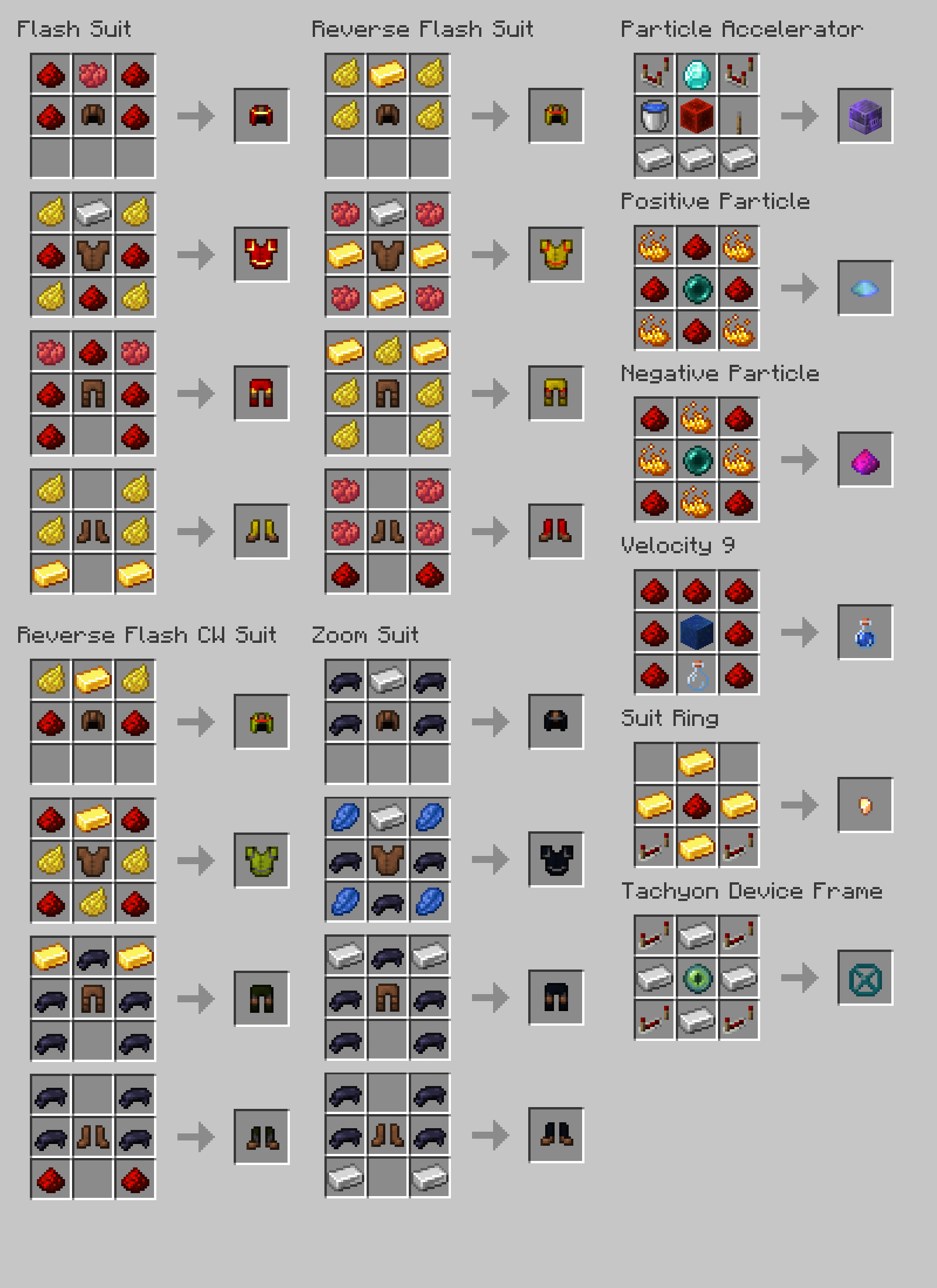
Commands
All of the commands below will work on the player/entity that executed the command. In order to use them on other players/entities, add this line in front of them:
/execute as <player/entity> run <command>
List of useful commands
Reload the Data Pack. It won't erase any progress. Use them whenever something stops working or works incorrectly.
/reload -> reloads all files inside Data Pack folder and resets all scores
Resets all scores.
/function tp_speedsters:reset_scores
Turn player into a Speedster or remove player powers.
/function tp_source:<speedforce | negative_speedforce | velocity9 | remove>
Give player items from this Data Pack.
/function tp_speed_item:<id>
Teleport player from/into Speed Force/Negative Speed Force.
/function tp_speedforce:teleport_into {"dimension":"tp_speedforce:<speedforce | negative_speedforce>"}
Customization
Recommended way to customize certain aspects of this Data Pack is via command below. It will show a mini menu in chat and player would have to just follow instructions on screen.
/trigger tp.speedsters.setting
Those changes are local, which means, that they will only affect player that set them up. There are two ways to make those changes global, for any player on the server. The first method includes using command blocks or external Data Pack. Using command below you can change players setting, where "1" means "on", and "0" means "off":
/scoreboard players set <player> <tp.speedsters.setting.liquid | tp.speedsters.setting.wall | tp.speedsters.setting.skip | tp.speedsters.setting.travel | tp.speedsters.setting.phasing> <0 | 1>
To make this permanent you can put it in always active repeating command block, and to make it affect all players just replace <player> with selector "@a".
The second method includes working on Data Pack files. It will not only make changes more efficient, but it will also give you access to other configurable options. Locate two files that directories are shown below:
<world>/datapacks/<Data Pack name>/data/tp_speedsters_main/function/config.mcfunction
<world>/datapacks/<Data Pack name>/data/tp_speedsters_main/function/settings.mcfunction
Open those files with your favourite text editor (you can just use Windows Notepad) and edit the values. After each command there is a comment describing usage of the constant value above it. After reloading the Data Pack, all changes should be applied.
Warning!
For all changes inside config files to be applied, you must first reset all those values via command below.
/function tp_speedsters_main:reset
Complementary Shaders v4.7.2 were used to take the photos in the gallery.
Go check these shaders and their creator in here: https://modrinth.com/user/EminGT
Screenshots
Gallery
-
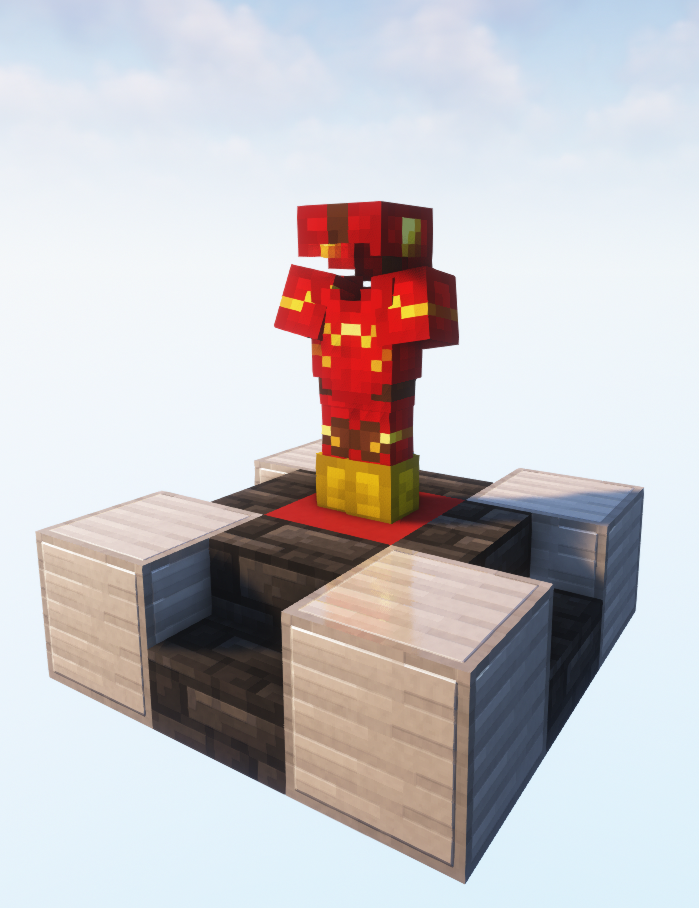 Flash Suit Image presents suit of the Flash in all of its glory
 -
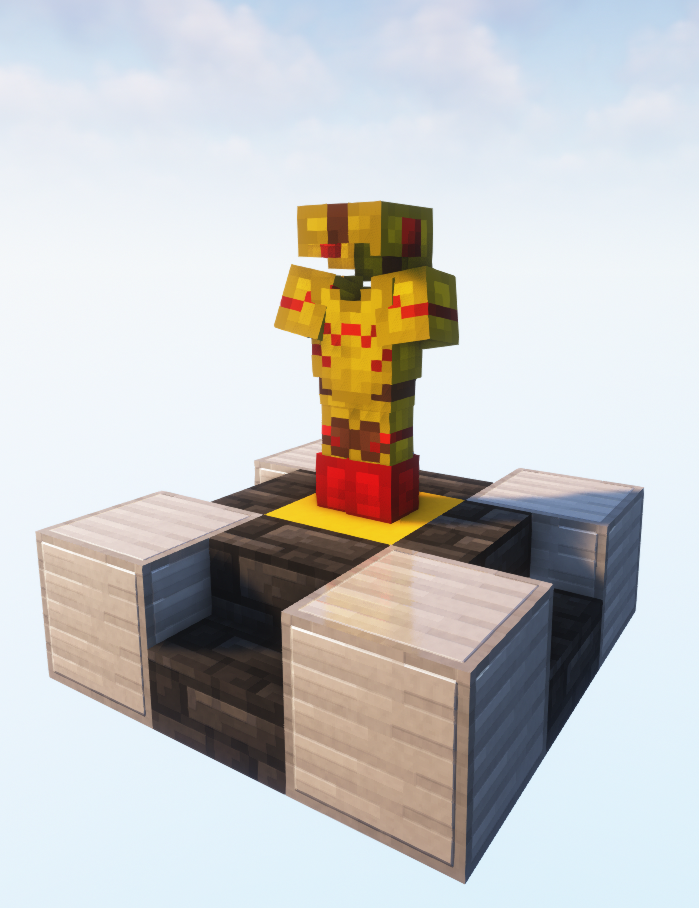 Reverse Flash Suit Image presents suit of the Reverse Flash in all of its glory
 -
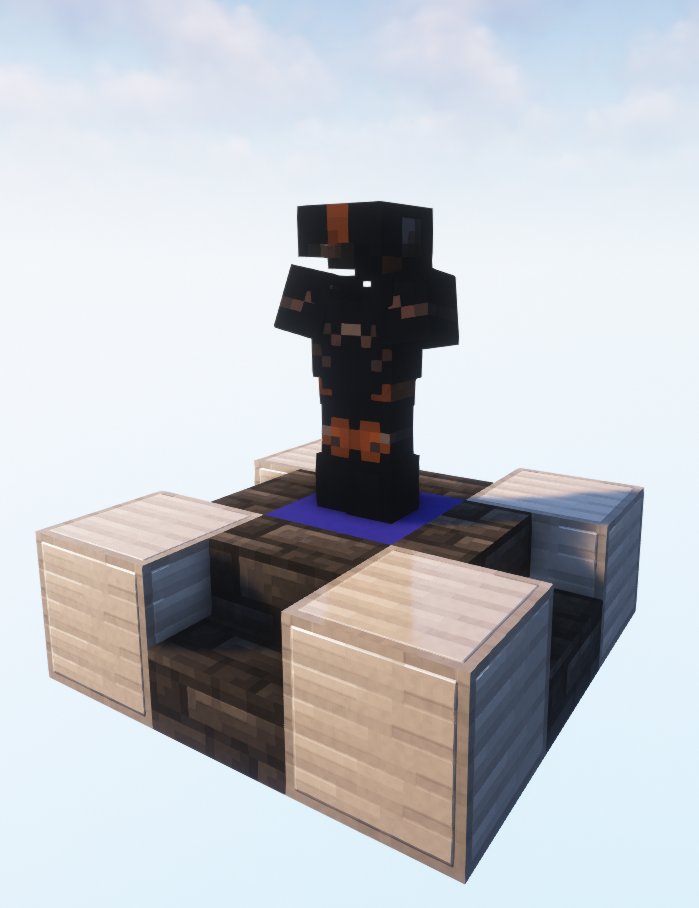 Zoom Suit Image presents suit of the Zoom in all of its glory
 -
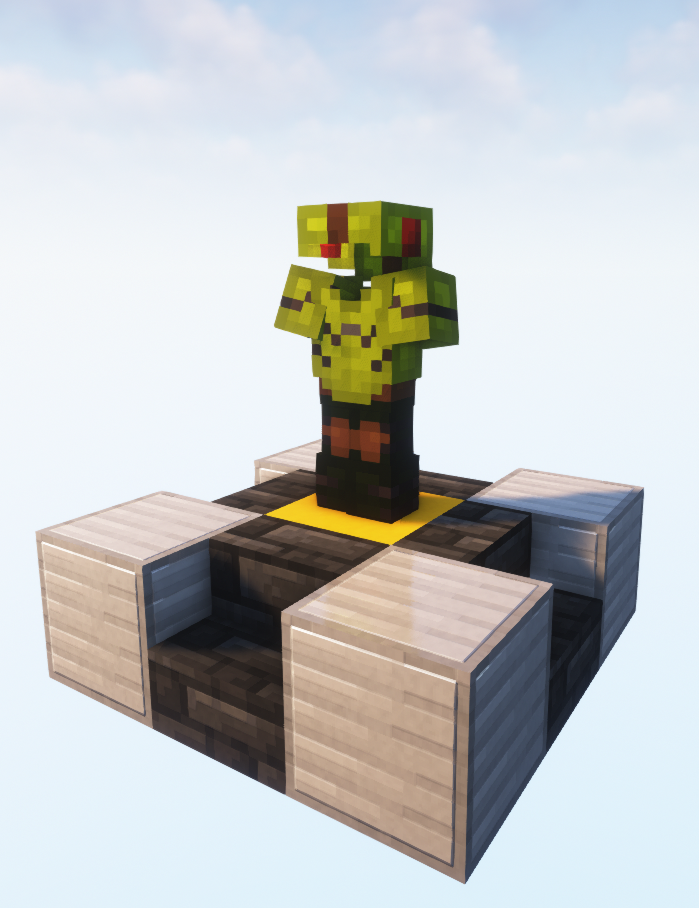 Reverse Flash Suit (CW) Image presents suit of the Reverse Flash (CW) in all of its glory
 -
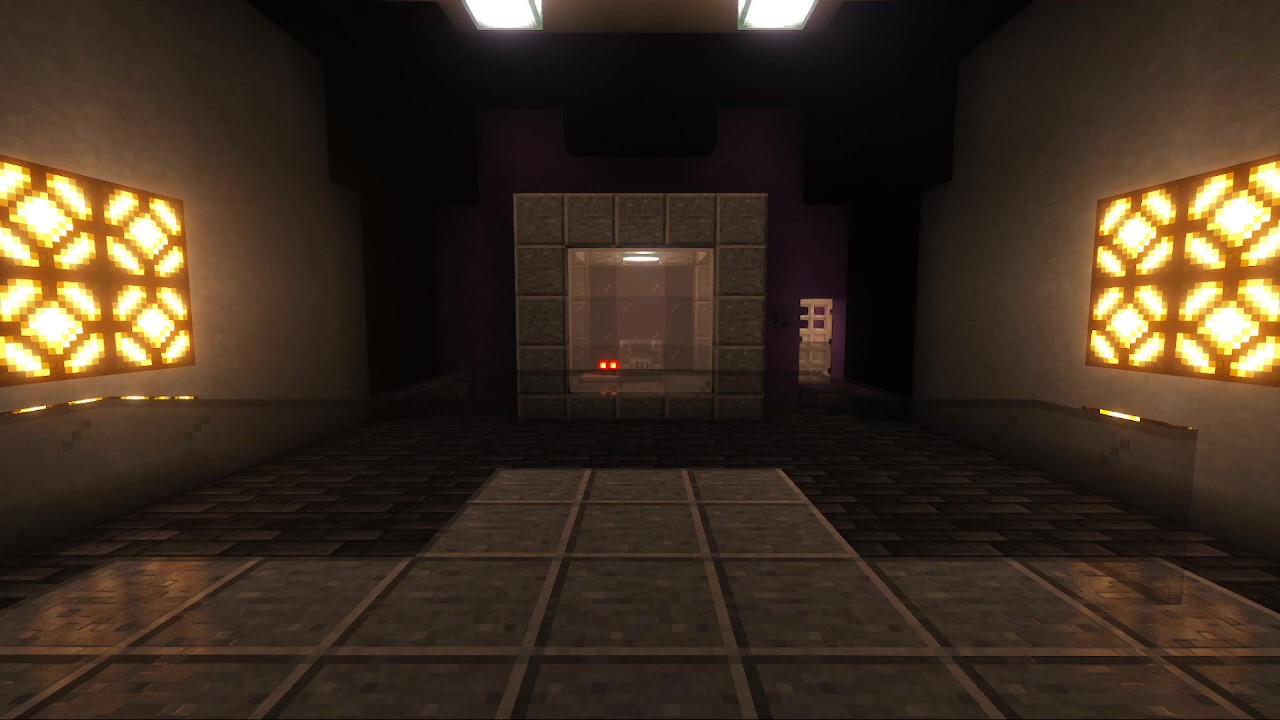 Particle Accelerator Picture presents example of Particle Accelerator placement
 -
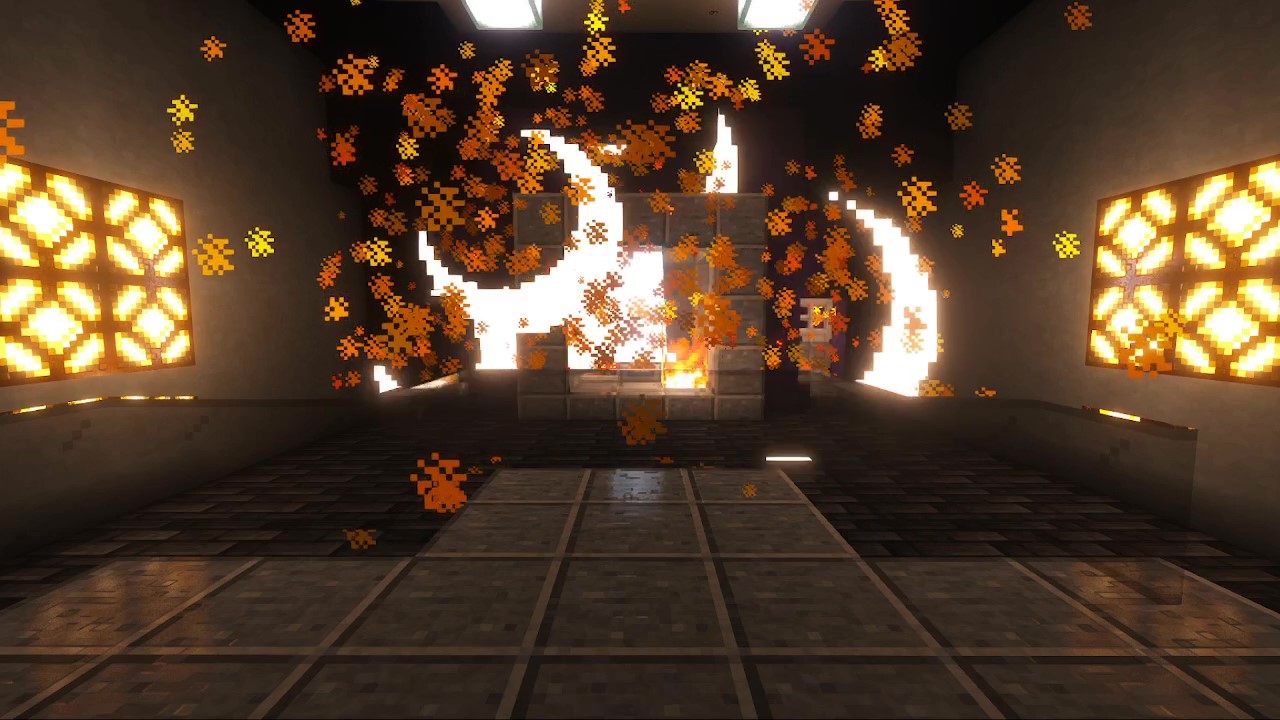 Particle Accelerator Explosion Powered and fuelled Particle Accelerator will always summon lightning and explode. Maximum explosion radius is around 10 blocks.
 -
 Speed Force *As of now, Negative Speed Force users cannot enter this dimension without cheats
 -
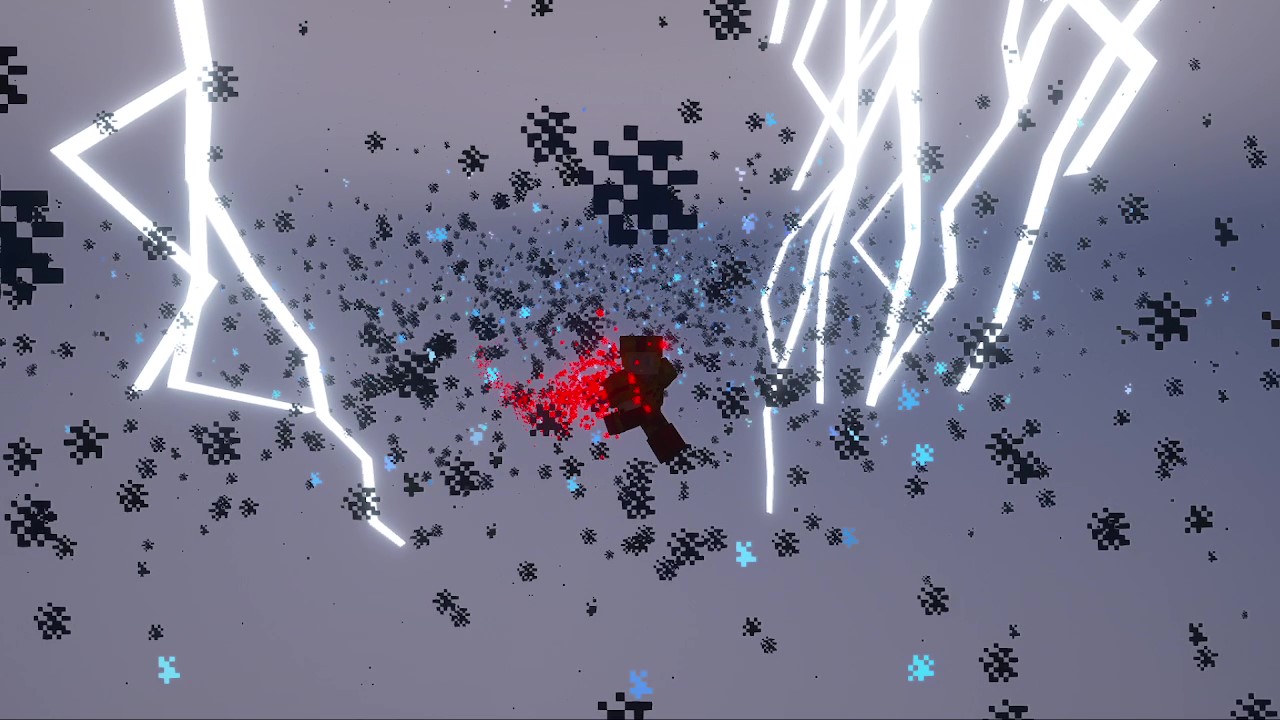 Speed Force *As of now, Negative Speed Force users cannot enter this dimension without cheats
 -
 Negative Speed Force
 -
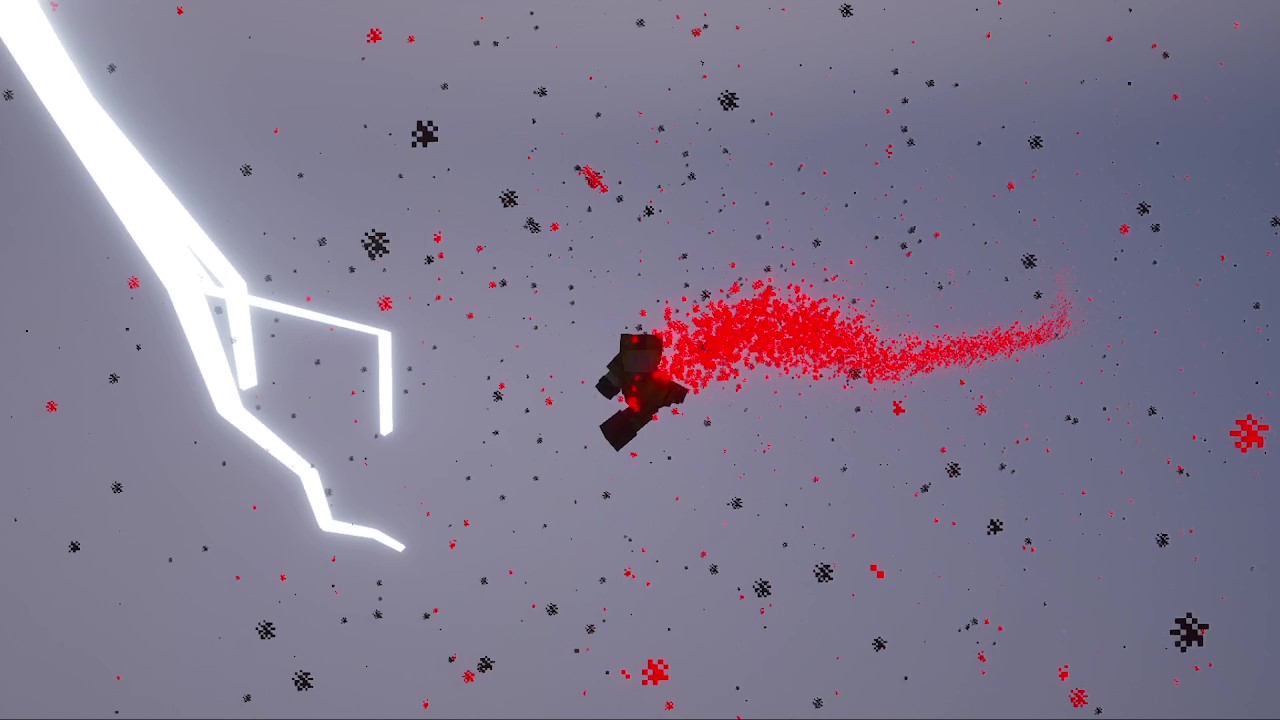 Negative Speed Force
 -
Recipes This picture contains recipes for all craftable items included in this data pack
Versions
Files
Relations
Project Relations
More like this
Similar Mods
Suggestions use data such as tags, dependencies, dependents, descriptions, titles, and more to rank how much they overlap with this mod.
On ModDex
Community snapshot
By the numbers
Statistics

Want to reach Minecraft players?
We're looking for a server hosting partner to feature here and other parts of the site. Interested? Send us a message!
Get in touchGet it on
Available Platforms
On ModDex
Community snapshot
By the numbers