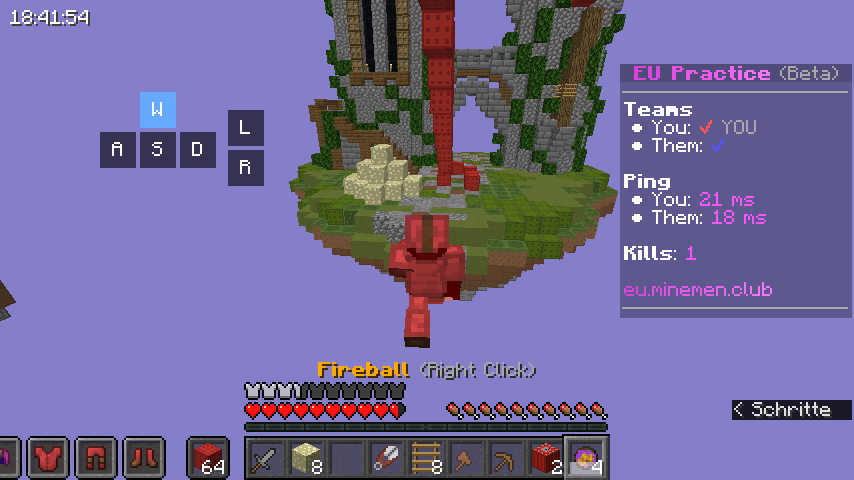

Third Person Hold button for PVP
No reviews yet
Simply hold left alt to switch to 3rd person and release to switch to back to privious perspective.
Fabric is a mod loader for versions 1.14+ of Minecraft, particularly popular for client side and optimization mods.
Community voices
Reviews
Click once to include, again to exclude, again to clear
No reviews yet. Be the first to review this project!
Get it on
Available Platforms
 Modrinth
Compatibility
Supported Environments
About
Project Details
For authors
Embed Badge
If you're the author of this project, you can embed a live badge anywhere that supports HTML or Markdown. It updates automatically whenever ratings change.
Use HTML for any page that supports it, or Markdown for README files and Markdown-based descriptions.
Identifiers
Platform IDs
Resources
External Links
About
Description
Perspective Hold Mod



Hold to Peek: A lightweight Fabric mod that adds hold-to-third-person functionality to Minecraft!
Features
Core Functionality
- Hold Left Alt to temporarily switch to third-person perspective
- **
- Release Left Alt to automatically return to your original perspective
- Seamless integration with Minecraft's existing perspective system
- Smart switching - only changes perspective when needed
Technical Details
- Client-side only - no server installation required
- Zero configuration needed - works out of the box
- Performance friendly - minimal impact on game performance
- Conflict-free - designed not to interfere with other keybinds
🚀 How It Works
- Normal gameplay: Play in first-person (or any other perspective)
- Hold Left Alt: Instantly switches to third-person perspective
- Release Left Alt: Automatically returns to your previous perspective
- Seamless transition: No manual switching required!
Use Cases
- Combat: Quick situational awareness in PvP
- Screenshots: Quick perspective changes for perfect shots
Installation
Requirements
- Minecraft: 1.21.4 :more support later
- Fabric Loader: > 18.0.0
- Fabric API: Required , any
Installation Steps
- Install Fabric Loader
- Download the latest Fabric API
- Download Perspective Hold Mod from Modrinth
- Place the
.jarfile in yourmodsfolder - Launch Minecraft with Fabric profile
📋 Compatibility
| Category | Status | Notes |
|---|---|---|
| Mod Loader | ✅ Fabric | Forge not supported |
| Multiplayer | ✅ Full | Works on all servers |
| Sodium/Iris | ✅ Compatible | Tested and working |
| Other Mods | ✅ Generally compatible | Client-side only |
🎯 Configuration
No configuration needed! The mod works perfectly with default settings.
Want to change the keybind? Simply use Minecraft's Controls menu:
- Open Options → Controls
- Search for "Perspective Hold"
- Rebind to your preferred key
Technical Information
For Modpack Developers
# Modrinth metadata
mod_id: later....
version: later...
dependencies:
  - fabric-api: "*"
  - minecraft: "1.21.4"
Screenshots
Gallery
Versions
Files
Relations
Project Relations
More like this
Similar Mods
Suggestions use data such as tags, dependencies, dependents, descriptions, titles, and more to rank how much they overlap with this mod.
On ModDex
Community snapshot
By the numbers
Statistics

Want to reach Minecraft players?
We're looking for a server hosting partner to feature here and other parts of the site. Interested? Send us a message!
Get in touchGet it on
Available Platforms
On ModDex
Community snapshot
By the numbers
Statistics
Resources