Community listing page, reviews may not be monitored by the author.
Throw&Carry - Items, blocks, mobs, entities… carry them all, and try throwing them!

No reviews yet
Throw any item or block (blocks place themselves where they land), hurl swords and axes to damage enemies, and carry and throw mobs (heavy ones need Strength).

Community voices
Reviews
No reviews yet. Be the first to review this project!
Get it on
Available Platforms
About
Project Details
For authors
Embed Badge
If you're the author of this project, you can embed a live badge anywhere that supports HTML or Markdown. It updates automatically whenever ratings change.
Use HTML for any page that supports it, or Markdown for README files and Markdown-based descriptions.
Identifiers
Platform IDs
Resources
External Links
About
Description
Throw & Carry
Pick things up and throw them: items, blocks, weapons and even mobs.
Everything is driven by one key (G) and your right mouse button.
FEATURES
Throw any item
Hold an item and throw it. Many items act as if you had used them where they land: fire charges start fires, eggs and spawn eggs hatch or spawn, ender pearls teleport you, boats and armor stands are placed.
If nothing happens on impact, the item simply drops as a normal item.
Arrows are fired as real arrows, but their speed and damage are lower than when fired from a bow.
Throw any block
Blocks fly as blocks, like falling sand, and are placed where they land, facing the right way.
Heavier materials fly shorter distances. Stone is harder to throw than wood, and thin or see-through blocks (slabs, stairs, fences, glass) are light.
Blocks can be placed even where mobs are standing. Mobs are not pushed away, so in some cases they can suffocate.
If you throw a block at your own feet, you are lifted on top of it.
Anvils and pointed dripstone damage the mobs they hit while flying.
Throw weapons and tools
Anything with attack damage is thrown spinning (spears fly point-first) and damages the mob it hits, scaled by how long you charged.
Thrown tools stick into blocks and stay there until you pick them up, even after saving and reloading.
Hoes, axes and similar tools still work on the block where they land.
Carry and throw mobs
With an empty mainhand, look at a mob and press G to lift it overhead.
Light mobs can be carried and thrown.
Medium mobs can be carried but not thrown, and they slow you down while you carry them.
Heavy mobs, such as iron golems, cannot be lifted without a Potion of Strength.
Carry and throw entities
Mobs aren’t the only things you can pick up. With your main hand empty, look at a primed TNT or a boat and press G to lift it, just as you would with a mob.
Primed TNT can be thrown at enemies as an attack. Its fuse keeps burning while you hold it, so throw it before it explodes.
Boats can be picked up too, so you don’t need to break your boat to move it. Step out, pick it up, and toss it into another waterway.
A boat’s weight also includes anything riding in it. A boat carrying a cow, for example, is heavier than an empty one.
Potion of Strength
Drinking a Potion of Strength makes you better at carrying and throwing everything. The higher the level, the stronger the bonus.
Items and blocks: thrown with more force, and heavy blocks lose less of their range.
Weapons and tools: thrown weapons deal more damage.
Mobs: raises both the weight you can carry and the weight you can throw, so heavier mobs can be carried and thrown, and even iron golems can be lifted.
CONTROLS
Start / stop holding: G (with an item in hand, or empty hand while looking at a mob)
Throw: Right-click (hold to charge, release to throw)
Set down gently: Hold Shift while releasing
Cancel: Left-click, press G again, or switch items
The key can be rebound in the controls menu.
Charging slows you down, just like drawing a bow.
Holding is cancelled automatically when you leave the world.
NOTES
Requires Fabric API.
Compatibility with other mods is not fully tested. Bug reports are welcome.
LICENSE
MIT
Screenshots
Gallery
-
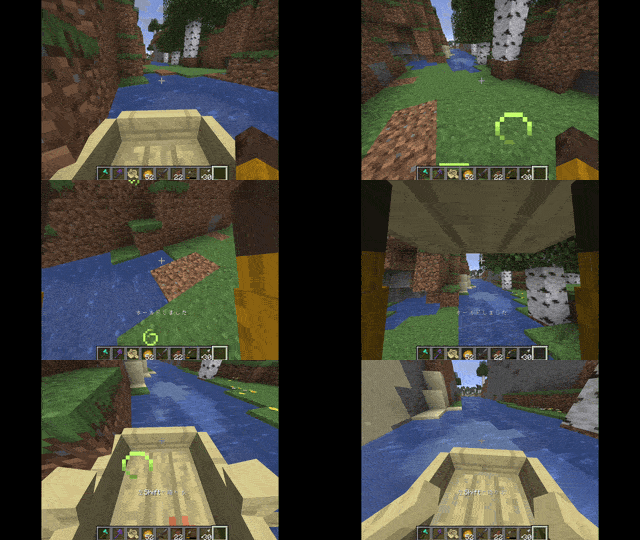 LiftTheBoatWithAFrogOnIt.gif Sometimes, when traveling along a river, you might come across a spot where the river is interrupted—but with this mod, you can pick up your boat and carry it across, making your journey much smoother.
 -
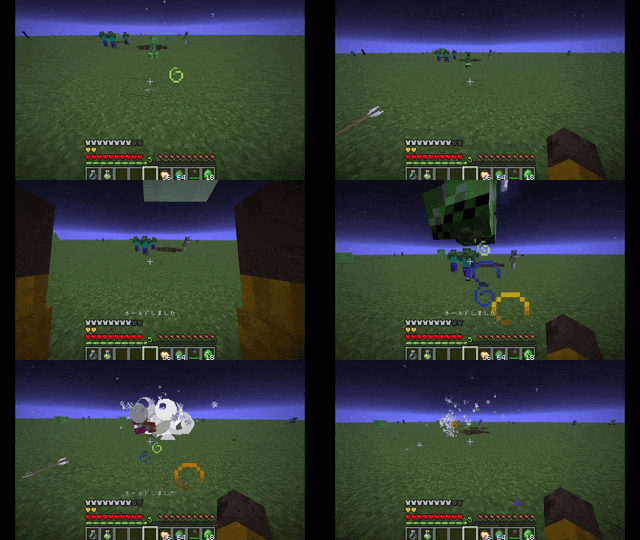 ThrowCreeper.gif Drinking a Strength Potion allows you to pick up and throw various mobs. As shown in this GIF, you can even throw a Creeper at your enemies.
 -
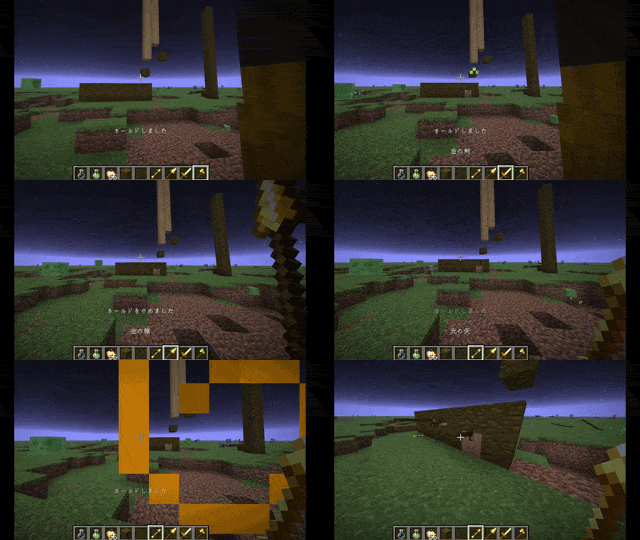 ThrowTools.gif You can throw any tool that possesses an attack value. This generally includes weapons added via mods as well.
 -
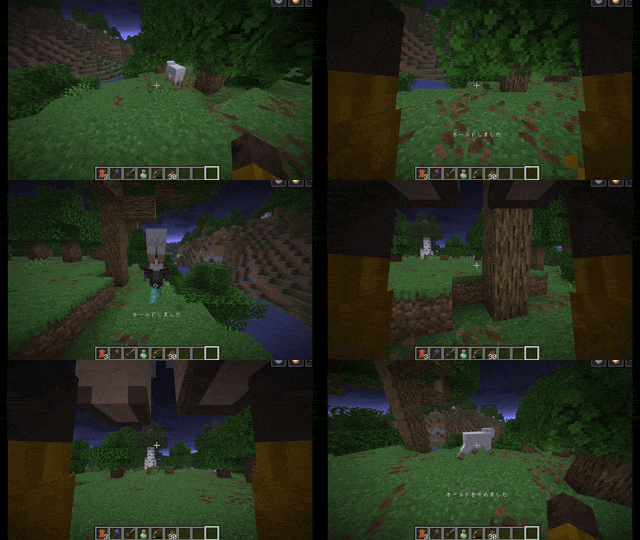 HoldSheep.gif You can pick up a mob by pressing the 'G' key while facing it. However, you cannot pick up mobs or entities that are too large. Drinking a Potion of Strength will change which mobs you are able to lift, depending on the potion's level.
 -
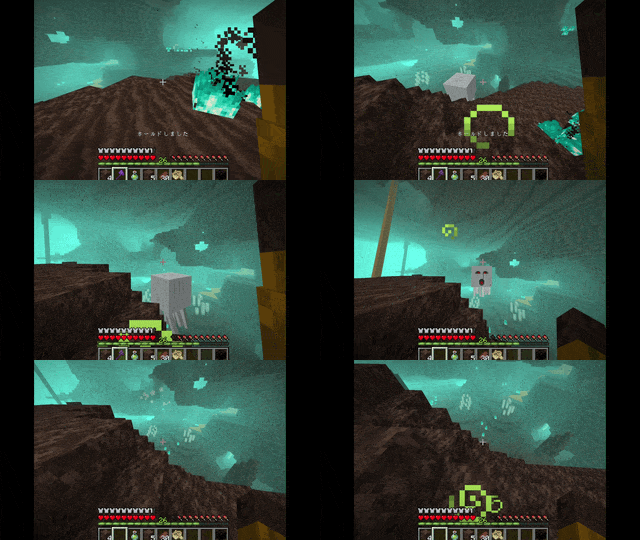 AxeHitGhast.gif Hold a weapon and press the G key to ready it. While holding it, press and hold the right mouse button, then release it to throw the weapon. If you’re successful, you might even be able to take down an airborne enemy.
 -
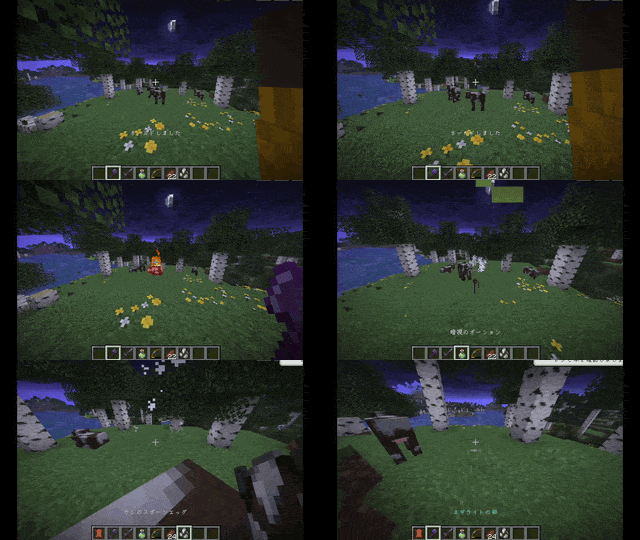 AxeHitCow.gif Thrown weapons benefit from enchantments, such as those for attack power or fire elemental damage.
 -
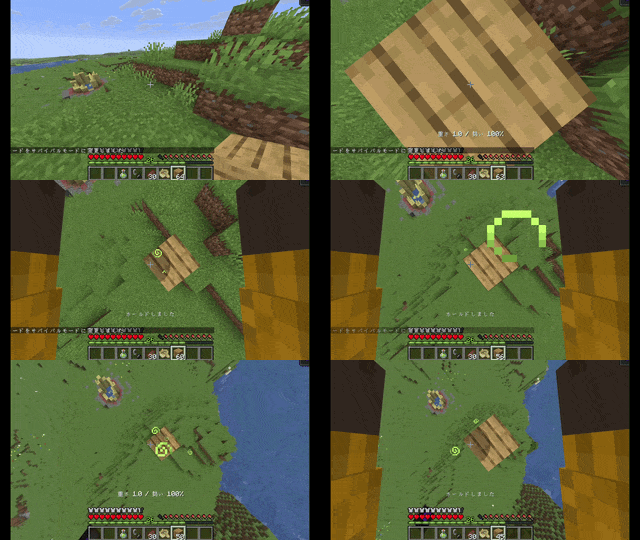 BlockToFeet.gif By alternating between holding the button and right-clicking, you can rapidly place blocks at your feet. This can be useful when reaching higher elevations or while building.
 -
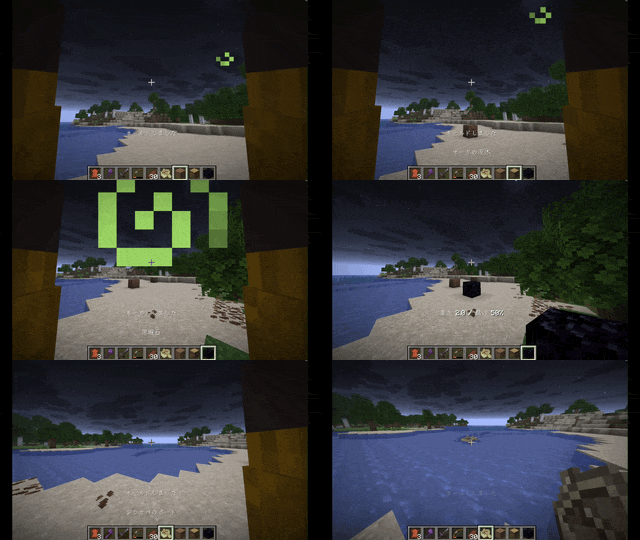 ThrowBlocksAndBoats.gif The force with which a block is thrown varies depending on its type; stone is difficult to throw, while wood is easy to throw. Furthermore, when an item is thrown, its effect is triggered upon landing.
 -
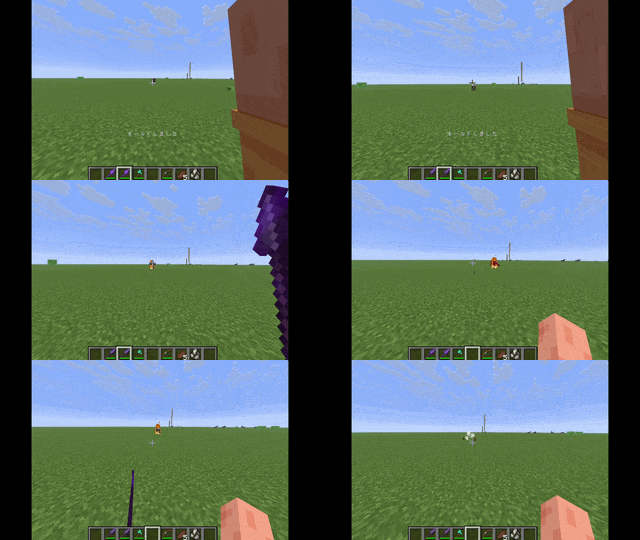 SpearHitCow.gif Spears can be thrown, much like a trident. Attack power and fire elemental properties are applied, though the "loyalty" mechanic is not yet supported; we plan to add support for it in the near future.
Versions
Files
Relations
Project Relations
More like this
Similar Mods
Suggestions use data such as tags, dependencies, dependents, descriptions, titles, and more to rank how much they overlap with this mod.
On ModDex
Community snapshot
By the numbers
Statistics

Get it on
Available Platforms
On ModDex
Community snapshot
By the numbers
Statistics
Resources