Community listing page, reviews may not be monitored by the author.
ThrowableMobs

No reviews yet
Pick up a mob. Charge. Throw. Throwable Mobs turns every mob into a projectile, with a trajectory preview that shows exactly where it lands and mobs that react the way they should when they hit something.

Community voices
Reviews
No reviews yet. Be the first to review this project!
Get it on
Available Platforms
About
Project Details
For authors
Embed Badge
If you're the author of this project, you can embed a live badge anywhere that supports HTML or Markdown. It updates automatically whenever ratings change.
Use HTML for any page that supports it, or Markdown for README files and Markdown-based descriptions.
Identifiers
Platform IDs
About
Description
Pick up a mob. Charge. Throw. Throwable Mobs turns every mob into a projectile, with a trajectory preview that shows exactly where it lands and mobs that react the way they should when they hit something.



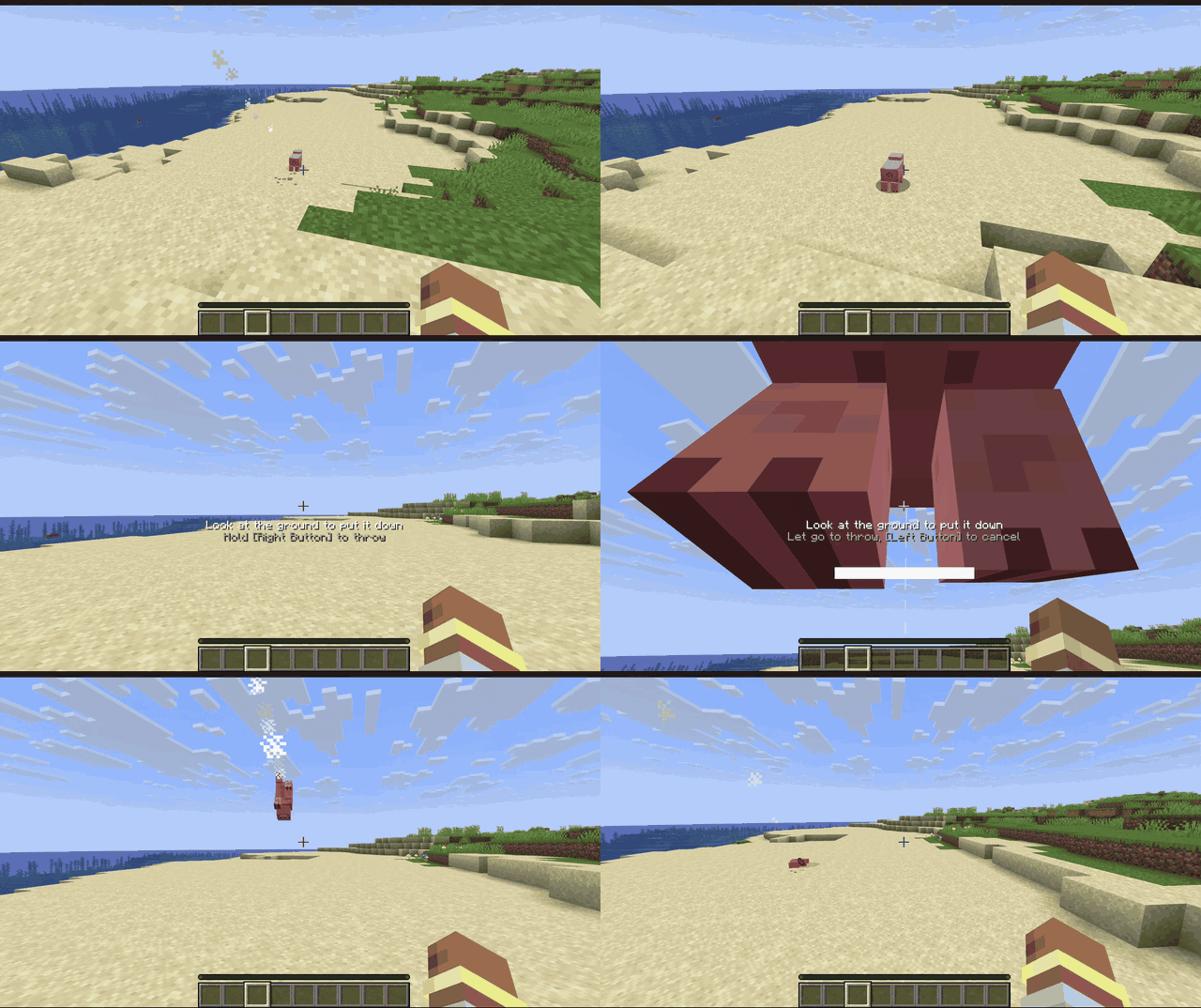
Throwing
- Charge it like a bow. Hold to charge, let go to throw. A charge bar fills up and an arc shows where the mob will land, bounces included.
- Weight matters. Chickens fly far, cows barely leave your hands, and heavy mobs slow you down while you carry them. Sprinting adds to the throw, Strength makes it harder.
- Impacts hurt. Damage comes from the collision, split by mass between the mob and what it hits, with knockback. Kills count as yours.
Every mob reacts
- Creepers explode on impact.
- Endermen teleport away, then come for you.
- Slimes and magma cubes bounce and split.
- Blazes and magma cubes set things on fire.
- Chickens float down and lay eggs.
- Modded mobs act like the vanilla mob they're built on (a modded creeper explodes), and weigh what their size says.
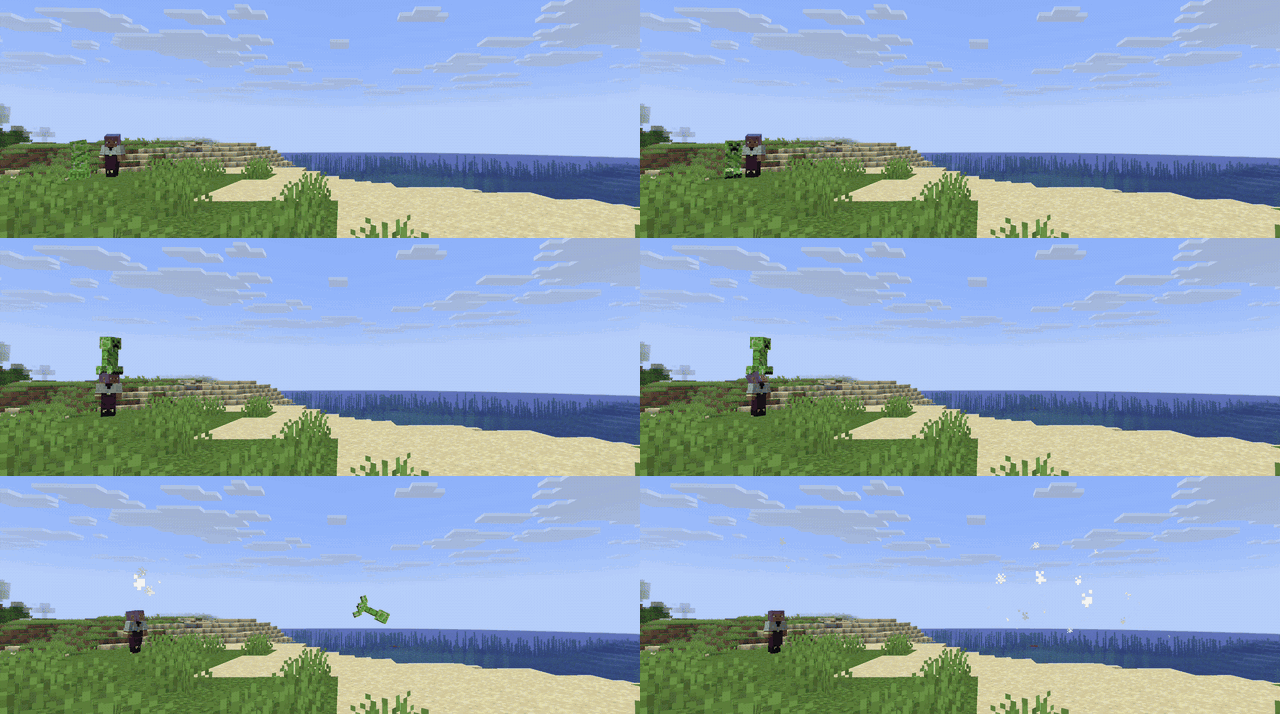
Catch
Thrown mobs can be caught mid-air: an outline shows which ones you can grab. Throw a creeper to a friend and hope they're paying attention.
And also
- Sounds, particles and a flight trail.
- 8 advancements in their own tab.
- Carry mobs on your head and put them down where you look. Bosses and other players' pets stay put.
Controls
| Action | Default |
|---|---|
| Pick up / put down | Left Shift + Right Click |
| Throw | Hold Right Click while carrying, let go to throw |
| Cancel throw | Left Click while charging |
Rebind them under Controls → Throwable Mobs, or type /throwablemobs keybinds.
Requirements
Install on both the client and the server. Optional mods are client only.
| Minecraft 1.21.1 | Minecraft 26.3 | |
|---|---|---|
| Fabric, required | Fabric Loader 0.16.0+ Fabric API 0.109.0+ Forge Config API Port 21.1.0+ |
Fabric Loader 0.19.5+ Fabric API Forge Config API Port 26.3.1+ |
| NeoForge, required | NeoForge 21.1.197+ | NeoForge 26.3.0.95+ |
| Optional (both loaders) | YACL 3.8.2+: a nicer settings screen | YACL 3.9.7+: a nicer settings screen |
Tested with
| Mod | Minecraft | Loader | Result |
|---|---|---|---|
| YACL 3.8.2 | 1.21.1 | Fabric, NeoForge | Works: the settings screen is YACL's |
| YACL 3.9.7 | 26.3 | Fabric, NeoForge | Works. On NeoForge, a warning about YACL's logoFile shows at startup; that's YACL's own metadata (fix pending), click Proceed |
| Carry On | 26.3 | Fabric | Works. Both use Left Shift + Right Click: Carry On does the picking up and a chat message explains how to rebind ours |
| Carry On 2.12.0 | 26.3 | NeoForge | Carry On itself doesn't load on NeoForge 26.3 (its own bug) |
Found a mod that doesn't work with it? Open an issue.
Design, physics model, behavior API and roadmap: THROWABLE_MOBS.md
Commands
| Command | What |
|---|---|
/throwablemobs help |
Lists the commands |
/throwablemobs config |
Opens the settings |
/throwablemobs keybinds |
Opens Controls |
/throwablemobs profile <mob> |
Shows a mob's throw values (operators) |
For servers, packs and mods
- Server config (synced to players): throw strength, bounciness, damage, behaviors.
- Client config (in game): prompt, charge bar, trajectory style, flight pose.
- Datapacks: set every number and behavior per mob with mob profiles and tags.
- Java API: other mods can add their own behaviors.
Compatibility
- Carry On: both mods use Left Shift + Right Click. With both installed, Carry On does the picking up and a chat message tells you; rebind the Throwable Mobs keys to use both.
- Fabric needs Fabric API and Forge Config API Port. NeoForge needs nothing extra.
Beta
This is the first release. Bugs and ideas: GitHub issues.
Screenshots
Gallery
-
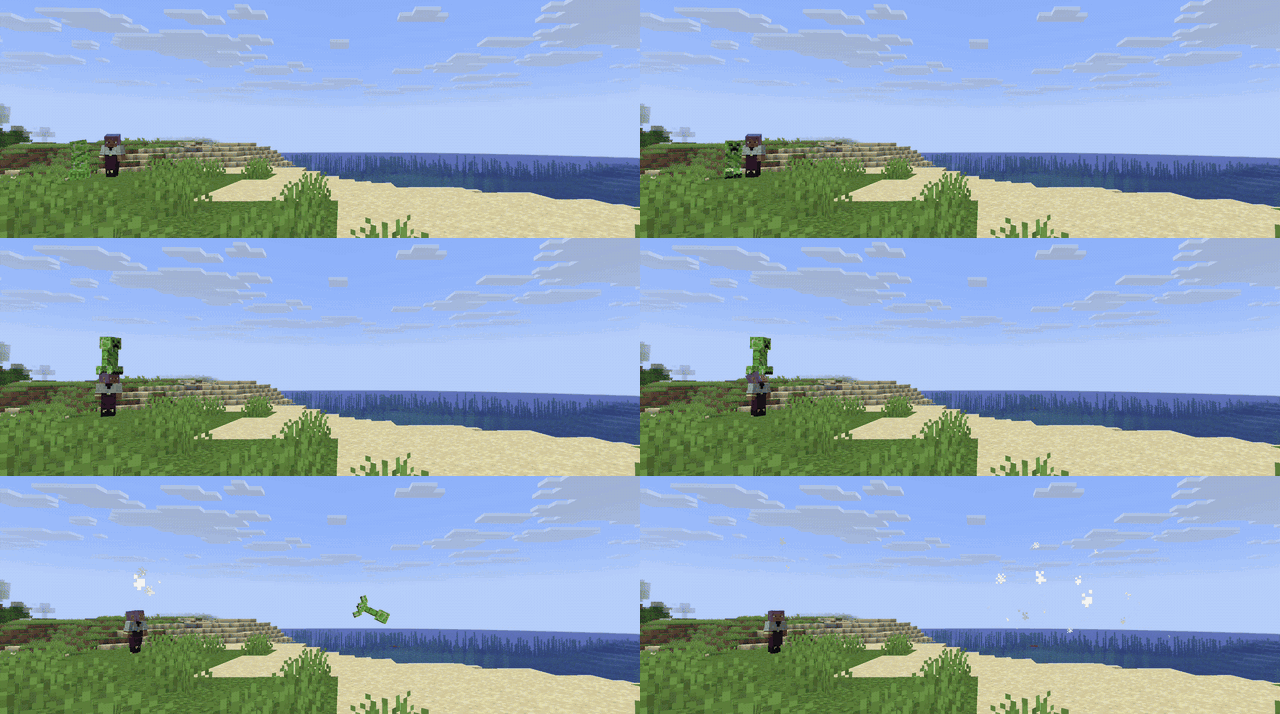 Creeper Throw. Creeper Throw.
-
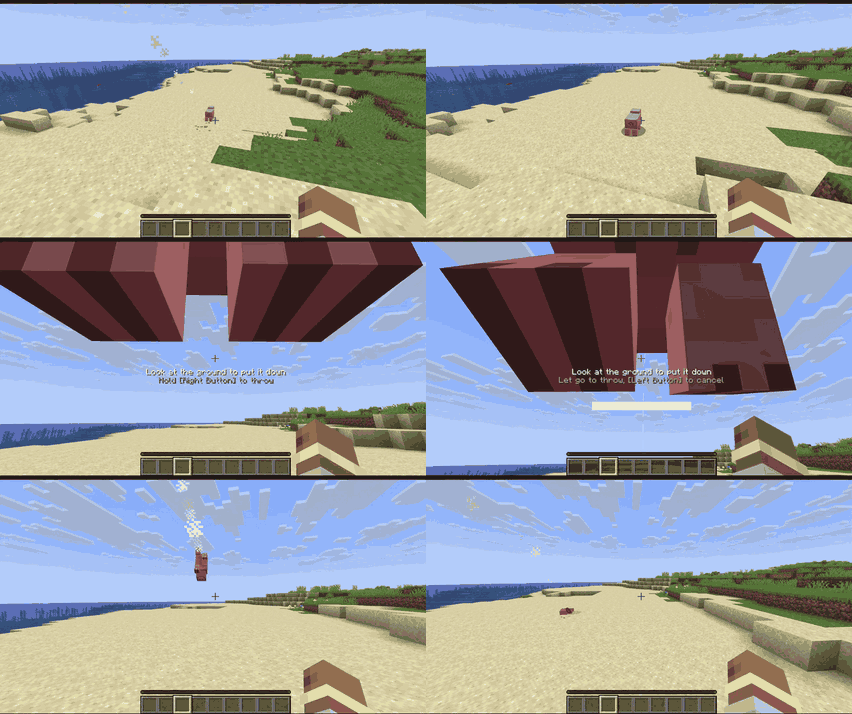 Throwing a Pig
Versions
Files
Relations
Project Relations
More like this
Similar Mods
Suggestions use data such as tags, dependencies, dependents, descriptions, titles, and more to rank how much they overlap with this mod.
On ModDex
Community snapshot
By the numbers
Statistics

Get it on
Available Platforms
On ModDex
Community snapshot
By the numbers