Community listing page, reviews may not be monitored by the author.
TierkiPL TierTagger | Polish TierList

No reviews yet
Official Polish Tierlist's TierTagger Mod

Community voices
Reviews
No reviews yet. Be the first to review this project!
Get it on
Available Platforms
About
Project Details
For authors
Embed Badge
If you're the author of this project, you can embed a live badge anywhere that supports HTML or Markdown. It updates automatically whenever ratings change.
Use HTML for any page that supports it, or Markdown for README files and Markdown-based descriptions.
Identifiers
Platform IDs
Resources
External Links
About
Description
Tierki - Polish PvP Tierlist
A client-side modification that displays player ranks directly in-game, based on official data from the tierki.pl website. Instantly know the skill level of your opponent on the server!
🌟 Main Features
• Comprehensive In-Game Menu: Accessed via the main command, it features clear and intuitive tabs: Settings (Ustawienia), Gamemode (Tryb), and Player Profile (Profil gracza).
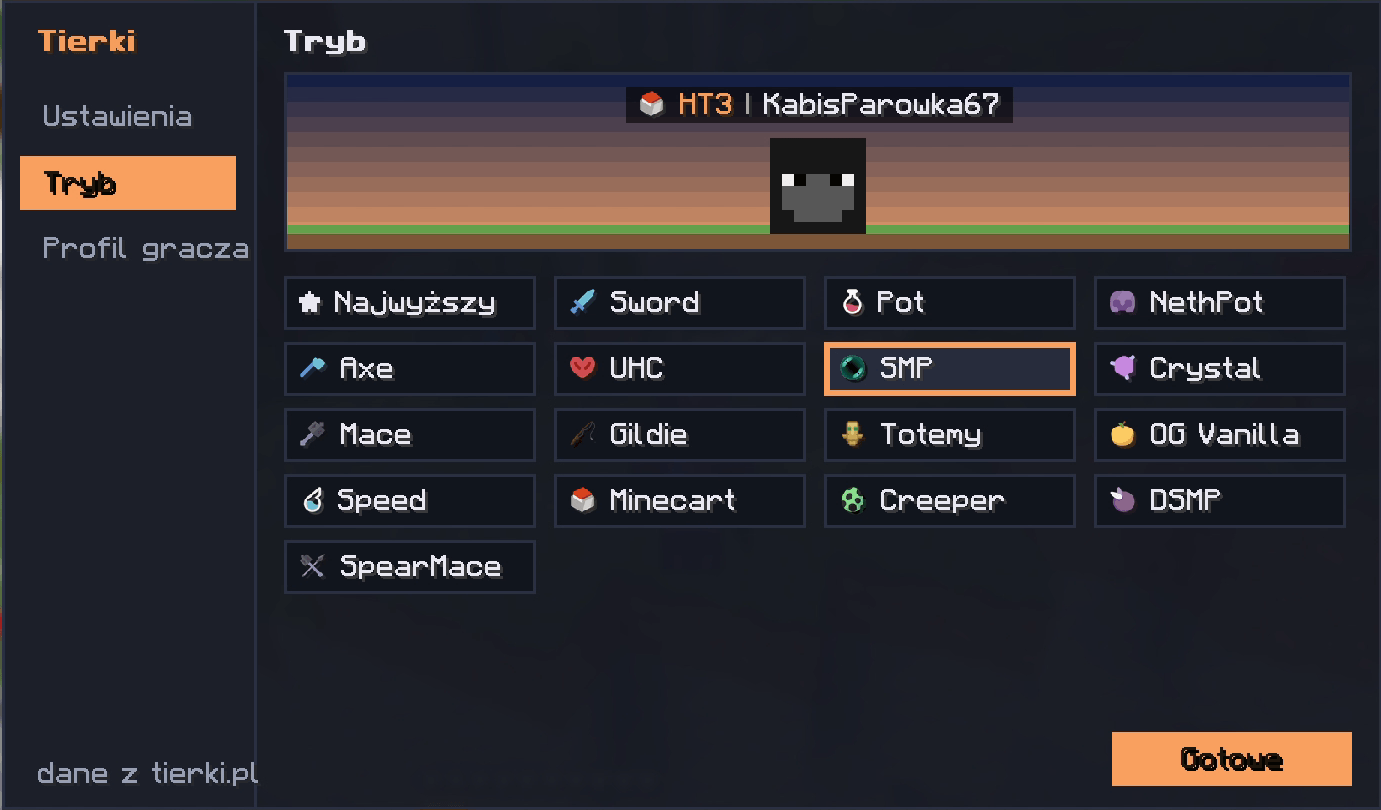
• Multi-Gamemode Support: The mod displays tiers for a wide variety of PvP modes, including Sword, Pot, NethPot, Axe, UHC, SMP, Crystal, Mace, Guilds (Gildie), Totems (Totemy), OG Vanilla, Speed, Minecart, Creeper, DSMP, and SpearMace.
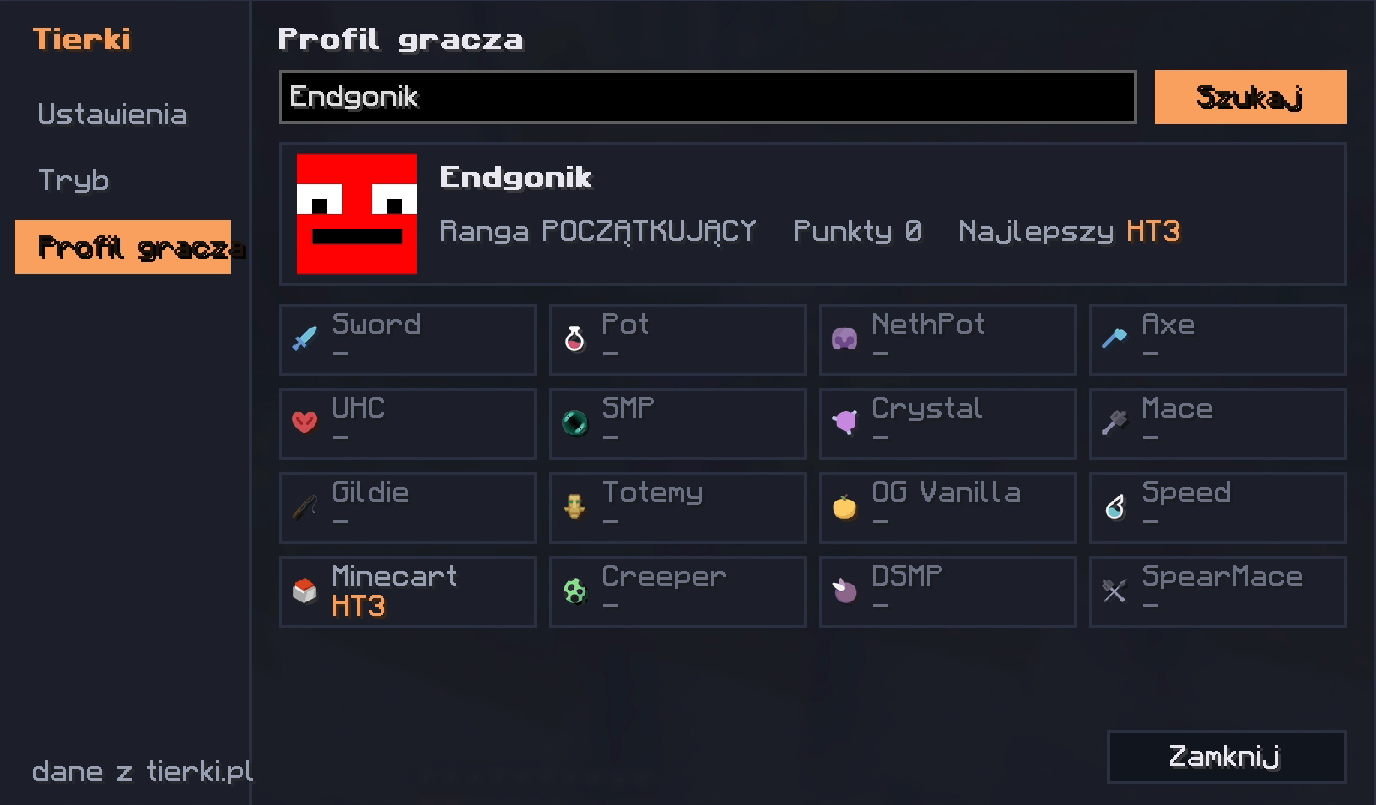
• Player Profile Search: Allows you to type in any player's nickname to instantly check their global rank (e.g., "POCZĄTKUJĄCY" / "BEGINNER"), total points, highest achieved tier, and exact tiers broken down for every available gamemode.
• Overhead Visibility (Nametags): The rank (e.g., HT3) and the corresponding icon of the currently selected gamemode are displayed in the nametag directly next to the player's nickname.
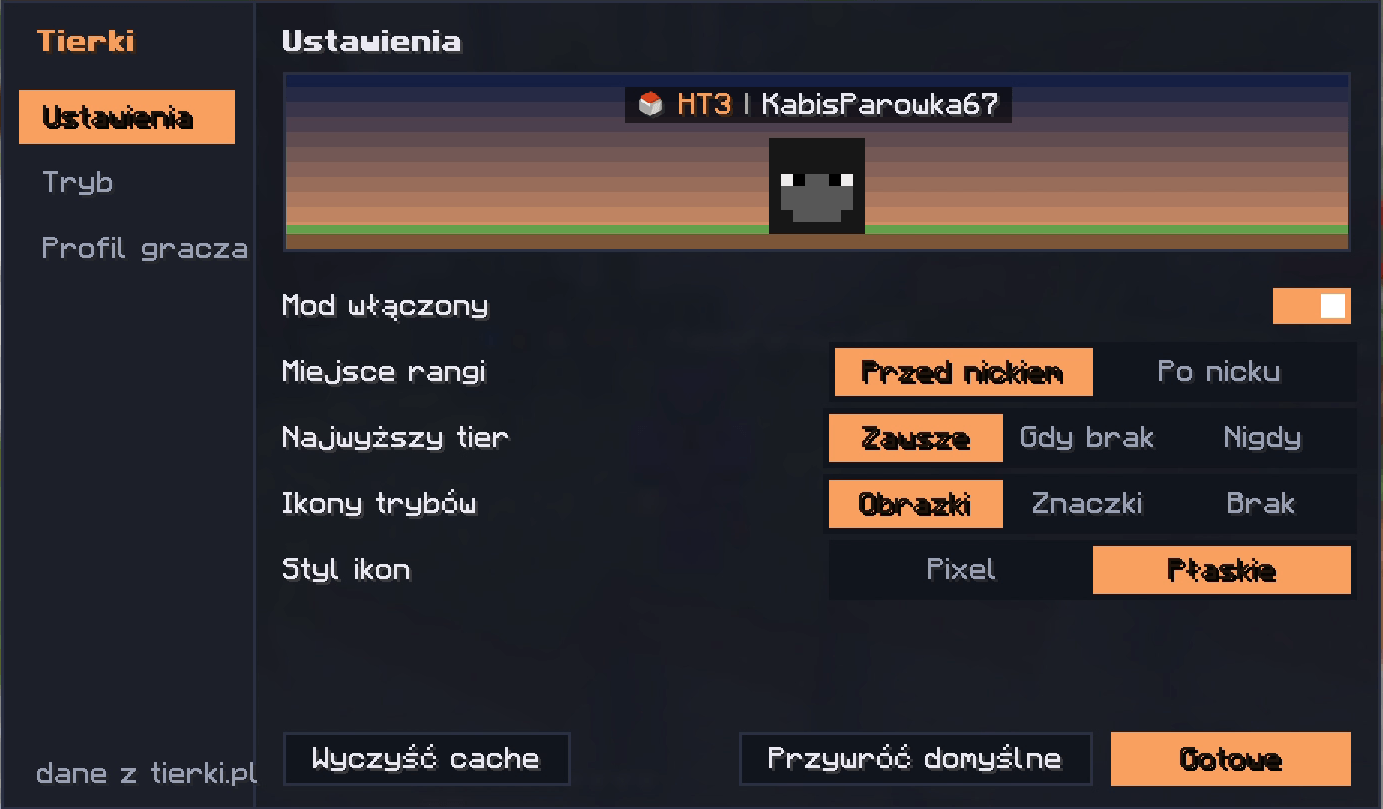
• Full Customization: In the dedicated settings tab, you can adjust the mod to fit your exact preferences. Options include:
- Toggling the mod completely on or off.
- Choosing the rank display position (before or after the nickname).
- Setting the visibility of the highest overall tier (always show, show only when there's no tier for the current gamemode, or never show).
- Changing the gamemode icon types (images, text symbols, or none) and their graphical style (Pixel or Flat).
- Clearing the cache to force an update of the data.
⚙️ Commands & Configuration
/tierki - Opens the main modification menu giving you access to settings, gamemode selection, and player statistics. From the main menu's "Tryb" (Gamemode) tab, you can quickly select which category's tags should be currently displayed above players' heads.
Screenshots
Gallery
-
 Zrzut ekranu 2026-10-19 174557.png Zrzut ekranu 2026-10-19 174557.png
-
 Zrzut ekranu 2026-10-19 174527.png Zrzut ekranu 2026-10-19 174527.png
-
 Zrzut ekranu 2026-10-19 174424.png Zrzut ekranu 2026-10-19 174424.png
-
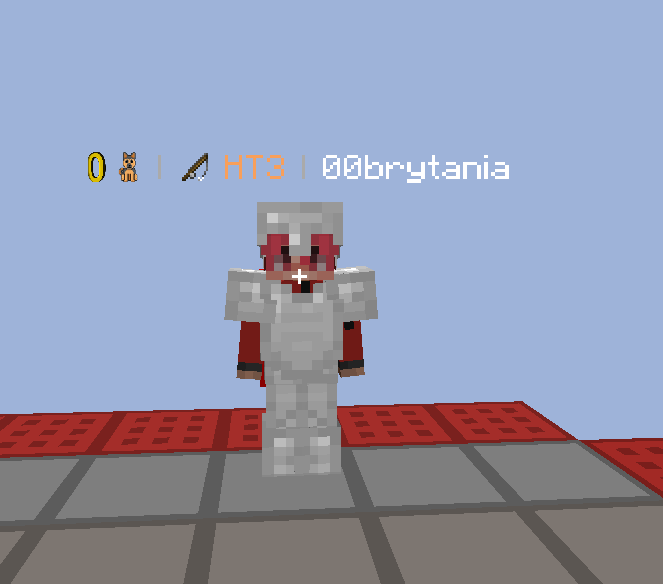 Zrzut ekranu 2026-10-25 025746.png Zrzut ekranu 2026-10-25 025746.png
Versions
Files
Relations
Project Relations
More like this
Similar Mods
Suggestions use data such as tags, dependencies, dependents, descriptions, titles, and more to rank how much they overlap with this mod.
On ModDex
Community snapshot
By the numbers
Statistics

Get it on
Available Platforms
On ModDex
Community snapshot
By the numbers
Statistics
Resources