Community listing page, reviews may not be monitored by the author.
TileFinder


No reviews yet
Find the block entities around you: chests, machines, tanks and cables. Search, click, follow the beam.

Community voices
Reviews
No reviews yet. Be the first to review this project!
Get it on
Available Platforms
Compatibility
Supported Environments
Works on the client or the server alone, but does more when on both.
About
Project Details
For authors
Embed Badge
If you're the author of this project, you can embed a live badge anywhere that supports HTML or Markdown. It updates automatically whenever ratings change.
Use HTML for any page that supports it, or Markdown for README files and Markdown-based descriptions.
Identifiers
Platform IDs
About
Description
TileFinder
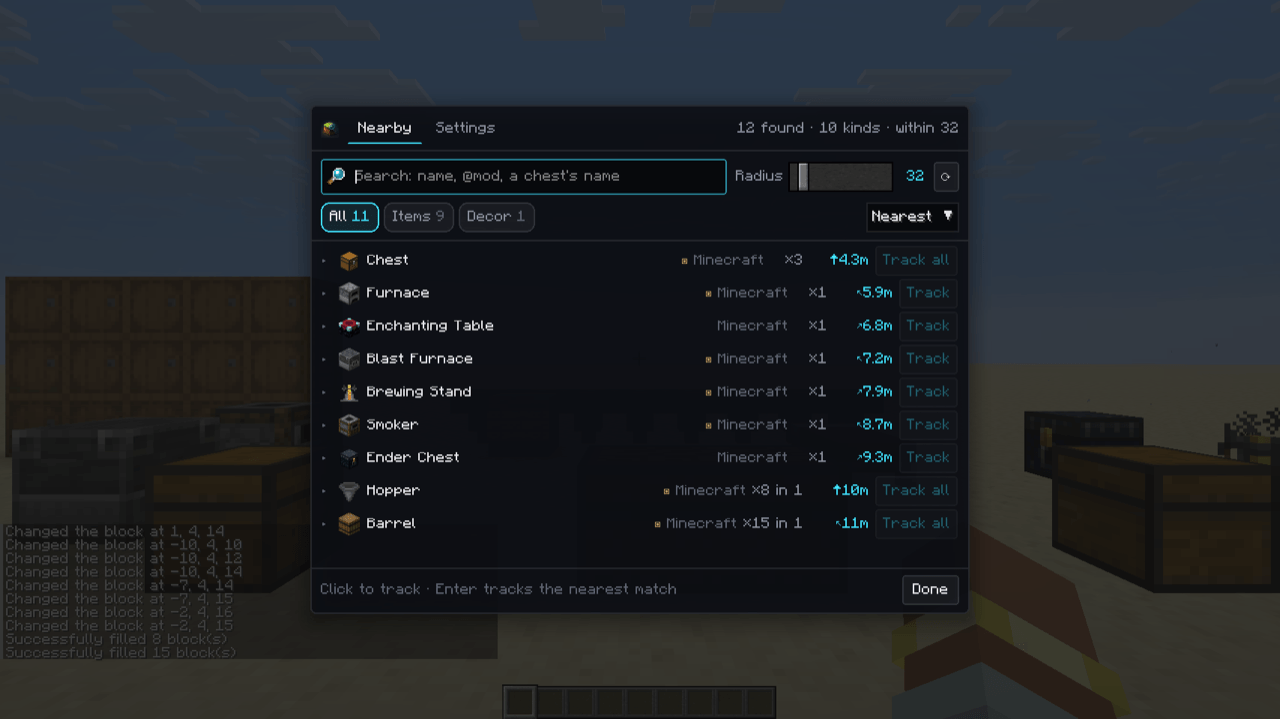
Can't find the machine you built three hours ago? Press \. TileFinder lists every block entity around you (chests, furnaces, machines, tanks, cables) grouped by kind, nearest first. Click one and follow the beam to it, through walls.
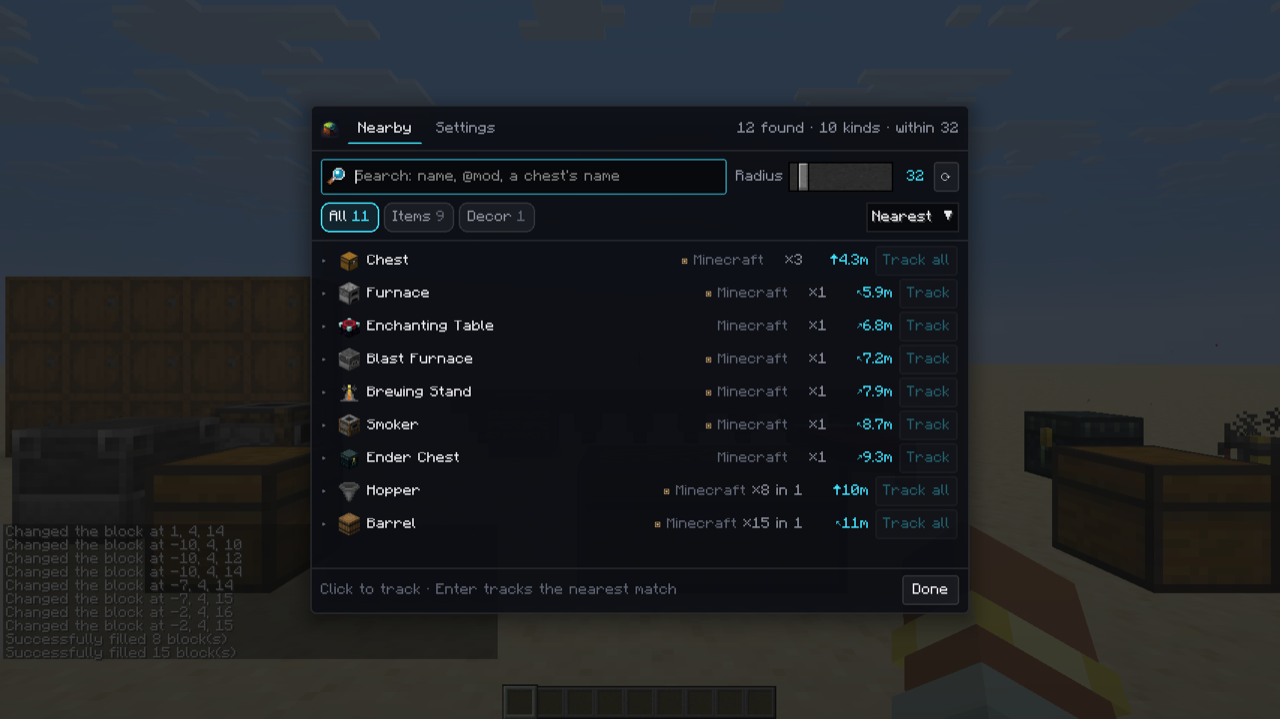
- Search by name, by mod (
@mekanism), or by a chest's custom name (singleplayer). - Filter to what holds items, fluids or energy, to your starred places, or to decoration.
- One thing is one entry: a double chest is one chest, and a run of cable or pipe is one network you can expand.
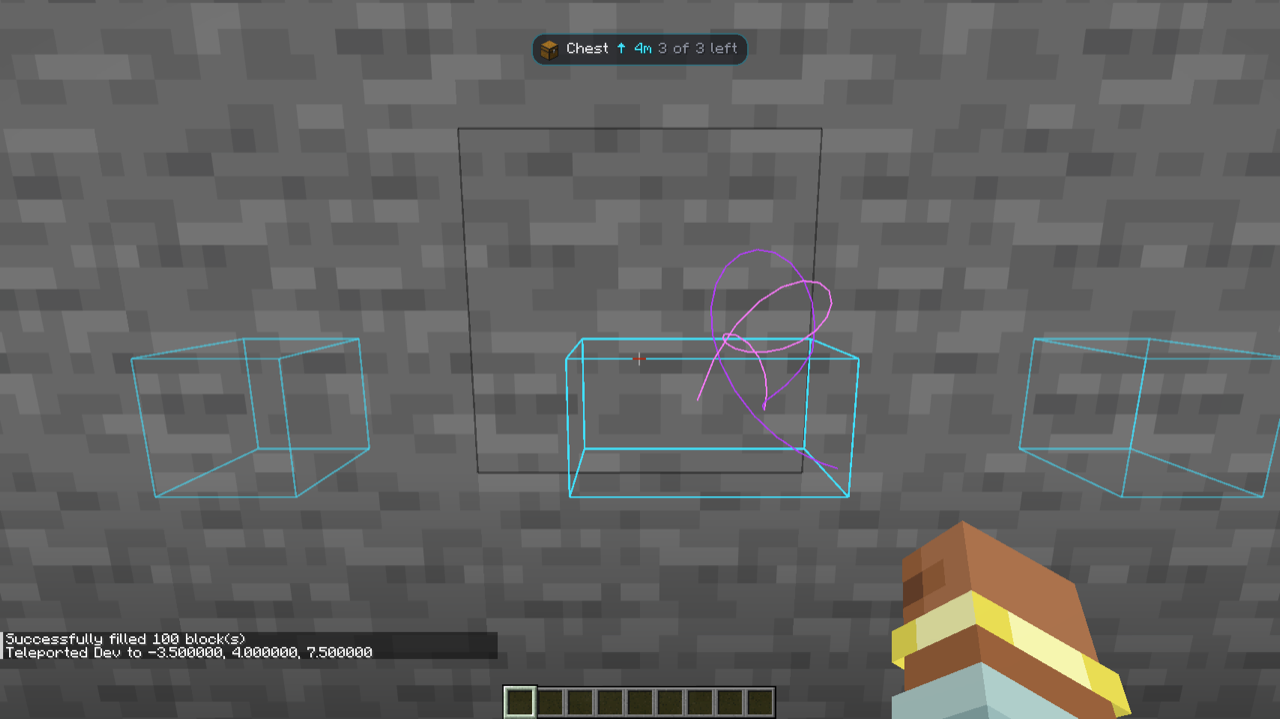
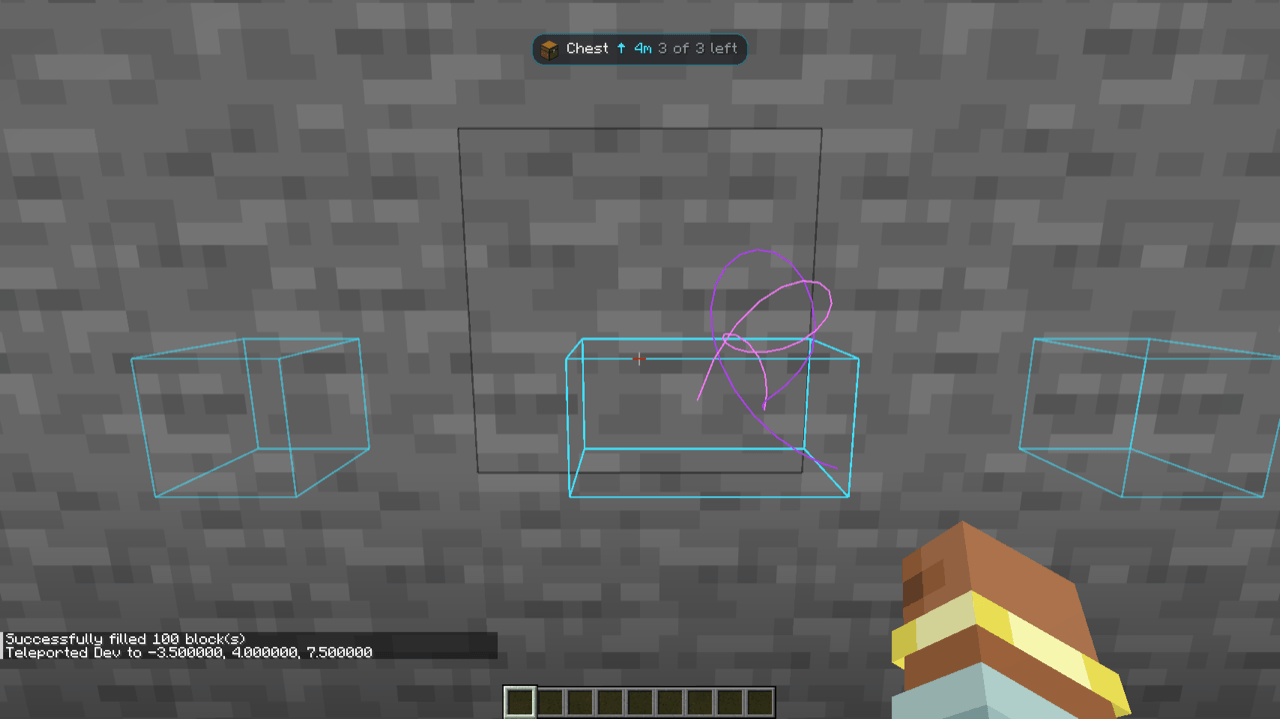
- Track one block or every block of a kind: a box around each, a beam to the nearest, and a HUD line with the distance and direction. Targets drop off as you reach them.
- Find what you're holding: hover an item in your inventory, JEI, REI or EMI and press
\to find that block nearby. R and U on a result open its recipes and uses. - Stars per world, coordinates copied in one click, and a settings tab for the radius, beam colours and more.
On servers
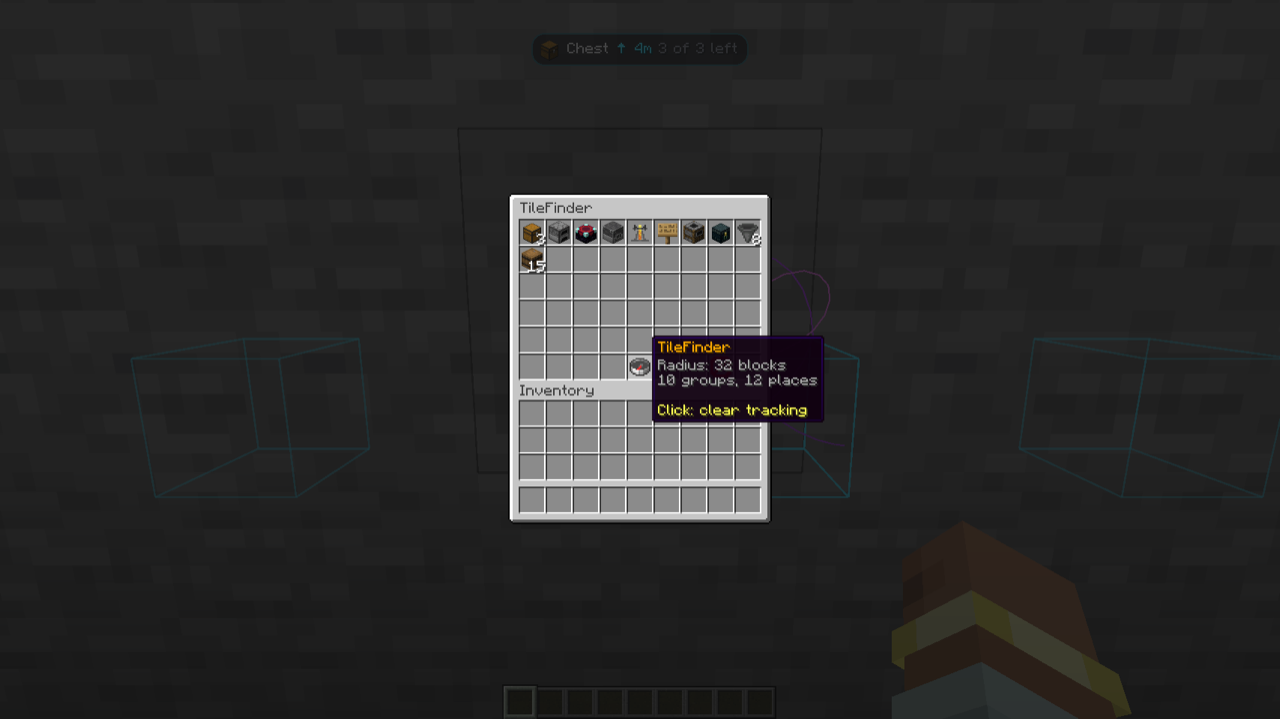
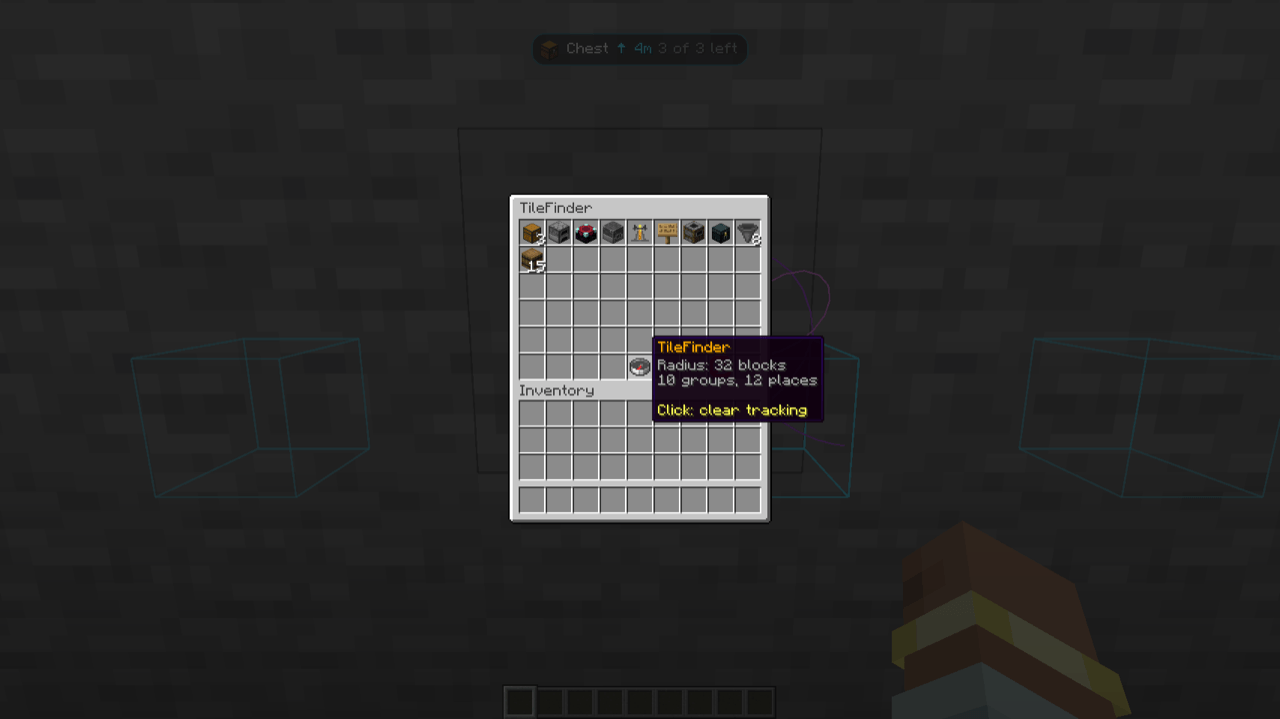
TileFinder works client-side; servers don't need it. If a server has it, /tilefinder [radius] [filter] works for everyone, even players without the mod: a chest menu of what's nearby, and particles pointing the way.
Requirements
- Minecraft 26.3, 26.2 or 1.21.1, on NeoForge or Fabric (with Fabric API).
- Vellum GUI, which draws TileFinder's screen.
- Optional: JEI, REI, EMI (1.21.1), Mod Menu.
Keys: \ opens the finder, O stops tracking. Source and issues on GitHub.
TileFinder
Can't find the machine you built three hours ago? Press \. TileFinder lists every block entity around you (chests,
furnaces, machines, tanks, cables) grouped by kind, nearest first. Click one and follow the beam to it, through walls.
- Search by name, by mod (
@mekanism), or by a chest's custom name (singleplayer). - Filter to what holds items, fluids or energy, to your starred places, or to decoration.
- One thing is one entry: a double chest is one chest, and a run of cable or pipe is one network you can expand.
- Track one block or every block of a kind: a box around each, a beam to the nearest, and a HUD line with the distance and direction. Targets drop off as you reach them.
- Find what you're holding: hover an item in your inventory, JEI, REI or EMI and press
\to find that block nearby. R and U on a result open its recipes and uses. - Stars per world, coordinates copied in one click, and a settings tab for the radius, beam colours and more.
On servers
TileFinder works client-side; servers don't need it. If a server has it, /tilefinder [radius] [filter] works for
everyone, even players without the mod: a chest menu of what's nearby, and particles pointing the way.
Requirements
- Minecraft 26.3, 26.2 or 1.21.1, on NeoForge or Fabric (with Fabric API).
- Vellum, which draws TileFinder's screen.
- Optional: JEI, REI, EMI (1.21.1), Mod Menu.
Keys: \ opens the finder, O stops tracking. Source and issues on GitHub.
Screenshots
Gallery
-
 finder-list.png finder-list.png
 -
 beam-through-wall.png beam-through-wall.png
 -
 finder-settings.png finder-settings.png
 -
 tilefinder-server-menu.png tilefinder-server-menu.png
-
 The finder Everything with a block entity nearby, grouped by kind, nearest first. Search, filter, track.
 -
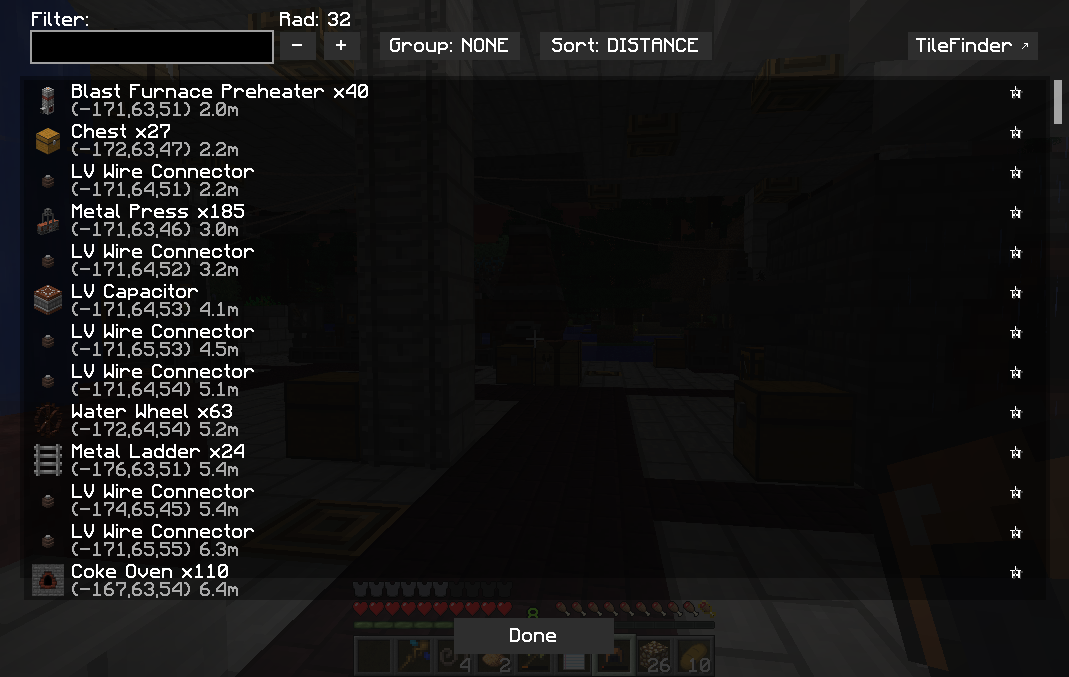 TileFinder UI with no grouping
 -
 Tracking, through a wall A box around each chest, a beam to the nearest and a HUD line with the distance, all visible through the stone.
 -
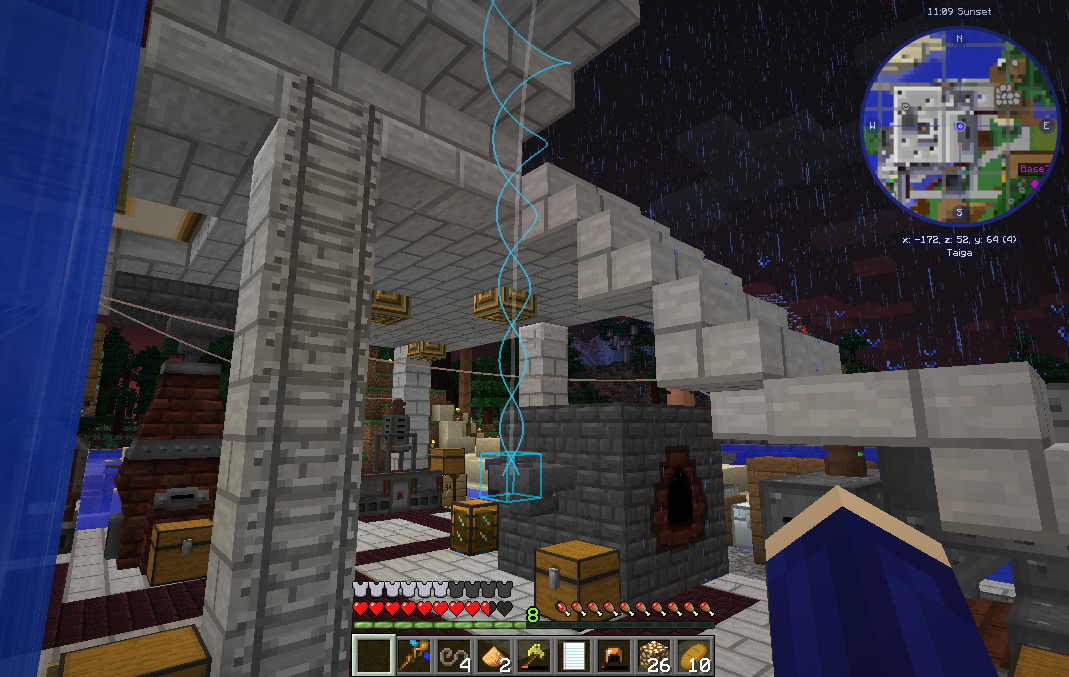 Guidance beam
 -
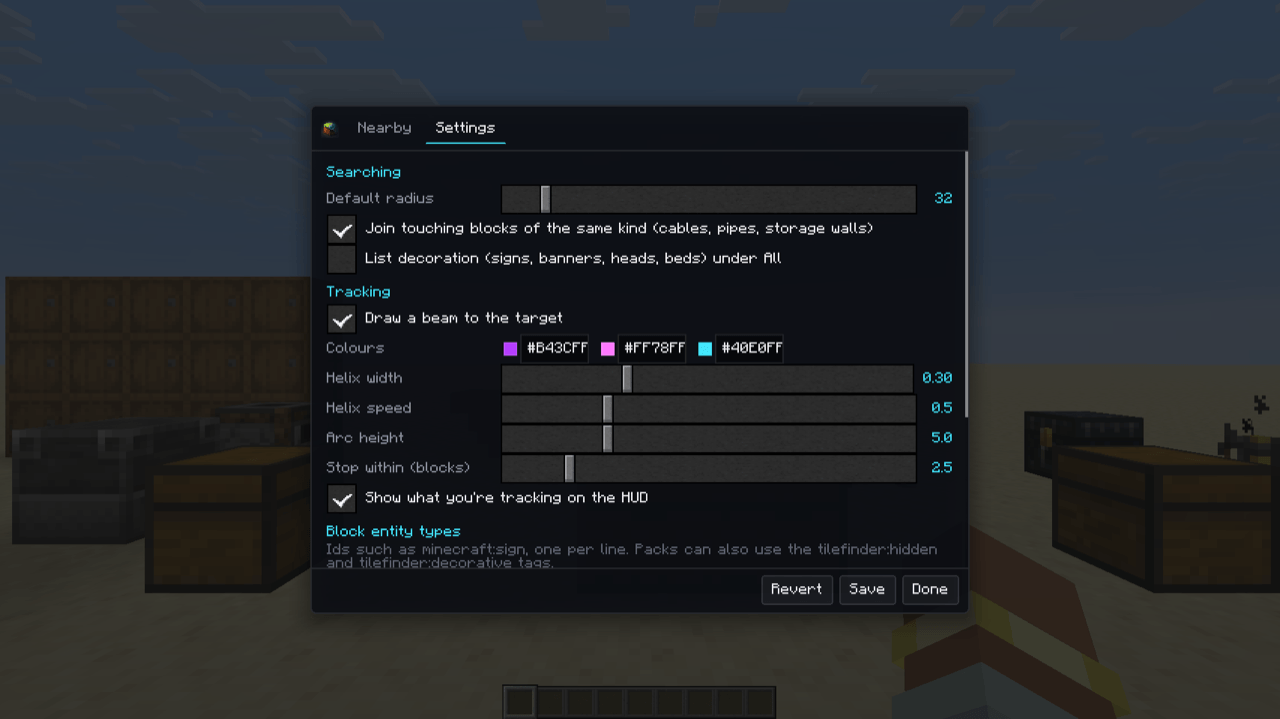
 Settings Default radius, merging connected blocks, beam colours and shape, and the HUD line.
 -
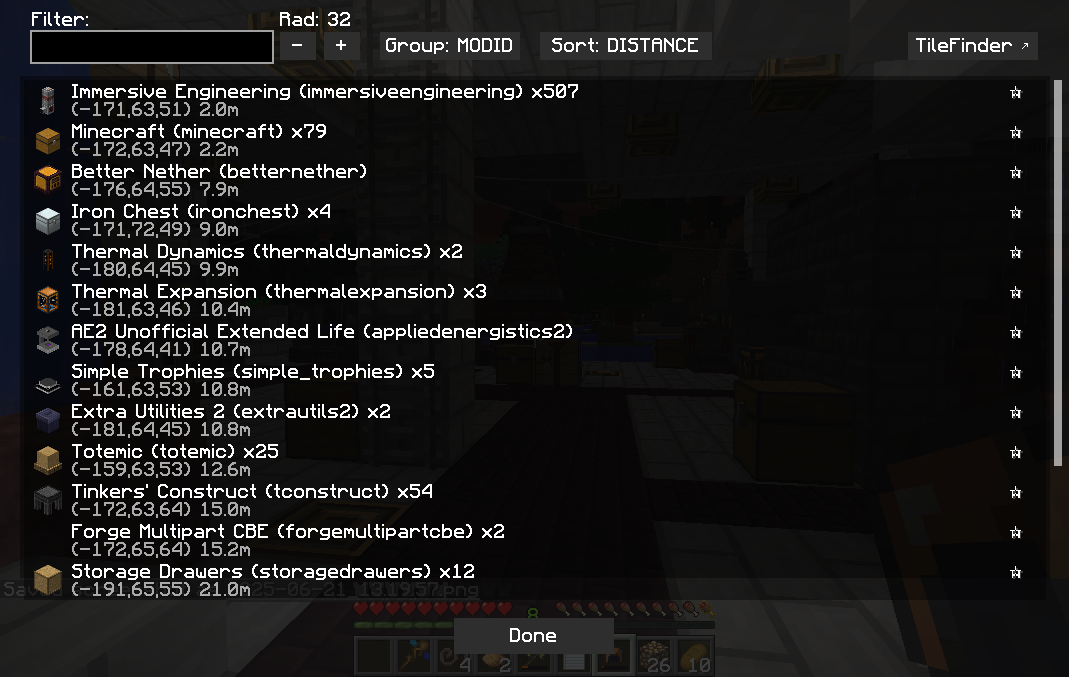 TileFinder UI grouped by mod
 -
 On servers, without the mod /tilefinder opens a chest menu any player can use, even with a vanilla client.
Versions
Files
Relations
Project Relations
More like this
Similar Mods
Suggestions use data such as tags, dependencies, dependents, descriptions, titles, and more to rank how much they overlap with this mod.
On ModDex
Community snapshot
By the numbers
Statistics

Get it on
Available Platforms
On ModDex
Community snapshot
By the numbers