
Community listing page, reviews here may not be monitored by the author.
Tinker's Planner Re:Planned


No reviews yet
Fully plan a Tinkers' Construct tool before making it! Now updated for 1.20.1
Community voices
Reviews
No reviews yet. Be the first to review this project!
Get it on
Available Platforms
Compatibility
Supported Environments
Runs entirely on the client. Works on vanilla servers.
About
Project Details
For authors
Embed Badge
If you're the author of this project, you can embed a live badge anywhere that supports HTML or Markdown. It updates automatically whenever ratings change.
Use HTML for any page that supports it, or Markdown for README files and Markdown-based descriptions.
Identifiers
Platform IDs
About
Description


Description
Tinker's Planner is an addon to Tinkers' Construct that allows you to easily preview the stats of TiCon tools with any tool parts. This mod is entirely client-side!
Now updated to 1.20.1. Credits go to Tiffit, SpikyStars for the original mod on 1.18
Original Description:
This mod adds a blueprint icon to the Tinker Station and Tinker's Anvil and clicking this icon will open the Planner UI.
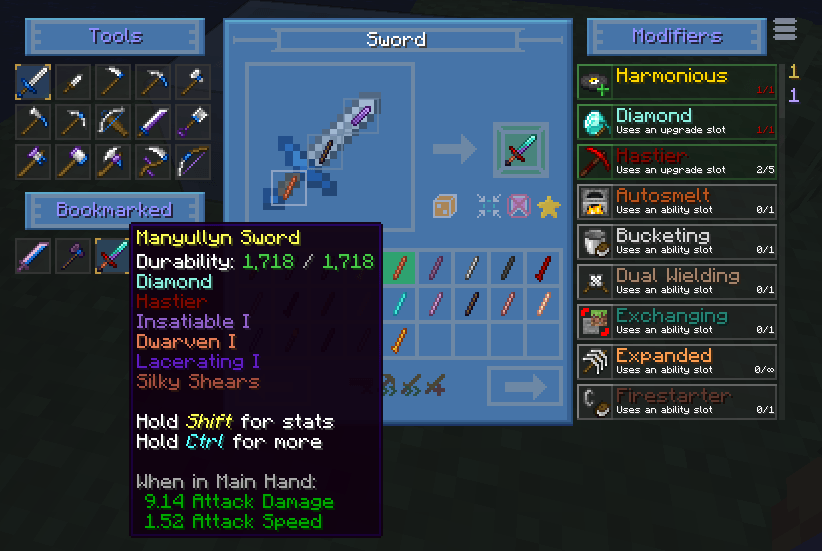
From here, you can draft out tools and view their stats.
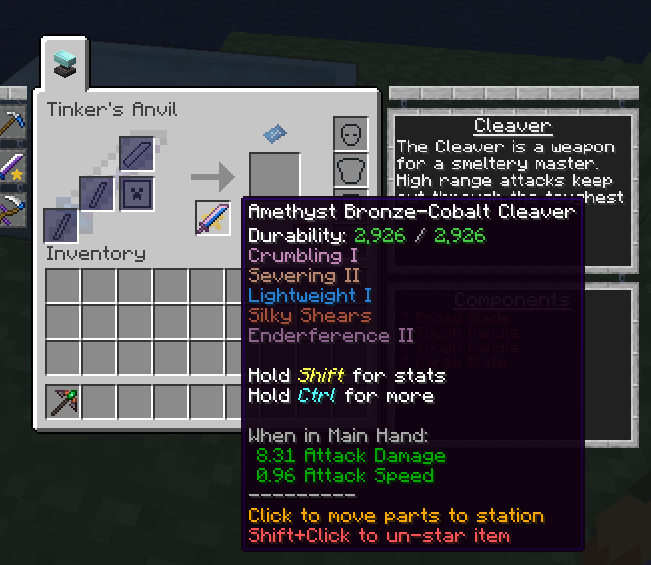
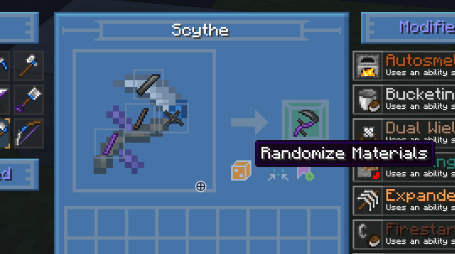
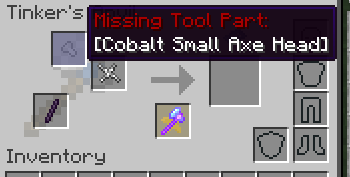
You can bookmark tools you've "created" to reference later, as well as sort tool part lists by certain attributes (such as mining speed or durability). You can even generate random tool combinations for fun! When you're ready to create your final tool, you can "star" a bookmarked tool to pin it to the Tinker Station or Tinker's Anvil UI. From there, clicking on that tool's icon will try to automatically place the tool parts needed into the correct slots, if you have them in your inventory. It will also let you know what tool parts are missing or incorrect for completing the craft.
This mod is also available on CurseForge!
Screenshots
Gallery
-
 2aeb443b1e026d12288468e7bb103ba49a4eb000.png 2aeb443b1e026d12288468e7bb103ba49a4eb000.png
 -
 2de7f0aee529d4c84d73521add3a38b9af601404.png 2de7f0aee529d4c84d73521add3a38b9af601404.png
 -
 6561bc797402b52054670cbefe079995201b0a57.png 6561bc797402b52054670cbefe079995201b0a57.png
 -
 906286311f3fcab4f8a9a7566c92c385a0bbd6c3.png 906286311f3fcab4f8a9a7566c92c385a0bbd6c3.png
 -
 c20161504121debe62a39cd27b81e185fef35cad.png c20161504121debe62a39cd27b81e185fef35cad.png
 -
 c9ab8b4792e060b3128e371c57aa5f51d7a0bafd.png c9ab8b4792e060b3128e371c57aa5f51d7a0bafd.png
 -
 cd1847def54a02a57958898e648bce59126cc6d0.png cd1847def54a02a57958898e648bce59126cc6d0.png
 -
 cf9121f4b489581843a8b944931de03b53a7e003.png cf9121f4b489581843a8b944931de03b53a7e003.png
 -
 dbfca57b397f906c4e8fbc6f48f19fd545bb8252.png dbfca57b397f906c4e8fbc6f48f19fd545bb8252.png
 -
 e8768339e95c3732f0112aa19da1555ce3dcb3c9.png e8768339e95c3732f0112aa19da1555ce3dcb3c9.png
-
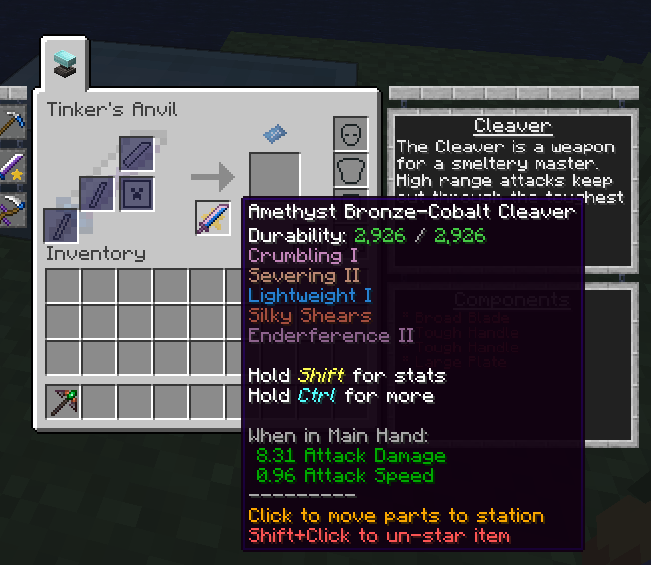 Starred Tool Starring a bookmarked tool blueprint makes it show up in the main Tinkers UI. Clicking on the tool will try to automatically place any matching tool parts in your inventory into the correct slots, as well as let you know what is missing or incorrect.
 -
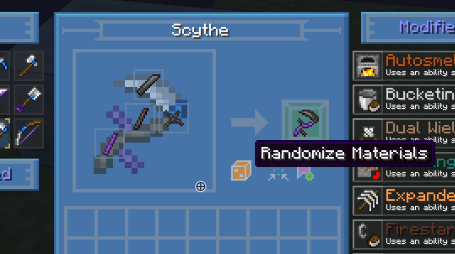 Randomizer The randomizer feature allows you to generate tools with random part materials.
 -
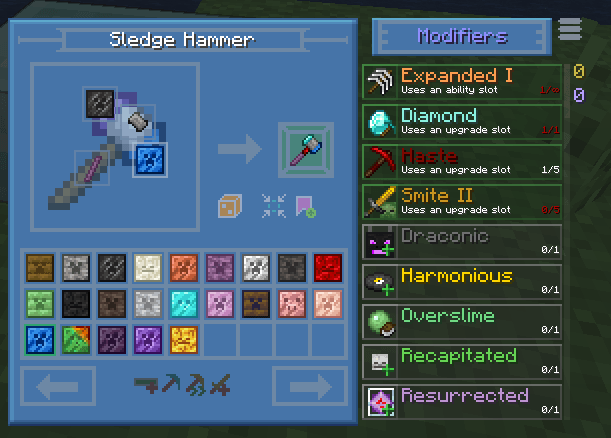
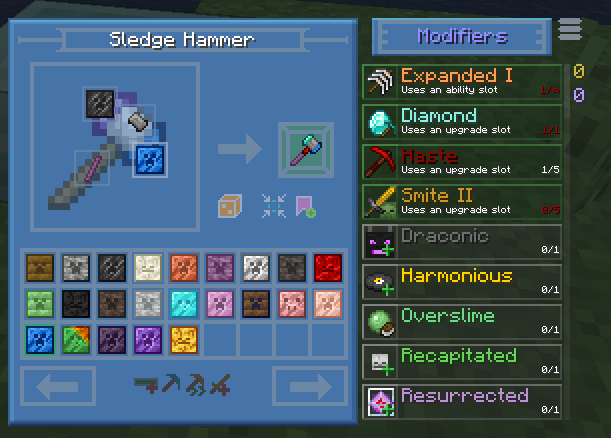 Modifiers You can add and remove modifiers, with the restrictions on modifiers being the same as if you were making the tool for real.
 -
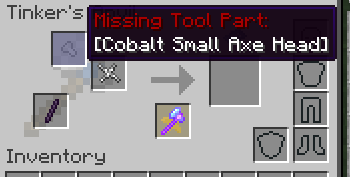 Starred Tool (cont.) An example - the Binding and Tool Handle are automatically moved from inventory, into the slots. The Small Axe Head is missing as indicated.
 -
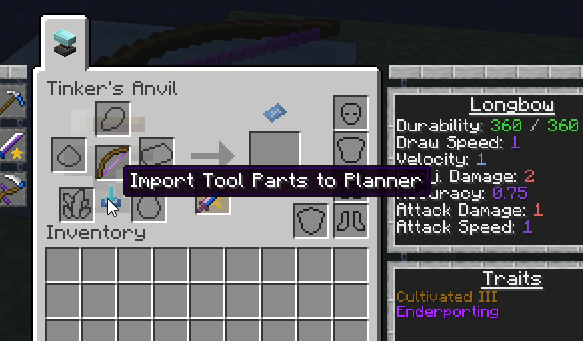
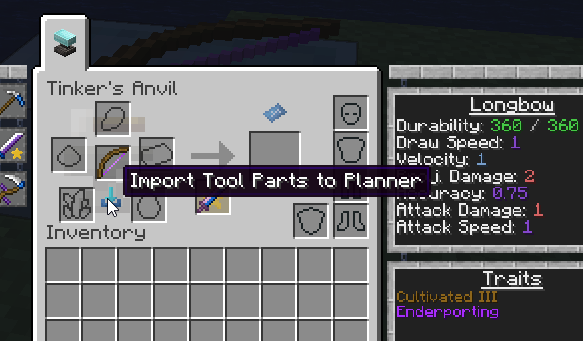 Import Parts If you have an existing tool, you can import it into the planner to play around with it.
 -
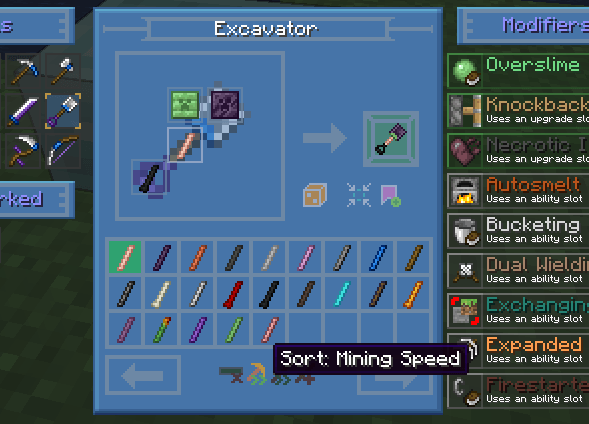
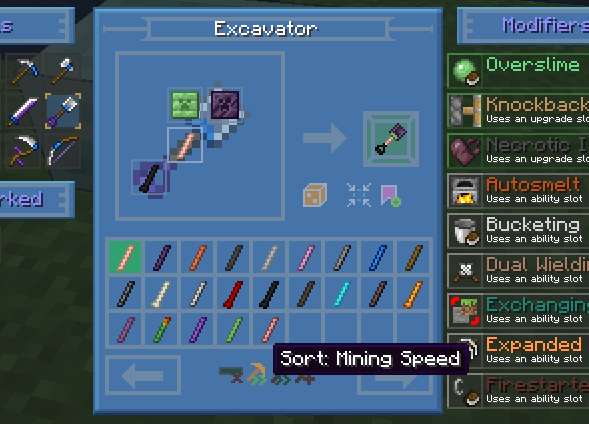 Sorting Sorting allows you to easily compare the stats of different tool part materials.
 -
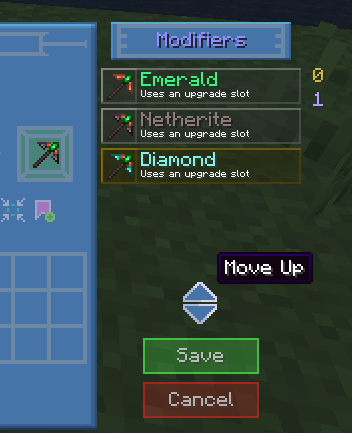
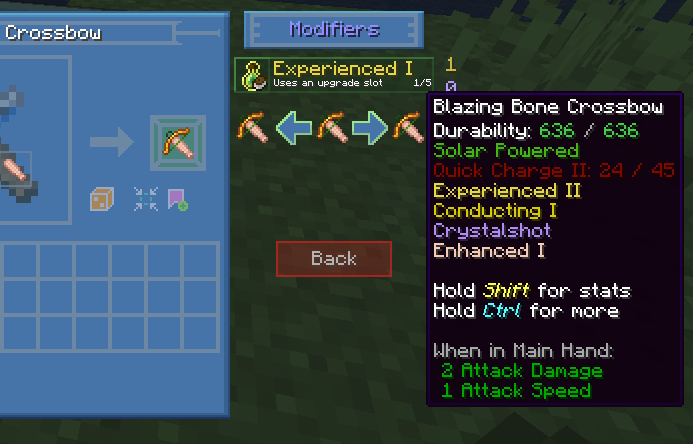 Editing Modifiers You can preview what the tool would be like before adding or removing a modifier, as well as upgrading or downgrading a modifier level.
 -
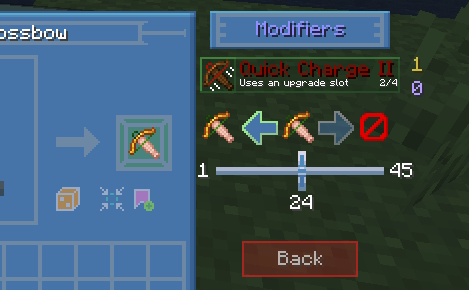
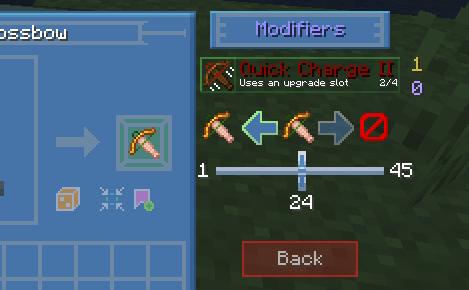 Editing Modifiers (cont.) For modifiers that can have a variable amount added, such as Haste, there's a slider so you can customize as exactly as you'd like.
 -
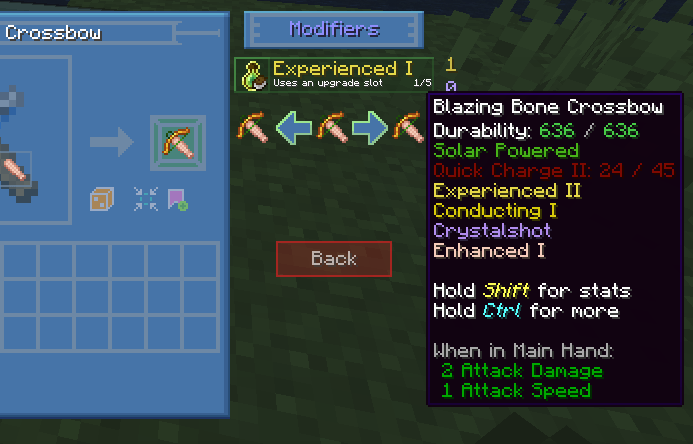
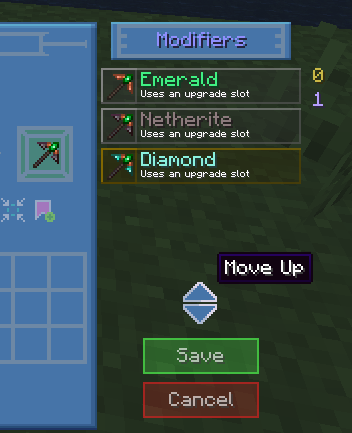 Editing Modifier Stack The order modifiers are added to the tool can be changed (hamburger menu in top right). Useful when dealing with modifiers with prerequisites.
 -
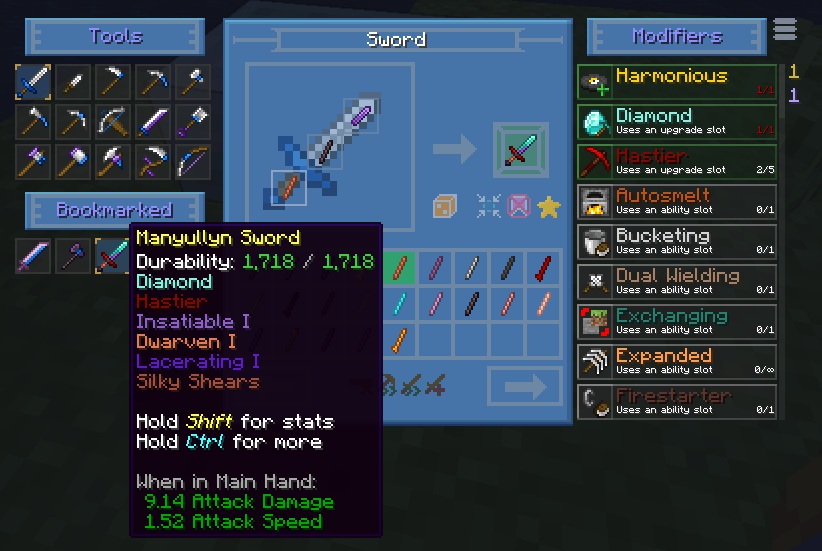 Bookmarks Bookmarking tools that you've created allows you to reference them and bring them up again later.
Versions
Files
Relations
Project Relations
More like this
Similar Mods
Suggestions use data such as tags, dependencies, dependents, descriptions, titles, and more to rank how much they overlap with this mod.
On ModDex
Community snapshot
By the numbers
Statistics
Want to reach Minecraft players?
We're looking for a server hosting partner to feature here and other parts of the site. Interested? Send us a message!
Get in touchGet it on
Available Platforms
On ModDex
Community snapshot
By the numbers