
TinyHUD
No reviews yet
A lightweight, fully customizable HUD for NeoForge. Add the information you want to your screen, place it exactly where you like with a drag-and-drop editor.
Includes a large focus on traversing worlds with enhanced world generation, structures, dungeons, and more for players to find unique loot.
Neoforge is a fork of the Minecraft Forge available for versions 1.20.1+ of Minecraft. Many Forge mods are compatible with Neoforge and vice versa.
Community voices
Reviews
Click once to include, again to exclude, again to clear
No reviews yet. Be the first to review this project!
Get it on
Available Platforms
 Modrinth
Compatibility
Supported Environments
About
Project Details
For authors
Embed Badge
If you're the author of this project, you can embed a live badge anywhere that supports HTML or Markdown. It updates automatically whenever ratings change.
Use HTML for any page that supports it, or Markdown for README files and Markdown-based descriptions.
Identifiers
Platform IDs
About
Description
A lightweight, fully customizable HUD for NeoForge. Add the information you want to your screen, place it exactly where you like with a drag-and-drop editor, and style every element down to the font and color — no config files required.
Default Keybind is 'H'
TinyHUD is client-side only and works on Windows, macOS, and Linux.
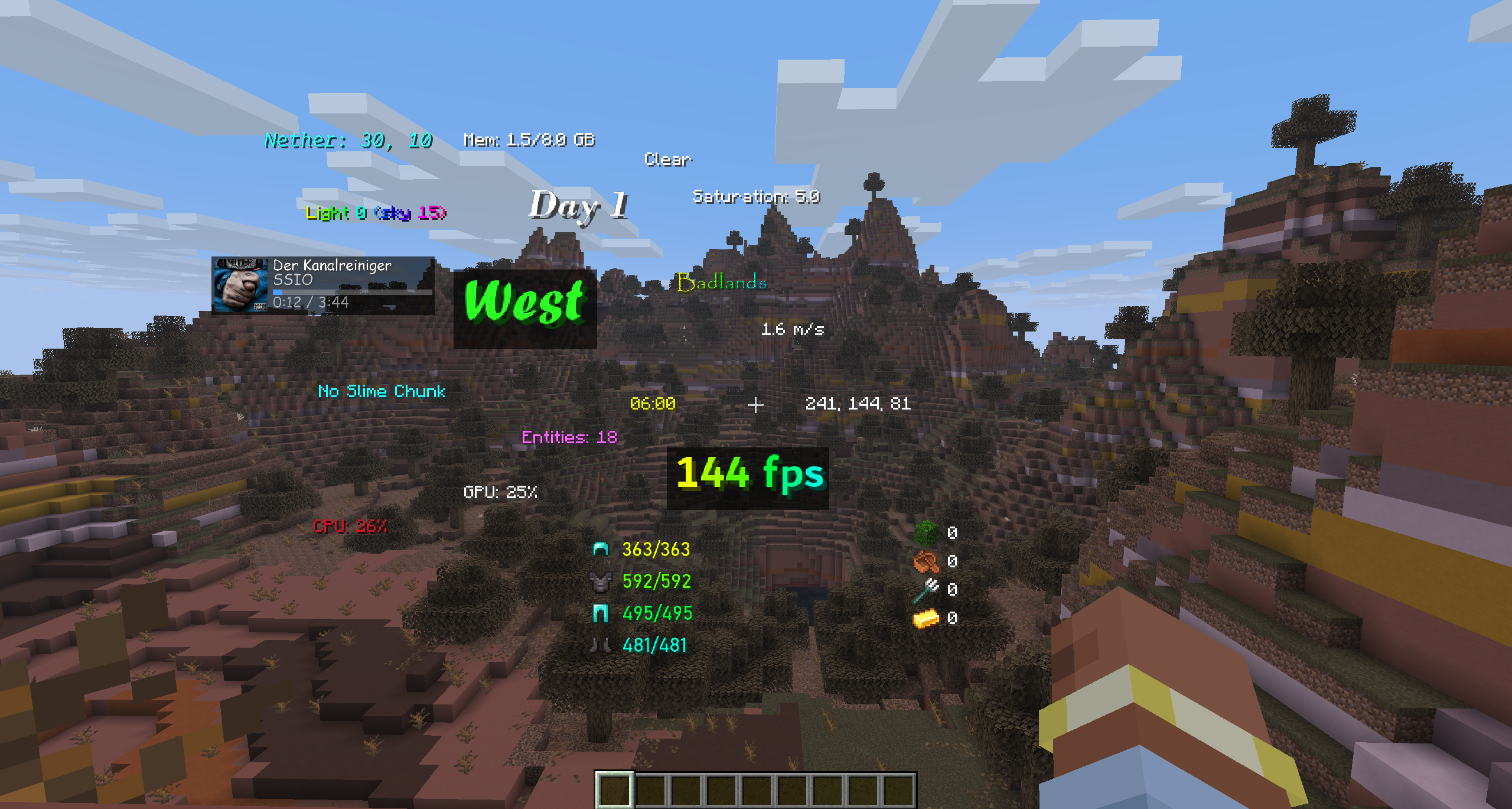
HUD Elements
World
- Time — in-game time. Formats: 24h, 12h, 24h+seconds, 12h+seconds.
- Day — current world day count.
- Weather — current weather state.
- Biome — the biome you're standing in.
- Light Level — light level at your position.
- Looking At — the block you're currently targeting.
- Slime Chunk — shows whether your current chunk can spawn slimes.
- Entity Count — number of loaded entities around you.
Player
- Coordinates — your X/Y/Z. Formats: whole numbers, decimals, and variants that include the dimension.
- Direction — the way you're facing. Formats: short (N/E/S/W), full (North/East...), or degrees.
- Velocity — your current speed. Formats: m/s, horizontal m/s, km/h.
- Portal Coordinates — the corresponding Nether/Overworld coordinates for easy portal linking.
- Armor Durability — remaining durability of your equipped armor. Formats: X/Y or percent.
- Saturation — your hidden saturation value.
- Item Tracker — track the total count of any items across your inventory.
- Pick any number of items from a searchable item list.
- "Hide when 0" option — automatically hides items you're not currently carrying.
System
- FPS — current frames per second.
- Ping — your latency to the server.
- CPU Usage — system CPU load.
- GPU Usage — GPU utilization (NVIDIA, AMD, and Intel supported across Windows/Linux/macOS).
- Memory Usage — the Minecraft instance's heap usage (used vs. allocated). Formats: percent, MB, GB.
- Media — a now-playing widget for whatever you're listening to (see below).
Media element
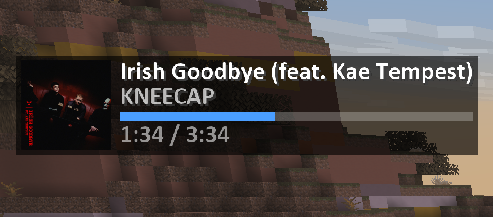
A compact "now playing" display that reads directly from your operating system's media API:
- Windows — System Media Transport Controls (works with Spotify, browsers, and any media app).
- macOS — Spotify.
- Linux — MPRIS (
playerctl).
Features:
- Track title and artist.
- Album cover art, pulled straight from the OS media session (toggleable).
- Smooth, synchronized progress bar that stays in sync with actual playback.
- Source selection — Auto (whatever is currently playing) or Spotify-only.
- Full styling support, including rainbow title/artist and a custom accent color for the progress bar.
In-game editor
Everything is configured through a built-in visual editor (open it with the keybind, default unbound — set it in Controls).
- Drag-and-drop placement — move any element anywhere on screen.
- Smart snapping — elements snap to screen edges, screen center, and to the edges/centers of other elements, with on-screen alignment guides. Hold Shift to disable snapping for free placement.
- Resize by dragging — grab the bottom-right corner of any element to scale it up or down.
- Right-click an element for quick options (edit style, hide).
- Right-click empty space to add elements from a searchable, categorized menu (World / Player / System).
- Live preview — see exactly how everything looks while you edit.
Per-element styling
Every element can be individually styled:
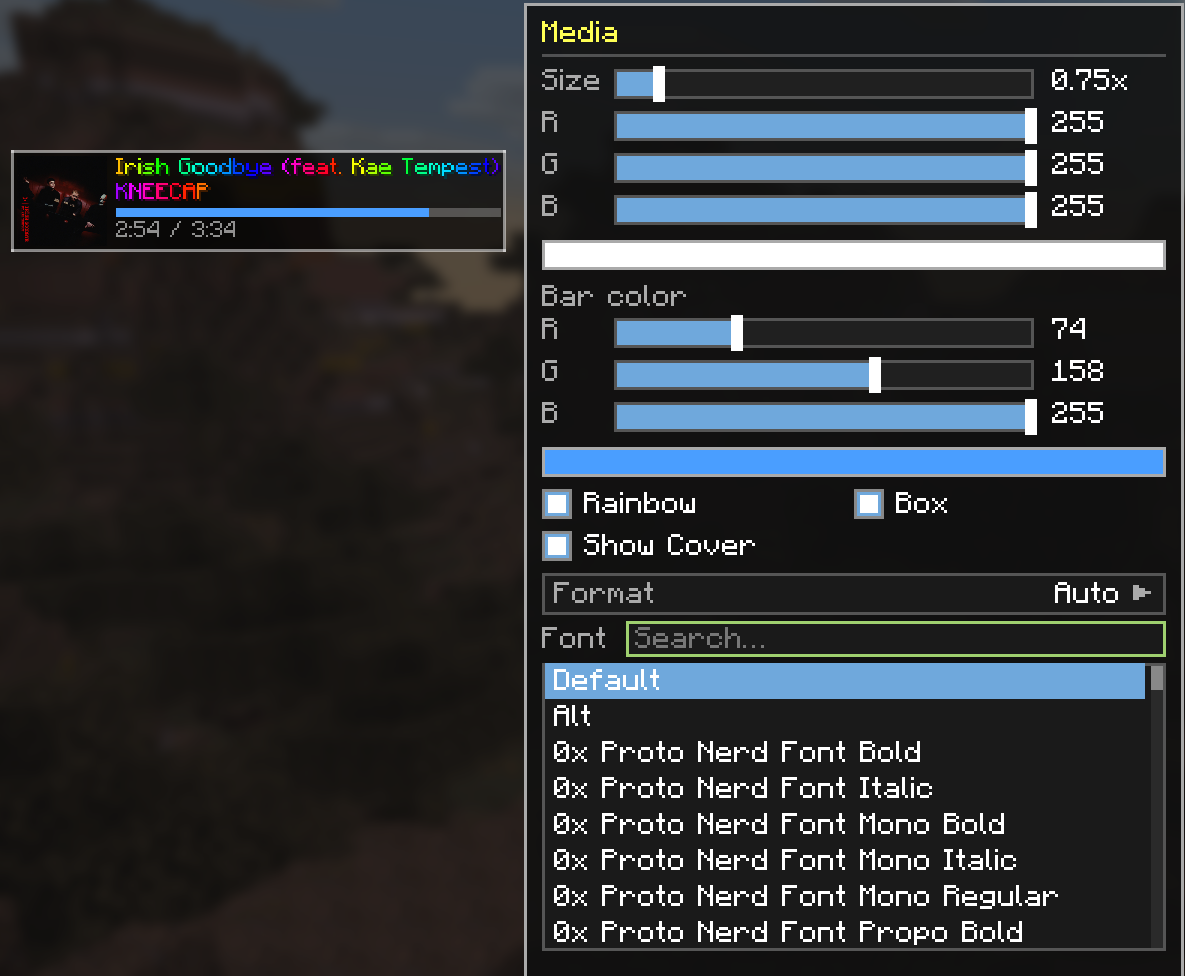
- Size — scale from 0.5x to 3.0x.
- Color — full RGB color picker.
- Accent color — a second color for elements with bars (e.g. the media progress bar).
- Rainbow mode — smooth, animated per-character rainbow text.
- Background box — toggle a semi-transparent backdrop for readability.
- Custom fonts — use any font installed on your system (TrueType
.ttf/.ttc), with a searchable font picker, in addition to Minecraft's default and alt fonts. - Format options — many elements offer multiple display formats (see below).
Screenshots
Gallery
-
 You can go crazy crazy? i was crazy once. they locked me in a room. a rubber room. a rubber room with rats. rats? rats make me crazy!
 -
 Customization menu for Media Widget
 -
 Media Widget
 -
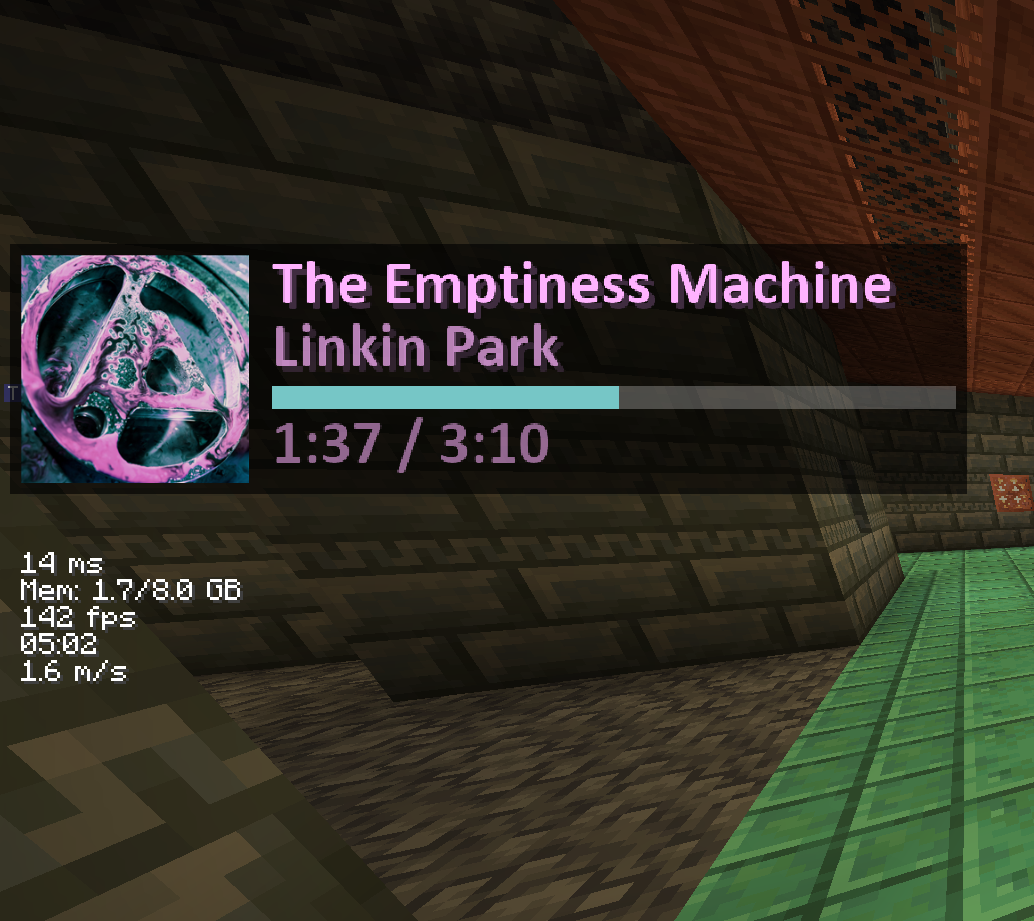 Media Player fully customized
 -
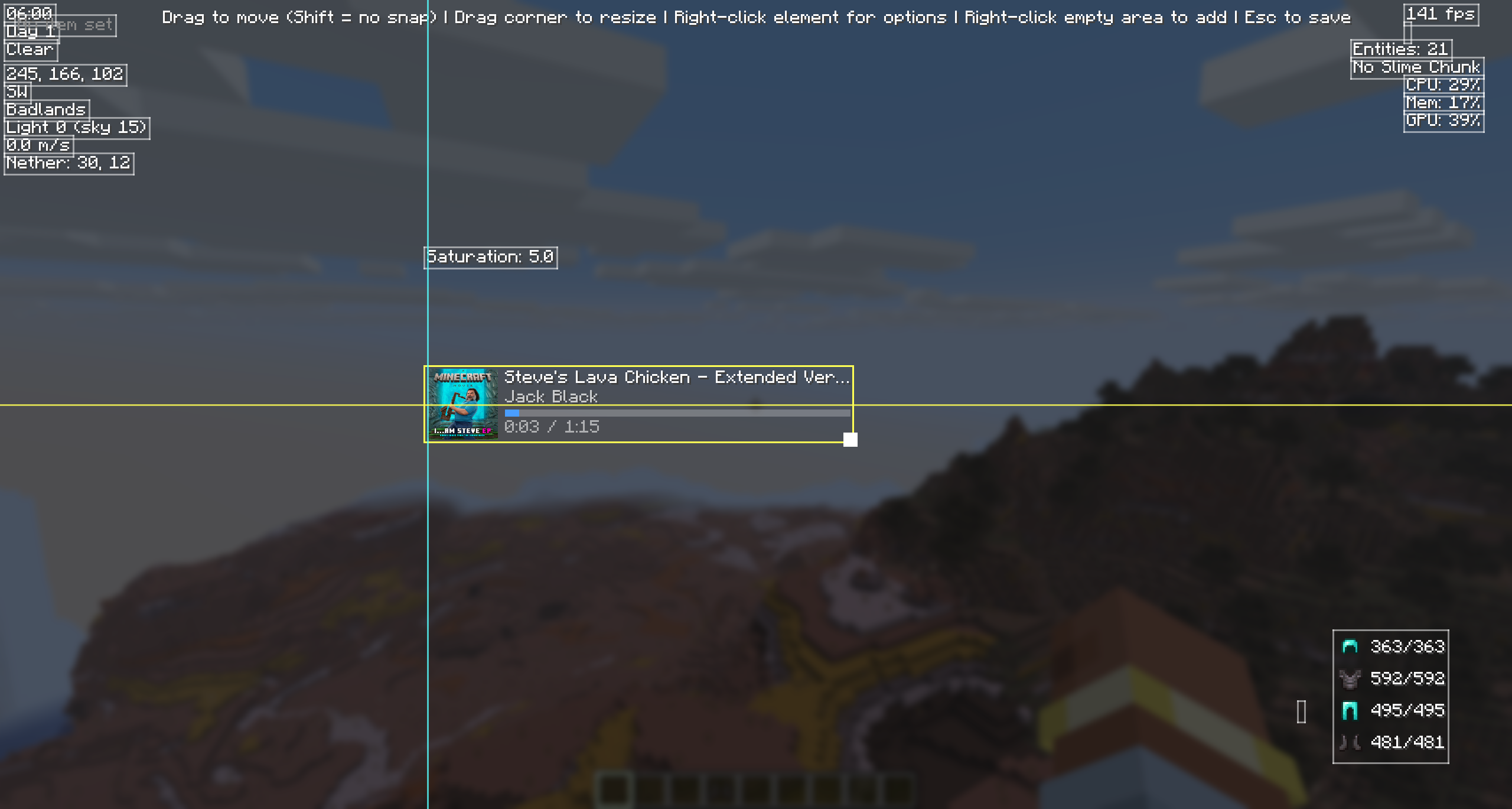 snap alignment
 -
 Banner-big
 -
 Banner-small
Versions
Files
Relations
Project Relations
More like this
Similar Mods
Suggestions use data such as tags, dependencies, dependents, descriptions, titles, and more to rank how much they overlap with this mod.
On ModDex
Community snapshot
By the numbers
Statistics

Want to reach Minecraft players?
We're looking for a server hosting partner to feature here and other parts of the site. Interested? Send us a message!
Get in touchGet it on
Available Platforms
On ModDex
Community snapshot
By the numbers