
Community listing page, reviews here may not be monitored by the author.
TinyInv


No reviews yet
Allows you to disable inventory slots and change the size of the hotbar
Community voices
Reviews
No reviews yet. Be the first to review this project!
Get it on
Available Platforms
Compatibility
Supported Environments
Must be installed on both the client and the server.
About
Project Details
For authors
Embed Badge
If you're the author of this project, you can embed a live badge anywhere that supports HTML or Markdown. It updates automatically whenever ratings change.
Use HTML for any page that supports it, or Markdown for README files and Markdown-based descriptions.
Identifiers
Platform IDs


About
Description

About
TinyInv is a Minecraft mod, that allows you to manipulate the available inventory and hotbar slots on a per-player basis. This includes:
- decreasing the number of inventory slots
- decreasing the number of hotbar slots
- increasing the number of hotbar slots
- disabling the offhand slot
- disabling the individual armor slots
- disabling the individual crafting input slots
This can be done both globally for all players - inside the config file, or individually for one player using attribute modifiers. The mod also has a built-in way of adding attribute modifiers to existing items and status effects using datapacks.
Usage
By default, the mod does not seemingly do anything. It has to be configured first. This can be done in the server config and using datapacks. You can find more information on the Wiki.
Compatibility
The mod replaces the "disabled" slots in all containers with "FakeSlots", which can not be interacted with. Therefore the mod should work with the majority of mods (unless they do some bigger changes to the way the containers work). The player's inventory size is technically unchanged, however, when an item is present in some of the "disabled" slots, the item is thrown out of your inventory. The mod tries by default to hide the unused slots. This can be turned off in the client config file ("disabled_slot_overlay").

Experimental Fabric port of TinyInv.
About
TinyInv is a mod that allows you to reduce the number of available inventory slots, decrease the number of hotbar slots, and disable the offhand slot in a relatively "mod-friendly" way.
Usage
Due to the lack of proper (and synced) config system in Fabric, the number of slots is controlled by gamerules - hotbarSize, inventorySize, armorStartID, disableOffhand, countSlotsFromStart and excludeCreativeModePlayers. Client-side settings are still inside a config file (tininv_fabric_client.json). Keep in mind that the Fabric version does not allow you to increase the number of hotbar slots. If you change the gamerules using the /gamerule command, all players that were online during the change must reconnect to the world, otherwise, they will encounter bugs (such as not being able to use certain slots).
Compatibility
The mod replaces the "disabled" slots in all containers with "FakeSlots", which can not be interacted with. Therefore the mod should work with the majority of mods (unless they do some bigger changes to the way the containers work). The player's inventory size is technically unchanged, however, when an item is present in some of the "disabled" slots, the item is thrown out of your inventory. The mod tries by default to hide the unused slots. This can be turned off in the config file ("fakeSlotOverlay").
TinyInv
TinyInv is a Minecraft mod, that allows you to manipulate the available inventory and hotbar slots on a per-player basis. This includes:
- decreasing the number of inventory slots
- decreasing the number of hotbar slots
- increasing the number of hotbar slots
- disabling the offhand slot
- disabling the individual armor slots
- disabling the individual crafting input slots
This can be done both globally for all players - inside the config file, or individually for one player using attribute modifiers. The mod also has a built-in way of adding attribute modifiers to existing items and status effects using datapacks.
Usage
By default, the mod does not seemingly do anything. It has to be configured first. This can be done in the server config and using datapacks. You can find more information on the Wiki.
Compatibility
The mod replaces the "disabled" slots in all containers with "FakeSlots", which can not be interacted with. Therefore the mod should work with the majority of mods (unless they do some bigger changes to the way the containers work). The player's inventory size is technically unchanged, however, when an item is present in some of the "disabled" slots, the item is thrown out of your inventory. The mod tries by default to hide the unused slots. This can be turned off in the client config file (disabled_slot_overlay).
Screenshots
Gallery
-
 7 Hotbar Slots
 -
 3 Hotbar Slots
 -
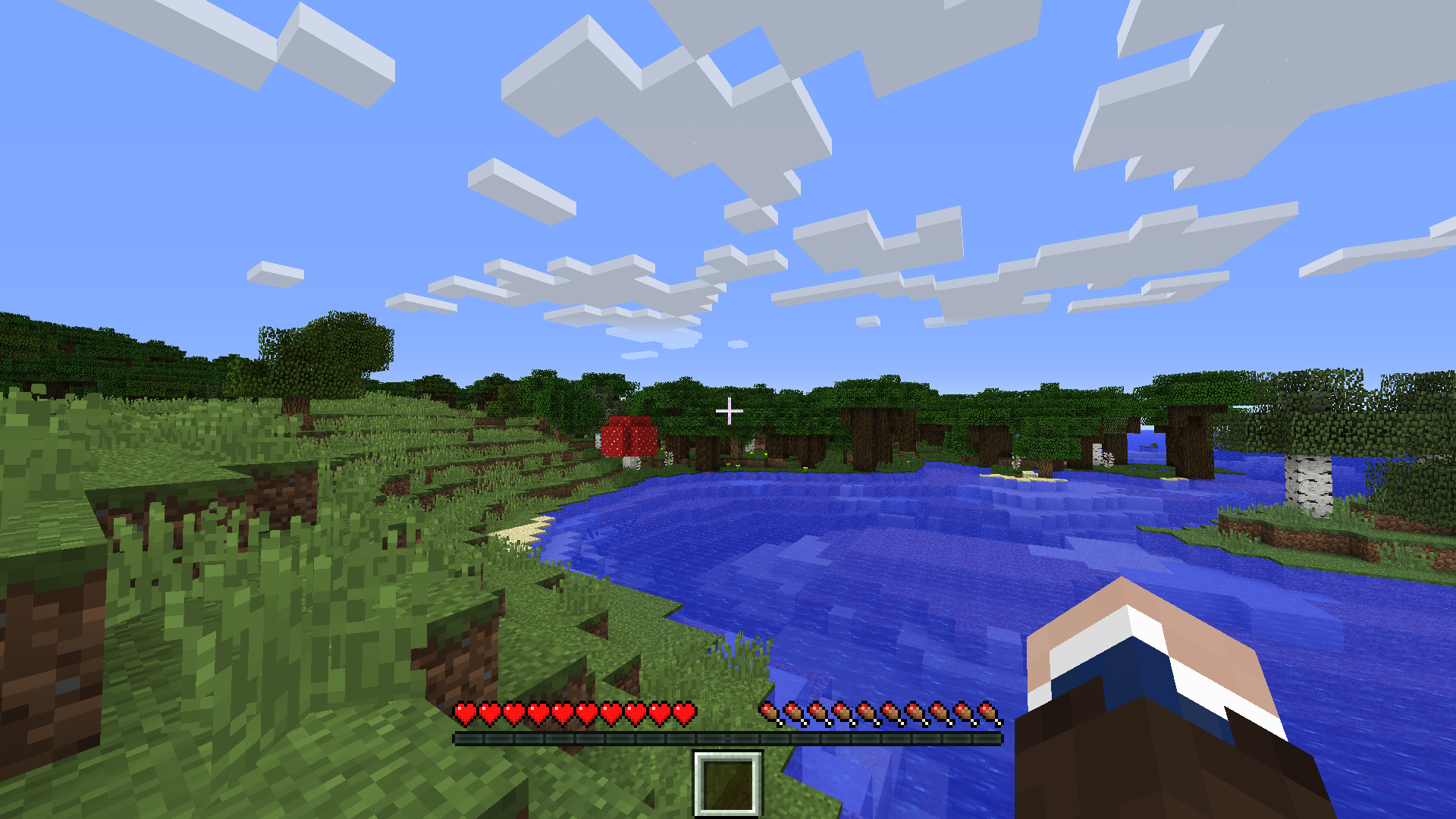 1 Hotbar Slot
 -
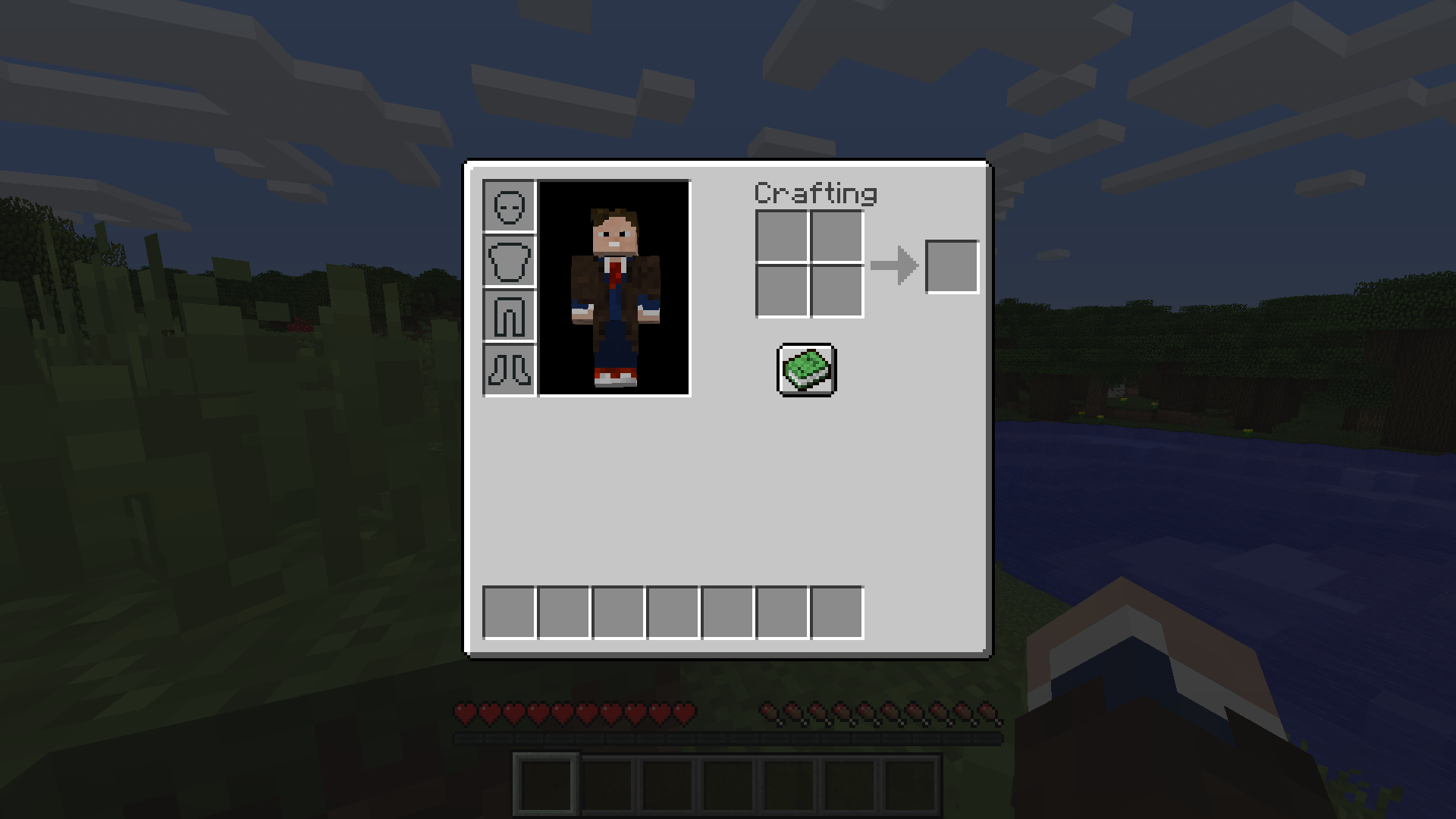 7 Inventory Slots and Removed Offhand Slot
 -
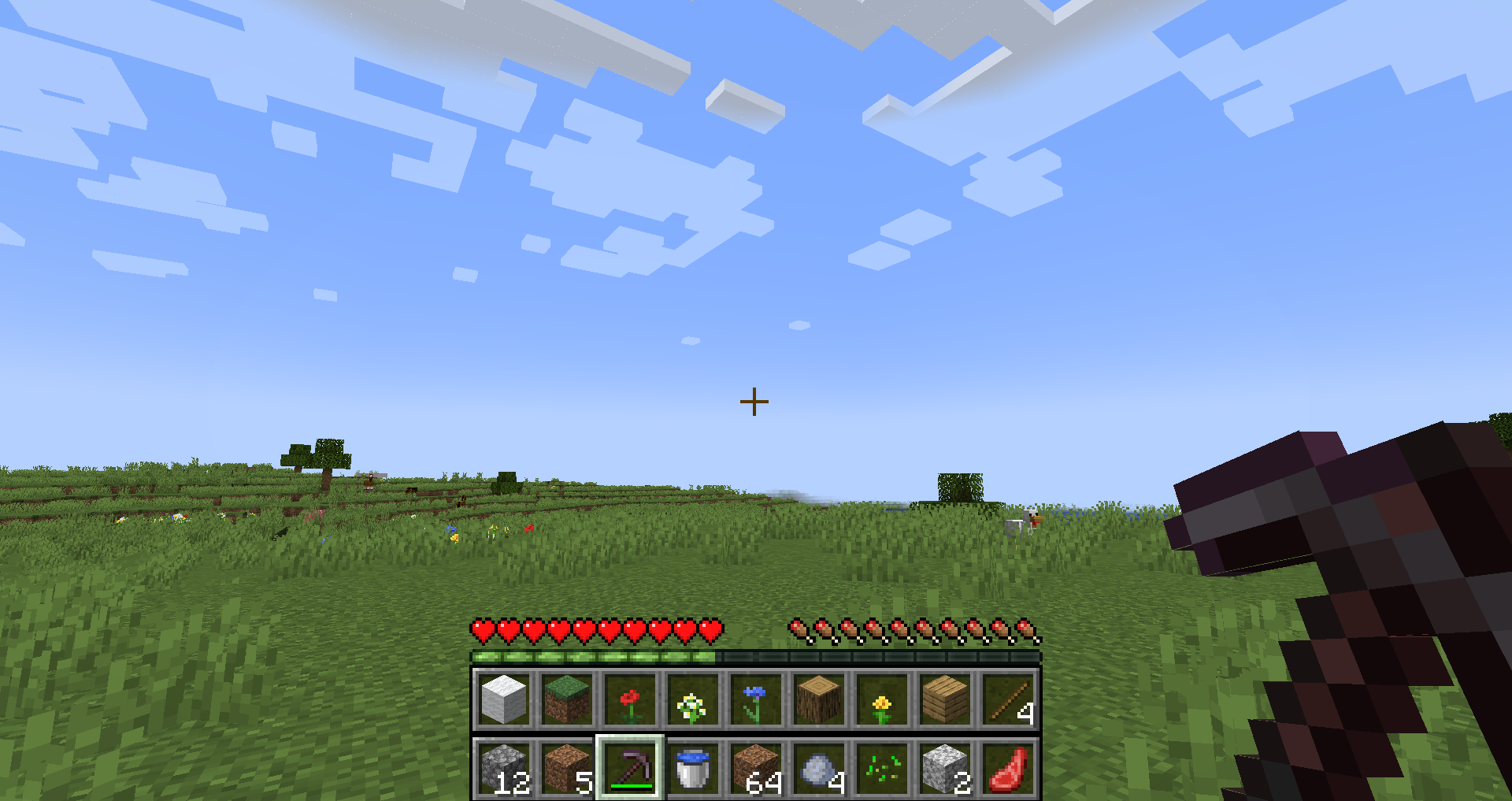 18 Slots, 2 Rows max_slots_in_hotbar_row set to 9
 -
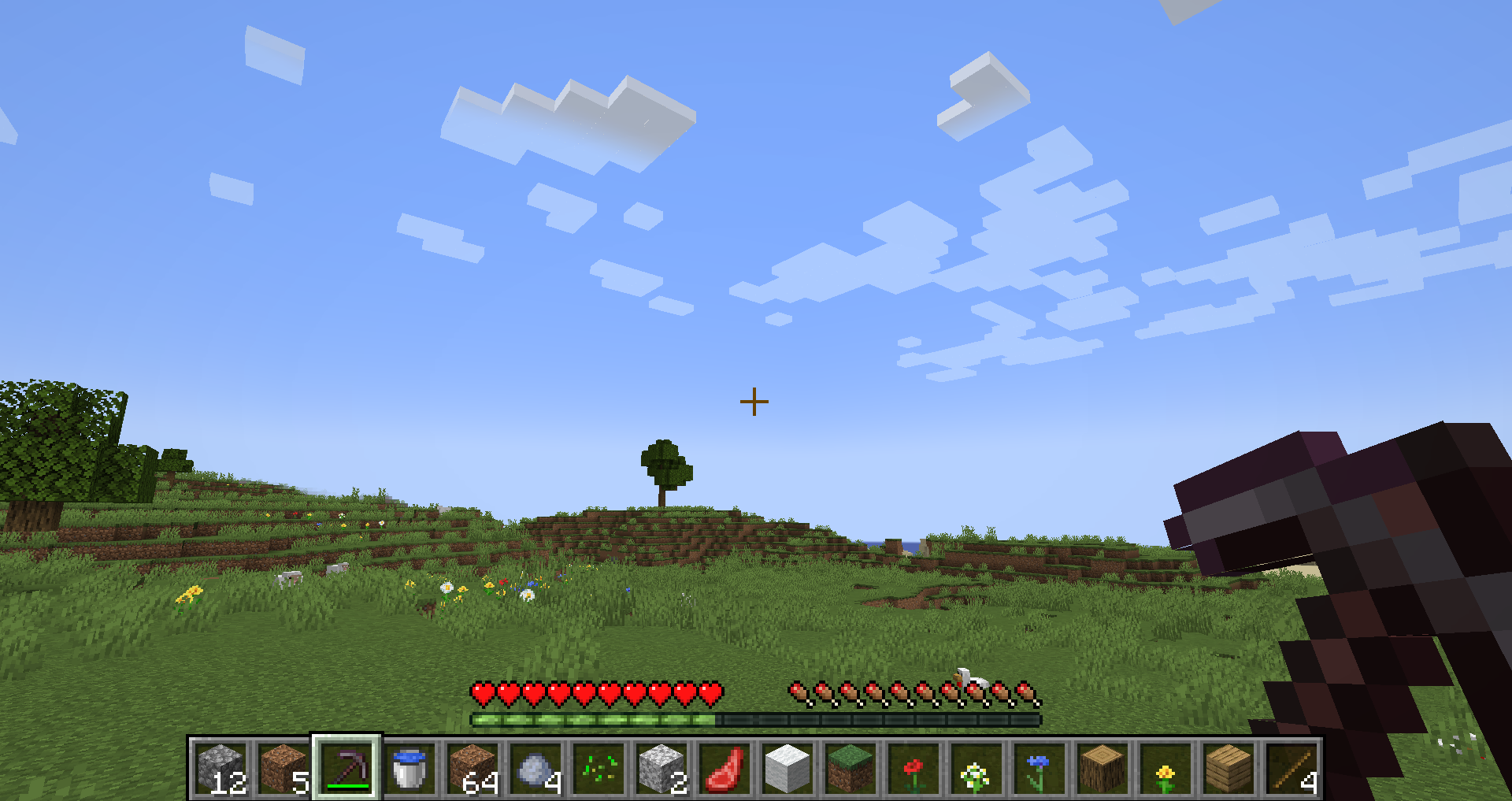 18 Slots, 1 Row max_slots_in_hotbar_row set to 0
 -
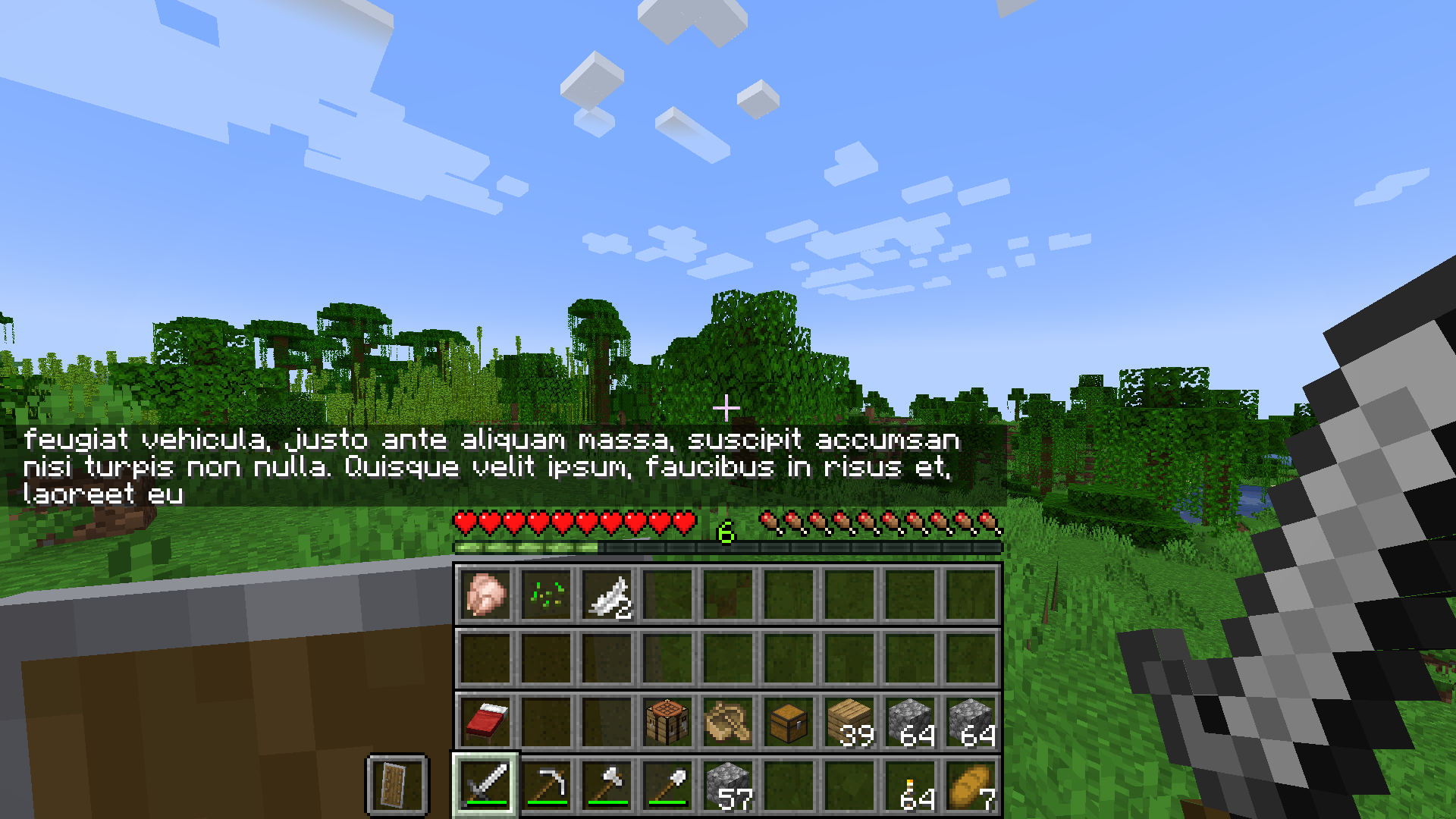 36 Hotbar Slots
-
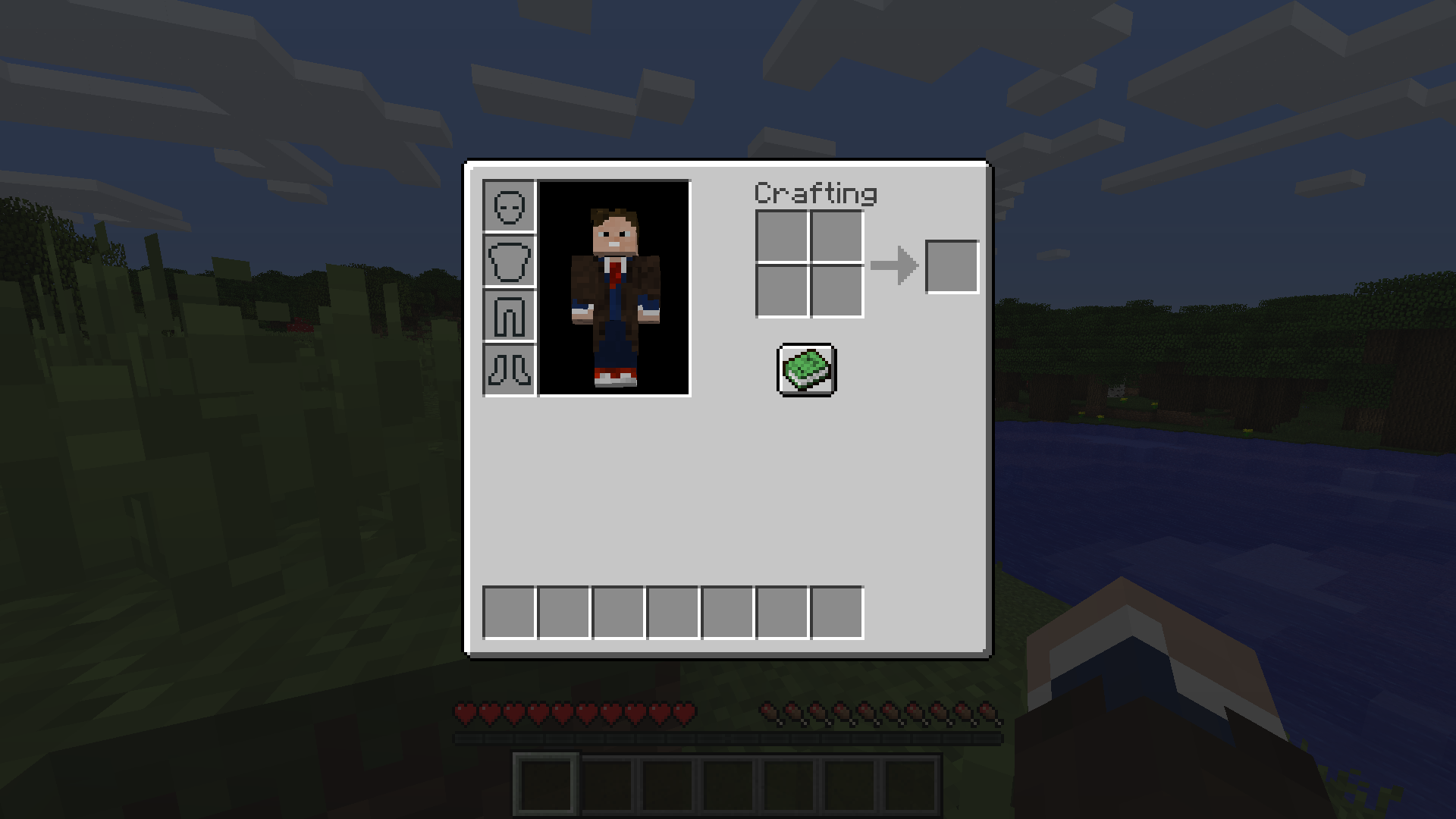 7 Inventory Slots and Removed Offhand Slot
 -
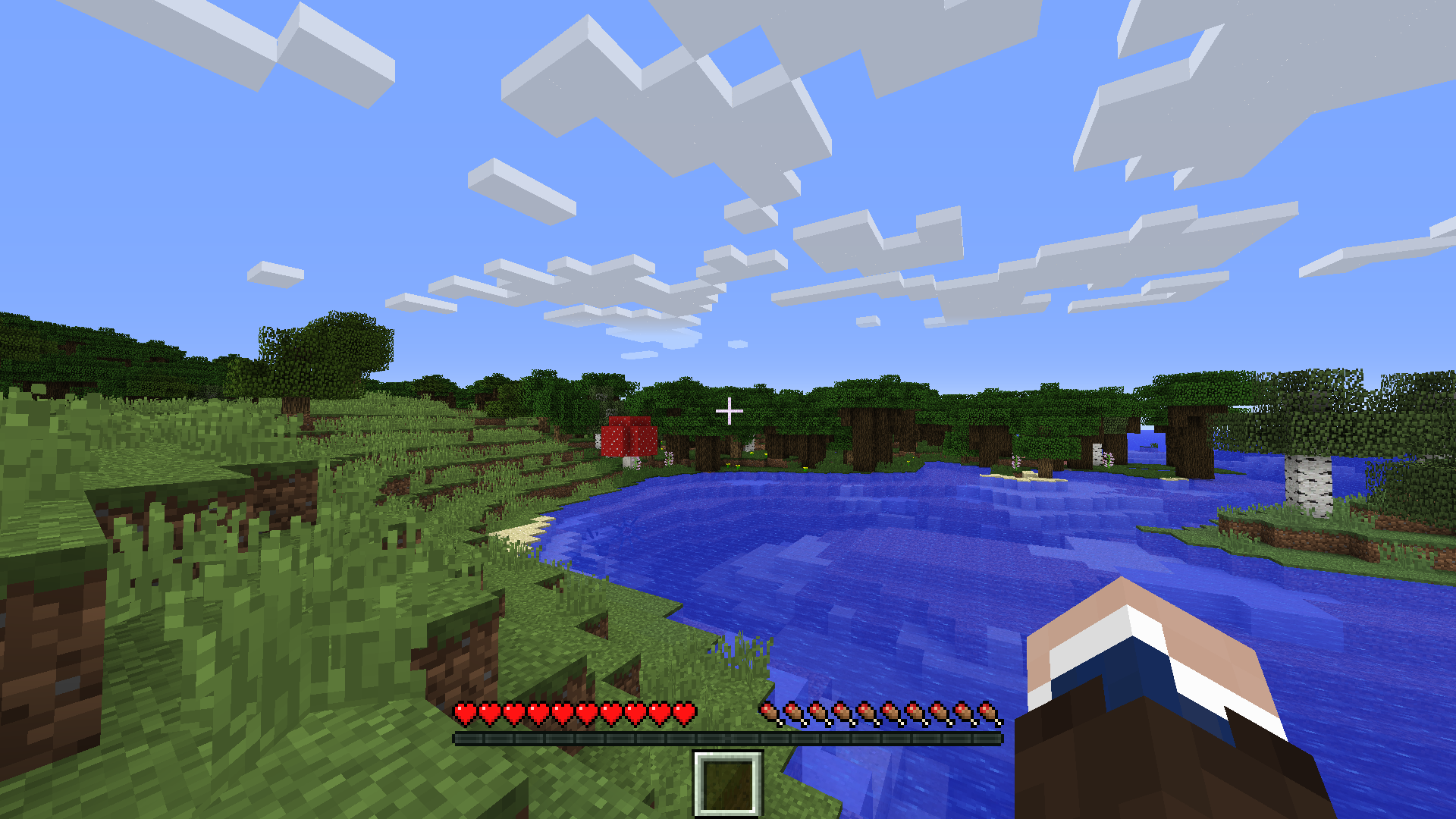 1 Hotbar Slot
 -
 3 Hotbar Slots
 -
 7 Hotbar Slots
-
 18 hotbar slots in 2 rows hotbar_slots = 18 in server config, max_slots_in_hotbar_row = 9 in client config
 -
 3 hotbar slots hotbar_slots = 3 in server config
 -
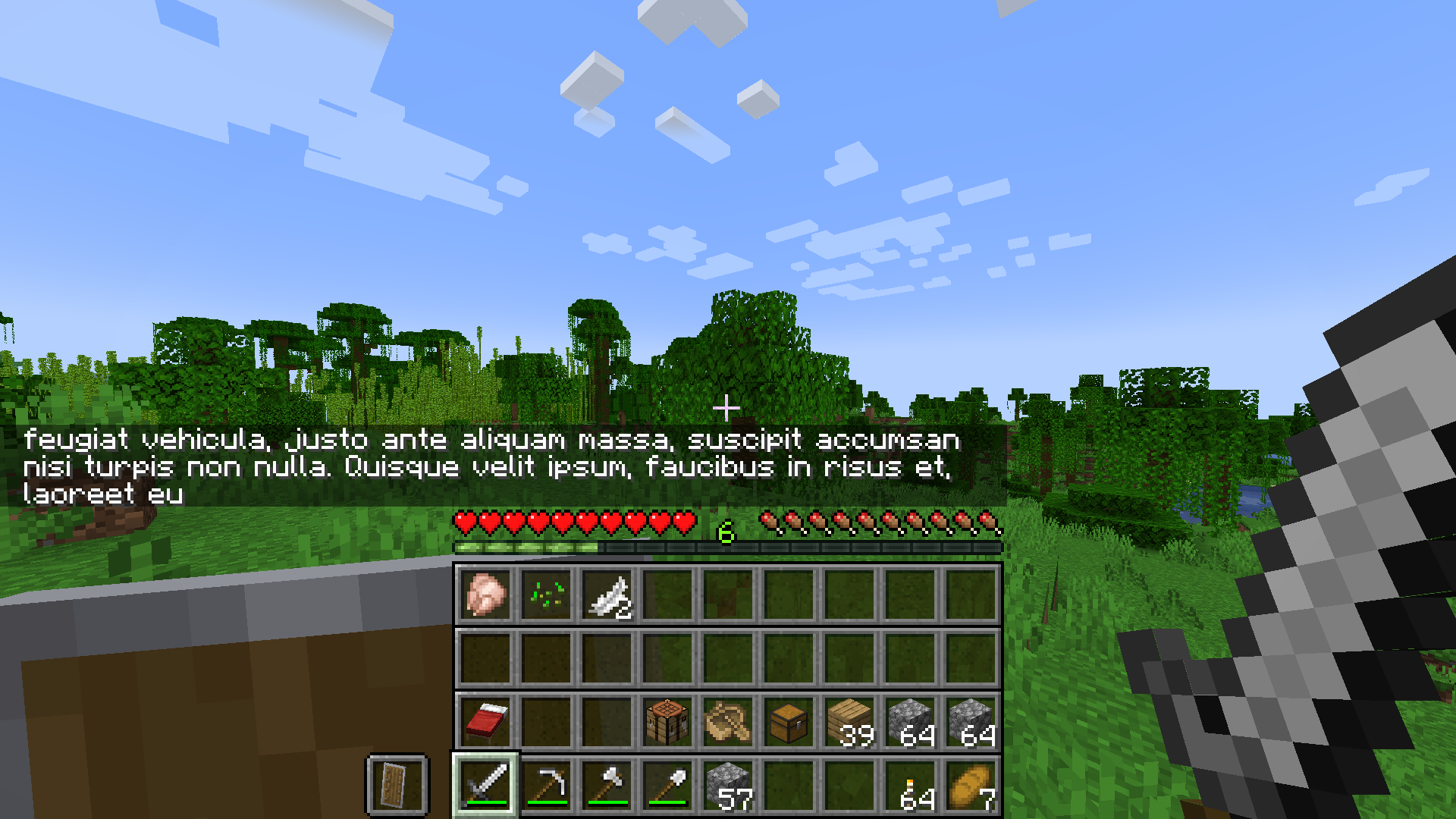 36 hotbar slots That's the entire inventory
 -
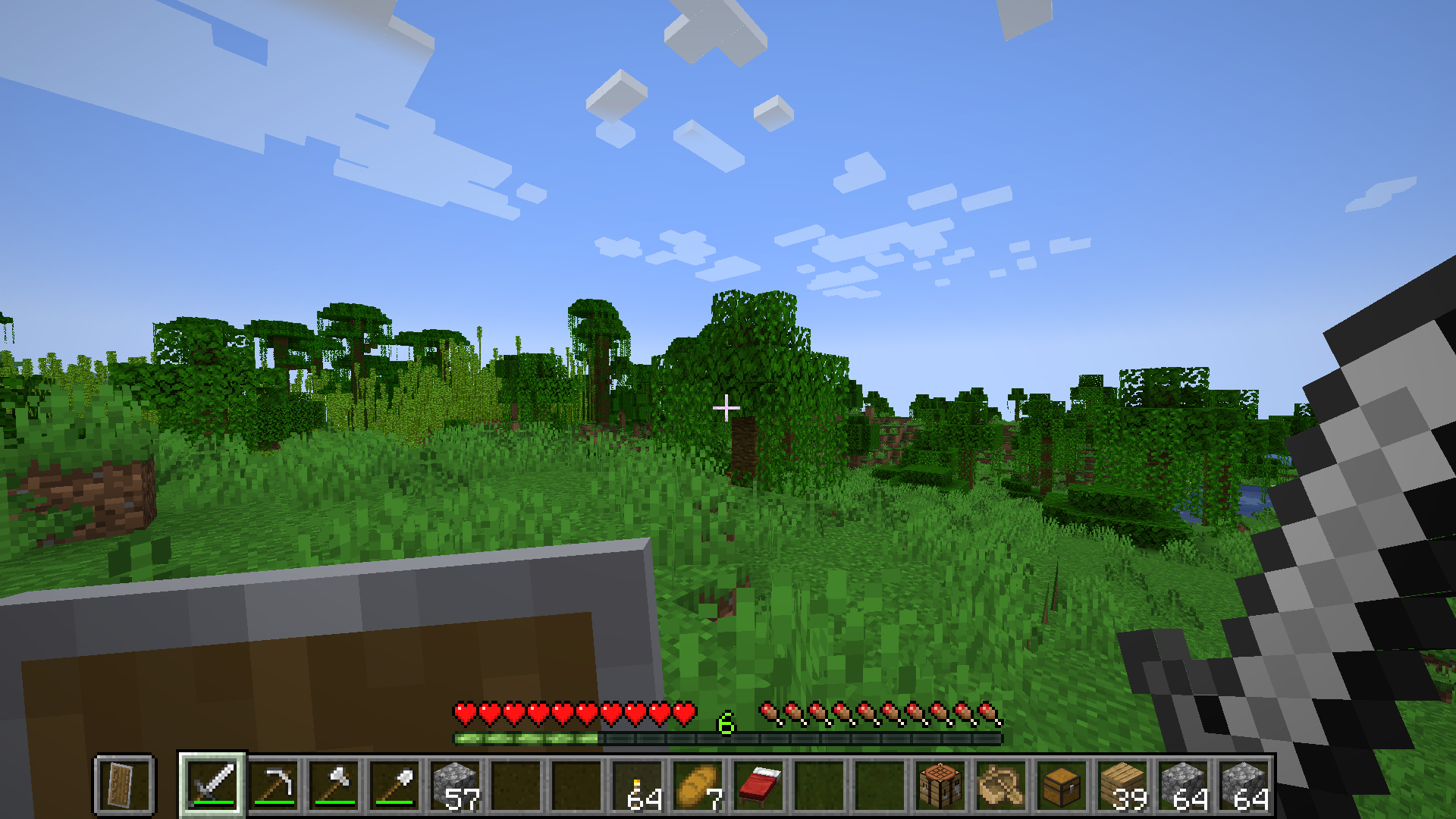 18 hotbar slots in single row hotbar_slots = 18 in server config, max_slots_in_hotbar_row is either 0 or >= 18 in client config
 -
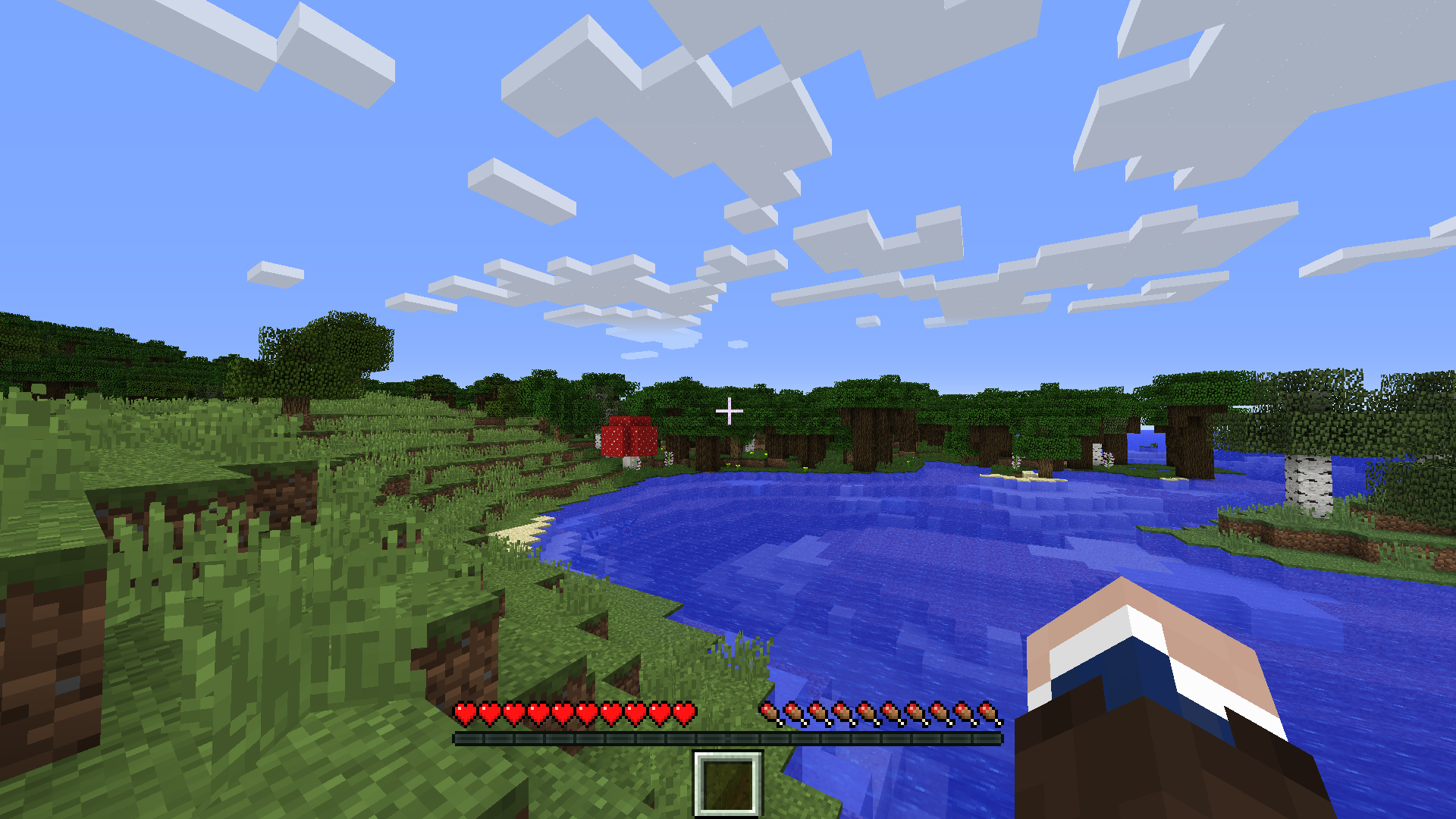 1 hotbar slot hotbar_slots = 1 in server config
 -
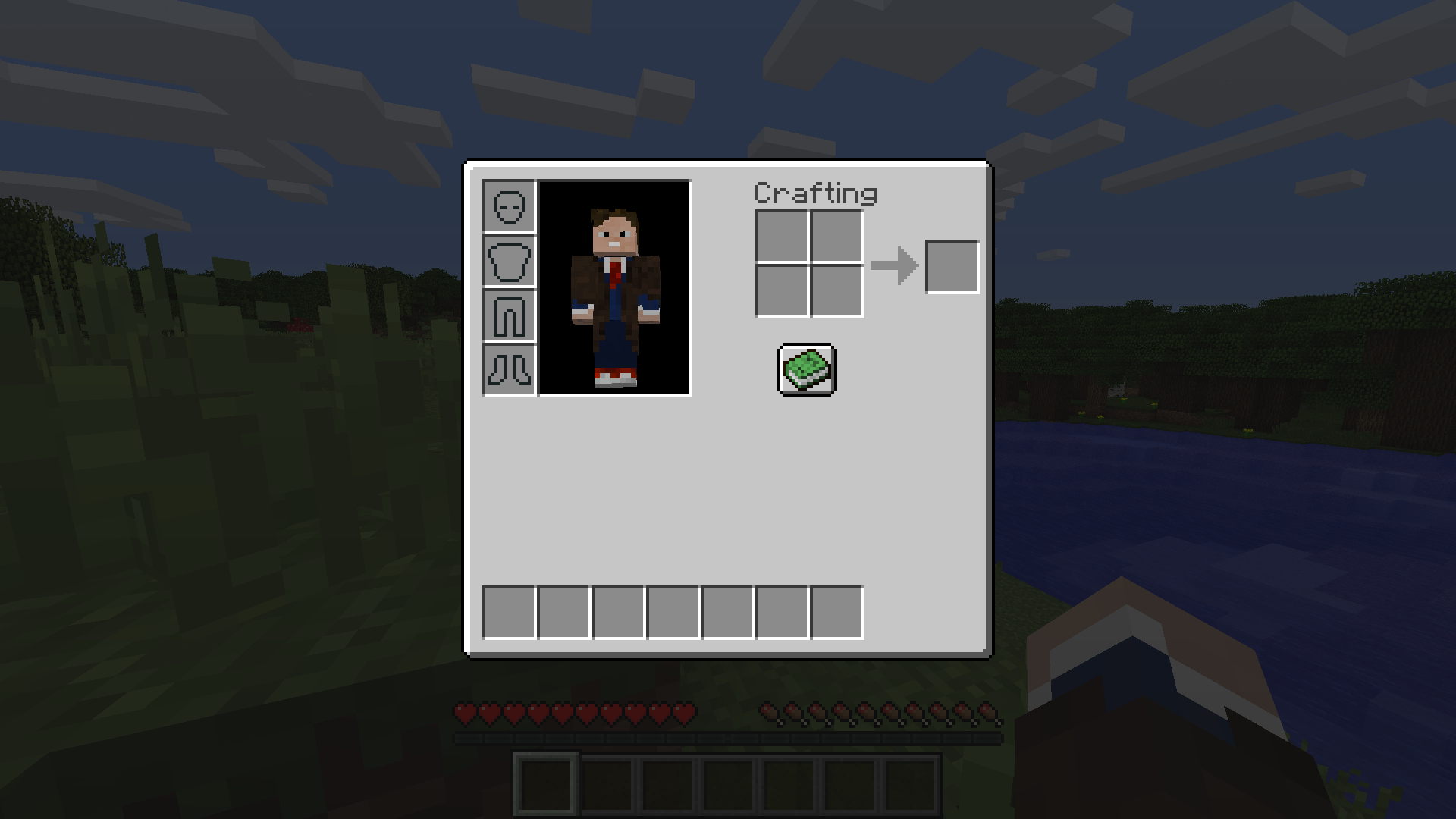 7 inventory slots, no offhand inventory_slots = 7, offhand_slot = false in server config
Versions
Files
Relations
Project Relations
More like this
Similar Mods
Suggestions use data such as tags, dependencies, dependents, descriptions, titles, and more to rank how much they overlap with this mod.
On ModDex
Community snapshot
By the numbers
Statistics
Want to reach Minecraft players?
We're looking for a server hosting partner to feature here and other parts of the site. Interested? Send us a message!
Get in touchGet it on
Available Platforms
On ModDex
Community snapshot
By the numbers