
Title Writer
No reviews yet
Animate Title Text with Typewriter animation
Provides a framework or library for other mods to use.
Data Packs were introduced to vanilla Minecraft in version 1.13 and allow the server to modify data about the game, or run commands. Data Packs are compatible with all mod loaders.
Forge is a popular mod loader for versions 1.1+ of Minecraft.
Neoforge is a fork of the Minecraft Forge available for versions 1.20.1+ of Minecraft. Many Forge mods are compatible with Neoforge and vice versa.
Fabric is a mod loader for versions 1.14+ of Minecraft, particularly popular for client side and optimization mods.
Quilt is a fork of the Fabric mod loader. Many Fabric mods are compatible with Quilt and vice versa.
Community voices
Reviews
Click once to include, again to exclude, again to clear
No reviews yet. Be the first to review this project!
Get it on
Available Platforms
 Modrinth
Compatibility
Supported Environments
About
Project Details
For authors
Embed Badge
If you're the author of this project, you can embed a live badge anywhere that supports HTML or Markdown. It updates automatically whenever ratings change.
Use HTML for any page that supports it, or Markdown for README files and Markdown-based descriptions.
Identifiers
Platform IDs
About
Description
About Me
"TitleWriter" is a small datapack/mapmaking/gamemaking tool that allows players to show animated titles to players where the animation style is "typewriter". Players can set tick-delay and sound that is played per character, to imitate a typewriter animation style!
How to use
/function tl:title {"text":"abcd","tick":10,"location":"actionbar/title","sound":"block.note_block.bit master @s ~ ~ ~ 1 2 1", args:{font:"minecraft:default",is_bold:FALSE,is_italic:FALSE}}
To use this datapack, you'll have to run a function file "tl:title" with a set of parameters inside `{..}`. These are the following:
- text : Self-explanatory, it's the text.
    |_______ can be either pure string, or literal SNBT (lists supported!)
                                              |____ if literal SNBT is used, set args to {is_literal:TRUE}.
- tick : this is the animation delay between every letter in ticks.
- location : this field defines whether title is shown.
    |_______ can be either title or actionbar.
- sound : this is the sound that is played.
    |_______ example: "minecraft.sound master @s ~ ~ ~ 1 1 1"
- args : Optional Arguments for different behavior
    |_______ is_bold: TRUE/FALSE; Turns all text to Bold
    |_______ is_italic: TRUE/FALSE; Turns all text to italic.
    |_______ font: string; Change the font of the text.
    |_______ is_literal: TRUE/unset;
                |_____ This Flag disregards the flags above.
                |_____ If mentioned/set to true, text interprets SNBT similar to /tellraw or default /title.
                |_____ Can be used to animate Words, Complex SNBT or Text with Gradient.
Note:
If you're text has a semi-colon or an "=" sign, make sure that your text value in the command looks like this:
"text":'"TIME 9:30"'
which is TEXT inside DOUBLE_QUOTATION_MARKS inside SINGLE_QUOTATION_MARKS
Limitations:
-
You cannot color/italicize/bold text currently
This has been fixed by introducing literal SNBT support.
Screenshots
Gallery
-
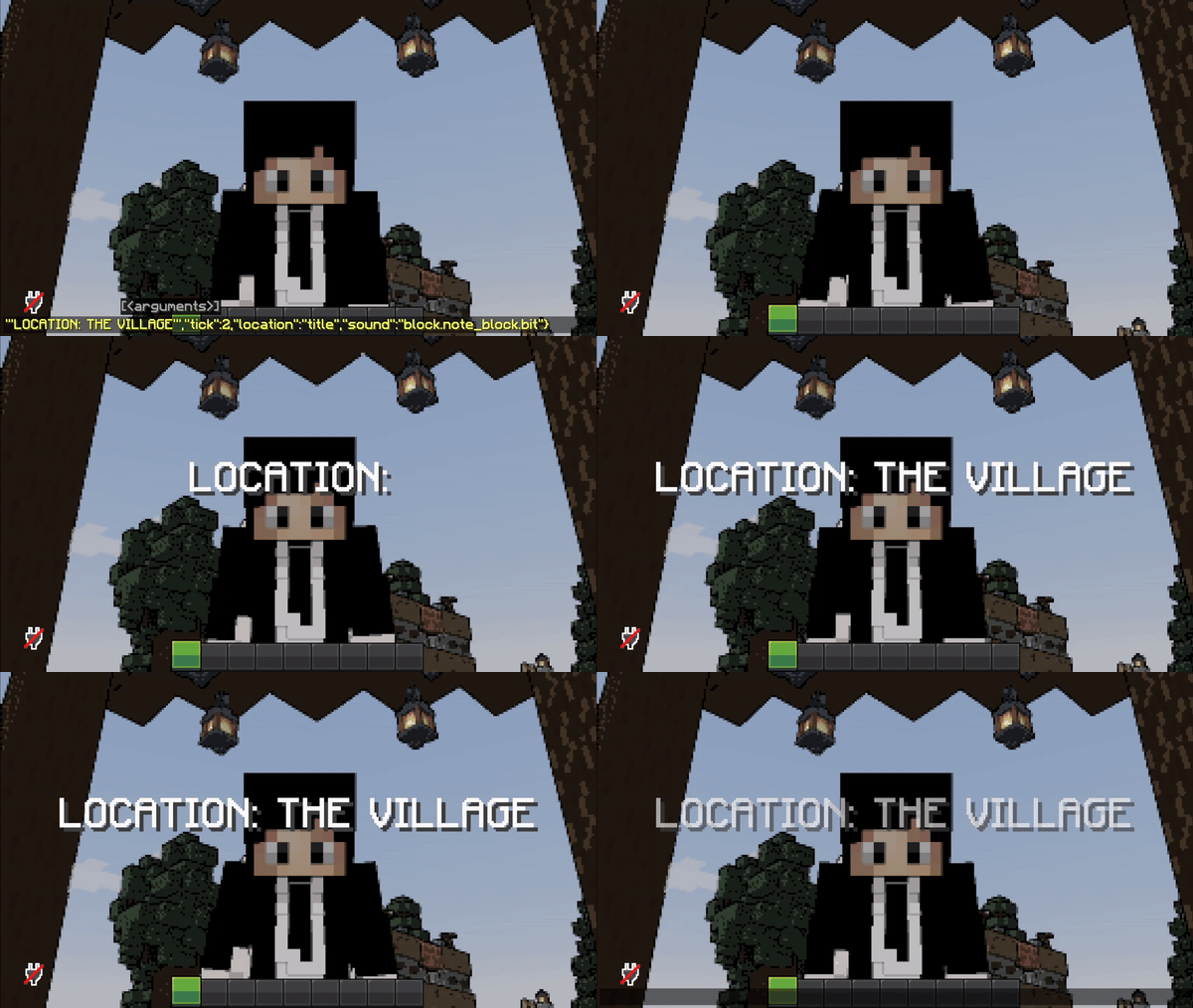 "LOCATION: THE VILLAGE" title animation. (shaders: Lethal Shaders)
 -
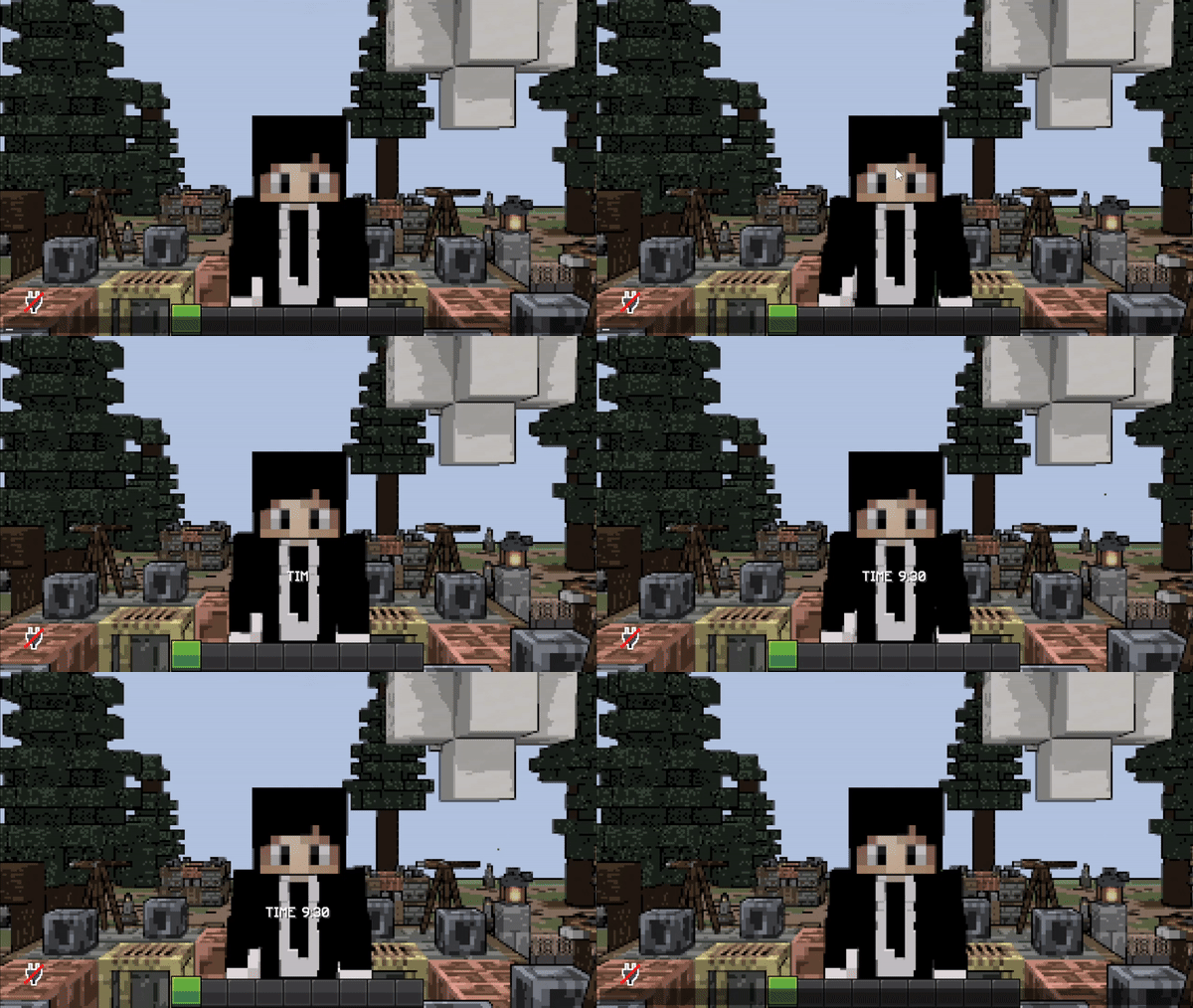 "TIME 9:30" actionbar title animation. (shaders: Lethal Shaders)
Versions
Files
Relations
Project Relations
More like this
Similar Mods
Suggestions use data such as tags, dependencies, dependents, descriptions, titles, and more to rank how much they overlap with this mod.
On ModDex
Community snapshot
By the numbers
Statistics

Want to reach Minecraft players?
We're looking for a server hosting partner to feature here and other parts of the site. Interested? Send us a message!
Get in touchGet it on
Available Platforms
On ModDex
Community snapshot
By the numbers