
TJAuth
No reviews yet
A mod to authenticate with external servers.
Fabric is a mod loader for versions 1.14+ of Minecraft, particularly popular for client side and optimization mods.
Community voices
Reviews
Click once to include, again to exclude, again to clear
No reviews yet. Be the first to review this project!
Get it on
Available Platforms
 Modrinth
Compatibility
Supported Environments
About
Project Details
For authors
Embed Badge
If you're the author of this project, you can embed a live badge anywhere that supports HTML or Markdown. It updates automatically whenever ratings change.
Use HTML for any page that supports it, or Markdown for README files and Markdown-based descriptions.
Identifiers
Platform IDs
Resources
External Links
About
Description
TJAuth
An authentication module that can use an external authentication server to verify whitelists and passwords.
This mod is designed for the tjmtr server and works perfectly with Tianji_Center.
How to configure and use?
Authentication server
Use ExampleAuthServer.py in this directory to try it out.
Remember to install Python and Flask
The example server includes clear comments and function names to explain when to pass and when to fail
Run python ExampleAuthServer.py
Important: Must use POST and application/json, as the module is designed this way
Encryption Keys
Create private.pem and public.pem in the config/tjauth/keys folder under the server root directory.
Command to generate the private key: openssl genrsa -out private.pem 2048
Command to generate the public key: openssl rsa -in private.pem -pubout -out public.pem
Remember to install openssl, and generate the private key first, then the public key.
Important: Remember to generate the keys first; the mod will not generate them automatically.
Configuration file
The configuration file is located in the config/tjauth/config.json file and will be automatically generated on first startup.
whitelist_check_url is the whitelist authentication URL.
auth_server_url is the password authentication URL.
server_key is a verification key that the server can use for authentication. If not needed, you can enter any value (but it must not be left blank).
auth_timeout_seconds is the authentication timeout duration, which determines how long the client can remain inactive before being kicked. If the client does not enter a password by this time, it will be kicked. Additionally, if the server response exceeds this time, authentication will also time out.
How does this mod work?
Overview: It primarily requests an external server to verify eligibility to join the world and whether the password authentication is correct. The UUID used during the request is the same as the one used when starting the client.
Note: Both the server and client must have this mod installed. Currently (v1.0.0), it only supports Fabric 1.19.2
- Allows external server authentication, with flexible configuration options
- Uses the actual UUID from the client startup, enabling differentiation between offline players with the same username
- Includes a ban mechanism when authentication is not completed, preventing accidental game manipulation
- Displays the password input screen and keeps it visible until authentication is complete
- Blocks unsupported clients (e.g., those without this mod installed) via connection request packets
Connection phase
When the client connects to the server, the server will request the client to send the UUID and username used to start the client to the server
If the client has not installed this mod, it will be unable to accept the server's request and will be considered an incompatible client and kicked out
After the server receives the UUID and username from the client, it will request the external server to verify whether the player is allowed to join the world. If allowed, the client will be permitted to join the world; if not, it will be kicked out
After Joining the World
After joining the world, the client immediately displays a screen for entering a password.
The password is sent to the server using RSA2048 encryption. The server then uses it to send an authentication request to the external server to determine whether to allow the player to play (whether the password is correct).
During the password authentication process, a verification interface is displayed. Simultaneously, a player restriction mechanism is active, preventing the player from moving, placing destructive blocks, using the inventory, or using items, etc.
Leaving the world and rejoining requires re-authentication
Example file:
ExampleAuthServer.py
from flask import Flask, request, jsonify
import time

app = Flask(__name__)
SERVER_KEY = “your_server_key_here”  # Replace with your actual key

@app.route(‘/api/server/players/check’, methods=[‘POST’])
def check_password():
    data = request.get_json()
    print(f“\n[Authentication Request] Player: {data.get(‘player’)}, UUID: {data.get(‘uuid’)}, Password: {data.get(‘password’)}”)

    if data.get(‘key’) != SERVER_KEY:
        print(“! Invalid key”)
        return jsonify({“result”: False})

    time.sleep(3)  # Simulate a 3-second delay

    if data.get(‘password’) == “tjmtr”:
        print(“√ Authentication successful”)
        return jsonify({“result”: True})
    else:
        print(“× Incorrect password”)
        return jsonify({“result”: False})

@app.route(‘/api/server/players/whiteuser’, methods=[‘POST’])
def check_whitelist():
    data = request.get_json()
    print(f“\n[Whitelist check] Player: {data.get(‘player’)}, UUID: {data.get(‘uuid’)}”)

    if data.get(‘key’) != SERVER_KEY:
        print(“! Invalid key”)
        return jsonify({“result”: False})

    print(“√ Whitelist passed”)  # Everyone passes automatically
    return jsonify({“result”: True})

if __name__ == ‘__main__’:
    app.run(host=‘0.0.0.0’, port=50001, debug=True)
Server root directory/config/tjauth/config.json
{
    “auth_server_url”:“http://127.0.0.1:50001/api/server/players/check”,
    “whitelist_check_url”:“http://127.0.0.1:50001/api/server/players/whiteuser”,
    “server_key”:“your_server_key_here”,
    “auth_timeout_seconds”:120
}
Why not open source?
I originally intended to open source it, but I cannot prevent others from using the source code to compile a fake client without authentication measures such as screen. This would compromise the security of the mod, even though there is a ban tool in place.
Translated with DeepL.com (free version)
Screenshots
Gallery
-
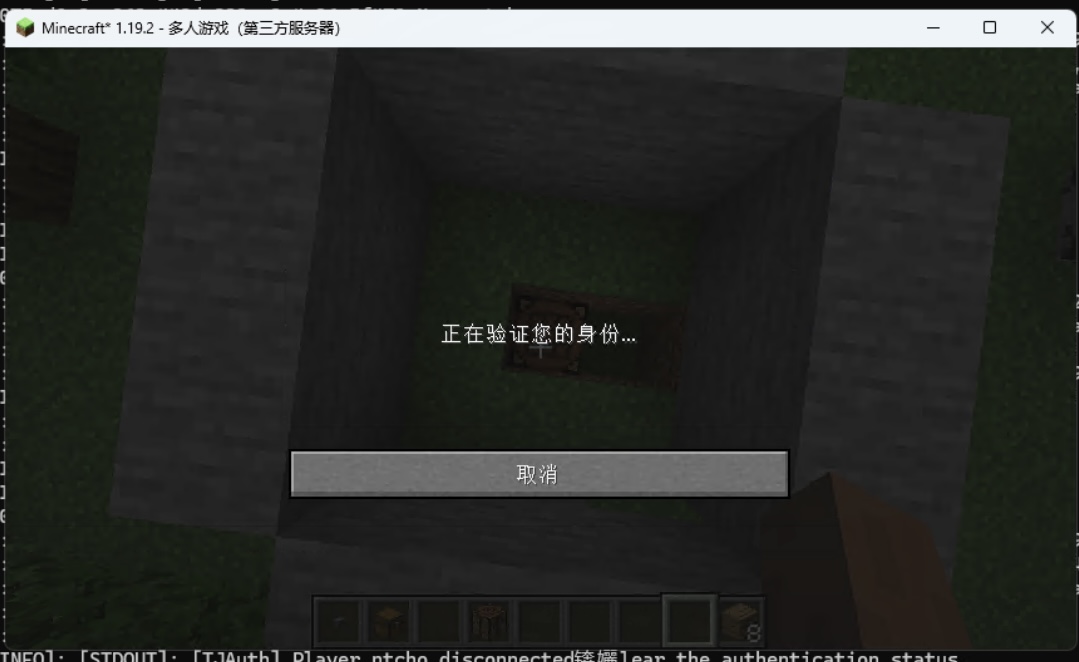 密码验证认证中界面
 -
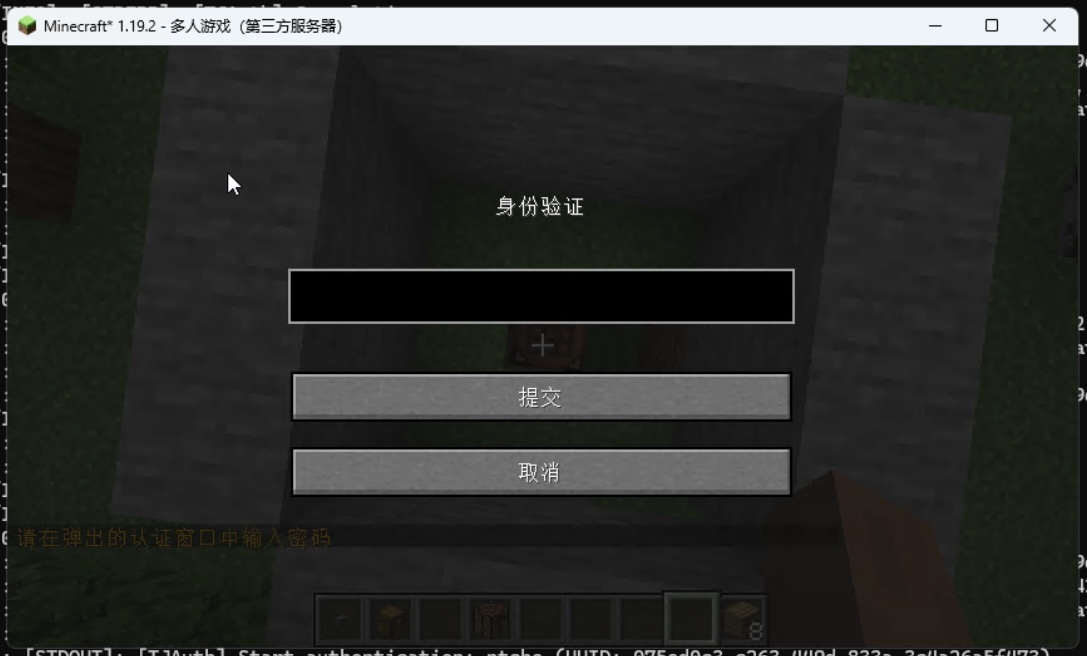 密码认证输入界面
 -
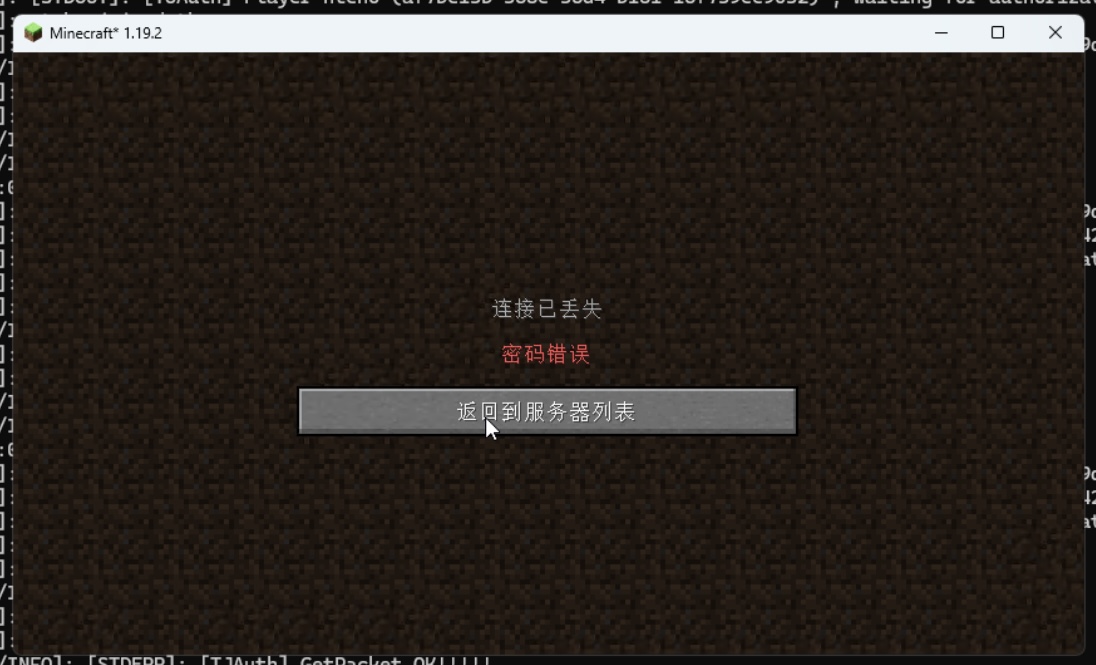 密码错误
密码错误 -
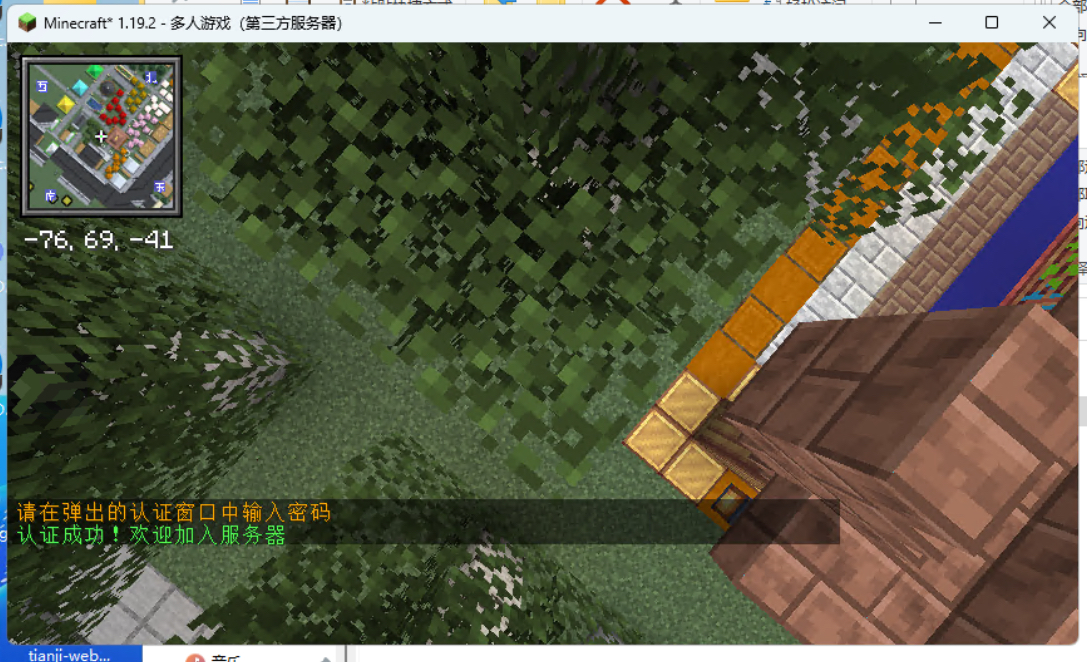 密码正确
密码正确
Versions
Files
Relations
Project Relations
More like this
Similar Mods
Suggestions use data such as tags, dependencies, dependents, descriptions, titles, and more to rank how much they overlap with this mod.
On ModDex
Community snapshot
By the numbers
Statistics

Want to reach Minecraft players?
We're looking for a server hosting partner to feature here and other parts of the site. Interested? Send us a message!
Get in touchGet it on
Available Platforms
On ModDex
Community snapshot
By the numbers
Statistics
Resources