TMWIN
No reviews yet
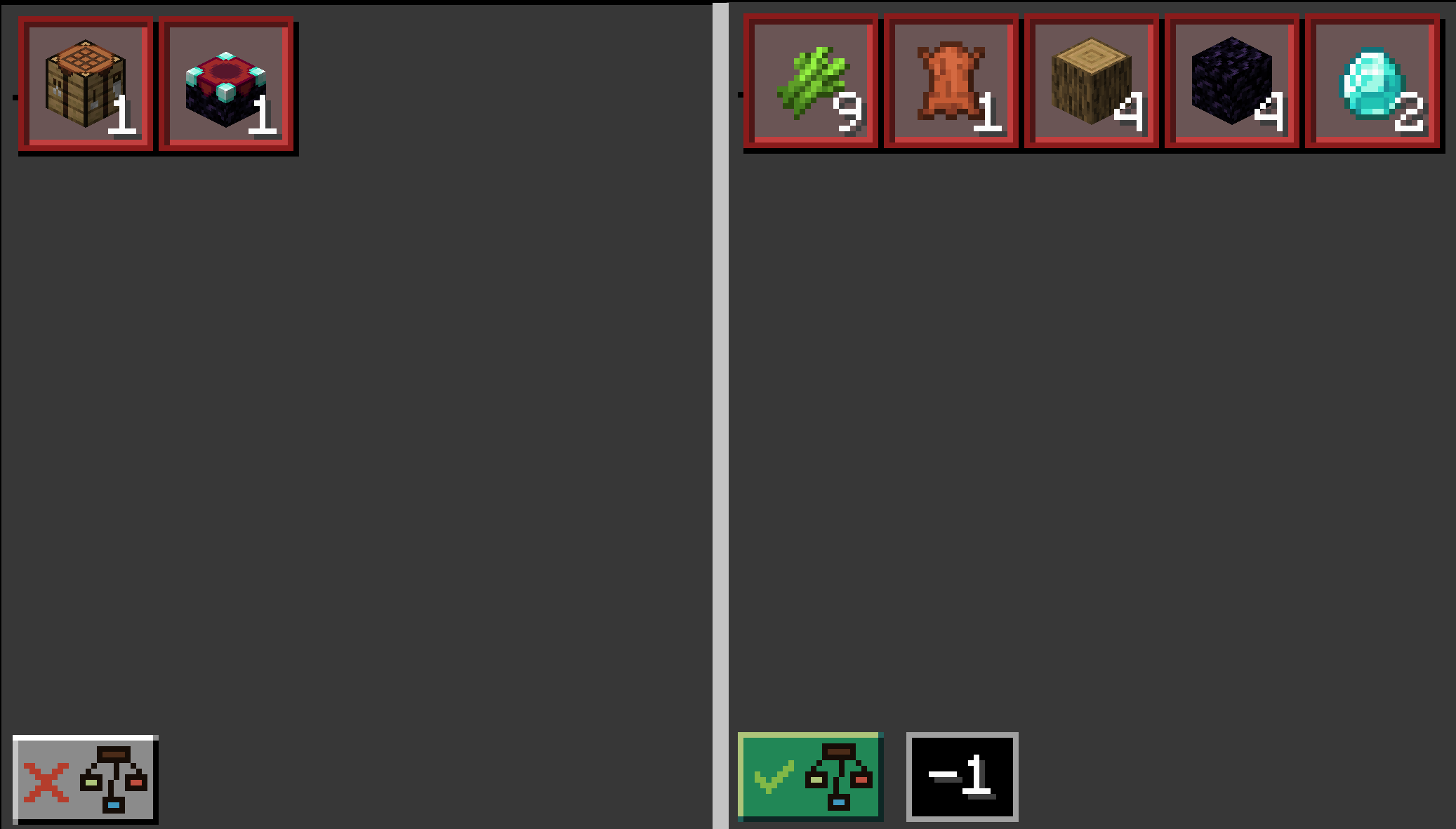
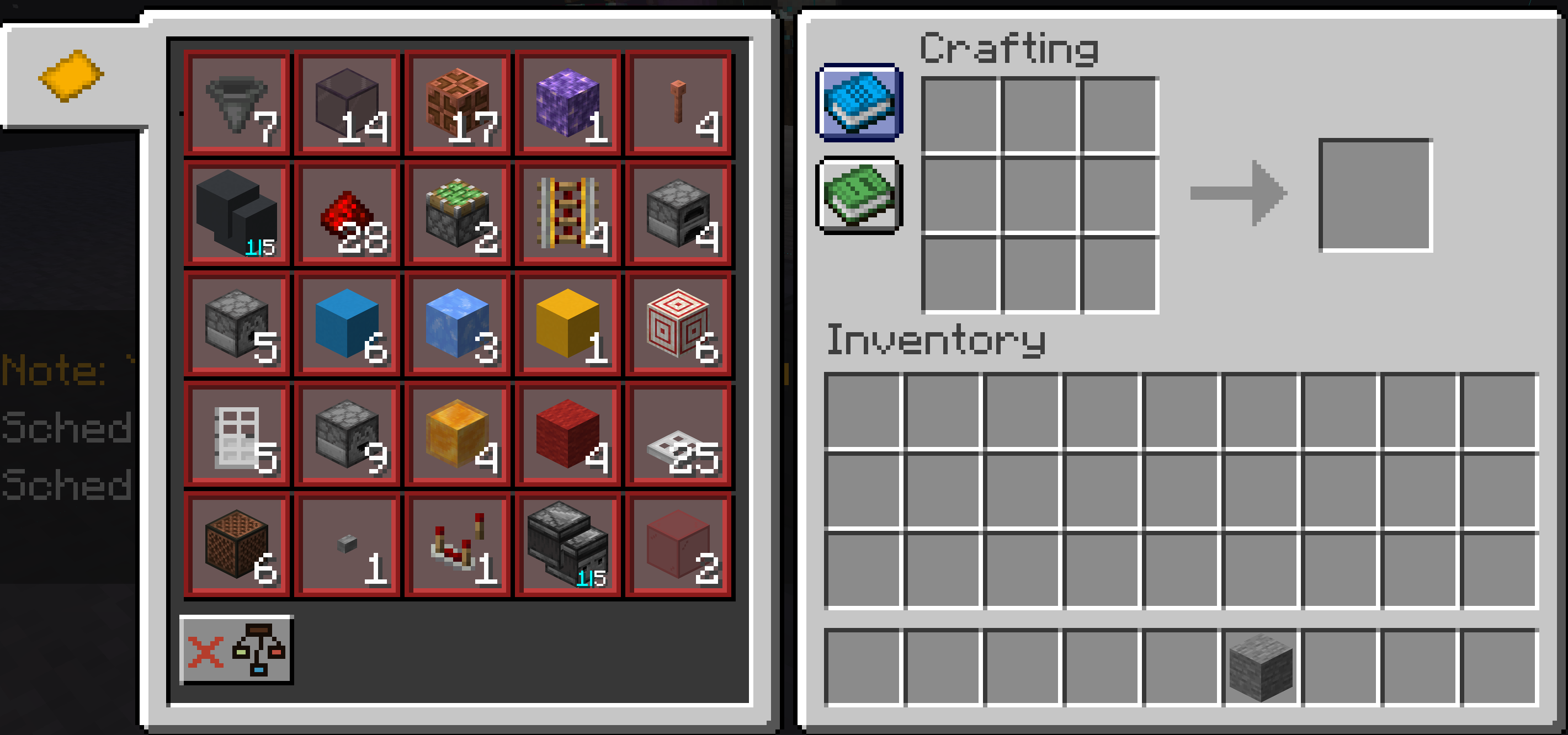
Tell Me What I Need : Display the litematica material list in the crafting table screen.
Fabric is a mod loader for versions 1.14+ of Minecraft, particularly popular for client side and optimization mods.
Community voices
Reviews
Click once to include, again to exclude, again to clear
No reviews yet. Be the first to review this project!
Get it on
Available Platforms
 Modrinth
Compatibility
Supported Environments
About
Project Details
For authors
Embed Badge
If you're the author of this project, you can embed a live badge anywhere that supports HTML or Markdown. It updates automatically whenever ratings change.
Use HTML for any page that supports it, or Markdown for README files and Markdown-based descriptions.
Identifiers
Platform IDs
About
Description
TMWIN: TellMeWhatINeed
A Handy Little Helper for Litematica Projections!
Overview
TMWIN: TellMeWhatINeed is a simple yet powerful Minecraft mod designed for players using Litematica. It automatically reads Schematic placements within your render distance and displays their material list right in the crafting table, making it easier than ever to gather resources!~~~~
Mod Showcase Video
Key Features
- Auto-Scan: Detects Litematica projections in your render distance in real-time.
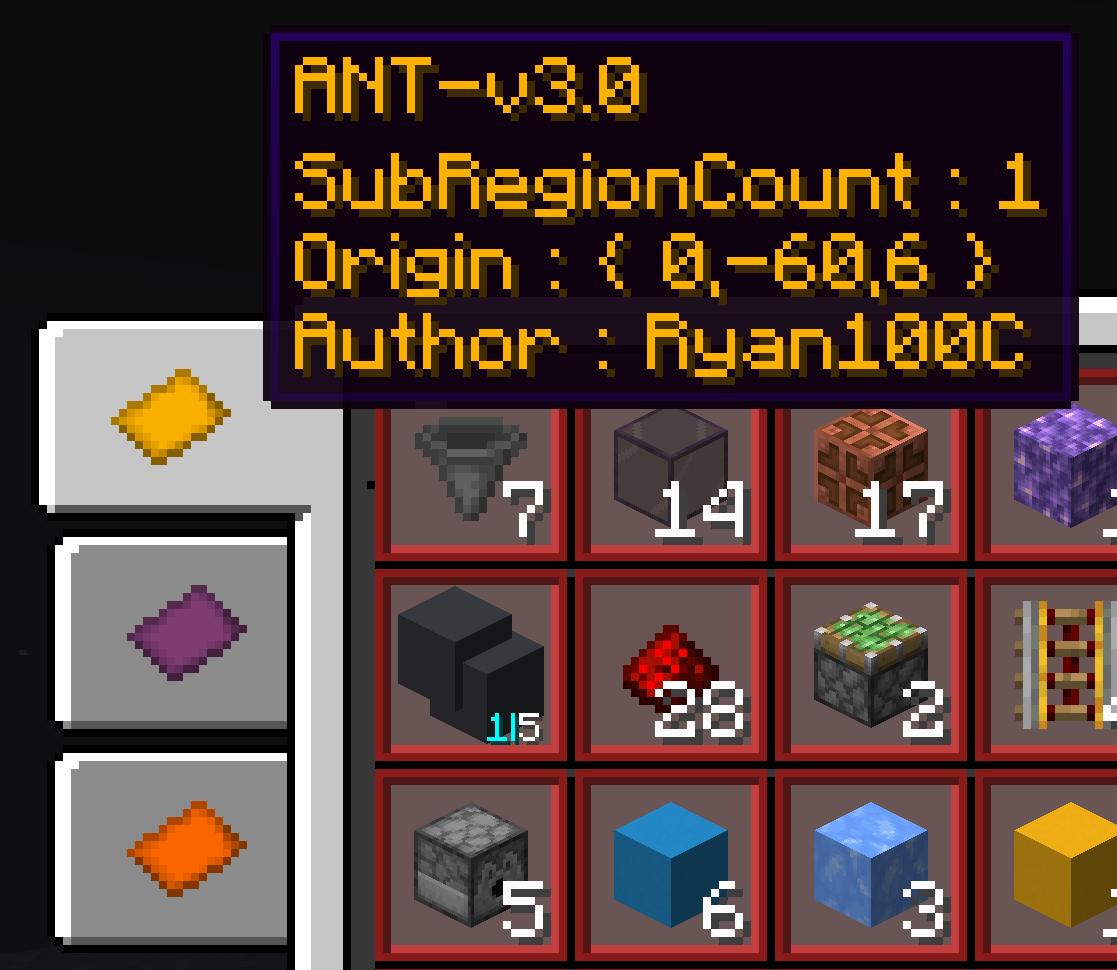
- Material Display: Shows a complete material list directly in the crafting table interface.
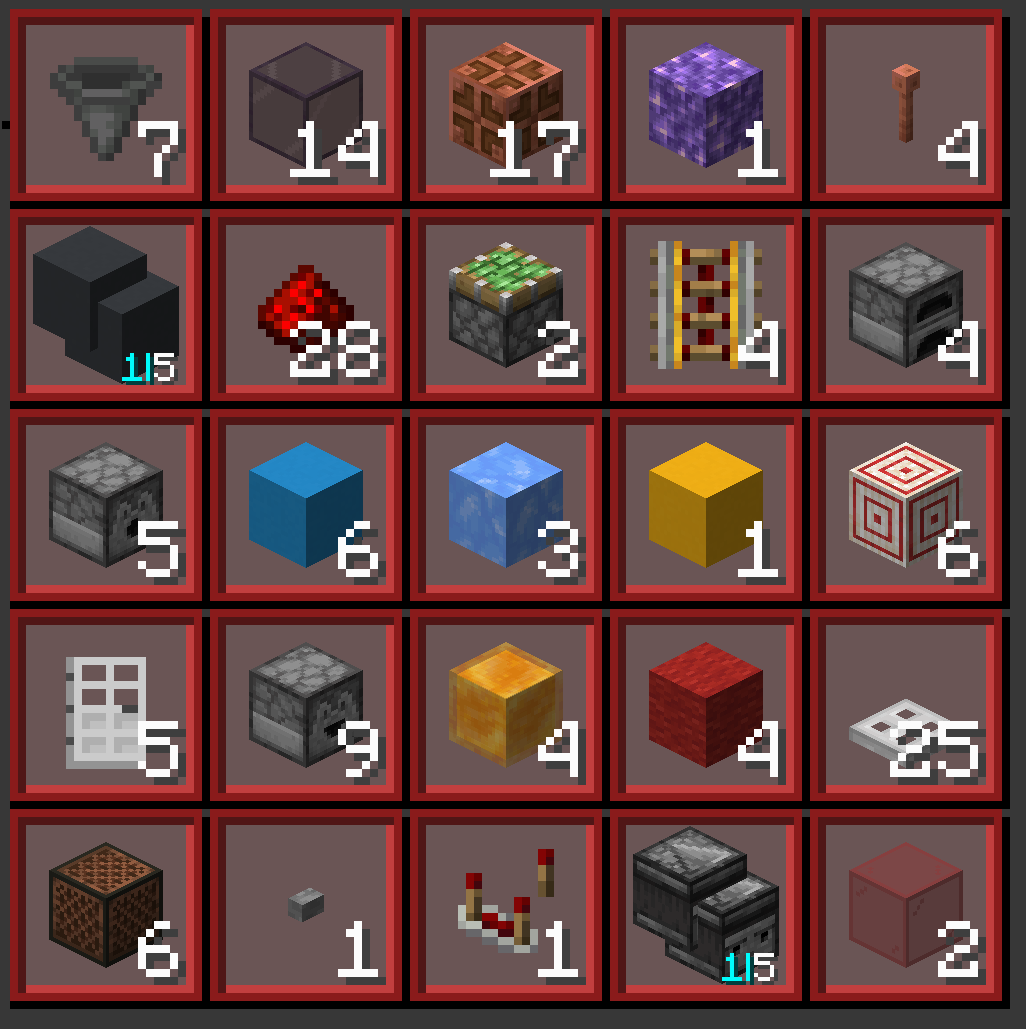
- Material Breakdown: Breakdown material into its base material.
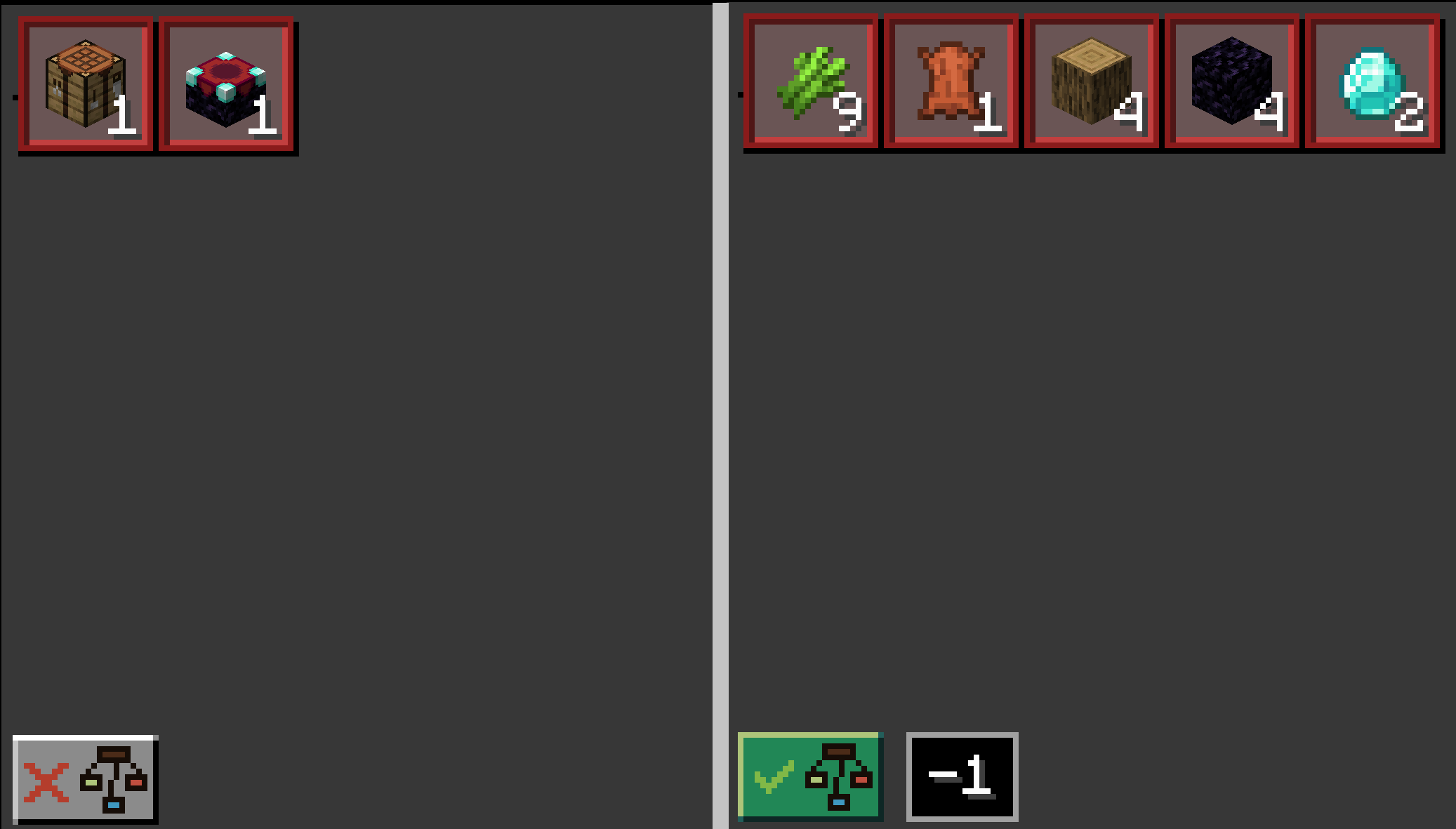
How to Use
- Load a Litematica projection in-game.
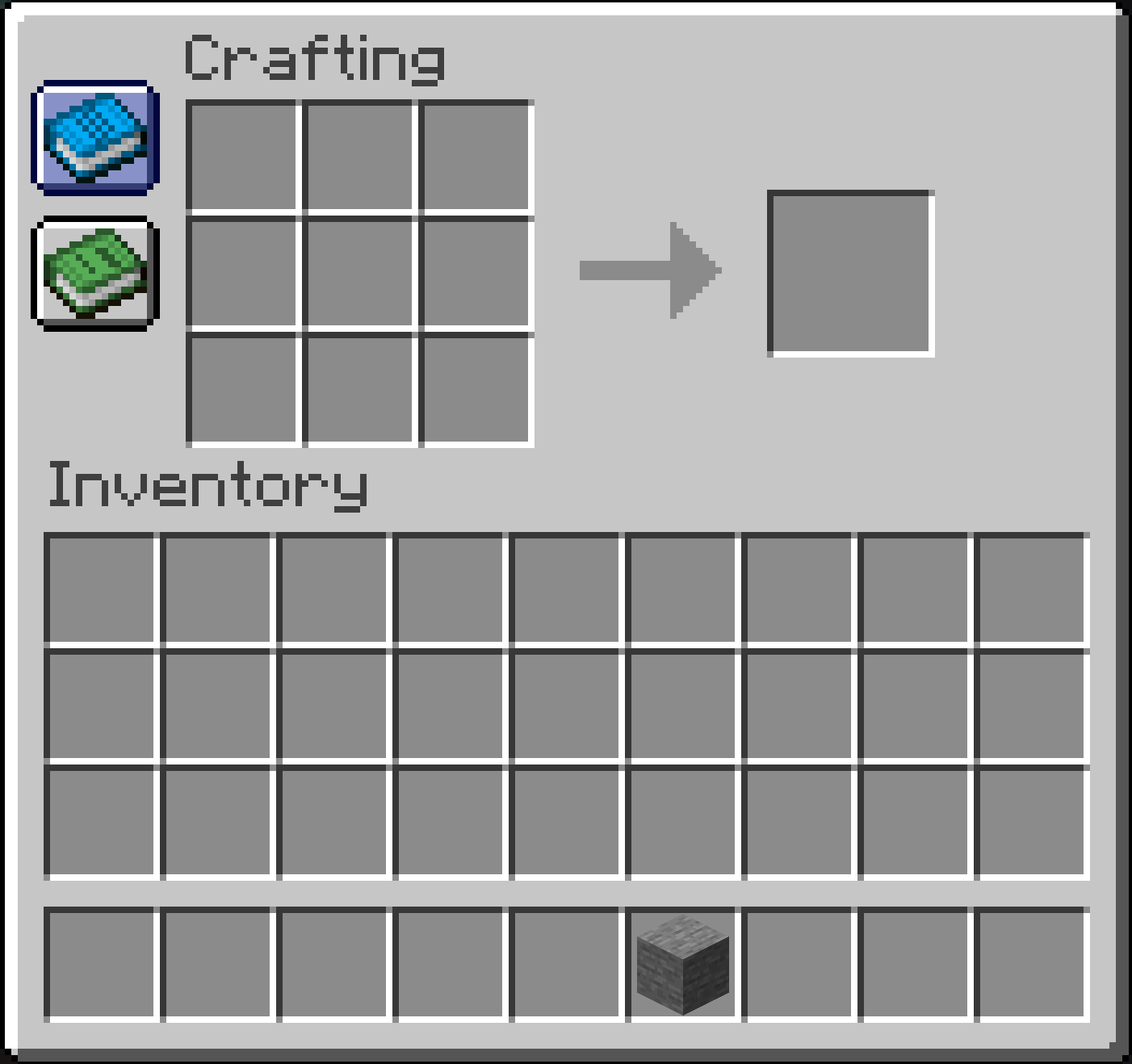
- Open a crafting table.
- Click the button with a blue book icon.
TMWINwill automatically display the materials needed for the projection.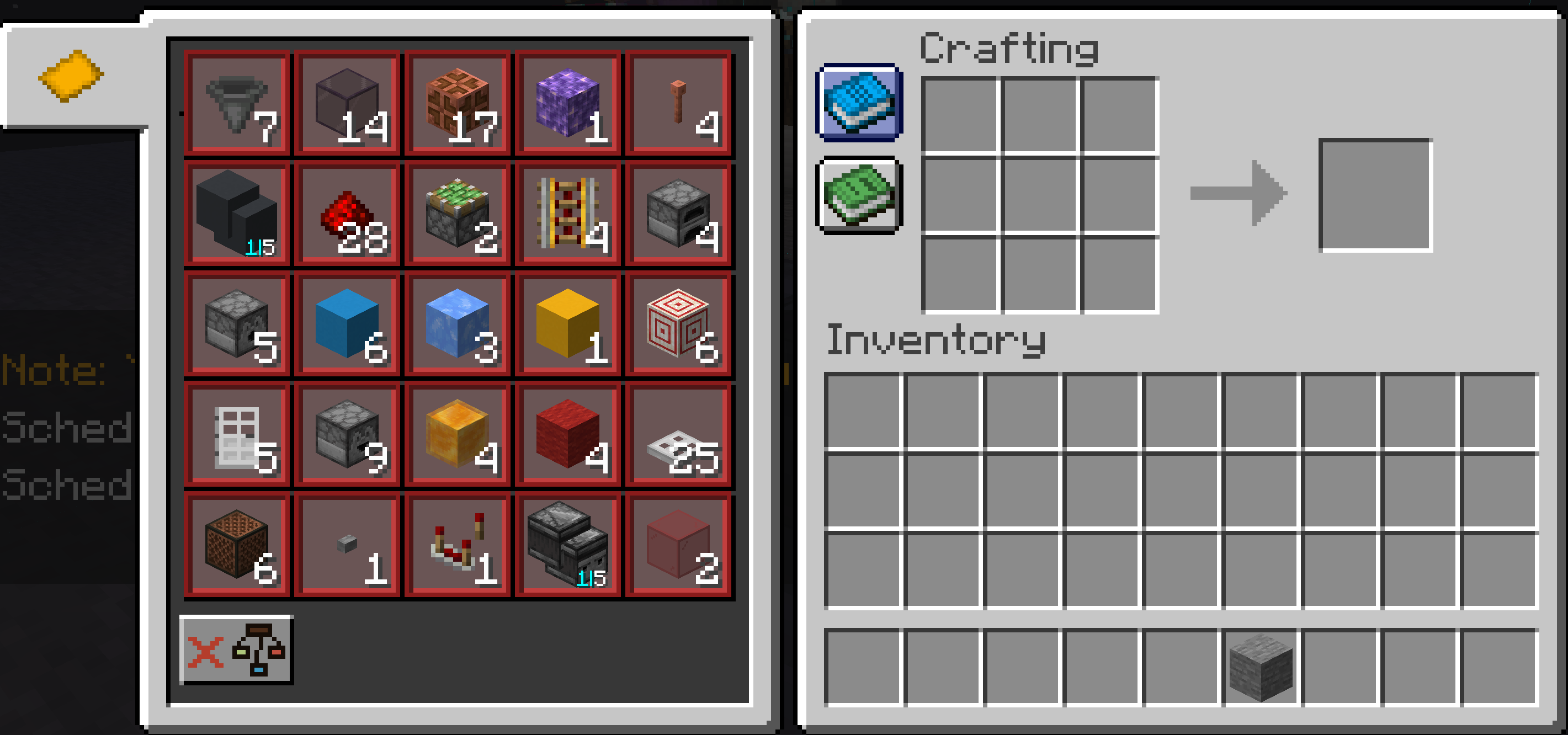
Compatibility
- Minecraft Version: 1.20.6 ~ 1.21.4 (More versions in development)
- Required Mods: Litematica, Fabric API
- Loader: Fabric
Screenshots
Gallery

Versions
Files
Relations
Project Relations
More like this
Similar Mods
Suggestions use data such as tags, dependencies, dependents, descriptions, titles, and more to rank how much they overlap with this mod.
On ModDex
Community snapshot
By the numbers
Statistics

Want to reach Minecraft players?
We're looking for a server hosting partner to feature here and other parts of the site. Interested? Send us a message!
Get in touchGet it on
Available Platforms
On ModDex
Community snapshot
By the numbers