Community listing page, reviews here may not be monitored by the author.
ToLaserBlade-Fabric (Older Versions)

No reviews yet
A sword with a laser blade
Community voices
Reviews
No reviews yet. Be the first to review this project!
Get it on
Available Platforms
About
Project Details
For authors
Embed Badge
If you're the author of this project, you can embed a live badge anywhere that supports HTML or Markdown. It updates automatically whenever ratings change.
Use HTML for any page that supports it, or Markdown for README files and Markdown-based descriptions.
Identifiers
Platform IDs
About
Description
ToLaserBlade-Fabric (Older Versions)
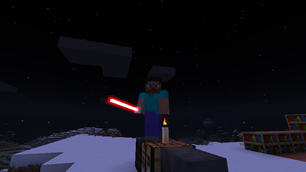
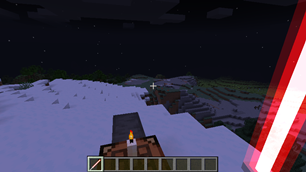
ToLaserBlade (T. o. Laser Blade) mod adds a simple sword with a laser blade.
This mod requires Fabric Loader, Fabric API, and Cloth Config API.
- Versions compatible with Minecraft 26.1 and later will be available on ToLaserBlade.
This mod is experimental.
- Laser blade attack upgrades may not be compatible with some combat improvement mods.
- Laser blades may not be compatible with some video options, some graphics improvement mods, and some shader packs.
Add-on
ToLaserBlade-ExtraModels
A ToLaserBlade add-on to add more laser blade shapes.
https://www.curseforge.com/minecraft/mc-mods/tolaserblade-extramodels
Description
Version: 1.20.6-4.0.0 or later
Items
Laser Blade
Features
Upgrading Laser Blades
You can upgrade your Laser Blade by combining it with certain items on a Smithing Table.
- Attack speed (up to 4.0): Laser Blade Blueprint + Laser Blade + Gold Ingot
- Attack damage (up to 8): Laser Blade Blueprint + Laser Blade + Block of Diamond
- Light Element: Laser Blade Blueprint + Laser Blade + Glowstone
- Silk Touch: Laser Blade Blueprint + Laser Blade + Prismarine Crystals / Amethyst Shard / Echo Shard
- Looting: Laser Blade Blueprint + Laser Blade + Nautilus Shell / Block of Emerald
- Fireproof: Laser Blade Blueprint + Laser Blade + Netherite Ingot
The Light Element enchantment increases the damage of the Laser Blade and deals additional damage to undead mobs and illagers.
Changing Laser Blade colors
Smithing Table recipes:
- Outer blade: Laser Blade Blueprint + Laser Blade + Stained Glass
- Inner blade: Laser Blade Blueprint + Laser Blade + Stained Glass Pane
- Grip: Laser Blade Blueprint + Laser Blade + Carpet
- Switching blend mode of outer blade: Laser Blade Blueprint + Laser Blade + Tinted Glass
- Switching blend mode of inner blade: Laser Blade Blueprint + Laser Blade + Block of Amethyst
Changing Laser Blade Shape
Smithing Table recipes:
- Type 0 (Standard): Laser Blade Blueprint + Laser Blade + Glass
- Type 1: Laser Blade Blueprint + Laser Blade + Sand
- Type 2: Laser Blade Blueprint + Laser Blade + Sandstone
- Type 526: Laser Blade Blueprint + Laser Blade + Dirt
Laser Trap
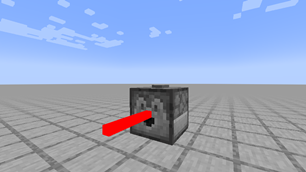
When you put a Laser Blade in a Dispenser and activate it, you can attack the mobs (players included) in front of the Dispenser with the Laser Blade.
Laser Furnace
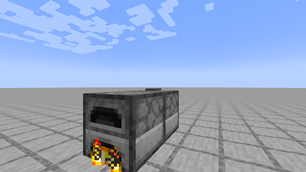
When a Laser Trap is fired at a Furnace, it will light the Furnace.
Configurations
(game_dir)/config/tolaserblade.toml
If you change the config, you will need to restart the game.
Common
In multiplayer mode, server-side config will be used.
- enableLaserTrap: Enable laser trap (boolean, default value is true)
- canLaserTrapAttackPlayer: Allow laser trap to attack player (boolean, default value is true)
- canLaserTrapHeatUpFurnace: Allow laser trap to light furnace (boolean, default value is true)
The following options are available in v9.1.0 and later:
- laserBladeBaseDamage: Base attack damage of laser blades (float, 0.0-2046.0, default value is 6.0)
- laserBladeBaseSpeed: Base attack speed of laser blades (float, 0.8-2.8, default value is 2.8)
- maxAttackDamageUpgradeCount: Maximum count of attack damage upgrades that can be applied to a laser blade (integer, 0-2047, default value is 8)
- attackDamageUpgradeMultiplier: Damage multiplier of attack damage upgrade (integer, 1-2048, default value is 1)
Data Components
Item components for laser blade items
Example: /give @p tolaserblade:laser_blade[tolaserblade:lb_atk=8.0f,tolaserblade:lb_spd=1.2f,tolaserblade:lb_mdl={type:2,parts:{grip:{color:-12103854,is_sub:false},in:{color:-1,is_sub:true},out:{color:-1,is_sub:false}}}]
- Gives a lase blade with 15 attack damage, 4 attack speed, model type 2, gray grip, and white and black blade.
Attack Damage
- Key:
tolaserblade:lb_atk - Value: A float value between 0 and 8
Attack Speed
- Key:
tolaserblade:lb_spd - Value: A float value between 0 and 1.2
Model and Color
- Key:
tolaserblade:lb_mdl - Value: The following data compound
{type: integer_model_type, parts: {grip: {color: integer_argb_32_bit_color, is_sub: false}, in: {color: integer_argb_32_bit_color, is_sub: boolean_is_subtractive_color}, out: {color: integer_argb_32_bit_color, is_sub: boolean_is_subtractive_color}}}
Sound Events
The following audio file paths are those defined in the default assets/tolaserblade/sounds.json.
Sound events fired when a laser blade is swung:
tolaserblade:item.laser_blade.swing-assets/tolaserblade/sounds/item/laser_blade/swing.oggtolaserblade:item.laser_blade_fp.swing-assets/tolaserblade/sounds/item/laser_blade_fp/swing.ogg
Sound events fired when a laser blade is hit:
tolaserblade:item.laser_blade.hit-assets/tolaserblade/sounds/item/laser_blade/hit.oggtolaserblade:item.laser_blade_fp.hit-assets/tolaserblade/sounds/item/laser_blade_fp/hit.ogg
Sound events for use with blocks_attacks component:
tolaserblade:item.laser_blade.block-assets/tolaserblade/sounds/item/laser_blade/block.oggtolaserblade:item.laser_blade_fp.block-assets/tolaserblade/sounds/item/laser_blade_fp/block.ogg
Sound event fired when a laser trap is activated:
tolaserblade:item.laser_trap.activate-assets/tolaserblade/sounds/item/laser_trap/activate.ogg
Resource pack
Built-in optional resource pack
TLB Sample Sound Pack (v7.2.0+)
This resource pack adds some audio files to the game for testing mod sound events.
FAQ
[Version 3 or older] When using the shader mod, the blade of the laser blade is not rendered.
Try setting useOriginalShaderProgram in the config file to false and restart the game.
*Note that individual support for shader packs is not provided.
Screenshots
Gallery
-
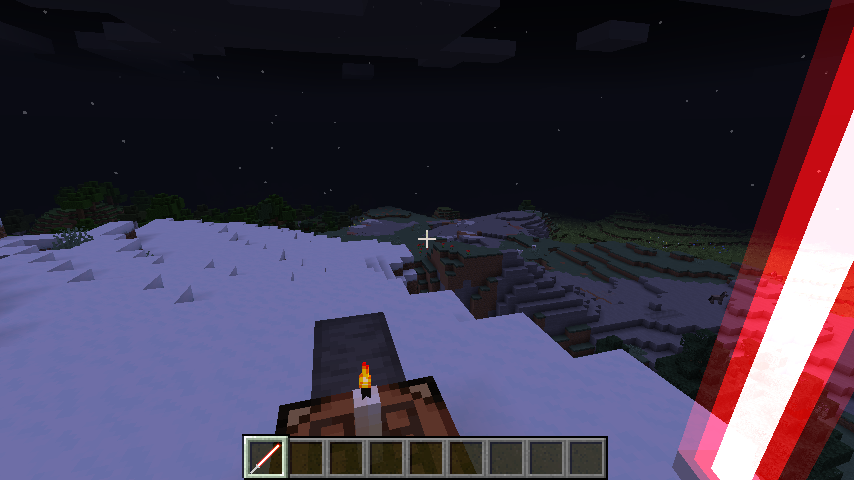 ToLaserBlade v0.1.0.0 (2)
 -
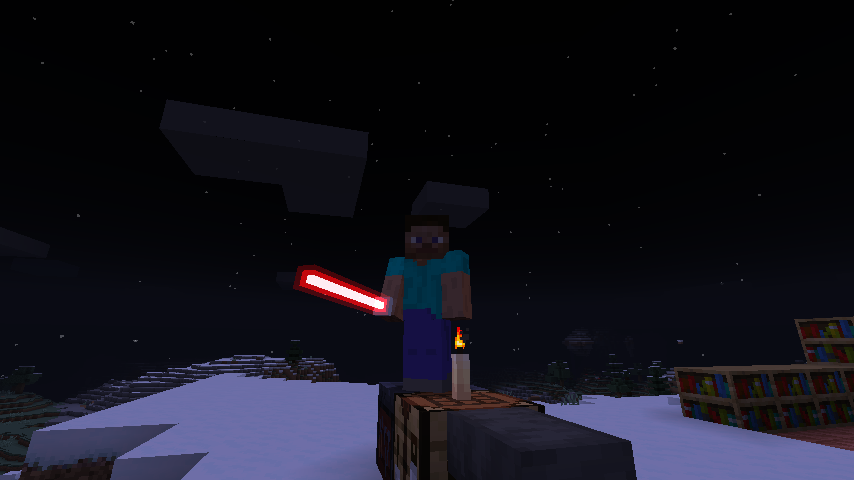 ToLaserBlade v0.1.0.0 (1)
 -
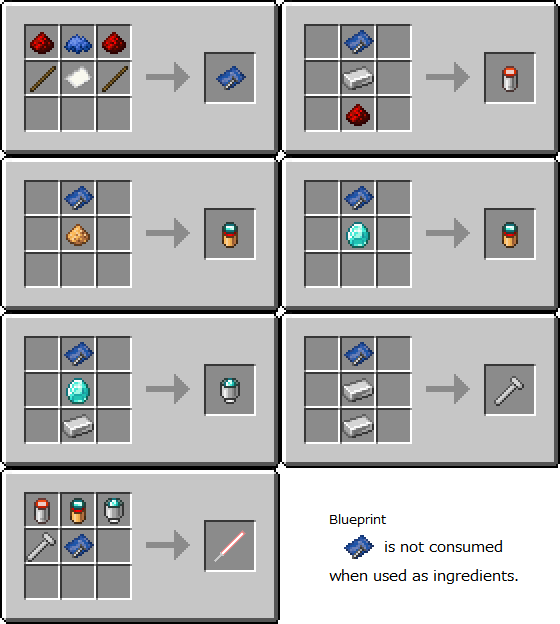
How to craft a laser blade v0.7.0.1-beta
-
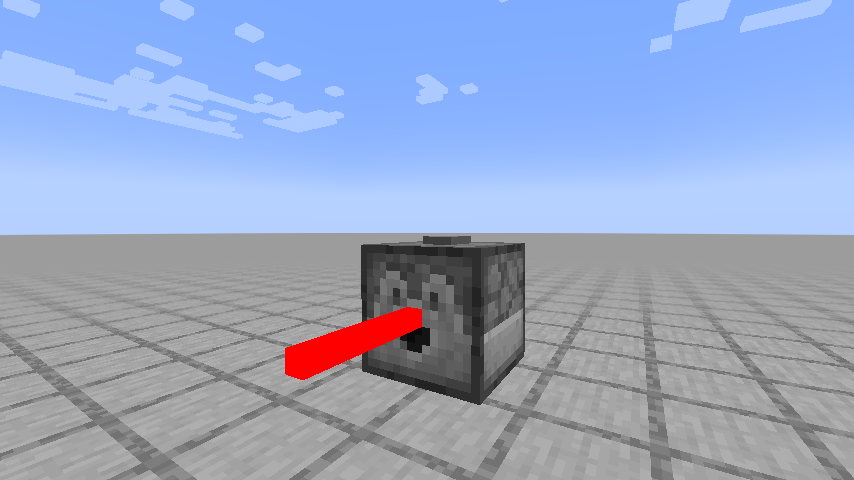 Laser Trap v0.2.1.0
 -
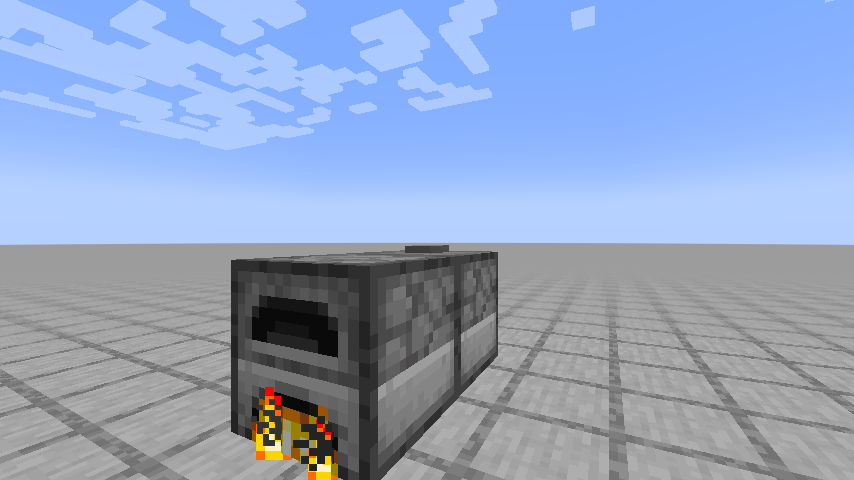 Laser Furnace v0.4.1.0
Versions
Files
Relations
Project Relations
More like this
Similar Mods
Suggestions use data such as tags, dependencies, dependents, descriptions, titles, and more to rank how much they overlap with this mod.
On ModDex
Community snapshot
By the numbers
Statistics
Want to reach Minecraft players?
We're looking for a server hosting partner to feature here and other parts of the site. Interested? Send us a message!
Get in touchGet it on
Available Platforms
On ModDex
Community snapshot
By the numbers