Community listing page, reviews here may not be monitored by the author.
Toms Colossal Crafting Fix

No reviews yet
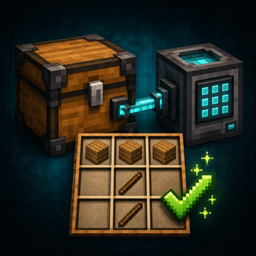
Tom's Colossal Crafting Fix is a lightweight NeoForge compatibility add-on for Minecraft 1.21.1. It fixes crafting-terminal transfers when Tom's Simple Storage Mod is connected to a Colossal Chest.
Community voices
Reviews
No reviews yet. Be the first to review this project!
Get it on
Available Platforms
About
Project Details
For authors
Embed Badge
If you're the author of this project, you can embed a live badge anywhere that supports HTML or Markdown. It updates automatically whenever ratings change.
Use HTML for any page that supports it, or Markdown for README files and Markdown-based descriptions.
Identifiers
Platform IDs
Resources
External Links
About
Description
Tom's Colossal Crafting Fix
Tom's Colossal Crafting Fix is a lightweight NeoForge compatibility add-on for Minecraft 1.21.1. It fixes crafting-terminal transfers when Tom's Simple Storage Mod is connected to a Colossal Chest.
Without this fix, Tom's crafting terminal can temporarily use an outdated view of a large connected inventory. A recipe may appear available in JEI, but the + transfer button can place only part of it—for example, inserting the planks but not the sticks for a fence. Clearing the crafting grid can also send ingredients into the player's inventory instead of returning them to storage.
What this add-on fixes
-
JEI
+transfers with repeated ingredients. -
Larger recipes containing several ingredient types.
-
Transfers where the first ingredient changes the Colossal Chest before the remaining ingredients are retrieved.
-
The crafting terminal’s X button, returning grid contents to storage whenever space is available.
-
Safe fallback behavior when Tom’s cached inventory view becomes outdated.
The add-on preserves Tom’s normal storage behavior. If the tracked inventory view fails during a multi-step crafting action, it finishes the transfer using the live inventory exposed by the same storage network.
Requirements
-
Minecraft 1.21.1
-
NeoForge 21.1 or newer
-
Tom’s Simple Storage Mod 2.4.1
-
Colossal Chests 1.8.14 or newer for the intended setup
Install the add-on with the rest of the modpack. For multiplayer, include it on both the server and participating clients.
Does it add content?
No. This add-on introduces no blocks, items, recipes, or progression. It only repairs the interaction between the existing crafting terminal and large connected inventories.
Compatibility
The current release targets Tom’s Simple Storage Mod 2.4.1 and will refuse to load with Tom’s Storage 2.5.0 or newer until compatibility has been verified.
This is an independent compatibility add-on and is not an official project of Tom’s Simple Storage Mod or Colossal Chests.
Screenshots
Gallery
Versions
Files
Relations
Project Relations
More like this
Similar Mods
Suggestions use data such as tags, dependencies, dependents, descriptions, titles, and more to rank how much they overlap with this mod.
- Toms Storage Star Optimized
- Toms Server Additions: Decorations & Furniture
- Toms Mobs
- Toms Server Additions: Stone!
- Toms Server Additions: Planks!
- Toms Server Additions: Concrete!
- Toms Server Additions: Bouncy Castle!
- Toms_Simple_Storage_in_TFC
- Tom's Simple Storage Mod
- Tom's Trading Network
- Tom's Performant Storage
- Tom's Simple Storage Knowlogy
On ModDex
Community snapshot
By the numbers
Statistics
Want to reach Minecraft players?
We're looking for a server hosting partner to feature here and other parts of the site. Interested? Send us a message!
Get in touchGet it on
Available Platforms
On ModDex
Community snapshot
By the numbers
Statistics
Resources