Community listing page, reviews may not be monitored by the author.
Tool Pilote

No reviews yet
Its a Mod that let you automaticly switch Tools to break a Block.

Community voices
Reviews
No reviews yet. Be the first to review this project!
Get it on
Available Platforms
About
Project Details
For authors
Embed Badge
If you're the author of this project, you can embed a live badge anywhere that supports HTML or Markdown. It updates automatically whenever ratings change.
Use HTML for any page that supports it, or Markdown for README files and Markdown-based descriptions.
Identifiers
Platform IDs
Resources
External Links
About
Description
ToolPilot
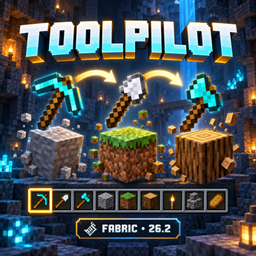
Spend less time switching tools and more time building and exploring. ToolPilot automatically selects a suitable tool from your hotbar when you start or continue mining a block.
Digging dirt? Switch to a shovel. Chopping logs? Grab an axe. Mining ore? ToolPilot considers whether a tool can harvest the block, then compares mining speed—including Efficiency enchantments.
Features
- Automatic tool selection: Chooses suitable tools from your nine hotbar slots.
- Durability protection: Skips tools with low durability and switches to a suitable replacement. If your held tool reaches the reserve and no replacement is available, mining stops with a notification.
- Configurable reserve: Keep between 1 and 100 durability points in reserve, or select 0 to disable protection. The default is 10.
- Manual control: Sneak to temporarily bypass automatic switching and protection. This option can be disabled.
- Customizable hotkeys: Change both shortcuts through Minecraft’s key-binding settings.
- Saved settings: Includes English and German translations.
Controls
- F8: Toggle ToolPilot.
- F9: Open settings.
- Change shortcuts under Options → Controls → Key Binds → ToolPilot.
ToolPilot is enabled by default and operates in Survival mode. It selects existing hotbar tools when you mine; it does not start mining automatically. Fortune and Silk Touch are not automatically prioritized.
Requirements
Minecraft Java 26.2, Fabric Loader 0.19.3+, Fabric API for 26.2, and Java 25+. Install the mod on your client by placing its JAR in your instance’s mods folder.
Tested together with Neon Clicker X. Neither mod requires the other.
Development disclosure
The mod code is primarily AI-generated and was compiled and automatically tested in Minecraft. The cover is AI-generated promotional artwork, not an in-game screenshot.
Screenshots
Gallery
Versions
Files
Relations
Project Relations
More like this
Similar Mods
Suggestions use data such as tags, dependencies, dependents, descriptions, titles, and more to rank how much they overlap with this mod.
On ModDex
Community snapshot
By the numbers
Statistics

Get it on
Available Platforms
On ModDex
Community snapshot
By the numbers
Statistics
Resources