
TooltipETA
No reviews yet
Displays durability estimates in item tooltips and Loyalty trident return ETA in the actionbar
Fabric is a mod loader for versions 1.14+ of Minecraft, particularly popular for client side and optimization mods.
Community voices
Reviews
Click once to include, again to exclude, again to clear
No reviews yet. Be the first to review this project!
Get it on
Available Platforms
 Modrinth
Compatibility
Supported Environments
About
Project Details
For authors
Embed Badge
If you're the author of this project, you can embed a live badge anywhere that supports HTML or Markdown. It updates automatically whenever ratings change.
Use HTML for any page that supports it, or Markdown for README files and Markdown-based descriptions.
Identifiers
Platform IDs
About
Description
TooltipETA
TooltipETA is a lightweight client-side Fabric mod that adds practical durability intelligence to item tooltips.
It displays:
- estimated remaining uses for tools and armor (including Unbreaking impact)
- estimated remaining Elytra flight time
- Loyalty trident return ETA and distance in the actionbar
- optional remaining durability and percentage lines
- configurable warning and critical color thresholds
Features
- Fully client-side
- Supports vanilla and modded damageable items
- Separate toggles for tools, armor, and Elytra
- Two output modes:
DETAILED(label + value + optional extra lines)COMPACT(single concise ETA line)
- In-game config screen via Mod Menu + YACL
- Color-coded Loyalty trident return actionbar with ETA and distance
- Optional per-item whitelist by full item IDs
- Optional extra lines:
- remaining durability (
x / max) - remaining percent (
yy.y%)
- remaining durability (
- Adjustable color thresholds for warning and critical states
- Compact number formatting (
12.5K,1.2M) or full formatting (12,500)
Installation
- Install Fabric Loader.
- Install Fabric API.
- Install Fabric Language Kotlin.
- Install Mod Menu (recommended for in-game config UI).
- Drop TooltipETA into your
modsfolder.
Configuration
TooltipETA uses a config file at:
config/tooltipeta.json
The file is generated automatically on first launch.
You can edit settings in-game from:
Mods -> TooltipETA -> Configure
Development
./gradlew build
Build output:
build/libs/TooltipETA-<version>.jar
Screenshots
Gallery
-
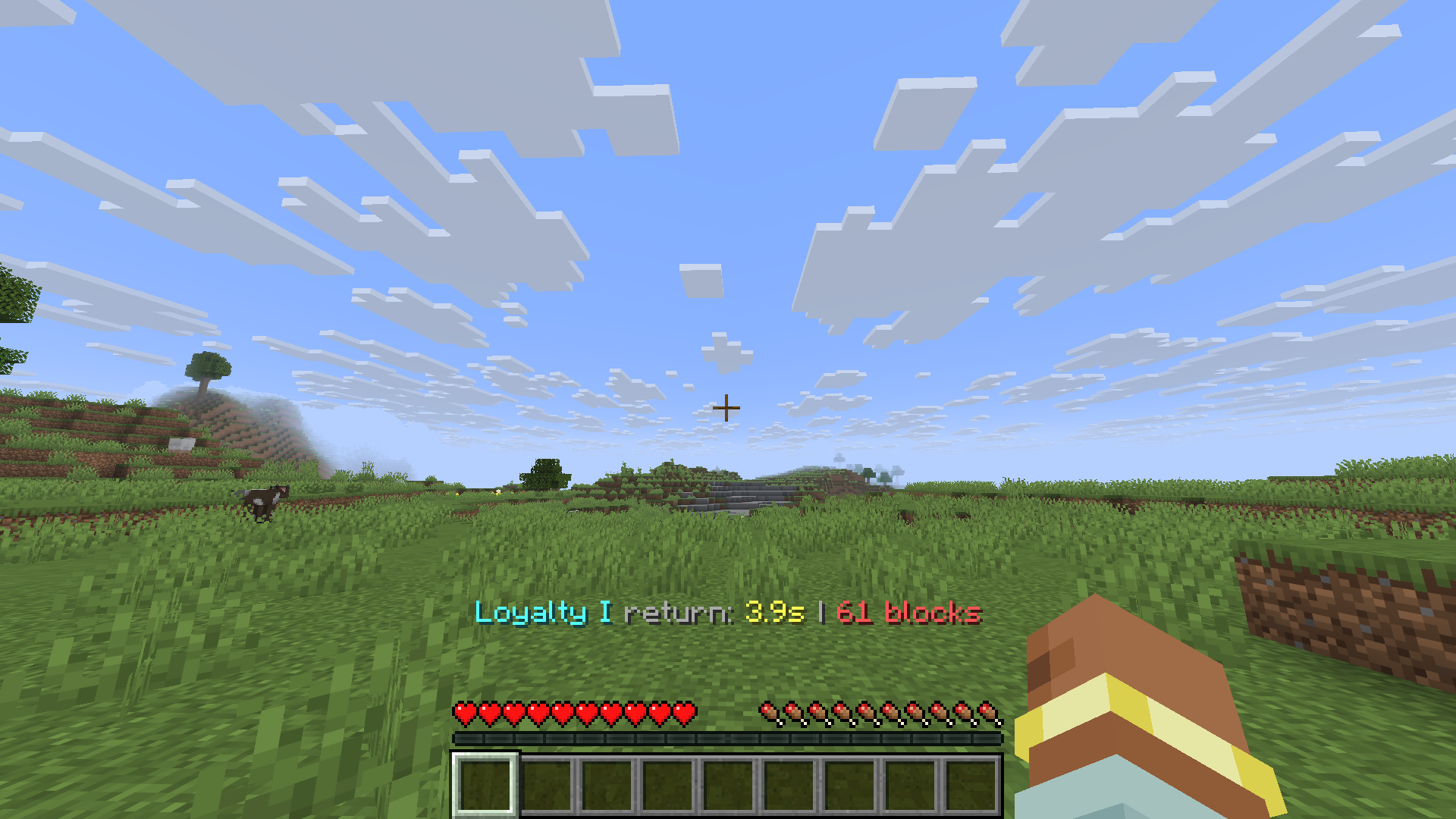 Trident return estimation
 -
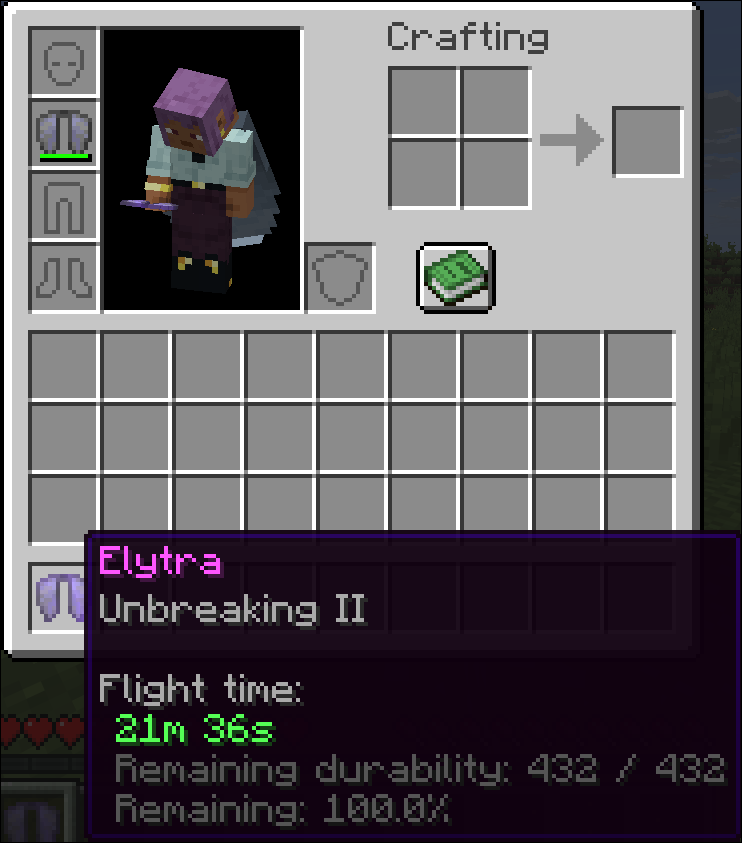 Inventory Elytra Tooltip
Versions
Files
Relations
Project Relations
More like this
Similar Mods
Suggestions use data such as tags, dependencies, dependents, descriptions, titles, and more to rank how much they overlap with this mod.
On ModDex
Community snapshot
By the numbers
Statistics

Want to reach Minecraft players?
We're looking for a server hosting partner to feature here and other parts of the site. Interested? Send us a message!
Get in touchGet it on
Available Platforms
On ModDex
Community snapshot
By the numbers