Community listing page, reviews here may not be monitored by the author.
ToroHealth Damage Indicators

No reviews yet
Shows health and damage received for mobs, NPCs, and players
Community voices
Reviews
No reviews yet. Be the first to review this project!
Get it on
Available Platforms
About
Project Details
For authors
Embed Badge
If you're the author of this project, you can embed a live badge anywhere that supports HTML or Markdown. It updates automatically whenever ratings change.
Use HTML for any page that supports it, or Markdown for README files and Markdown-based descriptions.
Identifiers
Platform IDs
About
Description
ToroHealth
Damage Indicators
With ToroHealth Damage Indicators a health bar will appear in the top left corner for the entity in the player's crosshairs.
Fabric and Forge Support!
Open the Files Tab to download the correct version.
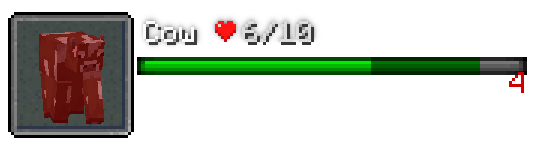
The health bar HUD shows a small rendering of the entity, its name, health in numeric and bar format. When the entity takes damage, a number is displayed to the right of the bar show the amount. The bar will also animate helping to show the health that was removed (show above as dark green).
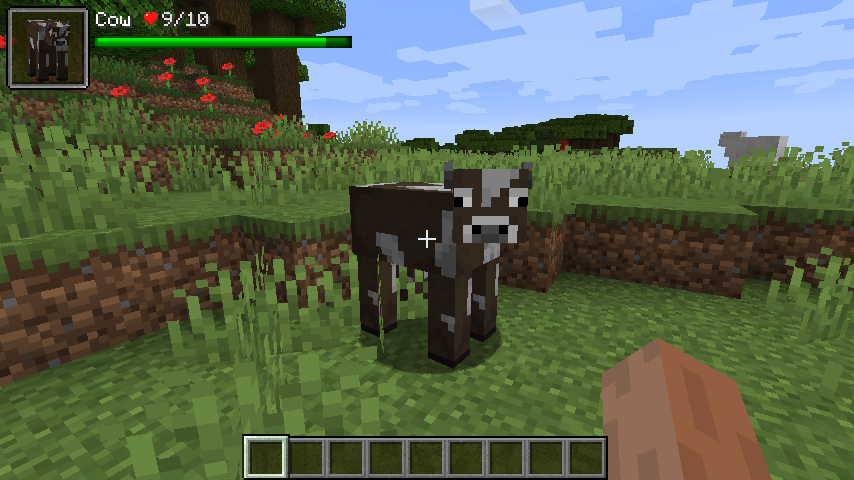
Damage Particles
As of version 1.16.3-4, damage particles are back! They can be turned off with the particle.show config if you would prefer not to have them.
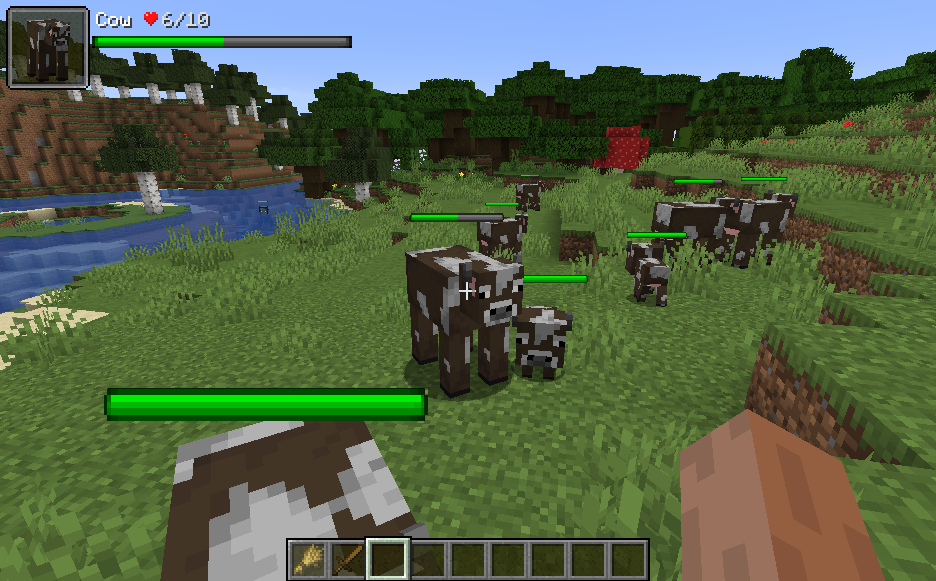
In-World Health Bars
In-world health bars displayed directly above entities can be enabled via the mod config.
Modpack Usage
Please feel free to include ToroHealth in any modpack. No need to ask for permission.
Config File
The config system has been changed out with a unified one as of 1.16.3 version 3 for both Fabric and Forge versions. The config file can no longer be edited from with-in the game and a text editor such as NotePad must be used. The config file is located at MINECRAFT_FOLDER/config/torohealth.json and is auto-created the first time the mod runs. Changes to this file should be reflected in real time if the game is running while the file is edited. The default file is shown below:
{
"watchForChanges": true,
"hud": {
"distance": 60,
"x": 4.0,
"y": 4.0,
"scale": 1.0,
"hideDelay": 20,
"anchorPoint": "TOP_LEFT",
"showEntity": true,
"showBar": true,
"showSkin" true
},
"bar": {
"damageNumberType": "LAST",
"friendColor": 16711935,
"friendColorSecondary": 8388863,
"foeColor": -16776961,
"foeColorSecondary": -2147483393
},
"inWorld": {
"mode": "NONE",
"distance": 60.0,
"onlyWhenLookingAt": false,
"onlyWhenHurt": false}
"particle": {"show": true
}
}
Values for inWorld.mode
NONE, WHEN_HOLDING_WEAPON, ALWAYS
Values for bar.damageNumberType
NONE, LAST, CUMULATIVE
Values for hud.anchorPoint
TOP_LEFT, TOP_CENTER, TOP_RIGHT, BOTTOM_LEFT, BOTTOM_CENTER, BOTTOM_RIGHT
Screenshots
Gallery
-
Hud
-
screenshot-inworldbar-2020-07-18
-
screenshot_2020-07-18
-
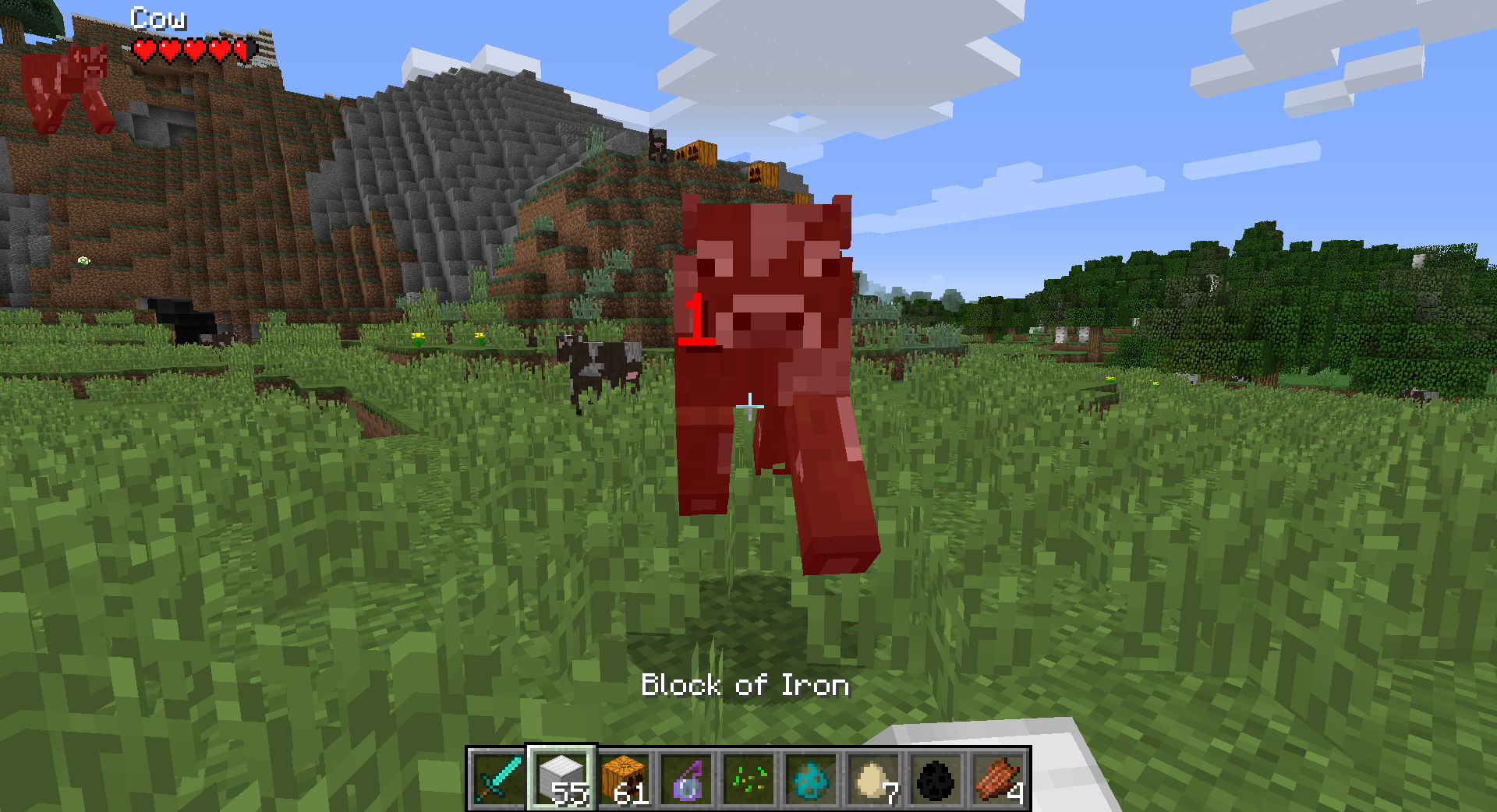 Hearts Display Style
 -
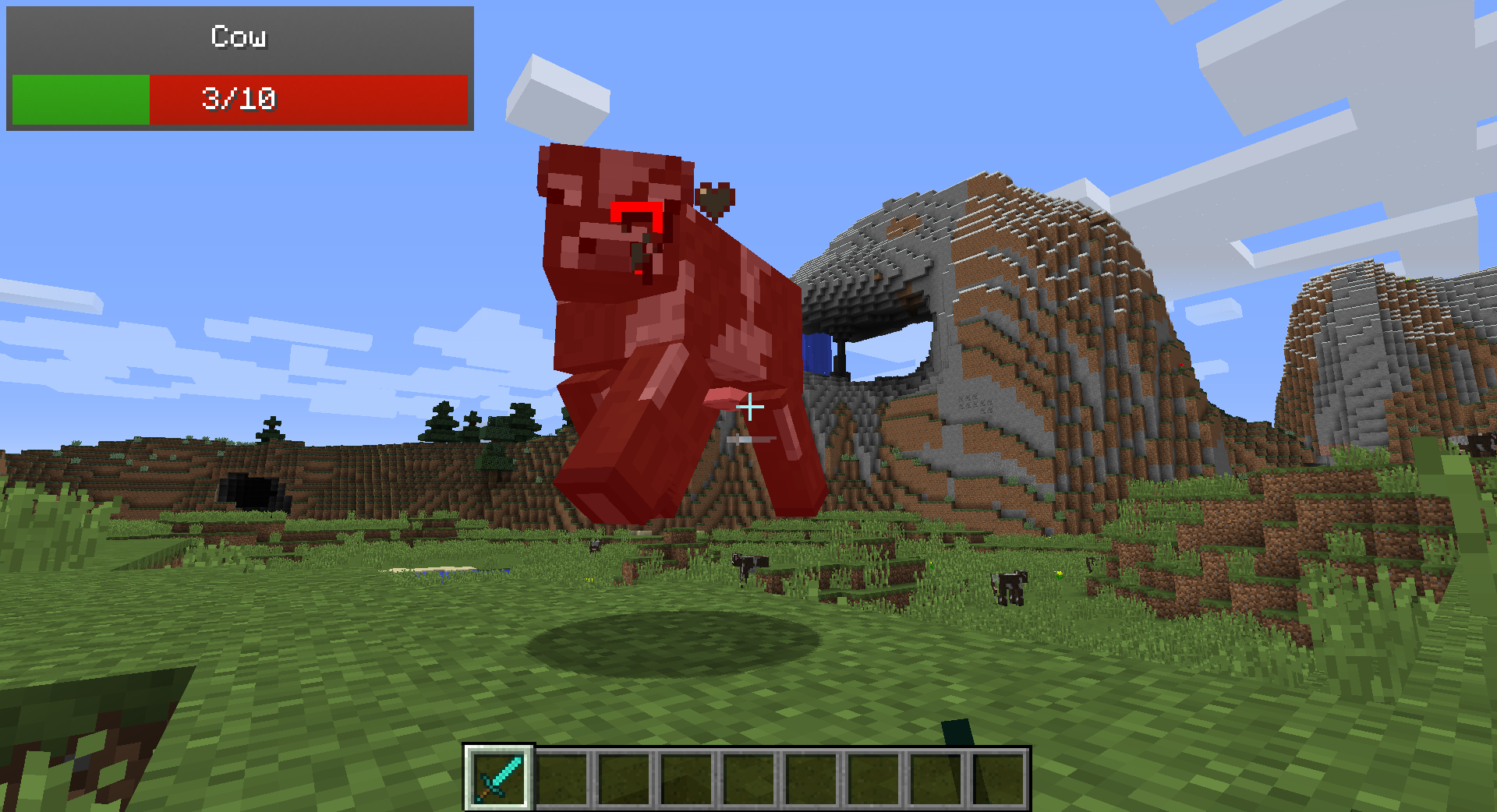 Damage by Sword
 -
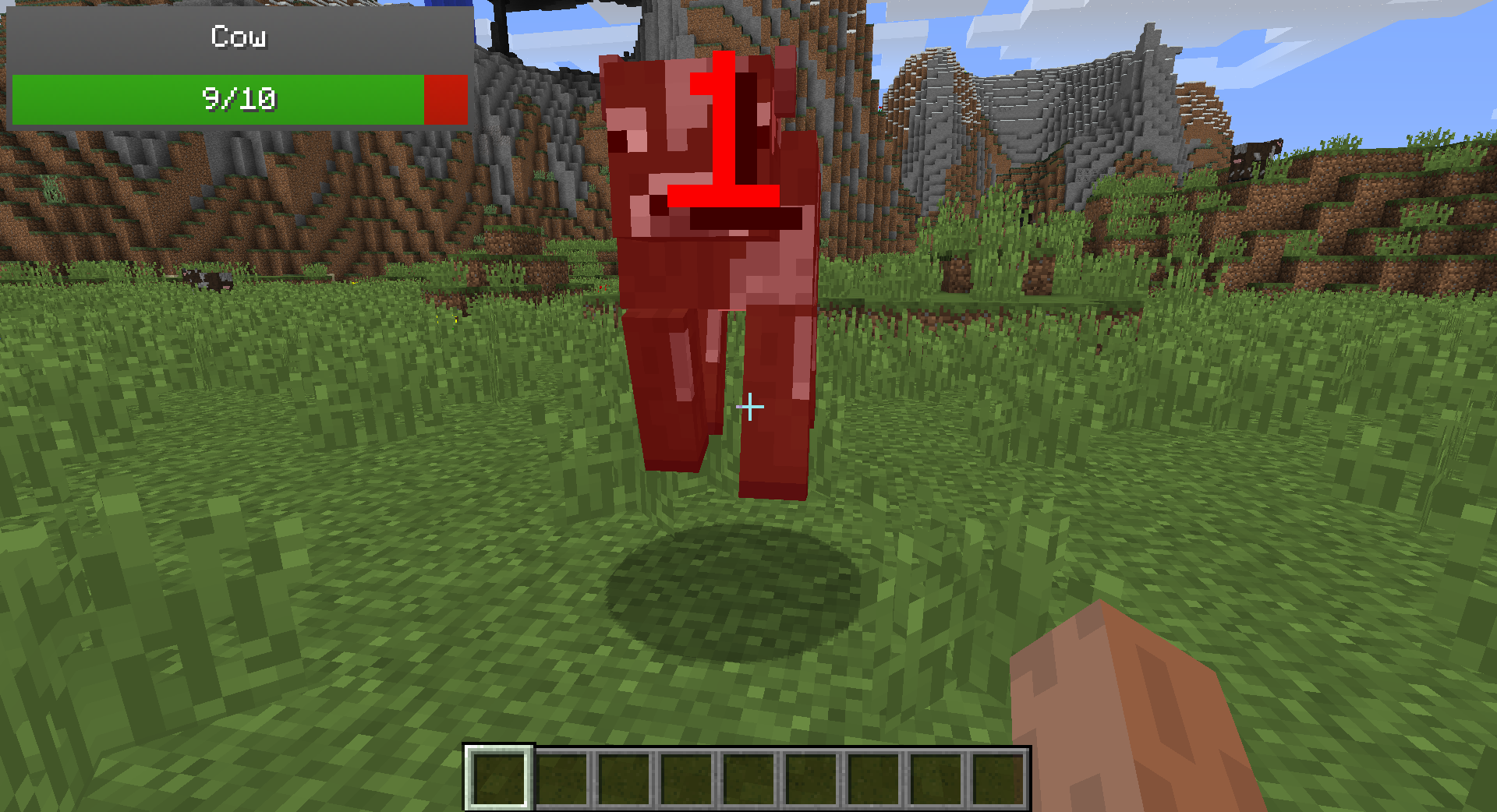 Damage by Hand
Versions
Files
Relations
Project Relations
More like this
Similar Mods
Suggestions use data such as tags, dependencies, dependents, descriptions, titles, and more to rank how much they overlap with this mod.
On ModDex
Community snapshot
By the numbers
Statistics
Want to reach Minecraft players?
We're looking for a server hosting partner to feature here and other parts of the site. Interested? Send us a message!
Get in touchGet it on
Available Platforms
On ModDex
Community snapshot
By the numbers