
Community listing page, reviews here may not be monitored by the author.
TP to Me

No reviews yet
Everything will tp to you once a minute.
Community voices
Reviews
No reviews yet. Be the first to review this project!
Get it on
Available Platforms
About
Project Details
For authors
Embed Badge
If you're the author of this project, you can embed a live badge anywhere that supports HTML or Markdown. It updates automatically whenever ratings change.
Use HTML for any page that supports it, or Markdown for README files and Markdown-based descriptions.
Identifiers
Platform IDs
Resources
External Links
About
Description
TP to Me
Everything will teleport to you once a minute.
(Attention, it's all entities, including villagers, monsters, items, and so on. It can be modified in settings)
It's a funny, exciting, and hard datapack. Can you survive in this world?
Start/Stop
Click Game Start / Game Stop in the settings book to start / stop.
Or you can use these commands to quickly start and stop.
/function tpme:start
/function tpme:stop
Note:
When you enter the game for the first time, you will get a settings book. If you lose the book, you can use this command to get it again:
/function tpme:give_book
Presets
There are many settings, so it provides 4 presets for quick setup. You can find them on the last page of the settings book.
Default: Teleport everything to a player every minute.
Horror: You don't know when they will come, so it looks like a horror game.
Multiplayer Act Together: Designed for Multiplayer, teleport all players to one player every 30 seconds. This forces players to be together.
World Travel: Not teleport others to you, but teleport you to others. Enjoy your journey!
Except Default, I think you have to try World Travel. It is different, and it feels like some videos which switch scenes quickly.
(In World Travel, in order to travel far, you'd better increase Simulation Distance)
Customization & Settings
These are the settings in the book.
Display Settings
You can show or hide the time prompt. You can enable following options:
Sidebar: Always show the countdown on the right.
Timeout Notice: Displays text and sound alerts when nearing the timeout.
Time
The time interval between two teleports.
It has 4 options: 30s, 1min, 2min, and random.
The first three are fixed intervals. If you choose random, the time interval will be different each time, ranging from 1s to 200s. This is used in Horror preset.
You can use commands to set a custom time. For example, the following command will set the time to 10s.
/function tpme:set_time {value:10}
Just change the number (10) to whatever you want (in seconds).
TP Protect
If enabled, all teleported entities receive Resistance IV for 5s.
(That's right, other entities will be protected, too)
TP
There are some options about the teleported object and destination:
From:
tp everything
only tp players
not tp players
To:
tp to a player
tp to anything
Furthermore, you can set the From/To targets with commands. For example:
/function tpme:set_from {value:"@e[type=!minecraft:creeper]"}
It means not teleporting creeper.
/function tpme:set_to {value:"@e[type=minecraft:player,sort=furthest,limit=1]"}
It means teleporting to the player who is in overworld and farthest from world spawn point.
In the end, you can use the book to check current settings by printing Settings and TP Command.
Screenshots
Gallery
-
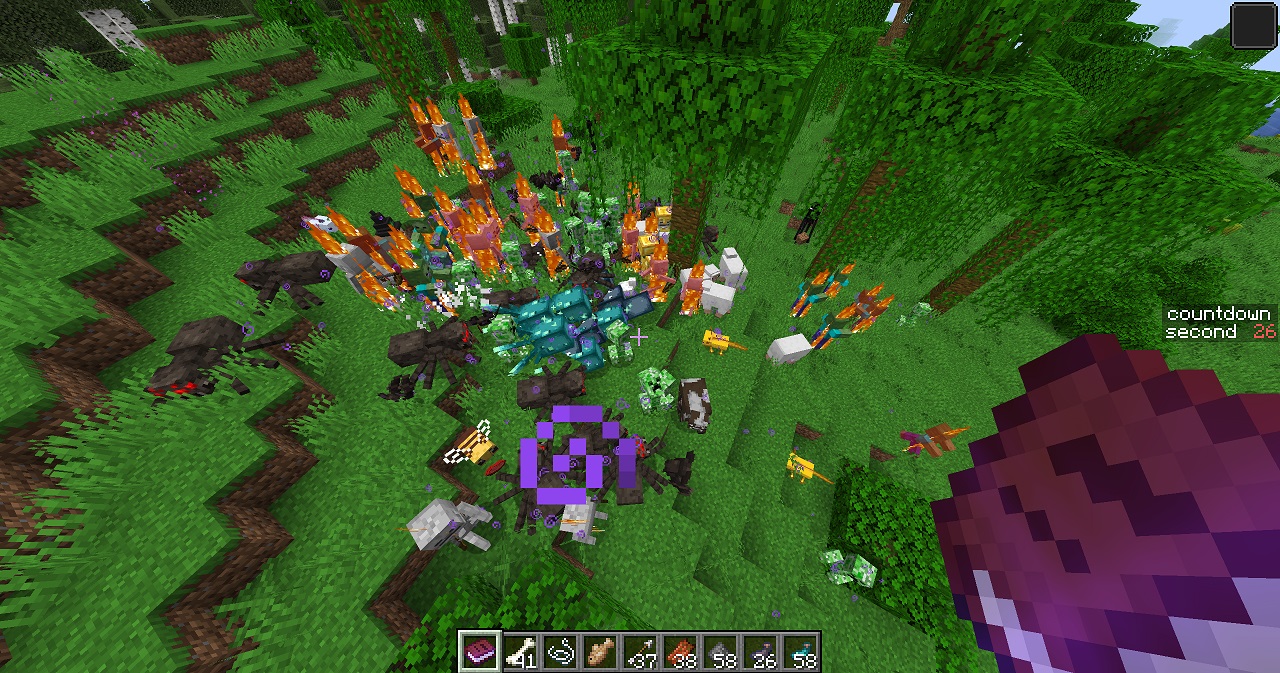 Actual Effect Everything will be teleported to you.
Versions
Files
Relations
Project Relations
More like this
Similar Mods
Suggestions use data such as tags, dependencies, dependents, descriptions, titles, and more to rank how much they overlap with this mod.
On ModDex
Community snapshot
By the numbers
Statistics

Want to reach Minecraft players?
We're looking for a server hosting partner to feature here and other parts of the site. Interested? Send us a message!
Get in touchGet it on
Available Platforms
On ModDex
Community snapshot
By the numbers
Statistics
Resources