
TPS HUD TickPulse
No reviews yet
Lightweight client‑side NeoForge overlay for live TPS and MSPT. No server install and no custom packets. Safe on any server.
Neoforge is a fork of the Minecraft Forge available for versions 1.20.1+ of Minecraft. Many Forge mods are compatible with Neoforge and vice versa.
Community voices
Reviews
Click once to include, again to exclude, again to clear
No reviews yet. Be the first to review this project!
Get it on
Available Platforms
 Modrinth
Compatibility
Supported Environments
About
Project Details
For authors
Embed Badge
If you're the author of this project, you can embed a live badge anywhere that supports HTML or Markdown. It updates automatically whenever ratings change.
Use HTML for any page that supports it, or Markdown for README files and Markdown-based descriptions.
Identifiers
Platform IDs
Resources
External Links
About
Description
TPS HUD (TickPulse)
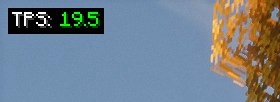
See tick health at a glance. A super-lightweight client-side overlay for TPS and MSPT on NeoForge.
No server install. No custom packets. Just local math.

Highlights
- Live TPS and MSPT overlay (top-left by default)
- Client-only: join any server without them installing this mod
- Zero network impact: no handshake channels, no custom payloads
- Stable readout via world-time sampling with a short smoothing window (client-tick fallback)
- Tidy, always-on Detail layout (labels + values)
- Tiny footprint (low CPU and memory)
Config & keybinds
- Open in-game config: Mods → TPS HUD → Config
- Tweak the HUD: anchor, padding, scale, precision, format (TPS / MSPT / BOTH), smoothing, color thresholds
- Buttons: Apply (save without closing), Preview (overlay-only view), Reset (defaults), Done/Cancel
- Keybinds (rebindable): F7 = Toggle HUD, F8 = Reload config
Why use it?
- The vanilla debug screen doesn’t show TPS or MSPT
- Players and server owners can spot lag quickly (entity spikes, heavy bases, farms)
- Works in single-player, LAN, and public servers
Compatibility
- Minecraft: 1.21.1
- Loader: NeoForge 21.1.213
- Plays nicely with performance mods (Sodium, ModernFix, etc.)
Quick Start
- Install NeoForge 1.21.1
- Drop
tpshudneoforge-<version>.jarinto yourmodsfolder - Launch the game, the overlay appears once ticks start
FAQ
Is this server-side?
No. It is client-side only.
Does it send packets or open channels?
No. It passively reads timing and estimates locally.
Why do I see TPS: -- at first?
The sampler has no data yet. Move around or wait a moment.
Why doesn’t TPS ever show above 20?
For clarity the display is capped at 20.00 (internally we still track the true rate for coloring and logic).
Why does the HUD disappear when I press F3?
Enable/disable Auto-hide on F3 in the config.
Where is “Compact” mode?
Removed for simplicity. The default Detail layout is clearer and consistent.
Can I edit the config file directly?
Use the in-game config whenever possible. Editing the JSON is optional if the game isn’t running.
Credits
- Inspired by the Fabric mod
tpshud-fabricby mooziii - NeoForge port and re-implementation by Zivalez
Screenshots
Gallery
-
 v1.1.0
 -
 TPS HUD NeoForge
Versions
Files
Relations
Project Relations
More like this
Similar Mods
Suggestions use data such as tags, dependencies, dependents, descriptions, titles, and more to rank how much they overlap with this mod.
On ModDex
Community snapshot
By the numbers
Statistics

Want to reach Minecraft players?
We're looking for a server hosting partner to feature here and other parts of the site. Interested? Send us a message!
Get in touchGet it on
Available Platforms
On ModDex
Community snapshot
By the numbers
Statistics
Resources