
TPSShower
No reviews yet
A Fabric Client-Side mod that will tell you what is lagging in your game. It can estimate the server's TPS, and tell you if your client is lagging.
Fabric is a mod loader for versions 1.14+ of Minecraft, particularly popular for client side and optimization mods.
Community voices
Reviews
Click once to include, again to exclude, again to clear
No reviews yet. Be the first to review this project!
Get it on
Available Platforms
 Modrinth
Compatibility
Supported Environments
About
Project Details
For authors
Embed Badge
If you're the author of this project, you can embed a live badge anywhere that supports HTML or Markdown. It updates automatically whenever ratings change.
Use HTML for any page that supports it, or Markdown for README files and Markdown-based descriptions.
Identifiers
Platform IDs
Resources
External Links
About
Description
TPSShower
A Fabric Client-Side mod that will tell you what is lagging in your game. It can estimate the server's TPS, and tell you if your client is lagging.
Uses
This mod can tell you if the client or the server is lagging, or if the world is making you lag. Because it is Client-Only mod, you can use it on client while being on a Paper/Bukkit/Spigot/Vanilla/Forge/Fabric server.
GUI
You can press (by default, change in minecraft controls) F7 to enable/disable the overlay. The overlay is like the F3 menu, without text backgrounds. It contains 3 categories:
- CLIENT: Tells you some useful information about client-lagging, such as FPS and Ping.
- WORLD: Shows you if the world makes you lag, by displaying entities and block entities count, and rendered chunks. If you see that your world makes you lag, maybe reduce your render distance.
- SERVER: Shows you an estimation of the server TPS. Can be useful if you see some lag, and you want to check if the server is lagging or your client. Can be useful too if you're a server admin, to see if your server is lagging without commands. (WARNING: TPS is an estimation. It uses the
WorldTimeUpdateS2CPacketto check the server TPS. Keep in mind that it can take some times to do a good estimation, especially when the server TPS is lower.
Update 2.0
I'm proud to announce that a new version is available: the update 2.0.0. This version doesn't add much to the mod itself; however, I switched codebase to make a more supportive mod, so that multiple versions of Minecraft are supported by the mod.
I plan to add Fabric 1.18 -> 1.21 support (1.21 is already supported), and add a NeoForge (1.20 -> 1.21) & Forge (1.8; 1.12; 1.16; 1.18 -> 1.21) support.
I plan of making TPSShower open-source too, but that will be not now
Screenshots
Gallery
-
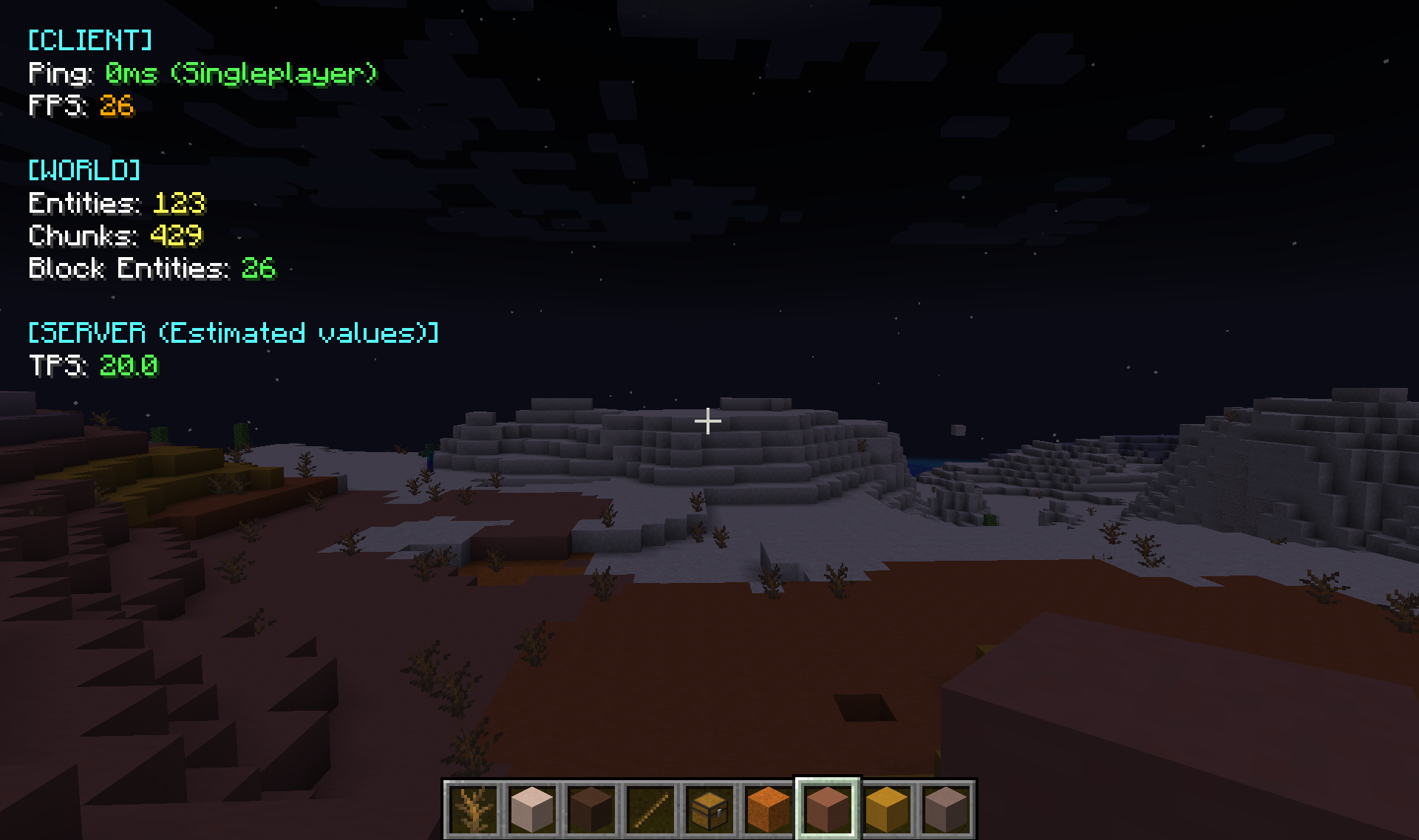 TPSShower 1.0.1 in singleplayer TPSShower 1.0.1 in singleplayer, has: - Ping, FPS - Entities, Chunks, Block entities - TPS
 -
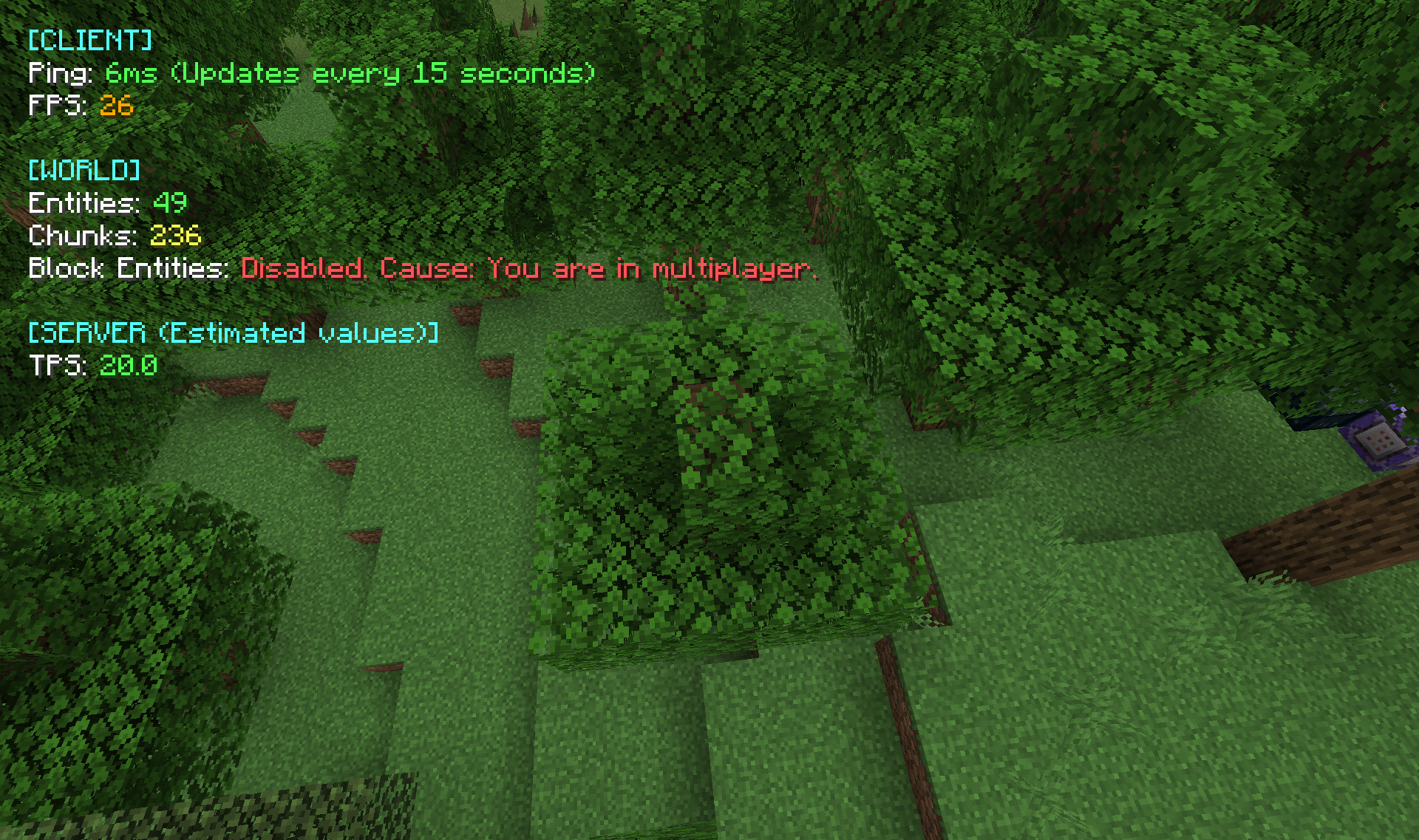 TPSShower 1.0.1 in multiplayer Estimate server's tps in multiplayer
Versions
Files
Relations
Project Relations
More like this
Similar Mods
Suggestions use data such as tags, dependencies, dependents, descriptions, titles, and more to rank how much they overlap with this mod.
On ModDex
Community snapshot
By the numbers
Statistics

Want to reach Minecraft players?
We're looking for a server hosting partner to feature here and other parts of the site. Interested? Send us a message!
Get in touchGet it on
Available Platforms
On ModDex
Community snapshot
By the numbers
Statistics
Resources