
TQs Chairs Data Pack
No reviews yet
Looking straight down on a slab or stair converts it into a chair. If you go away from it, it does lose its functionality, for lag maintenance. If you want to make the chair permanent, put a sign on the side. Right click to sit in it.
Data Packs were introduced to vanilla Minecraft in version 1.13 and allow the server to modify data about the game, or run commands. Data Packs are compatible with all mod loaders.
Community voices
Reviews
Click once to include, again to exclude, again to clear
No reviews yet. Be the first to review this project!
Get it on
Available Platforms
 Modrinth
Compatibility
Supported Environments
About
Project Details
For authors
Embed Badge
If you're the author of this project, you can embed a live badge anywhere that supports HTML or Markdown. It updates automatically whenever ratings change.
Use HTML for any page that supports it, or Markdown for README files and Markdown-based descriptions.
Identifiers
Platform IDs
About
Description
Introducing the Chairs Data Pack for Minecraft – an ingenious way to effortlessly add functional chairs to your world. By simply looking straight down at a slab or stair when on top of them, you can transform them into cosy seats, perfect for enhancing interiors, role-playing, and overall immersion. If you want to make the chair permanent, put a sign on the side. Otherwise, the chair gets removed when no player is within 6 blocks of the chair. Multiplayer compatible and right click to sit in it.
Video showcase: https://youtu.be/T4z7r9kJNWY
Why should you download this data pack?
Enjoy more realistic and engaging builds with functional seats, adding authenticity to various settings. All without the need for mods. Chairs deactivate when you move away, maintaining smooth gameplay and reducing potential lag.
Apart from left clicking on the hitbox to remove the chair, you can also use /trigger toggle_no_chair_creation to disable the making of chairs for you.
1.21.2+ Hitbox Change
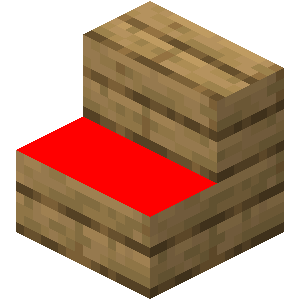
I had to shrink the hitbox height by a block to accommodate 1.21.2 riding mechanics changes. Because of these changes and to keep compatibility as simple as possible, the hitbox to click on a stair had to change to the red part in the image:
notice
- If you want to support small creators like me, you can turn off ad blocker.
- Check out my profile for more creations: https://modrinth.com/user/TQNL
Keep in mind:
- Ensure you're familiar with installing data packs. Verify compatibility with your Minecraft version.
Terms of use:
Do:
- Use and modify the data pack for private use.
- Credit me (ThijquintNL) as the creator when using the data pack in public, such as in video showcases, or when editing and redistributing the original material.
Don't:
- Redistribute the data pack for commercial purposes.
Under CC-BY-NC-SA 4.0 license
Screenshots
Gallery
-
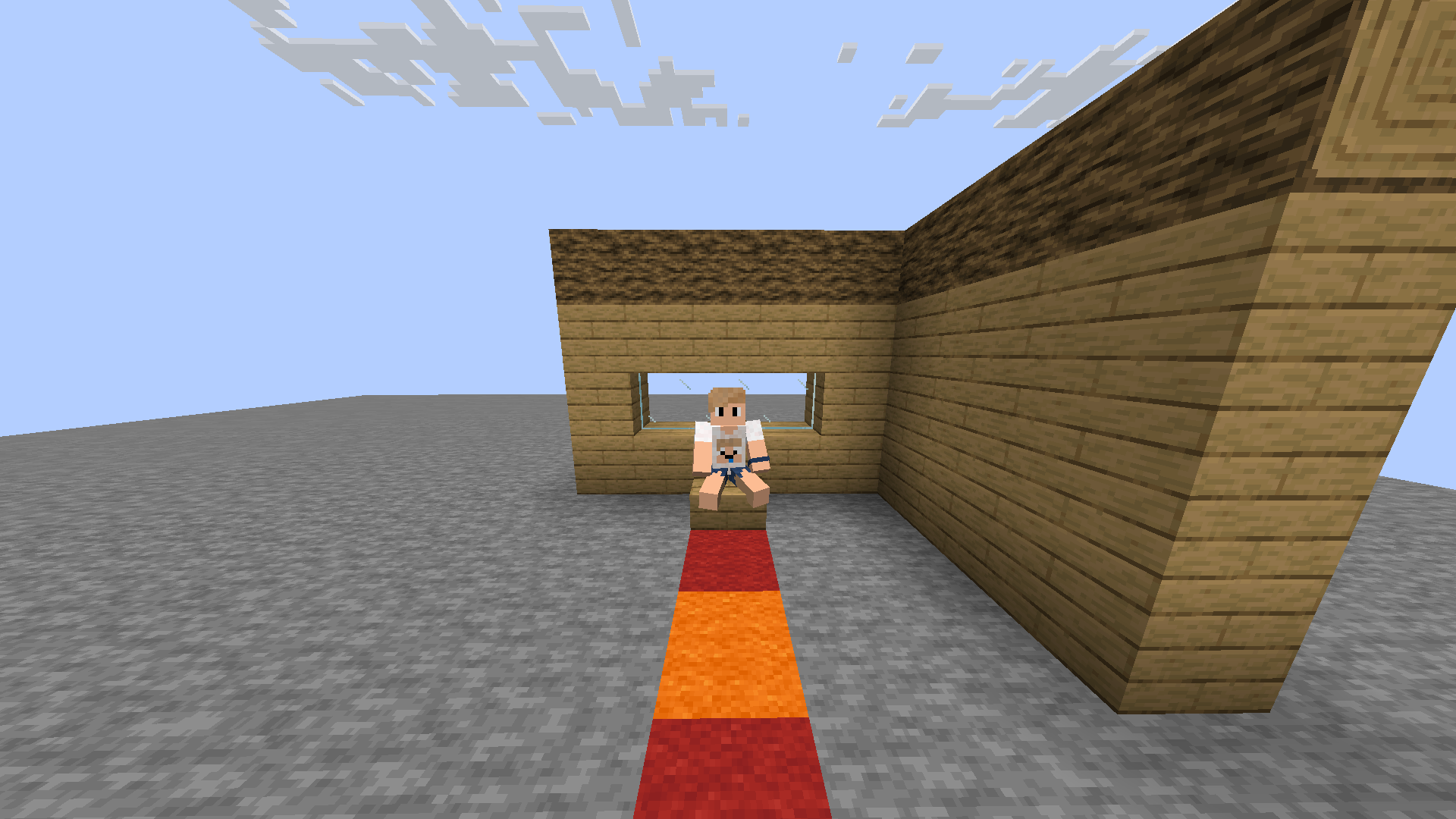 Player sitting in a chair
 -
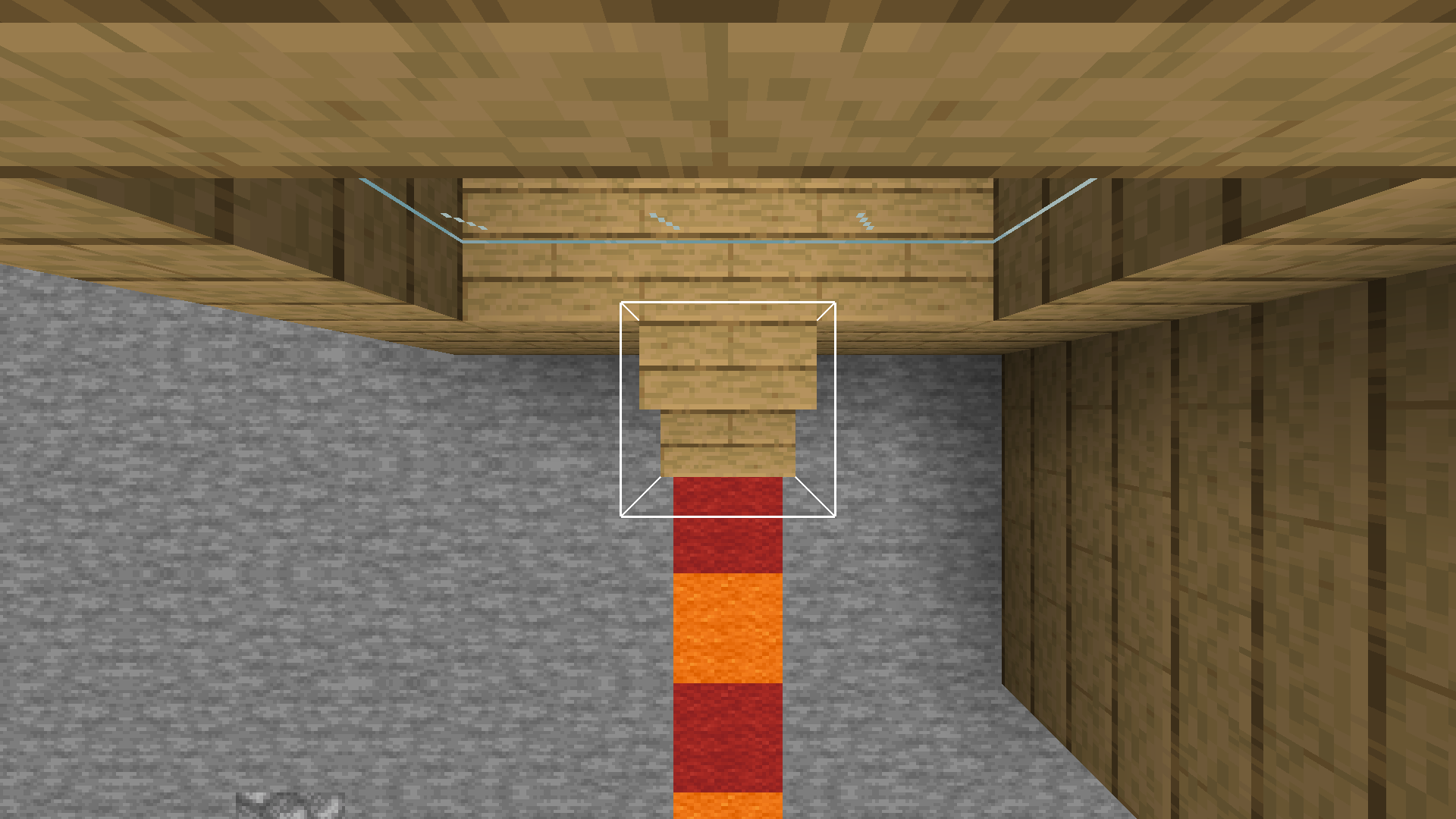 Making a chair A chair is created when looking straight down, the hit box shows the right click detection for sitting.
Versions
Files
Relations
Project Relations
More like this
Similar Mods
Suggestions use data such as tags, dependencies, dependents, descriptions, titles, and more to rank how much they overlap with this mod.
On ModDex
Community snapshot
By the numbers
Statistics

Want to reach Minecraft players?
We're looking for a server hosting partner to feature here and other parts of the site. Interested? Send us a message!
Get in touchGet it on
Available Platforms
On ModDex
Community snapshot
By the numbers