
Community listing page, reviews here may not be monitored by the author.
TrackView

No reviews yet
Trackview is a Cactus addon that adds a clean media preview HUD element to your game.
Community voices
Reviews
No reviews yet. Be the first to review this project!
Get it on
Available Platforms
Compatibility
Supported Environments
Runs entirely on the client. Works on vanilla servers.
About
Project Details
For authors
Embed Badge
If you're the author of this project, you can embed a live badge anywhere that supports HTML or Markdown. It updates automatically whenever ratings change.
Use HTML for any page that supports it, or Markdown for README files and Markdown-based descriptions.
Identifiers
Platform IDs
About
Description
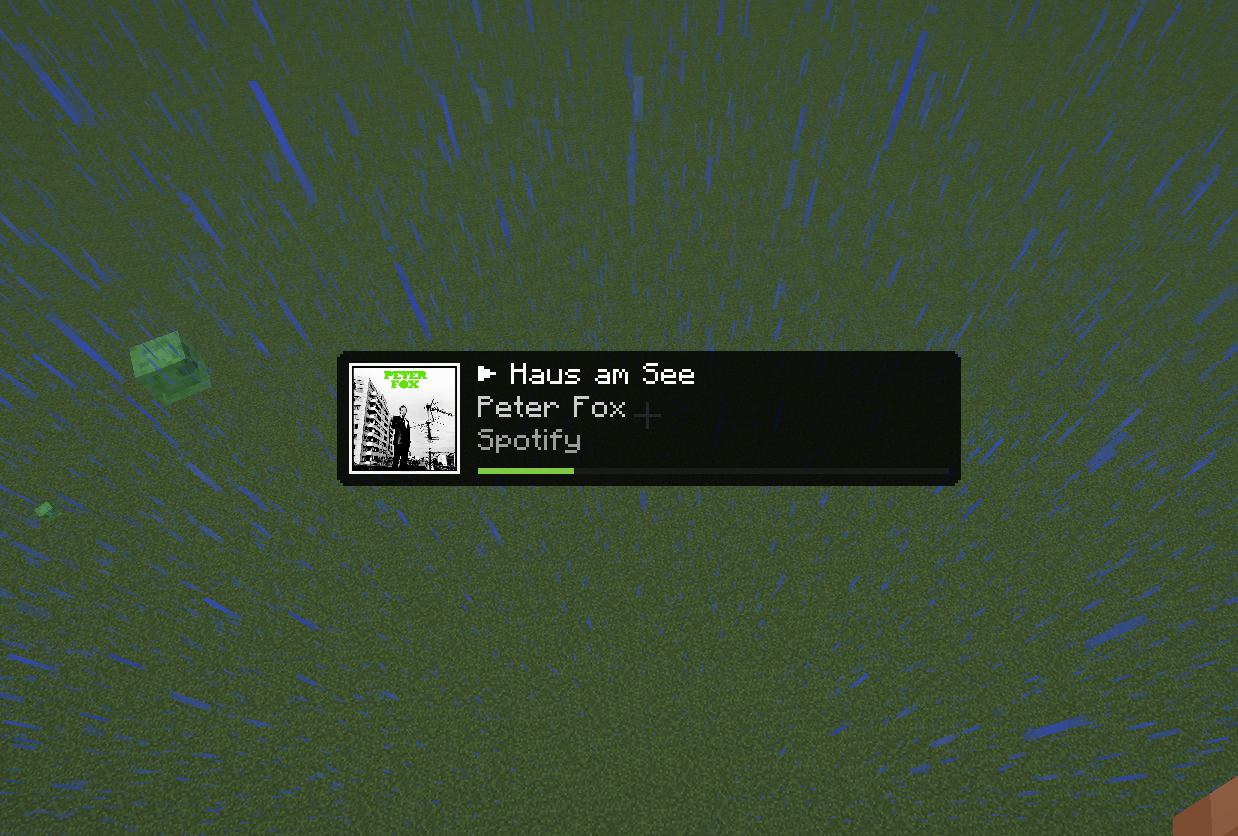
TrackView is a clean and polished Cactus addon for the Minecraft client. It adds a native-feeling Now Playing HUD element that displays media information from your operating system, including Spotify, browser media sessions, and other supported media providers.
Unlike simple overlay mods, TrackView is built directly as a Cactus HUD element. This means it can be positioned, resized, and configured inside the Cactus HUD editor like your other HUD components.
TrackView focuses on doing one thing well: showing what is currently playing without getting in the way of the game.


📥 Installation Guide
TrackView requires Fabric Loader and Cactus.
Once you have installed Fabric Loader, install Cactus and place the TrackView .jar file into your mods folder like any other Fabric mod.
After launching Minecraft, open the Cactus HUD editor and add the Track View element to your HUD.
If the mod is installed correctly, Track View will appear as an available HUD element in Cactus.
✨ Features
TrackView adds a configurable media HUD with support for:
- Current track title
- Artist name
- Source application
- Playback state indicator
- Album art or media thumbnail
- Optional progress bar
- Resizable HUD layout
- Adjustable image size
- Compact mode
- Fallback display when no media session is active
Album art and thumbnails are decoded asynchronously and cached, helping the HUD stay smooth while media information changes.
⚙️ Configuration
TrackView can be configured directly through the Cactus HUD editor.
Available options include:
-
Show Thumbnail
Shows or hides album art and media thumbnails. -
Image Size
Changes the size of the thumbnail. -
Show Source App
Shows the application providing the media session. -
Show Progress Bar
Displays playback progress when both duration and position are available. -
Hide Without Media
Hides the HUD element when no active media session exists. -
Compact Mode
Uses a smaller layout for limited HUD space.
Most users should not need to configure anything manually. The default layout is designed to work well for normal gameplay.
✅ Compatibility
TrackView is a client-side Cactus addon.
It does not change gameplay, does not affect multiplayer behavior, and does not provide any competitive advantage. It only displays media-session information that is already available locally on your system.
TrackView is intended for use with:
- Minecraft
- Fabric Loader
- Java
- Cactus
Exact supported versions are listed on the version page.
Media information depends on your operating system and the media player you are using. Some players, browser tabs, or websites may not expose full metadata, artwork, duration, or playback progress.
🔒 Privacy
TrackView reads locally available media-session information from your operating system.
TrackView does not upload track data, media metadata, artwork, or usage information to any external server.
🐛 How to Report Issues
Please use the issue tracker linked at the top of the page to report bugs, crashes, or incorrect behavior.
When reporting an issue, include:
- Minecraft version
- Fabric Loader version
- Cactus version
- TrackView version
- Operating system
- Media player or browser being used
- Relevant crash reports or log files
This makes it easier to reproduce and fix the problem.
❓ Notes
TrackView depends on media-session integration provided by your operating system.
This means that behavior may vary between Windows, Linux, macOS, desktop environments, browsers, and media players. Some applications may expose complete metadata, while others may only expose partial information or none at all.
If artwork or progress is missing, the media player most likely does not provide that information through the system media session.
Legal
TrackView is an independent addon and is not affiliated with Modrinth, Mojang, Microsoft, Spotify, Fabric, or Cactus.
Minecraft is a trademark of Mojang Studios. Other mentioned names and trademarks belong to their respective owners.
Screenshots
Gallery
-
Standard Layout
-
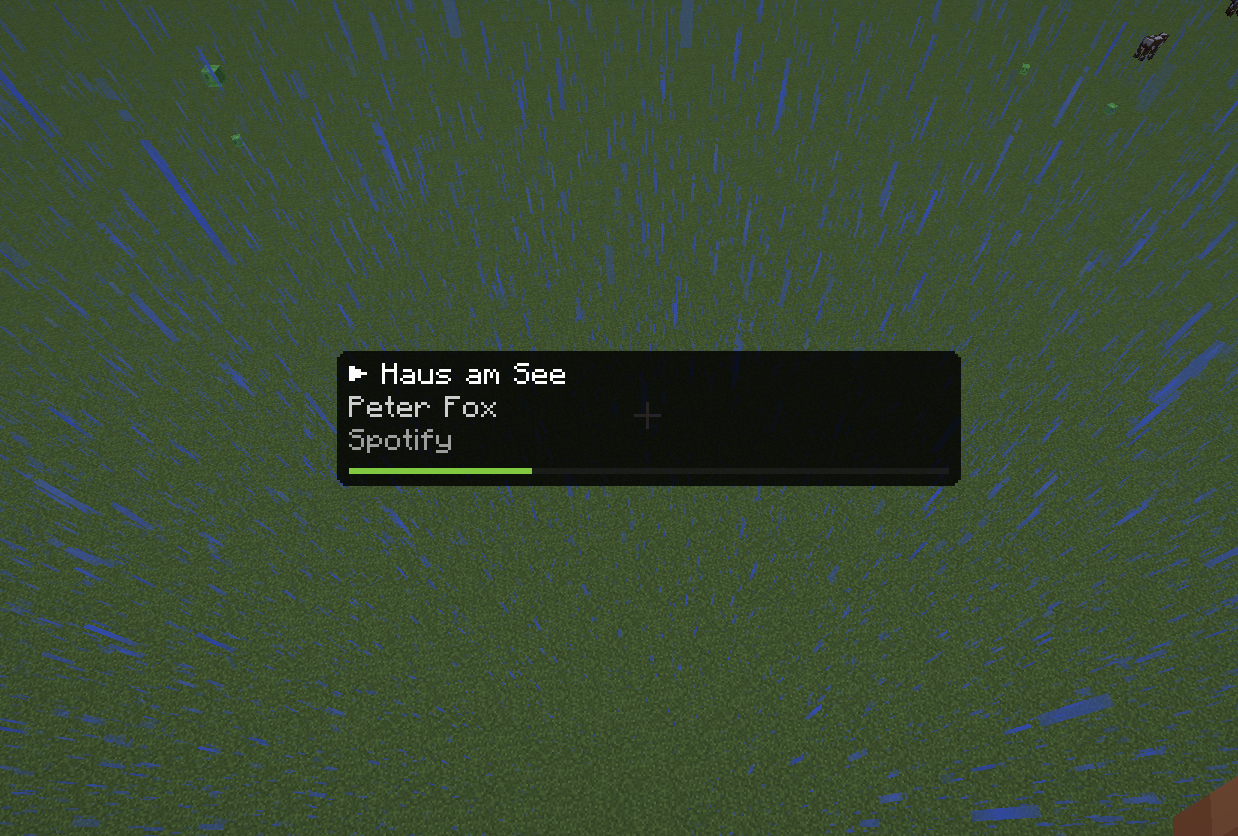 No-Thumbnail
 -
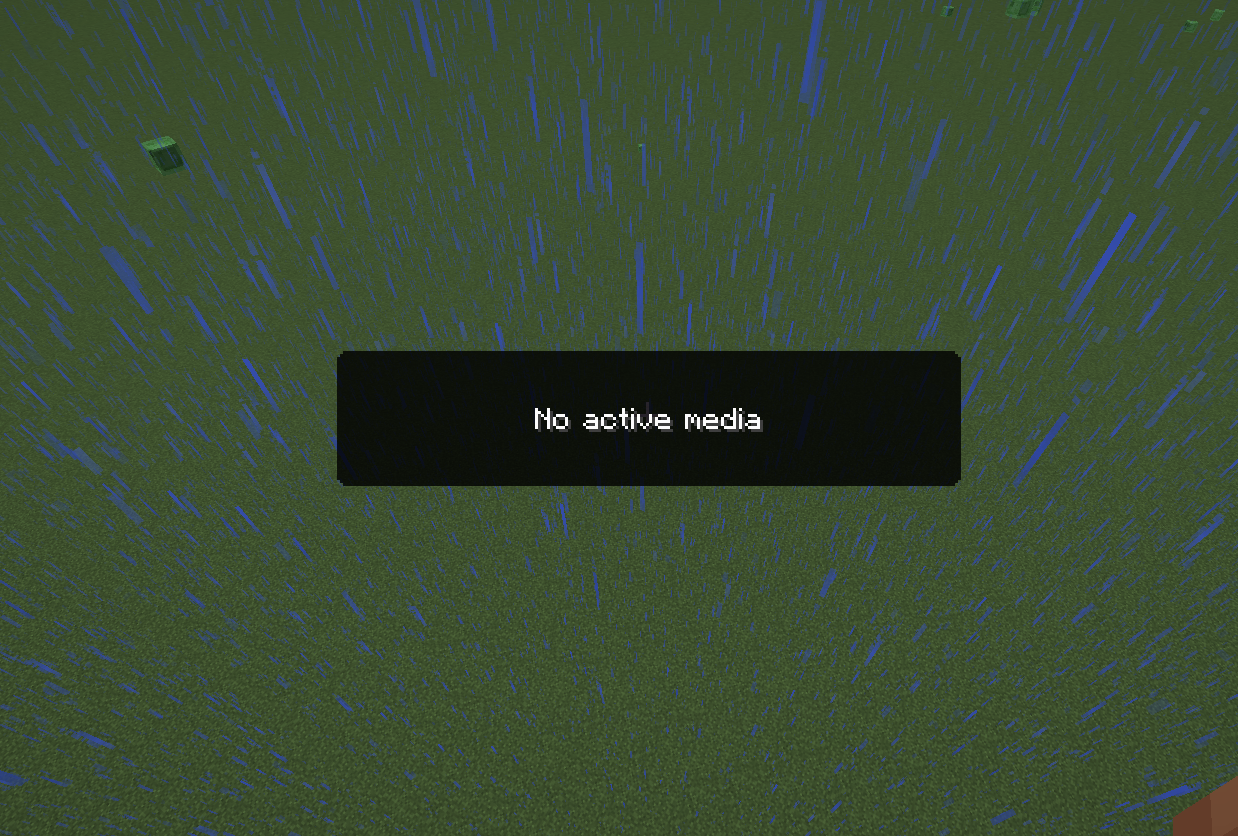 No-Media / Fallback State
Versions
Files
Relations
Project Relations
More like this
Similar Mods
Suggestions use data such as tags, dependencies, dependents, descriptions, titles, and more to rank how much they overlap with this mod.
On ModDex
Community snapshot
By the numbers
Statistics

Want to reach Minecraft players?
We're looking for a server hosting partner to feature here and other parts of the site. Interested? Send us a message!
Get in touchGet it on
Available Platforms
On ModDex
Community snapshot
By the numbers