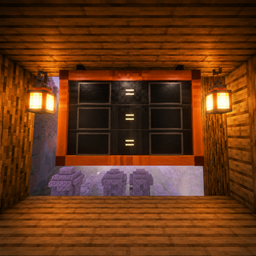
Community listing page, reviews here may not be monitored by the author.
🪧 Trade Board

No reviews yet
Trade Board is a decorative and customizable trade board for Minecraft 26.2 on Fabric.
Community voices
Reviews
No reviews yet. Be the first to review this project!
Get it on
Available Platforms
About
Project Details
For authors
Embed Badge
If you're the author of this project, you can embed a live badge anywhere that supports HTML or Markdown. It updates automatically whenever ratings change.
Use HTML for any page that supports it, or Markdown for README files and Markdown-based descriptions.
Identifiers
Platform IDs
Resources
External Links
About
Description
Trade Board
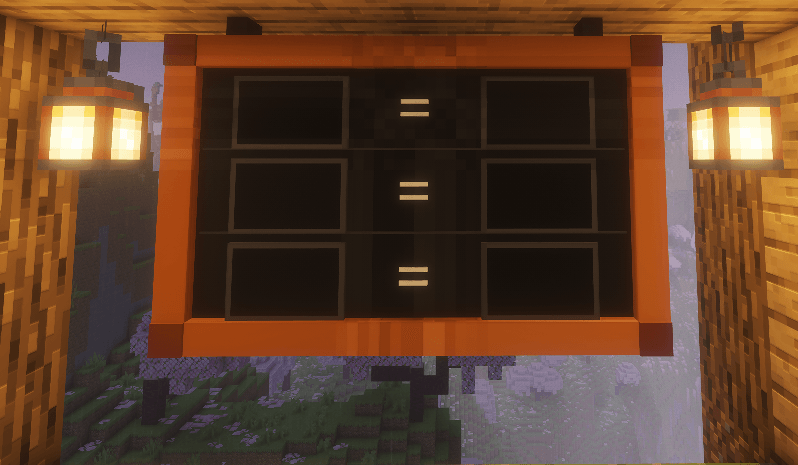
Trade Board is a decorative and configurable trading board for Minecraft 26.2 on Fabric.
The mod allows you to create clear item exchange layouts directly in the game world. The board displays the required items, their quantities, and the exchange result in the following format:
x3 items = x1 itemTrade Board is suitable for trading halls, server shops, storage rooms, RPG maps, production areas, and decorative builds.
Features
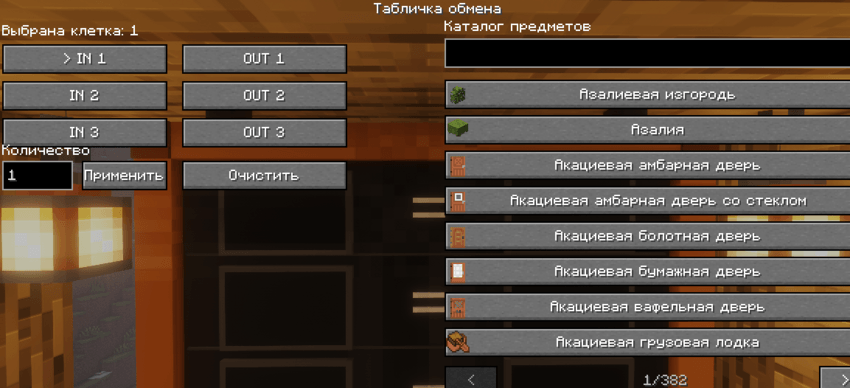
- 3 exchange rows
- 6 separate slots: 3 input slots and 3 output slots
- Items displayed as real 3D models
- Support for vanilla Minecraft items
- Support for items from other mods
- Adjustable item quantities from 1 to 99
- Quantity indicators displayed next to each item
- Search by item name
- Search by item ID
- Selected items are saved in the world
- Correct board rendering from all directions
- Front-facing item model orientation
- Can be placed on walls
- Easy configuration of input and output slots through an in-game interface
Trade Board is an informational and decorative exchange display system. It does not take items from the player and does not provide the exchange result automatically.
Crafting Recipe
The board is crafted in a crafting table using the following recipe:
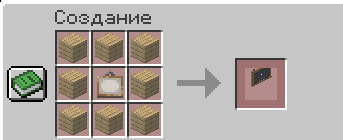
Required materials:
- 8 wooden planks
- 1 painting
View with objects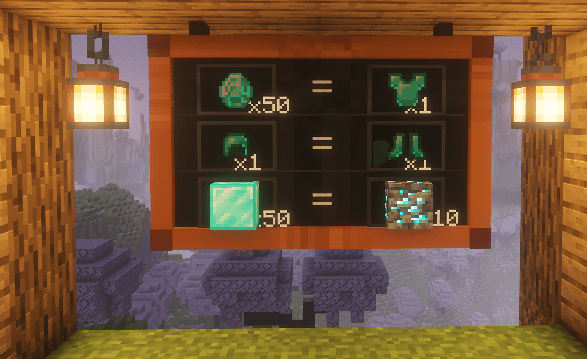
The recipe supports different plank types:
- Oak
- Spruce
- Birch
- Jungle
- Acacia
- Dark Oak
- Mangrove
- Cherry
- Bamboo
- Crimson
- Warped
The crafting recipe produces 1 Trade Board.
How to Use
- Craft a Trade Board in a crafting table
- Place the board on a wall
- Right-click the board
- Select an input or output slot
- Find the required item in the catalog
- Set the desired quantity
- Configure the remaining slots
Screenshots
Gallery
Versions
Files
Relations
Project Relations
More like this
Similar Mods
Suggestions use data such as tags, dependencies, dependents, descriptions, titles, and more to rank how much they overlap with this mod.
On ModDex
Community snapshot
By the numbers
Statistics
Want to reach Minecraft players?
We're looking for a server hosting partner to feature here and other parts of the site. Interested? Send us a message!
Get in touchGet it on
Available Platforms
On ModDex
Community snapshot
By the numbers
Statistics
Resources