
Community listing page, reviews here may not be monitored by the author.
Traveler's Backpack Stack Extension

No reviews yet
This mod does, when using the ‘Traveller's Backpack’ mod, you can carry more then 64 items in a single slot in your backpack. Simple but very useful.
Community voices
Reviews
No reviews yet. Be the first to review this project!
Get it on
Available Platforms
Compatibility
Supported Environments
Must be installed on both the client and the server.
About
Project Details
For authors
Embed Badge
If you're the author of this project, you can embed a live badge anywhere that supports HTML or Markdown. It updates automatically whenever ratings change.
Use HTML for any page that supports it, or Markdown for README files and Markdown-based descriptions.
Identifiers
Platform IDs
Resources
External Links
About
Description
Travelers Backpack Stack Extension
Adds a customisable stack limit to the backpack slots in Traveler's Backpack.
By default, items in the backpack can be stacked in quantities of up to 256 per slot.
This value was chosen to provide a moderate increase and can be adjusted via the configuration file.
A more convenient in-game configuration using Modmenu is planned for future versions.
Why choose this mod?
- More space: Larger stack sizes = more room in your backpack
- Targeted: No effect on normal Minecraft stack limits outside the backpack
- Lightweight: Simple and designed for a single, clear purpose
- Efficient: Perfect for players who want to use their backpack more efficiently
Features
- Increases the stack limit in backpack slots. Default: 256
- Currently adjustable via the configuration file
- No known incompatibilities
- Only the backpack stack limit is changed
Technical Details
| Minecraft | 1.21.1 |
| Modloader | Fabric |
| Traveler's Backpack | Required (1.21.1 version) |
| Stack limit range | 1 to 2,147,483,647 (Max Java Integer) |
| Recommended upper limit | 9,999 (Higher values might clip outside the item slot UI) |
| Platform/API | Client & Server (Required on both) |
Configuration
The setting is located in a simple configuration file.
Path: config/travelers_backpack_stack_extender.json
How to change the stack limit:
- Run the game once with the mod installed. This automatically generates the configuration file.
- Close the game.
- Navigate to your Minecraft installation folder (e.g.,
%appdata%\.minecrafton Windows). - Open the
configfolder and find the file namedtravelers_backpack_stack_extender.json. - Open this file with any standard text editor (like Notepad).
- Change the number to your desired maximum stack size.
Example:
{
  "stackLimit": 256
}
Screenshots
Gallery
-
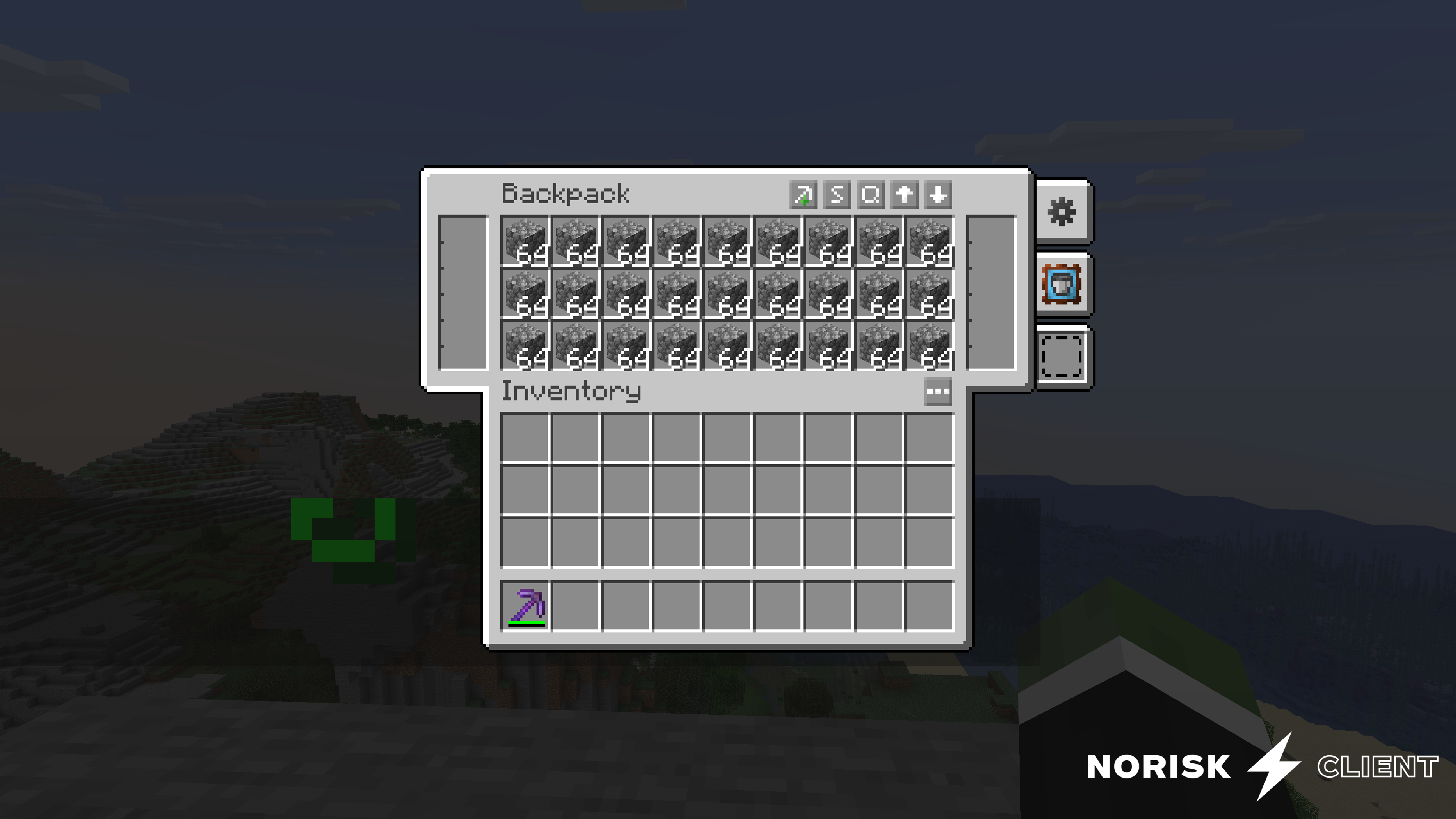 Normal Backpack without mod
Versions
Files
Relations
Project Relations
More like this
Similar Mods
Suggestions use data such as tags, dependencies, dependents, descriptions, titles, and more to rank how much they overlap with this mod.
- Traveler's Backpack: Stack Upgrade
- Traveler's Backpack: Stacked
- Travelers Backpack Addon - Inventory Item Stacking
- Traveler's Backpack
- Traveler's Backpack Integrations
- Traveler's Backpack ATM Upgrades
- Traveler's Backpack Extras
- Polymorphic Traveler's Backpack
- GK1H Traveler's Backpack+
- Legendary Tooltips x Traveler's Backpack Fix
- Travelers Backpack: Dehydration Upgrade
- TravellersBackpack-Transmog-Compat
On ModDex
Community snapshot
By the numbers
Statistics

Want to reach Minecraft players?
We're looking for a server hosting partner to feature here and other parts of the site. Interested? Send us a message!
Get in touchGet it on
Available Platforms
On ModDex
Community snapshot
By the numbers
Statistics
Resources