Triple Inventory
No reviews yet
Gives you a bigger inventory, access shulker boxes and ender chests from the inventory, and more
Features systems for better item storage and organization.
Fabric is a mod loader for versions 1.14+ of Minecraft, particularly popular for client side and optimization mods.
Community voices
Reviews
Click once to include, again to exclude, again to clear
No reviews yet. Be the first to review this project!
Get it on
Available Platforms
 Modrinth
Compatibility
Supported Environments
About
Project Details
For authors
Embed Badge
If you're the author of this project, you can embed a live badge anywhere that supports HTML or Markdown. It updates automatically whenever ratings change.
Use HTML for any page that supports it, or Markdown for README files and Markdown-based descriptions.
Identifiers
Platform IDs
About
Description
Triple Inventory
Triple Inventory aims to solve the serious inventory space issues in Minecraft by simply giving you a bigger inventory, along with some quality of life changes.
This mod can add up to 72 new inventory slots, including 18 new hotbar slots - these slots are also accessible in containers.
You can access shulker boxes and ender chests from your inventory by right clicking them - including adding and taking items.
There are also options to automatically switch to the best tool in your hotbar when using an item.
Change the number of available slots with the extendedInventorySize gamerule. This determines how many new inventory columns to add either side of the main inventory. (default 3, max 9, set to 0 to disable extended inventory).
Configuration
Config can be edited using Mod Menu or in tripleinventory.json
showExtendedHotbar: Show the extended hotbar on the HUD (default true)
scrollToExtendedHotbar: Access the extended hotbar using the scroll wheel (default true)
showExtendedInventoryWithRecipeBook: Show the extended inventory when the recipe book is open (default true)
autoSelectTools: Automatically select the best tool in the hotbar when mining (default false)
showPreviousSelectedSlotIndicator: Show an indicator on your previously selected slot after automatically selecting a tool (default true)
autoReturnOnUse: Automatically return to the last manually selected slot when using an item (default false)
autoReturnAfterCooldown: Automatically return to the last manually selected slot after a cooldown (default false)
autoReturnCooldown: The number of ticks after which to return to the last selected slot (default 40)
colorShulkerBackground: Change the background colour of the shulker preview to match the shulker box colour (default true)
shulkerPosition: The position of the shulker preview (default BOTTOM, allowed values BOTTOM, TOP, LEFT_TOP, LEFT_BOTTOM, RIGHT_TOP, RIGHT_BOTTOM)
Hotkeys to switch to extended hotbar slots are available in the vanilla controls settings
Important Information
This mod requires Yet Another Config Lib (YACL). It is also recommended to use Mod Menu on the clientside to change settings.
Due to the nature of this mod, there is a small risk of duplication glitches or item loss. Report any issues on the issue tracker. You can post suggestions there too!
This mod is likely to be incompatible with other mods which modify the player's inventory or other vanilla inventories. The extended inventory will not appear in modded inventories. Feel free to report incompatibilities on the issue tracker, but they may not be possible to resolve.
Screenshots
Gallery
-
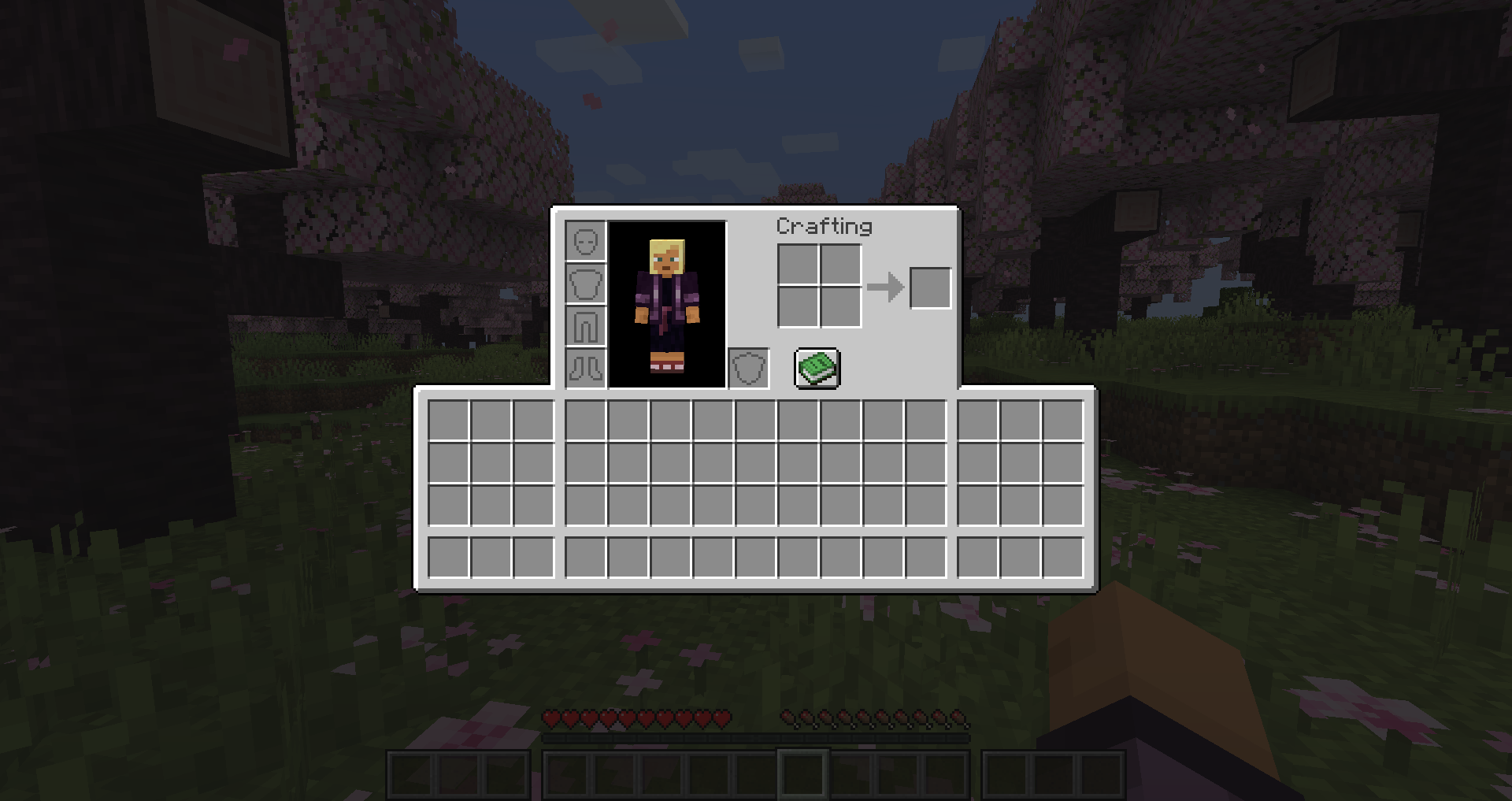 The default extended inventory size
 -
 A giant inventory The largest possible size of the inventory - set extendedInventorySize to 9
 -
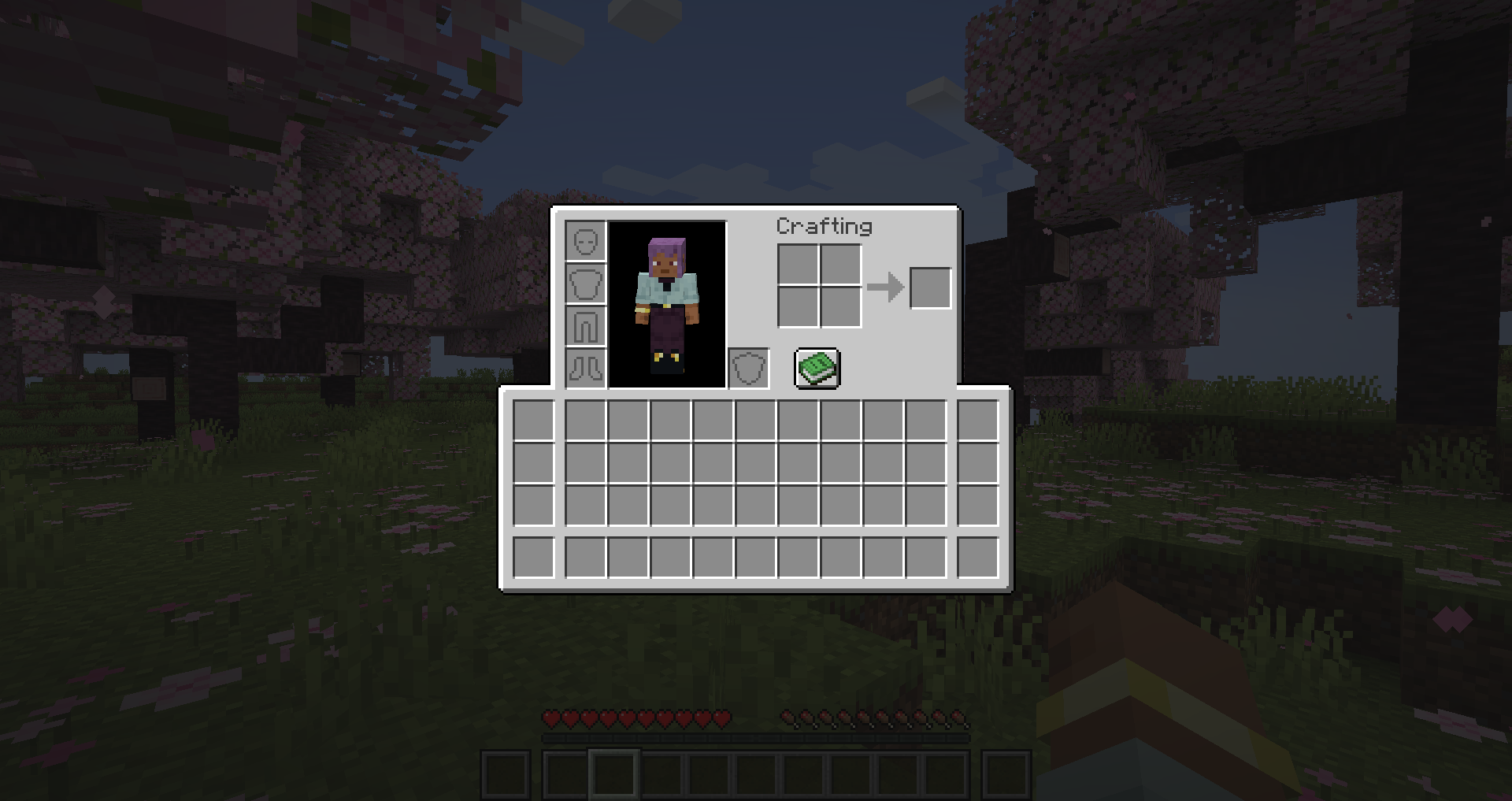 A more reasonable inventory This size could be used like a toolbelt
 -
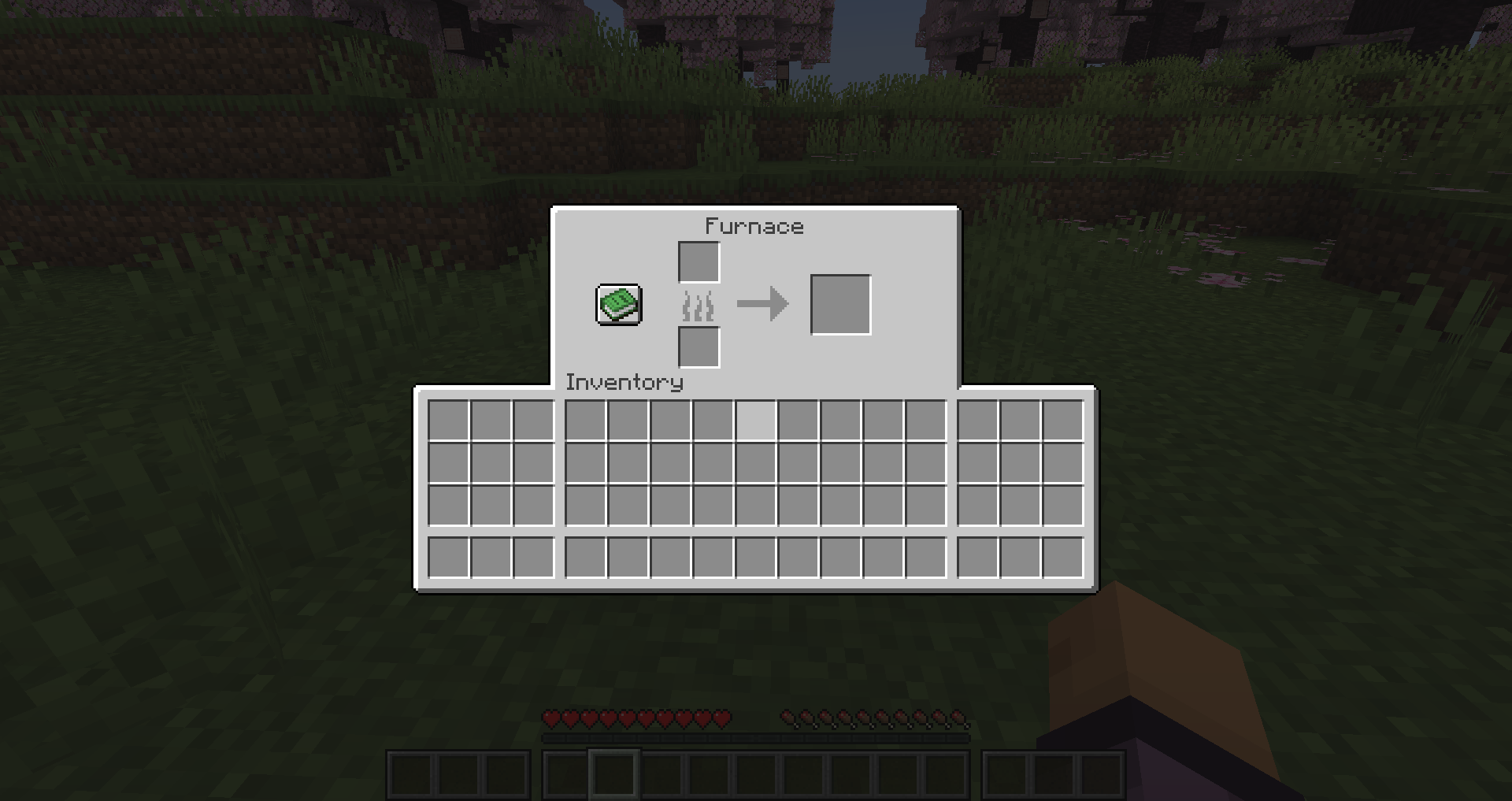 Accessible in containers! It will not be accessible in modded screens
Versions
Files
Relations
Project Relations
More like this
Similar Mods
Suggestions use data such as tags, dependencies, dependents, descriptions, titles, and more to rank how much they overlap with this mod.
On ModDex
Community snapshot
By the numbers
Statistics

Want to reach Minecraft players?
We're looking for a server hosting partner to feature here and other parts of the site. Interested? Send us a message!
Get in touchGet it on
Available Platforms
On ModDex
Community snapshot
By the numbers