
Tropical Fish Collection
No reviews yet
Minecraft has 3072 possible tropical fish patterns — now you can document them all. Catch fish with a bucket, browse your collection in a sleek grid, and never lose track of your progress.
Includes a large focus on traversing worlds with enhanced world generation, structures, dungeons, and more for players to find unique loot.
Fabric is a mod loader for versions 1.14+ of Minecraft, particularly popular for client side and optimization mods.
Community voices
Reviews
Click once to include, again to exclude, again to clear
No reviews yet. Be the first to review this project!
Get it on
Available Platforms
 Modrinth
Compatibility
Supported Environments
About
Project Details
For authors
Embed Badge
If you're the author of this project, you can embed a live badge anywhere that supports HTML or Markdown. It updates automatically whenever ratings change.
Use HTML for any page that supports it, or Markdown for README files and Markdown-based descriptions.
Identifiers
Platform IDs
Resources
External Links
About
Description
English Description
Tropical Fish Collection
Track and collect every single tropical fish variant in the game!
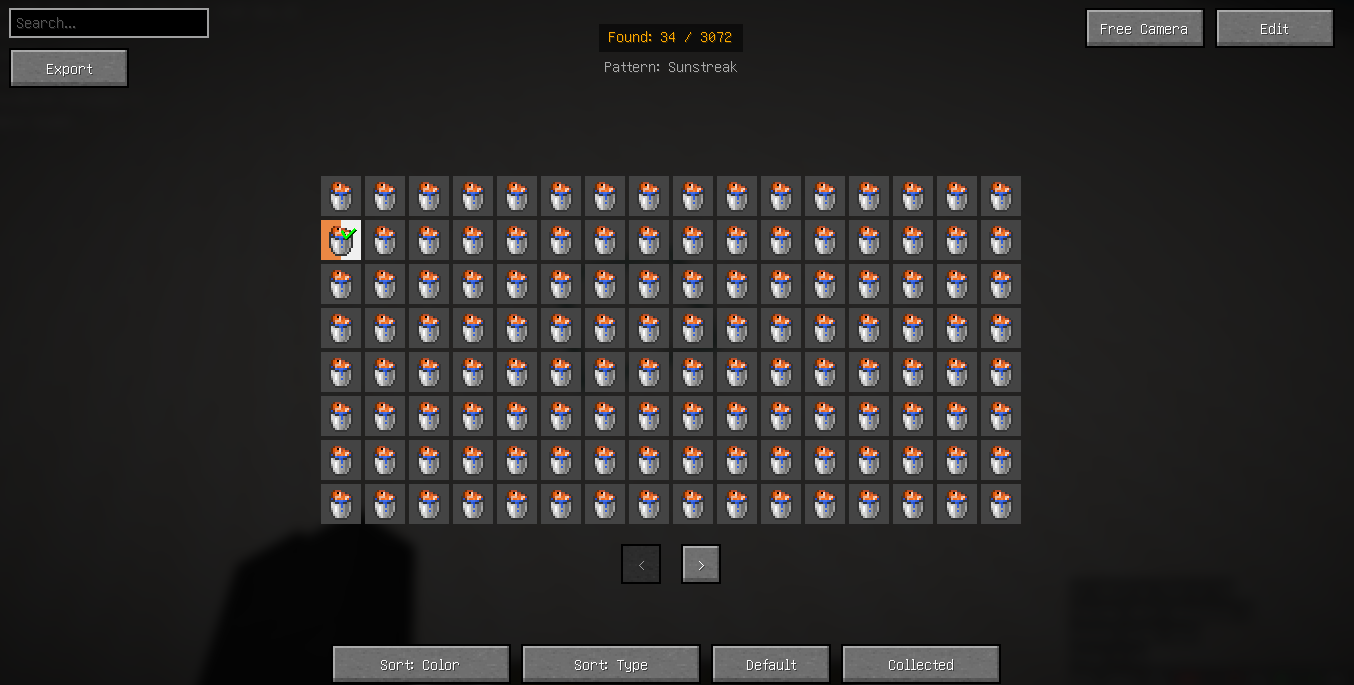
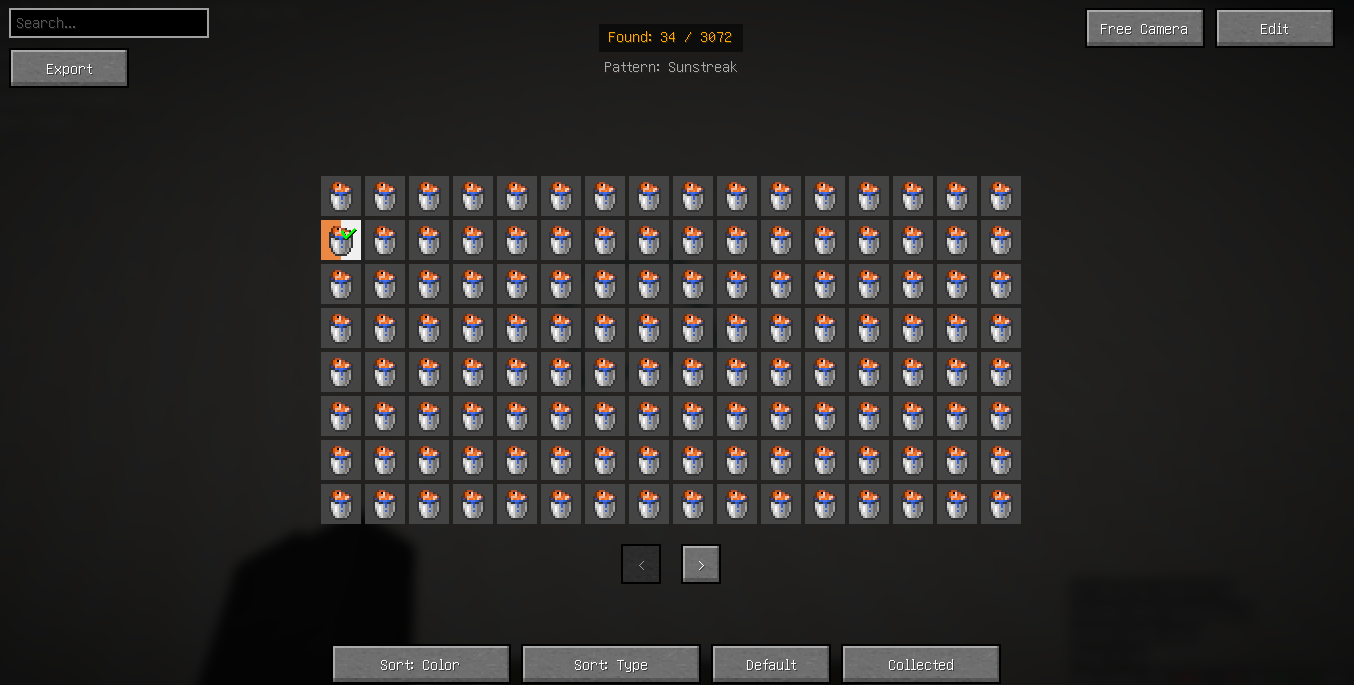
Minecraft has 3072 possible tropical fish patterns — now you can document them all. Catch fish with a bucket, browse your collection in a sleek grid, and never lose track of your progress.
✨ How It Works
- Press
K(configurable in Controls → Tropical Fish Collection) to open the collection screen. - Catch a tropical fish with a water bucket — the variant is automatically recorded.
- A toast notification appears, showing the fish's pattern and colours.
- Browse, sort, search, and export your growing collection.
🖥️ Collection Screen Features
| Feature | Description |
|---|---|
| 3072-variant grid | Every possible tropical fish displayed as a coloured cell with bucket icon |
| Sorting | Sort by body colour or by pattern type |
| Filtering | Show only collected / all variants |
| Search bar | Quickly find patterns or colours (e.g. "red", "stripey") |
| Detailed tooltips | Hover to see pattern name, body colour, and pattern colour |
| Progress counter | e.g. "Found: 42 / 3072" |
| Visual editor | Drag & drop the grid, stats panel, and buttons; resize icons |
| Free camera | Pan and zoom the entire view with mouse |
| One‑click export | Save your collection to config/tropicalfishcollection/exported_fish.txt |
⚙️ Per‑World & Multi‑IP Support
Your collection is saved separately for each singleplayer world and for each server.
If a server has multiple IP addresses (e.g. lobby and game proxies), you can merge them into one collection by editing the context_mapping.json file:
config/tropicalfishcollection/context_mapping.json
Example:
{
  "server_mc.hypixel.net": "server_hypixel",
  "server_lobby.hypixel.net": "server_hypixel"
}
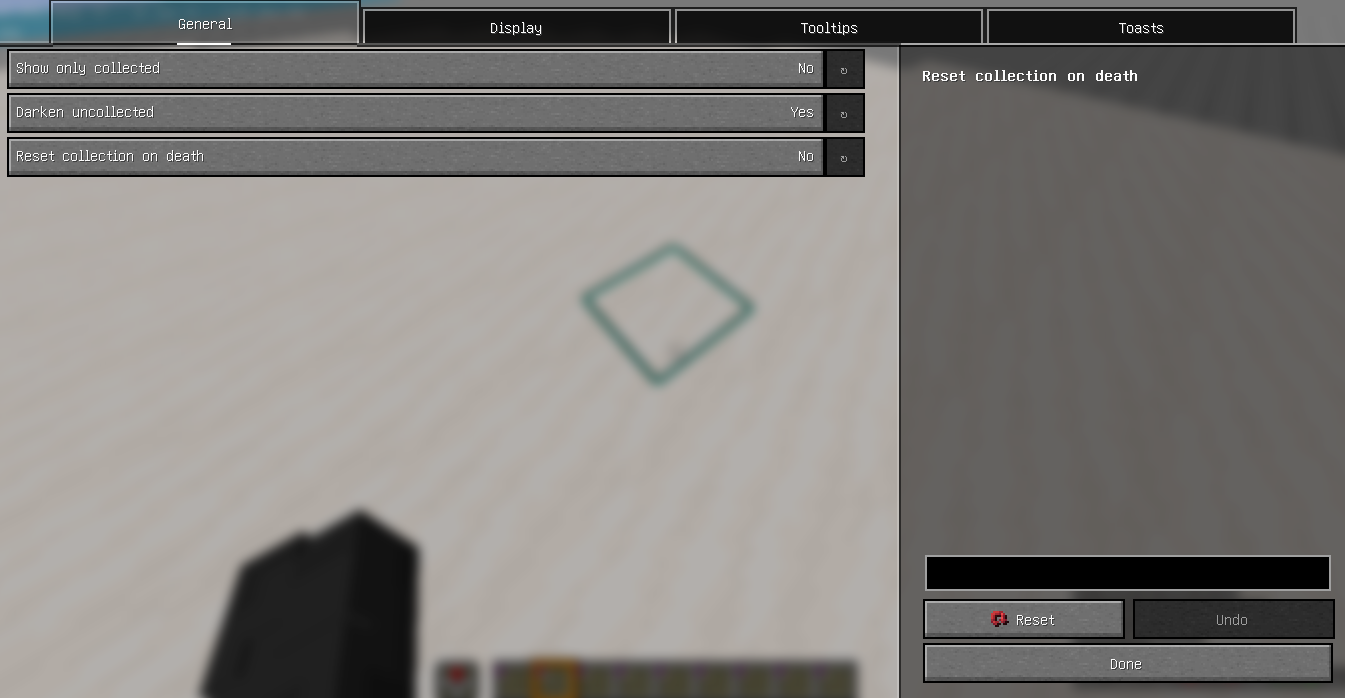
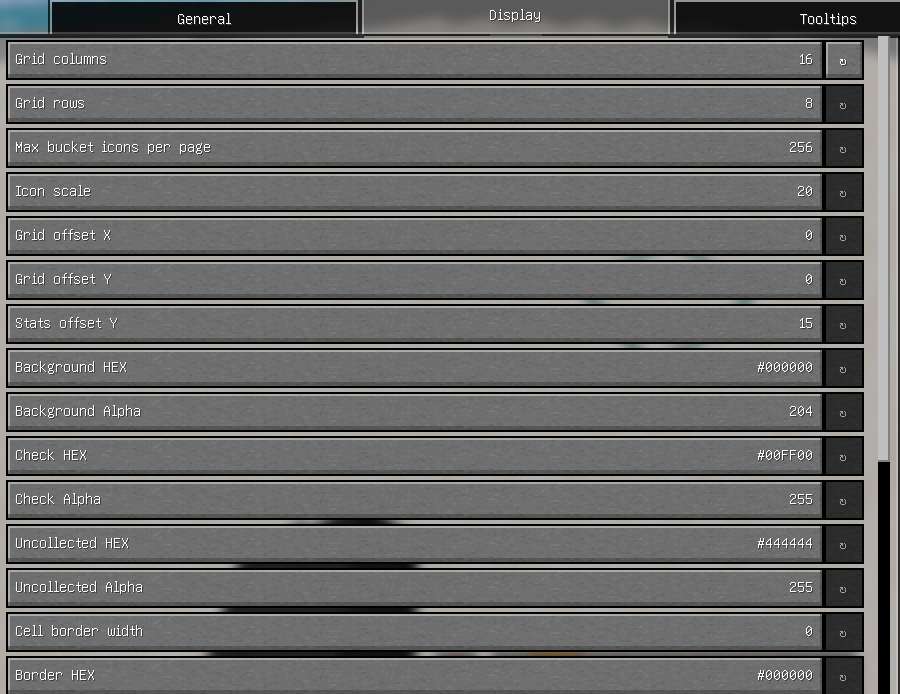
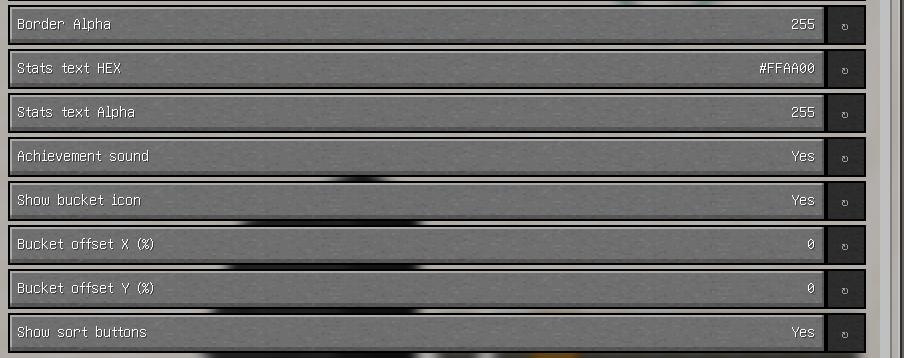
🎨 Customisation (ModMenu + YACL)
All settings are stored in config/tropicalfishcollection/settings.json and can be changed in‑game via ModMenu:
Category Options Grid Columns (2–32), rows (2–32), icon scale (10–40px), offsets Colours Background (HEX + alpha), checkmark, uncollected cells Borders Cell border width (0–5px) and colour Text Stats text colour (HEX + alpha) Notifications Toast duration (1–15s), achievement sound toggle Performance Max bucket icons per page (0 = unlimited; prevents crashes) Display Show/hide bucket icons, sort buttons, tooltip mode
🌍 Fully Client‑Side
No server installation required — works on vanilla and modded servers. Your collection stays with you wherever you play.
❤️ Credits
Developed by Dok_Si
Русское описание
Tropical Fish Collection
Следите за своей коллекцией тропических рыб и соберите их всех!
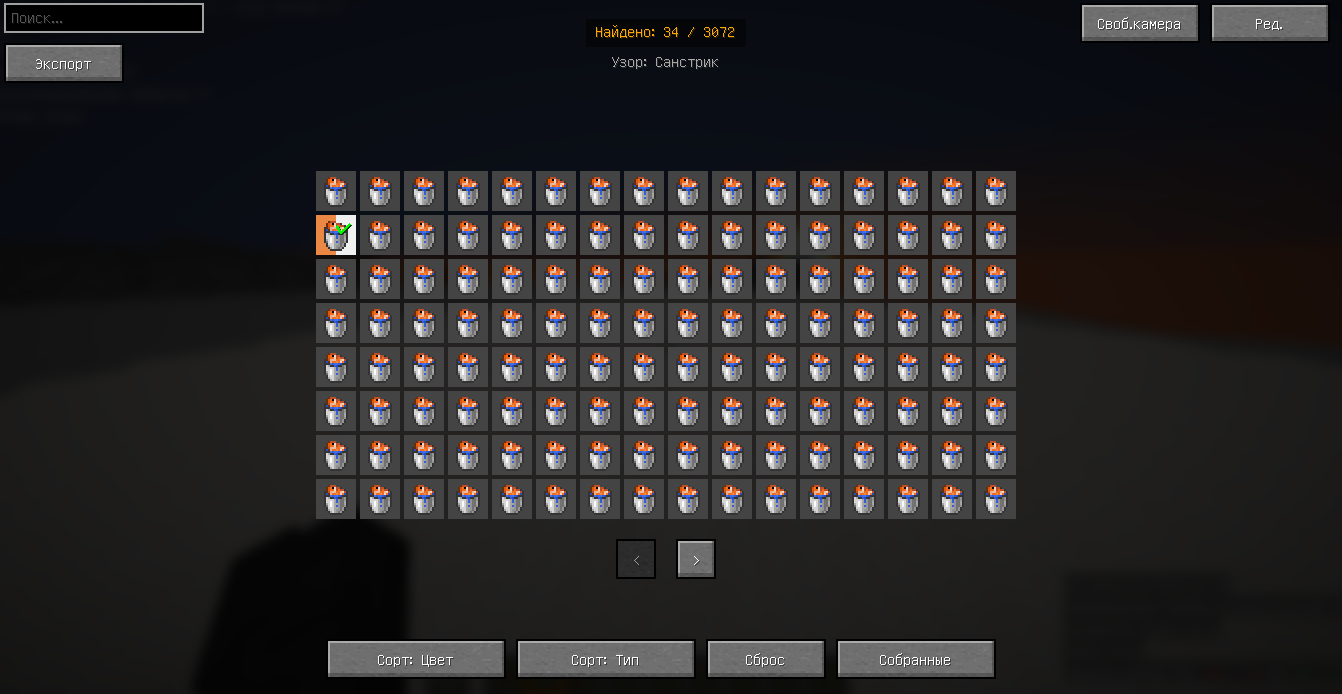
В игре существует 3072 уникальных варианта тропических рыб — теперь вы можете задокументировать каждый из них. Ловите рыбу ведром, просматривайте найденные экземпляры в удобной сетке и никогда не теряйте свой прогресс.
✨ Как это работает
- Нажмите
K(можно изменить в настройках управления → Коллекция тропических рыб), чтобы открыть экран коллекции. - Поймайте тропическую рыбу ведром воды — вариант автоматически запишется.
- Появится уведомление с названием узора и цветами рыбы.
- Просматривайте, сортируйте, ищите и экспортируйте свою коллекцию.
🖥️ Возможности экрана коллекции
| Возможность | Описание |
|---|---|
| Сетка из 3072 ячеек | Все возможные варианты рыб в виде цветных ячеек с иконкой ведра |
| Сортировка | По цвету тела или по типу узора |
| Фильтрация | Показать только собранные / все варианты |
| Поиск | Быстрый поиск по узору или цвету (например, «красный», «полосатый») |
| Подсказки | При наведении: название узора, цвет тела и цвет узора |
| Счётчик прогресса | Например «Найдено: 42 / 3072» |
| Визуальный редактор | Перетаскивание сетки, панели статистики и кнопок; изменение размера иконок |
| Свободная камера | Панорамирование и масштабирование мышью |
| Экспорт в один клик | Сохранение коллекции в config/tropicalfishcollection/exported_fish.txt |
⚙️ Разделение по мирам и объединение серверов
Коллекция сохраняется отдельно для каждого одиночного мира и для каждого сервера.
Если у сервера несколько IP-адресов (например, лобби и игровые прокси), их можно объединить в одну коллекцию, отредактировав файл context_mapping.json:
config/tropicalfishcollection/context_mapping.json
Пример:
{
  "server_mc.hypixel.net": "server_hypixel",
  "server_lobby.hypixel.net": "server_hypixel"
}
🎨 Настройка (ModMenu + YACL)
Все параметры хранятся в config/tropicalfishcollection/settings.json и меняются через ModMenu:
Категория Настройки Сетка Столбцы (2–32), строки (2–32), размер иконок (10–40px), отступы Цвета Фон (HEX + прозрачность), галочка, несобранные ячейки Рамки Толщина рамки (0–5px) и цвет Текст Цвет текста статистики (HEX + прозрачность) Уведомления Длительность тоста (1–15с), звук достижения (вкл/выкл) Производительность Макс. иконок на странице (0 = без лимита; предотвращает вылеты) Отображение Показ иконок вёдер, кнопок сортировки, режим подсказок
🌍 Полностью клиентский мод
Установка на сервер не требуется — работает на ванильных и модифицированных серверах. Ваша коллекция всегда с вами.
❤️ Авторы
Разработка: Dok_Si
Screenshots
Gallery
-
 icon
icon -
 Collection Collection
 -
 settings settings
 -
 settings2 settings
 -
 settings4
 -
 settings5 settings
 -
 settings6 settings
Versions
Files
Relations
Project Relations
More like this
Similar Mods
Suggestions use data such as tags, dependencies, dependents, descriptions, titles, and more to rank how much they overlap with this mod.
On ModDex
Community snapshot
By the numbers
Statistics

Want to reach Minecraft players?
We're looking for a server hosting partner to feature here and other parts of the site. Interested? Send us a message!
Get in touchGet it on
Available Platforms
On ModDex
Community snapshot
By the numbers
Statistics
Resources