
TSOTİ
No reviews yet
Takes a clean, professional screenshot of your inventory.
Fabric is a mod loader for versions 1.14+ of Minecraft, particularly popular for client side and optimization mods.
Community voices
Reviews
Click once to include, again to exclude, again to clear
No reviews yet. Be the first to review this project!
Get it on
Available Platforms
 Modrinth
Compatibility
Supported Environments
About
Project Details
For authors
Embed Badge
If you're the author of this project, you can embed a live badge anywhere that supports HTML or Markdown. It updates automatically whenever ratings change.
Use HTML for any page that supports it, or Markdown for README files and Markdown-based descriptions.
Identifiers
Platform IDs
Resources
External Links
About
Description
📸 Take Screenshot Of The Inventory (TSOTI)
An inventory capture utility designed for sharing clean layout screenshots.
Developed by Markesr
🔍 What is TSOTI?
Take Screenshot Of The Inventory (TSOTI) is a utility mod that allows you to take cropped screenshots of your in-game inventory. Instead of manually cropping full-screen screenshots, TSOTI isolates the inventory interface and exports it as a framed image. It is designed for showcasing gear, sharing loadouts, or keeping track of storage content.
⚡ Key Functionality & Performance
- GUI Capture: Hooks into the game's GUI rendering to capture the inventory frame directly when the hotkey is pressed.
- Automated Cropping: Trims outer screen space to focus precisely on the inventory slots.
- Inventory Summary Option: Generates a categorized text list of your items alongside the image file to show item counts clearly.
🛠️ Available Features
- GUI Color Themes: Customize the background style of your exported screenshots. Available options include: Dark, Midnight Blue, Cherry Blossom, Gold, Matrix, Light, or Transparent (for external editing).
- Adjustable Padding: Modify the inner and outer padding borders of the screenshot via the config menu to change the crop size.
- Language Support: Utilizes Minecraft's native
I18nengine to support English, Turkish, German, Spanish, French, Portuguese (BR), and Polish. - Configuration Menu: Change themes, padding size, and toggle the text summary on the fly using the in-game config screen.
📥 Dependencies
To use this mod, please ensure you have the following installed:
- Fabric API
- Cloth Config API
- ModMenu (Required to access the in-game settings menu)
Screenshots
Gallery
-
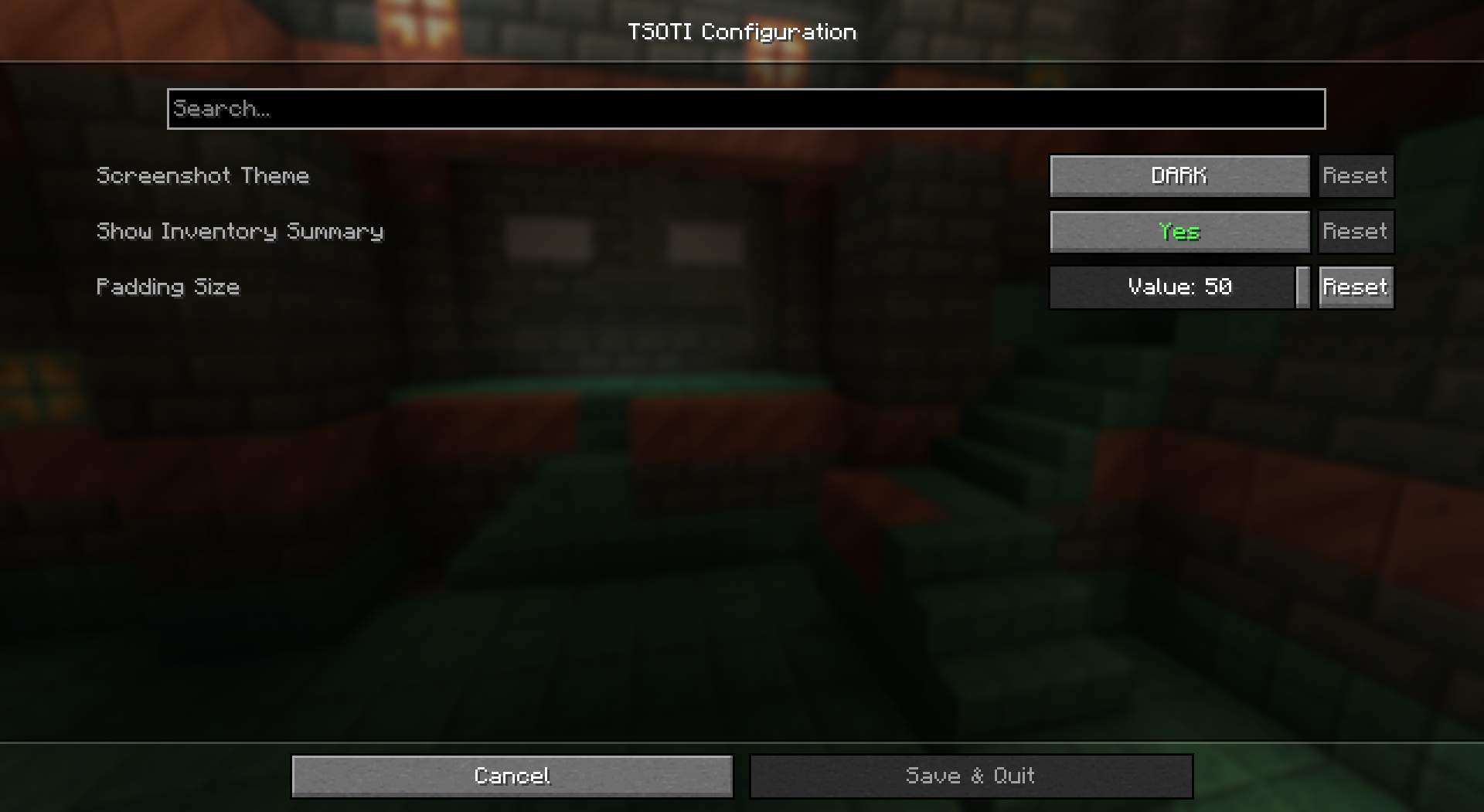 Settings
 -
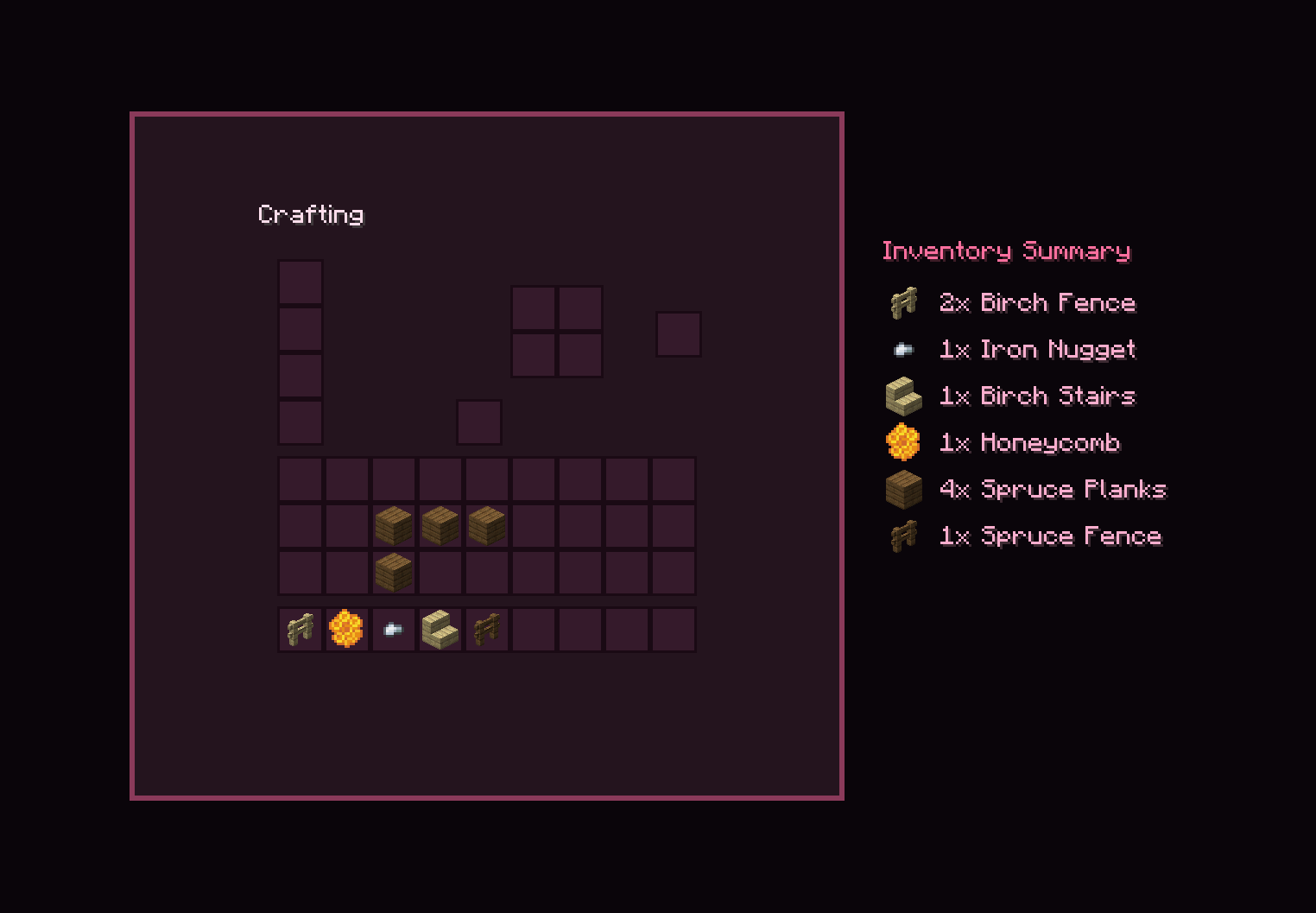 ScreenShot
Versions
Files
Relations
Project Relations
More like this
Similar Mods
Suggestions use data such as tags, dependencies, dependents, descriptions, titles, and more to rank how much they overlap with this mod.
On ModDex
Community snapshot
By the numbers
Statistics

Want to reach Minecraft players?
We're looking for a server hosting partner to feature here and other parts of the site. Interested? Send us a message!
Get in touchGet it on
Available Platforms
On ModDex
Community snapshot
By the numbers
Statistics
Resources