
Community listing page, reviews may not be monitored by the author.
TurboFPS

No reviews yet
More FPS with and without shaders: smart culling, shader shadow optimization and a render scaler. Works with Iris, Sodium, shaders and Distant Horizons.

Community voices
Reviews
No reviews yet. Be the first to review this project!
Get it on
Available Platforms
About
Project Details
For authors
Embed Badge
If you're the author of this project, you can embed a live badge anywhere that supports HTML or Markdown. It updates automatically whenever ratings change.
Use HTML for any page that supports it, or Markdown for README files and Markdown-based descriptions.
Identifiers
Platform IDs
Resources
External Links
About
Description
TurboFPS
More FPS with and without shaders. TurboFPS is a client-side performance mod for NeoForge 1.21.1 that stops the game from drawing what you can't see, makes shader shadows much cheaper, and adds a render scaler that keeps the interface sharp.
Every optimization can be turned on or off individually, and F7 toggles the whole mod at once so you can compare.
✅ Works with Iris, Sodium, shaders and Distant Horizons
TurboFPS was built and tested to run together with the most popular rendering mods:
- Sodium ✔
- Iris Shaders ✔ (shadow pass optimization is detected automatically)
- Shader packs ✔
- Distant Horizons ✔
📊 Results
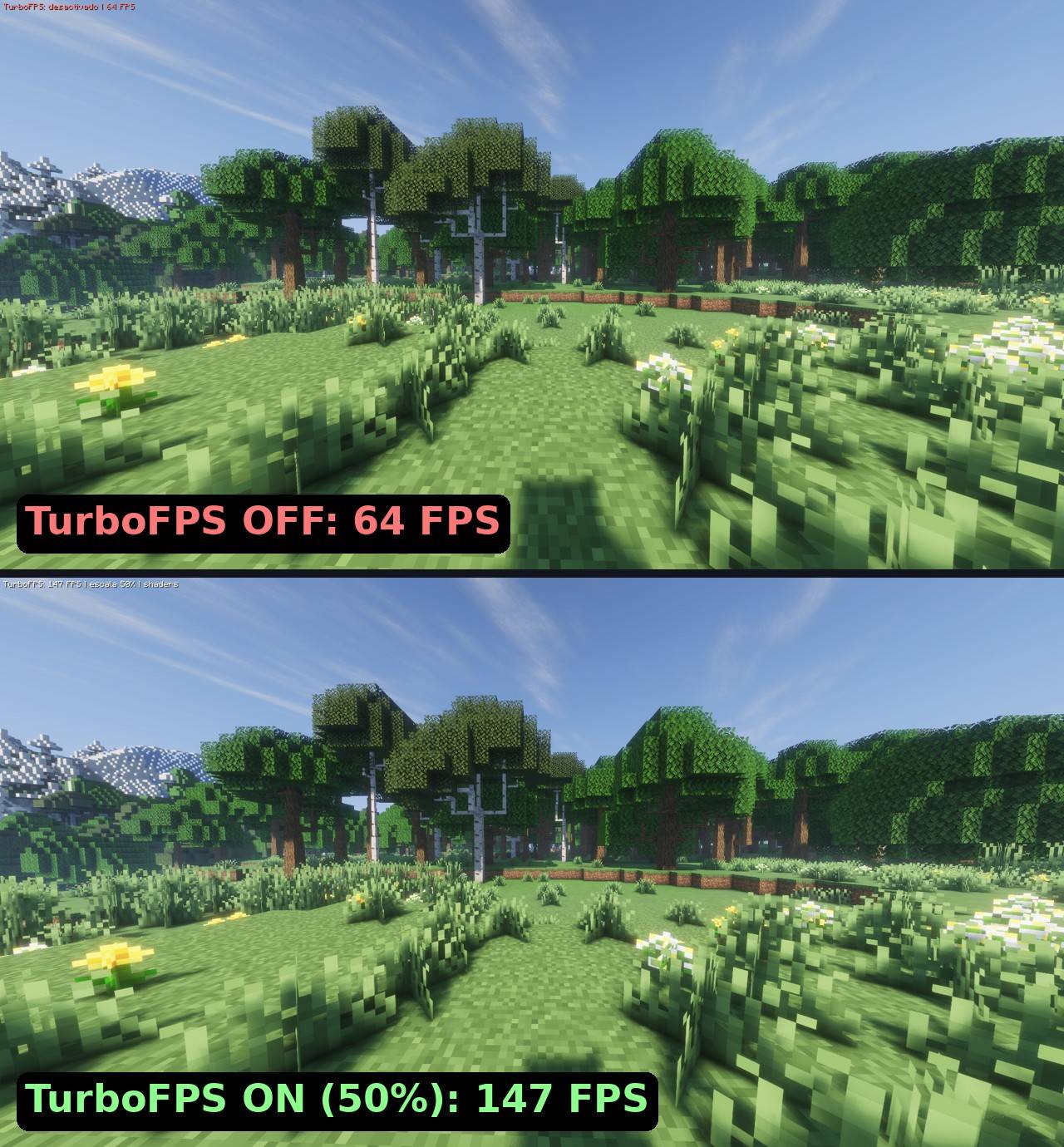
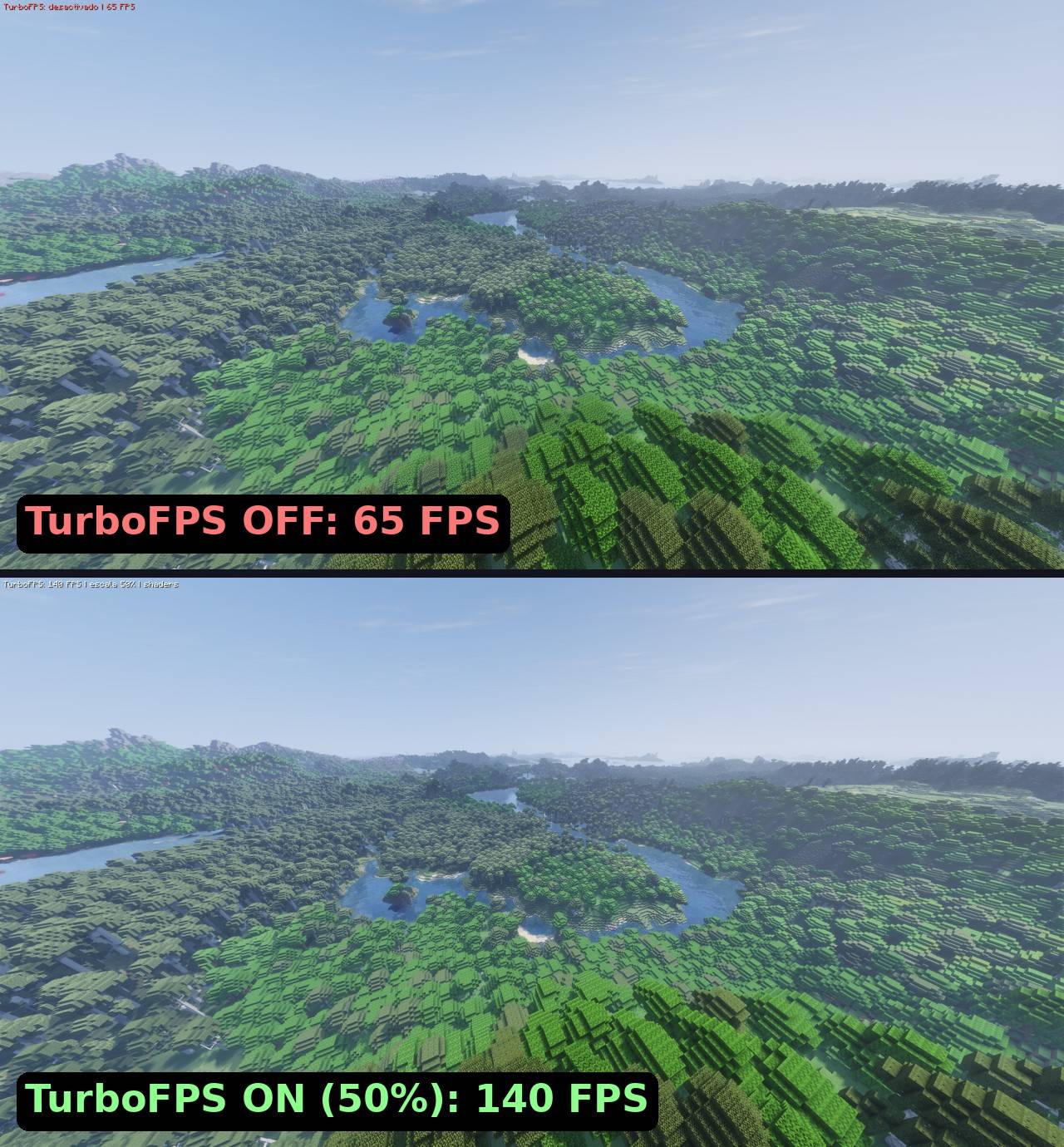
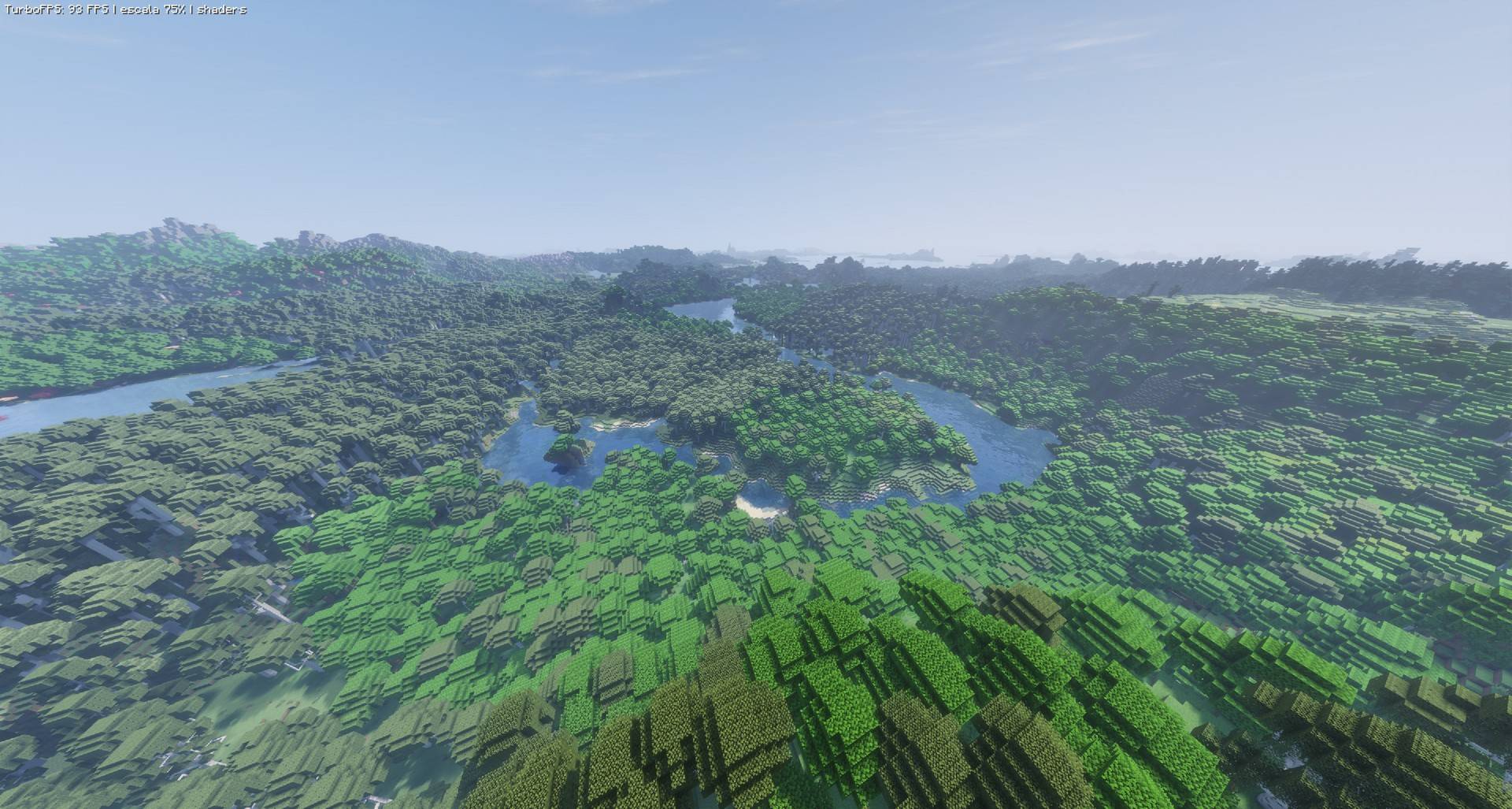
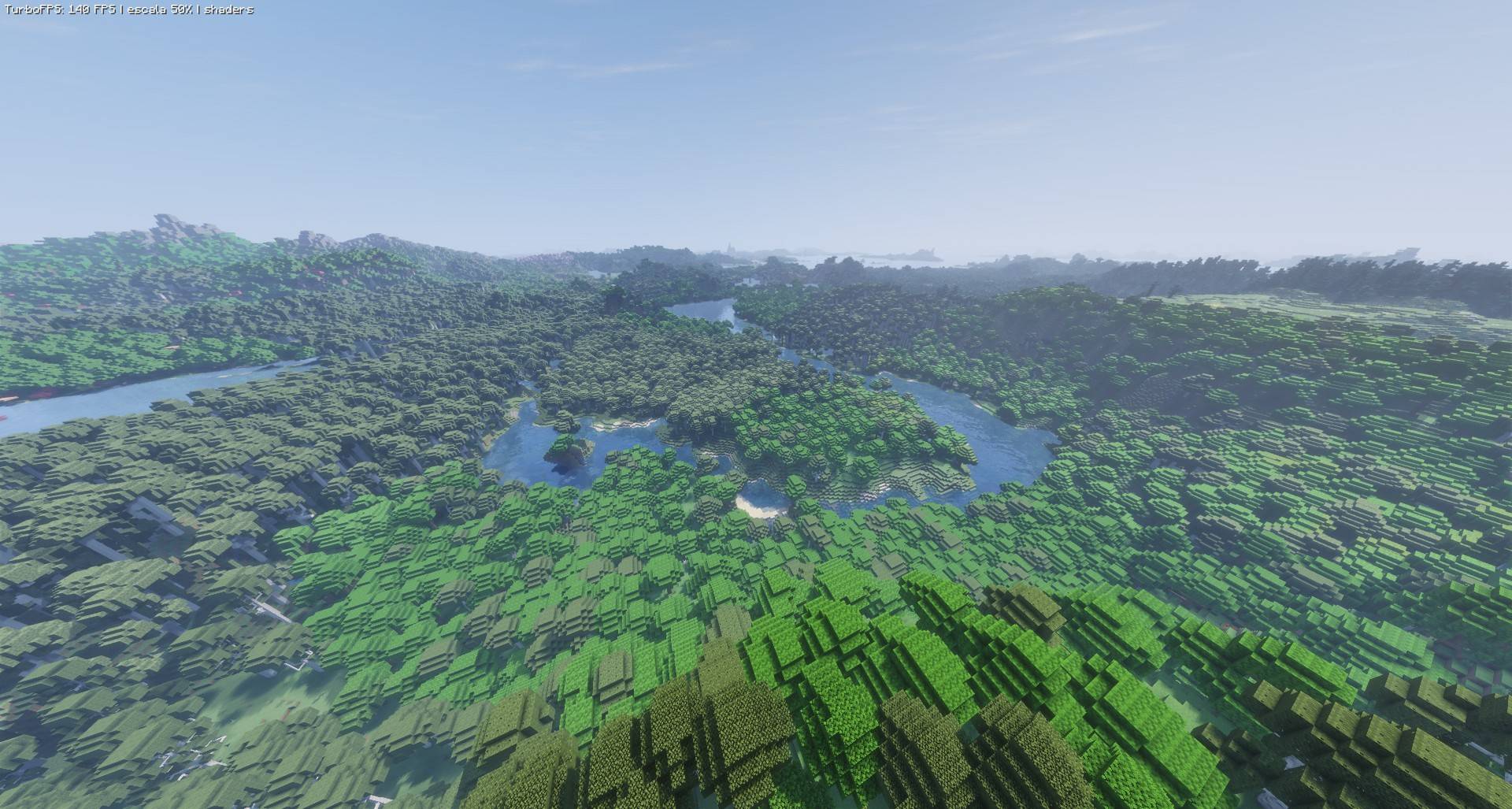
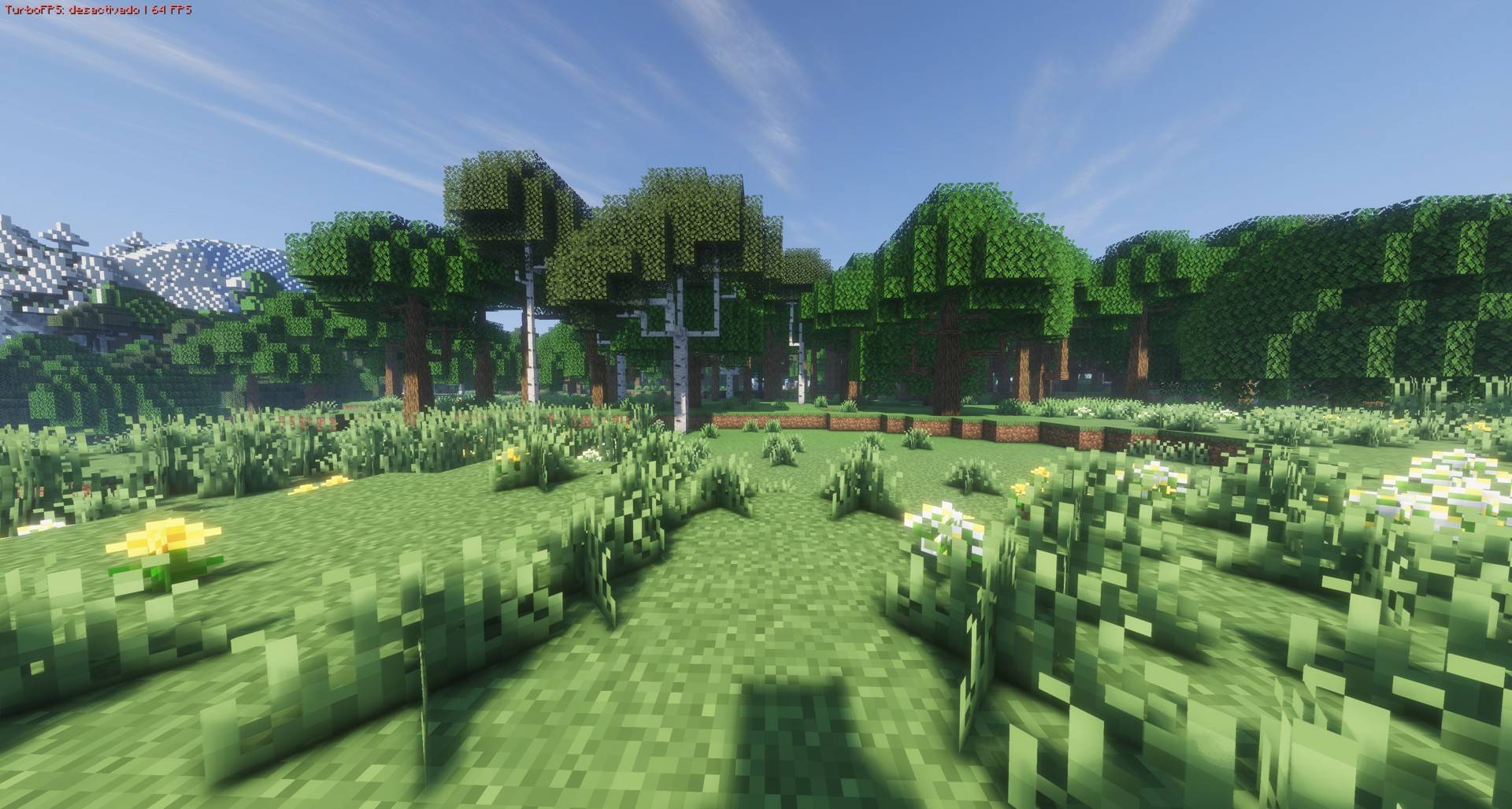
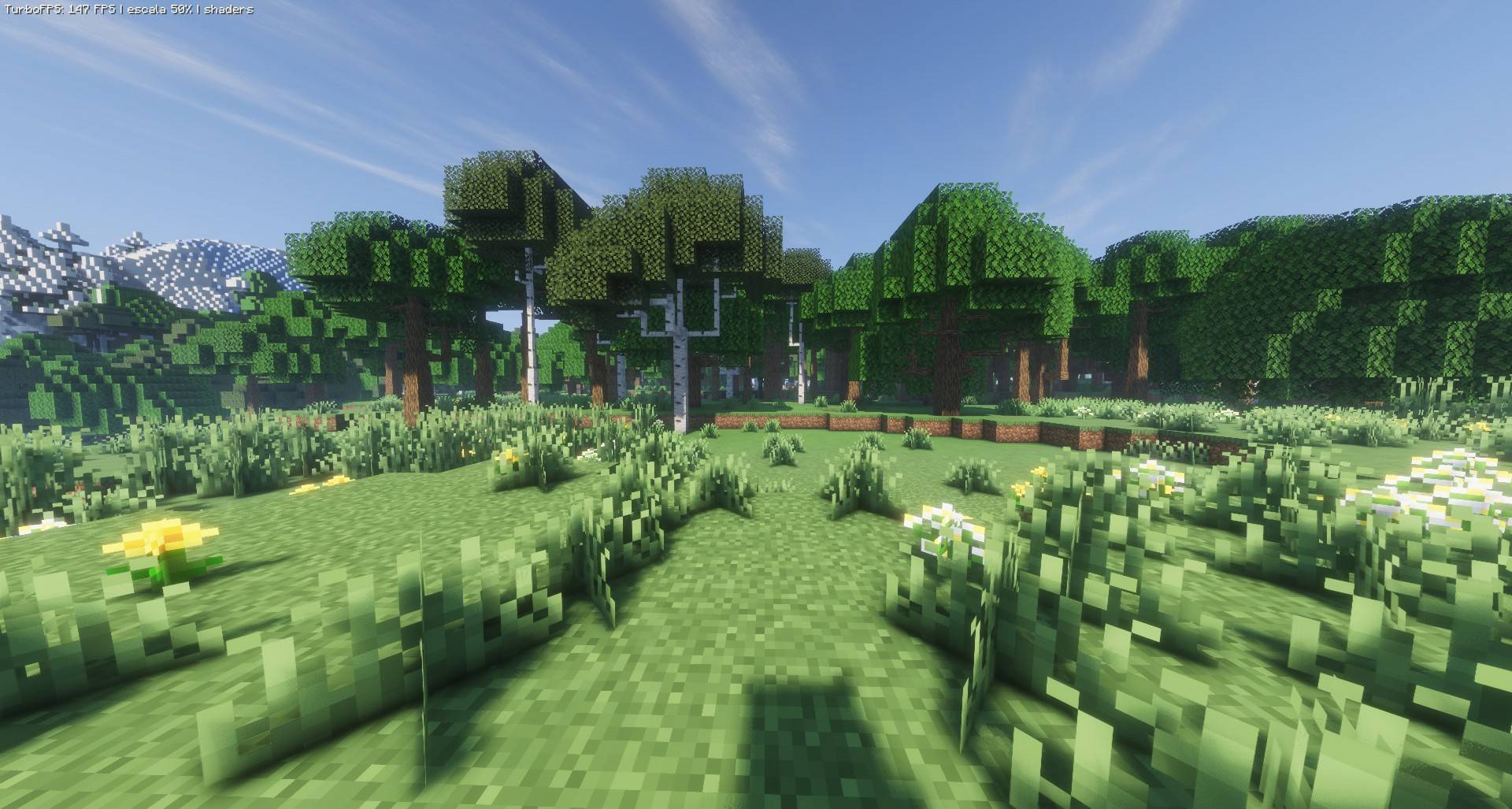
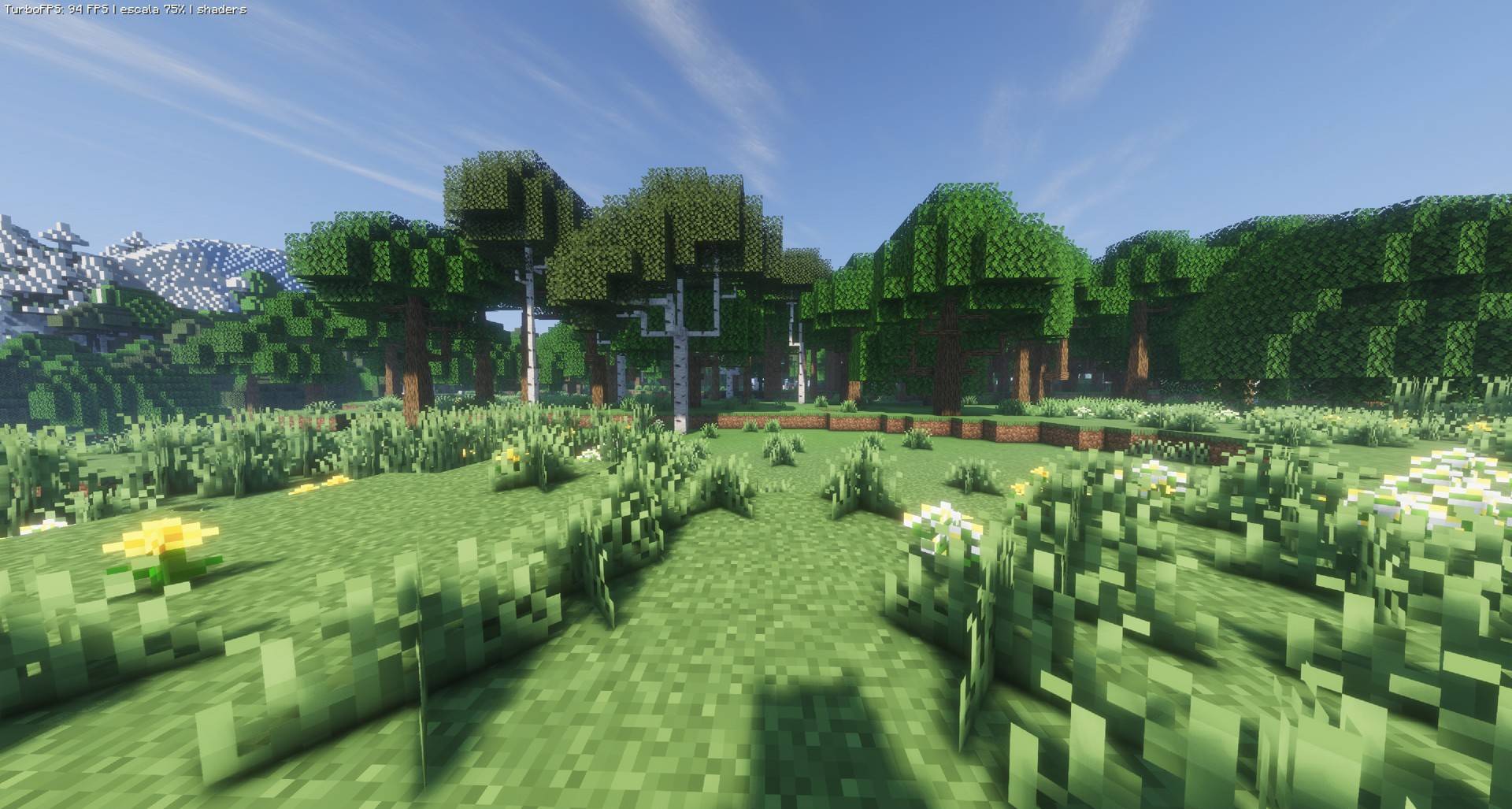
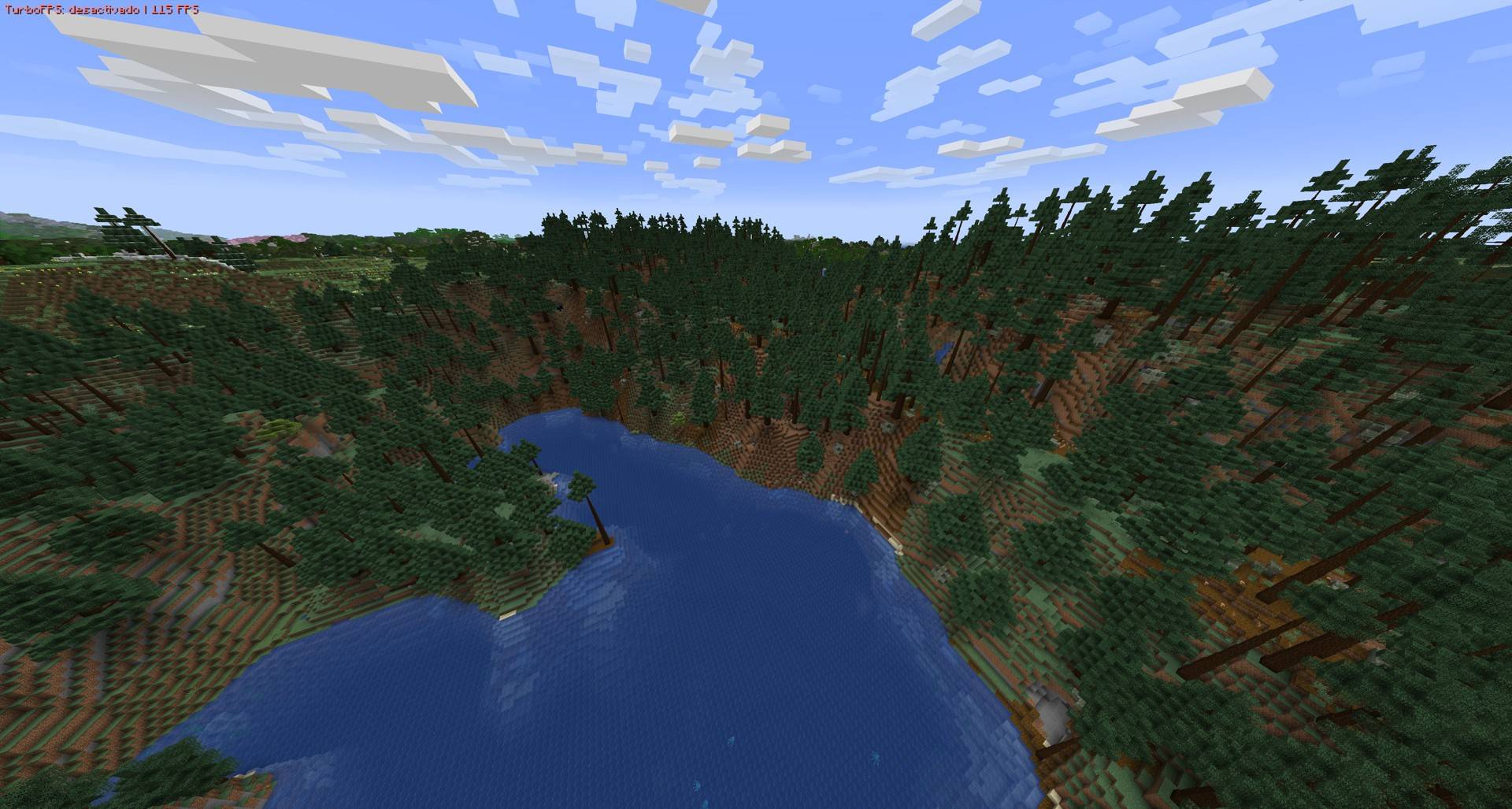
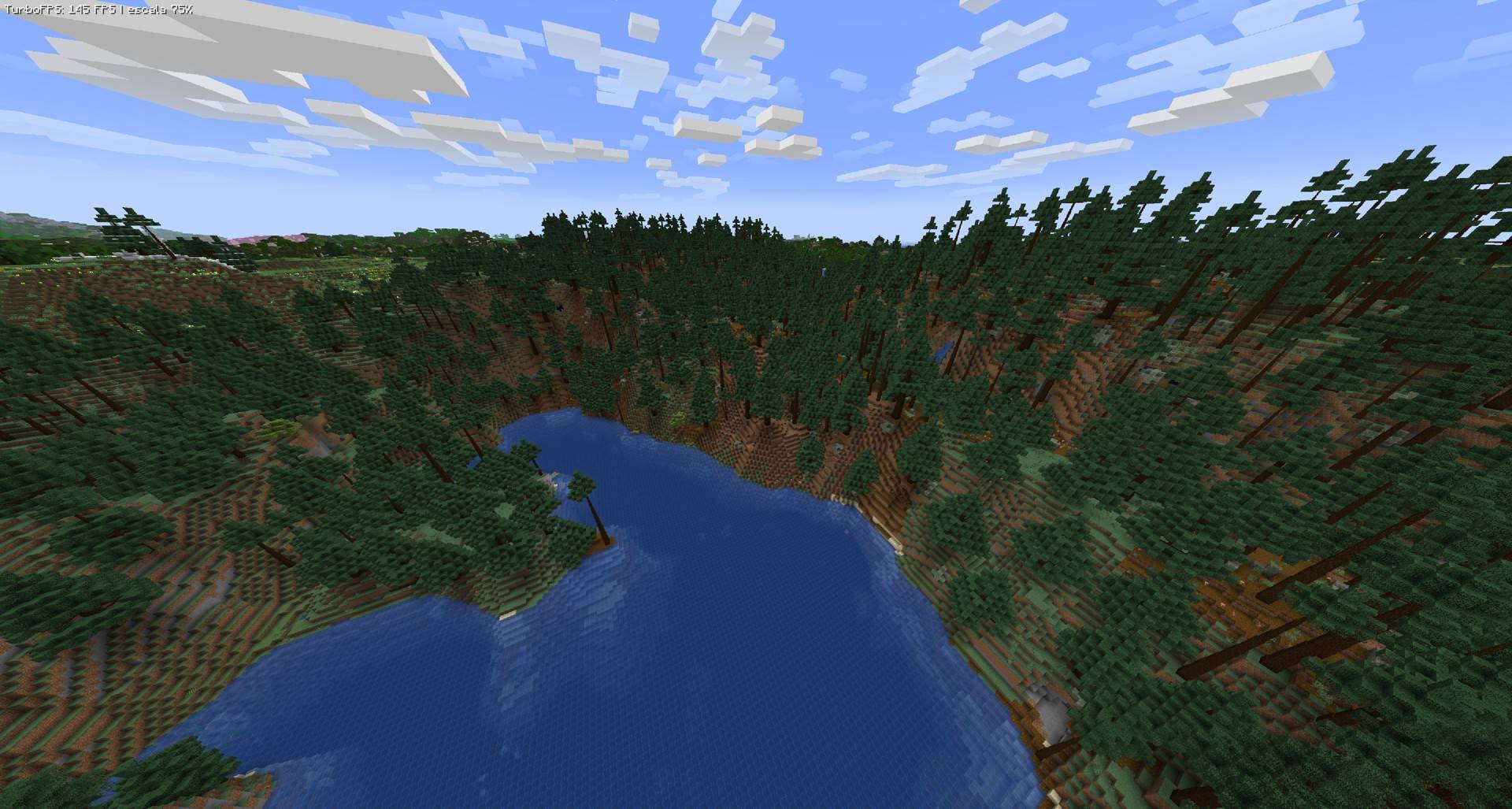
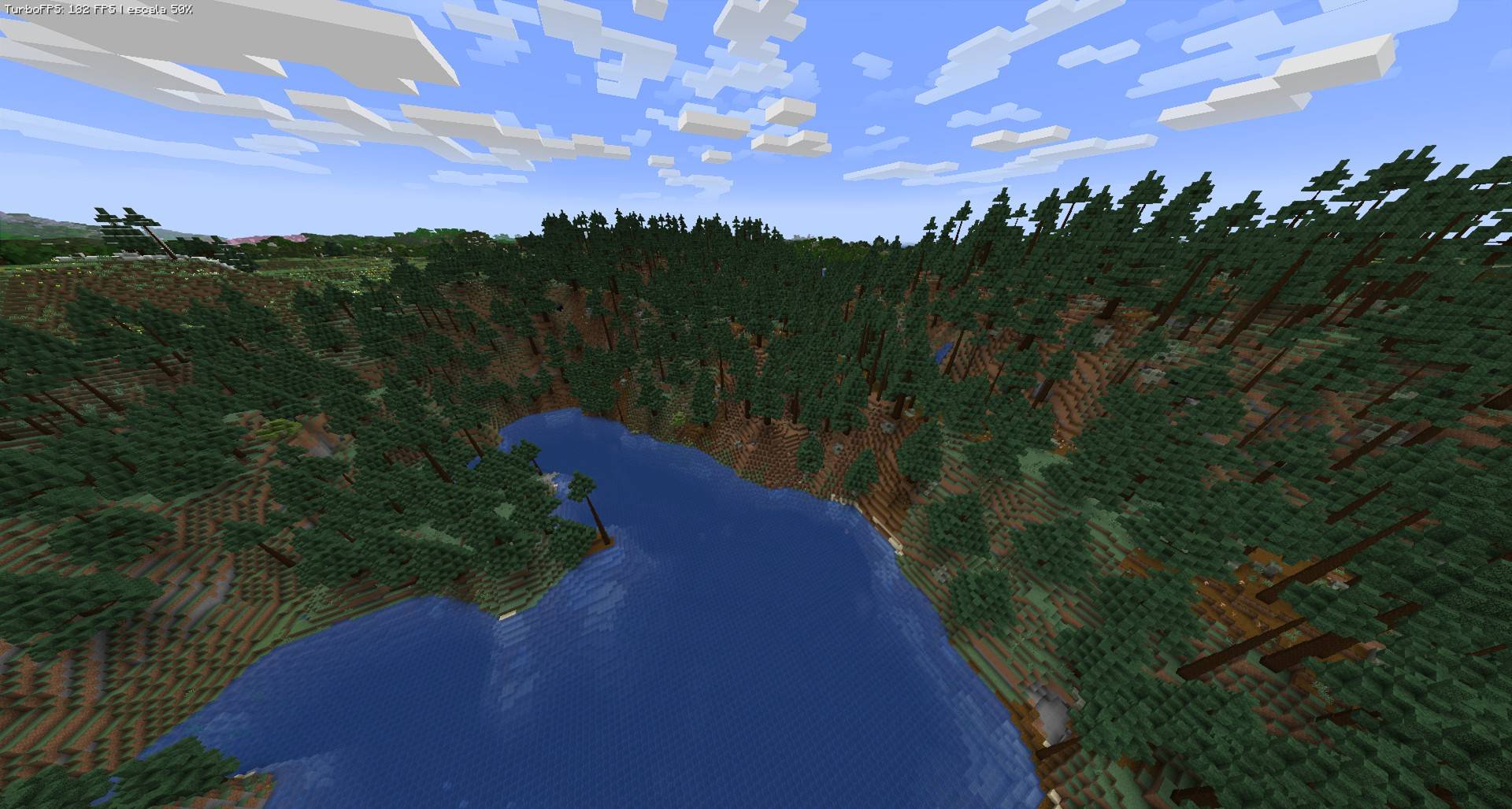
Tested at 3840×2054 (4K) with shaders and Distant Horizons, same scene, F7 on/off:
| Scene | TurboFPS OFF | TurboFPS ON (scale 75%) | TurboFPS ON (scale 50%) |
|---|---|---|---|
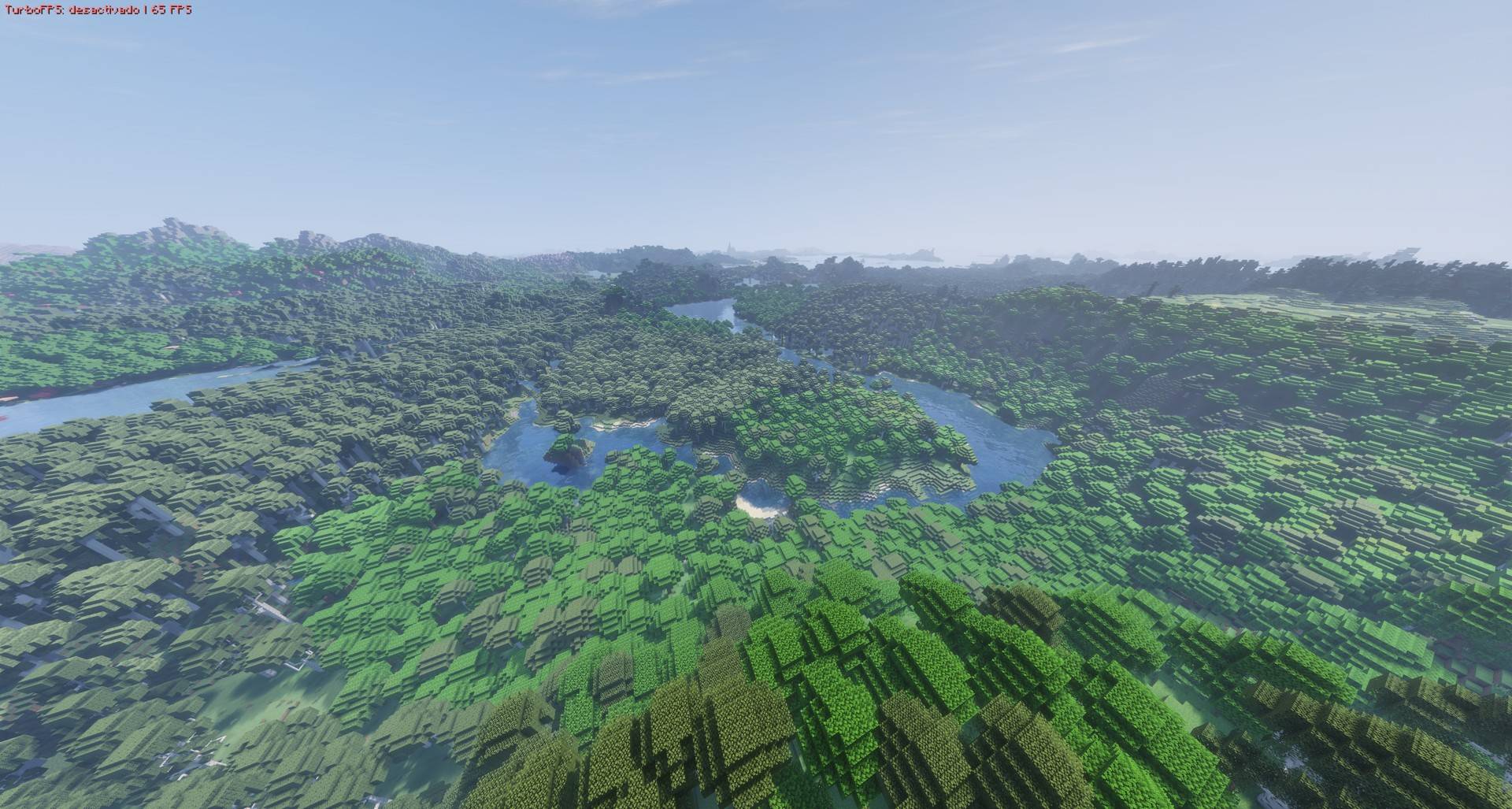
| Landscape with Distant Horizons | 65 FPS | 93 FPS | 140 FPS |
| Forest with shaders | 64 FPS | 94 FPS | 147 FPS |
Up to 2.3× more FPS with the render scaler at 50%. Results depend on your hardware, shader pack and settings.
🖥️ Test PC
- CPU: Intel Core i5-14600K
- GPU: AMD Radeon RX 9060 XT 16 GB
- RAM: 32 GB (2 × 16 GB)
- OS: Windows 11 · Java 21
- Mods: NeoForge 21.1.264, Sodium 0.6.9, Iris 1.8.1, Distant Horizons 3.3.3, in a large modpack (~100 mods)
Features
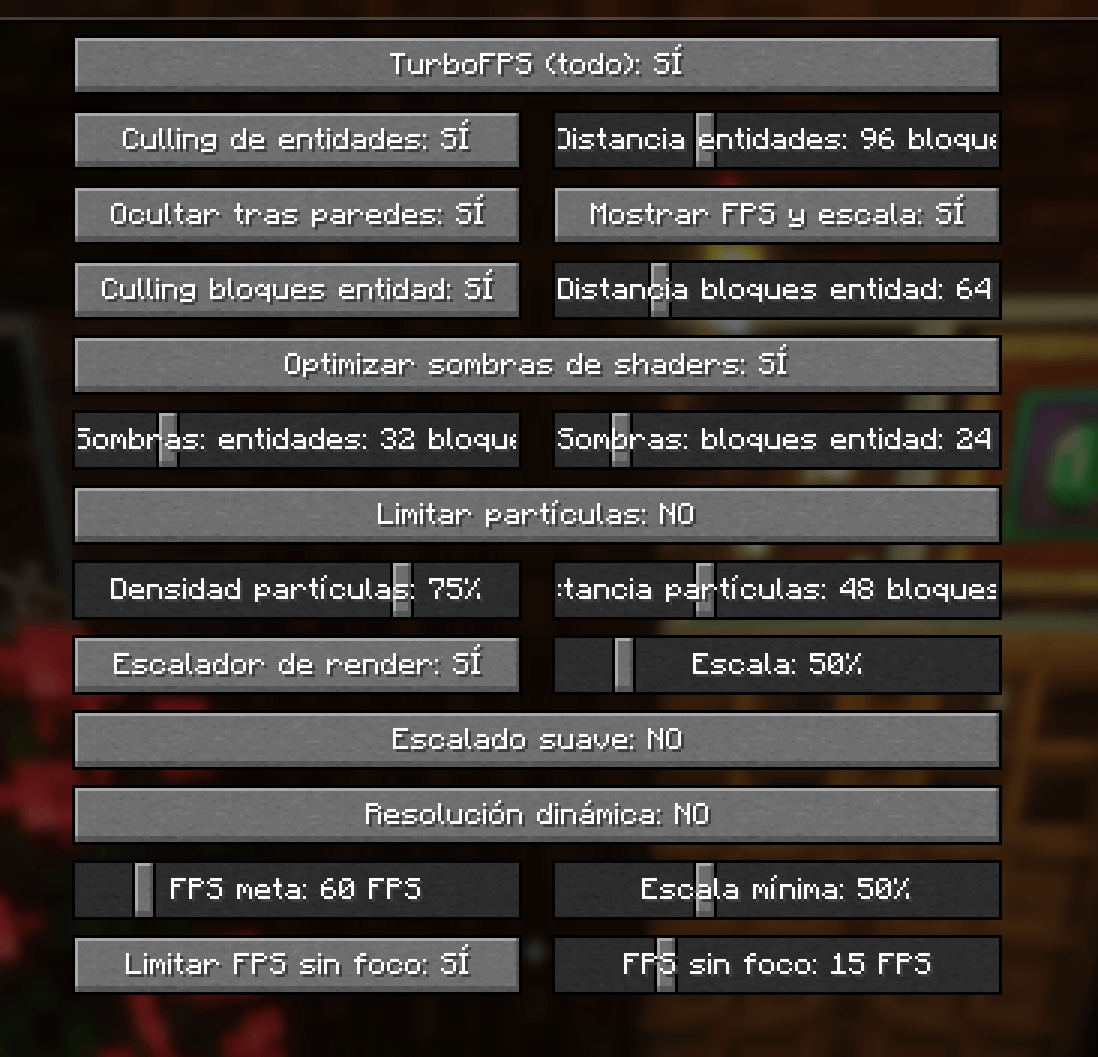
- Entity culling: mobs, villagers and items beyond a chosen distance are not drawn.
- Hide behind walls: entities completely hidden by solid blocks are not drawn. Great for villages and big bases.
- Block entity culling: distant chests, signs, heads, banners and similar blocks are not drawn. Beacons are never hidden.
- Optimized shader shadows (Iris / Oculus): in the shadow pass, only nearby entities and block entities are drawn. This is the biggest FPS gain when using shaders. Fishing lines no longer cast broken triangle shadows.
- Render scaler (25% – 200%): the world is rendered at a lower or higher resolution while the HUD and menus stay at full resolution. Optional smooth or pixel-sharp upscaling.
- Dynamic resolution: lowers the scale automatically when FPS drop below your target.
- Particle limiter: density and distance limits for particles.
- Unfocused FPS limit: lowers FPS when the game is in the background or minimized.
- FPS and scale HUD (optional).
How to use
- Options → ⚡ button (left of the FOV slider), or Mods → TurboFPS → Config.
- F7: turn everything on or off (can be changed in Controls).
- Settings are saved in
config/turbofps.json.
Compatibility
- Requires NeoForge 1.21.1. Client only, no need to install it on servers.
- Tested with Sodium 0.6.9, Iris 1.8.1 and Distant Horizons 3.3.3. Iris/Oculus support is detected automatically.
- Does not change how mobs work: AI, farms, villagers and redstone keep running normally. Only drawing is affected.
- Don't use it together with RenderScale (same feature). If you use EntityCulling or Dynamic FPS, turn off the matching option here.
- If you see ghosting with the render scaler and shaders, disable the shader pack's TAA.
Languages
Follows your game language automatically: English, Español, Português, Français, Deutsch, Русский, 简体中文, 繁體中文, 日本語, 한국어, Italiano.
TurboFPS (Español)
Más FPS con y sin shaders. TurboFPS es un mod de rendimiento del lado del cliente para NeoForge 1.21.1. Evita dibujar lo que no ves, hace mucho más ligeras las sombras de los shaders y agrega un escalador de render que mantiene la interfaz nítida.
Cada optimización se activa o desactiva por separado, y F7 apaga o enciende todo el mod para que compares.
✅ Compatible con Iris, Sodium, shaders y Distant Horizons
TurboFPS se hizo y se probó para funcionar junto con los mods de render más usados:
- Sodium ✔
- Iris Shaders ✔ (la optimización de sombras se detecta sola)
- Shader packs ✔
- Distant Horizons ✔
📊 Resultados
Probado a 3840×2054 (4K) con shaders y Distant Horizons, misma escena, F7 activado/desactivado:
| Escena | TurboFPS OFF | TurboFPS ON (escala 75%) | TurboFPS ON (escala 50%) |
|---|---|---|---|
| Paisaje con Distant Horizons | 65 FPS | 93 FPS | 140 FPS |
| Bosque con shaders | 64 FPS | 94 FPS | 147 FPS |
Hasta 2.3× más FPS con el escalador al 50%. Los resultados dependen de tu equipo, shader pack y configuración.
🖥️ PC de pruebas
- CPU: Intel Core i5-14600K
- GPU: AMD Radeon RX 9060 XT 16 GB
- RAM: 32 GB (2 × 16 GB)
- SO: Windows 11 · Java 21
- Mods: NeoForge 21.1.264, Sodium 0.6.9, Iris 1.8.1, Distant Horizons 3.3.3, en un modpack grande (~100 mods)
Funciones
- Culling de entidades: no dibuja mobs, aldeanos ni objetos más allá de la distancia elegida.
- Ocultar tras paredes: no dibuja entidades completamente tapadas por bloques sólidos. Ideal para aldeas y bases grandes.
- Culling de bloques con entidad: no dibuja cofres, carteles, cabezas, estandartes y similares lejanos. Los faros nunca se ocultan.
- Sombras de shaders optimizadas (Iris / Oculus): en el pase de sombras solo dibuja entidades y bloques con entidad cercanos. Es la mayor ganancia de FPS con shaders. Los sedales de pesca ya no proyectan sombras rotas en forma de triángulos.
- Escalador de render (25 % – 200 %): el mundo se dibuja a menor o mayor resolución mientras el HUD y los menús siguen a resolución completa. Escalado suave o con píxeles nítidos.
- Resolución dinámica: baja la escala sola cuando los FPS caen de tu meta.
- Límite de partículas: densidad y distancia máximas.
- FPS sin foco: baja los FPS cuando el juego está en segundo plano o minimizado.
- HUD de FPS y escala (opcional).
Cómo se usa
- Opciones → botón ⚡ (a la izquierda del FOV), o Mods → TurboFPS → Configurar.
- F7: enciende o apaga todo (se puede cambiar en Controles).
- La configuración se guarda en
config/turbofps.json.
Compatibilidad
- Requiere NeoForge 1.21.1. Solo cliente, no hace falta instalarlo en servidores.
- Probado con Sodium 0.6.9, Iris 1.8.1 y Distant Horizons 3.3.3. Iris/Oculus se detectan solos.
- No cambia cómo funcionan los mobs: la IA, las granjas, los aldeanos y el redstone siguen igual. Solo afecta lo que se dibuja.
- No lo uses junto con RenderScale (misma función). Si usas EntityCulling o Dynamic FPS, desactiva la opción equivalente aquí.
- Si ves fantasmas con el escalador y shaders, desactiva el TAA del shader pack.
Screenshots
Gallery
-
 comparacion-bosque.jpg comparacion-bosque.jpg
-
 comparacion-paisaje.jpg comparacion-paisaje.jpg
-
 captura-menu.png captura-menu.png
-
 2026-11-01_15.52.56.jpg 2026-11-01_15.52.56.jpg
-
 2026-11-01_15.53.03.jpg 2026-11-01_15.53.03.jpg
-
 2026-11-01_15.53.24.jpg 2026-11-01_15.53.24.jpg
-
 2026-11-01_15.54.21.jpg 2026-11-01_15.54.21.jpg
-
 2026-11-01_15.54.26.jpg 2026-11-01_15.54.26.jpg
-
 2026-11-01_15.54.43.jpg 2026-11-01_15.54.43.jpg
-
 2026-11-01_15.58.48.jpg 2026-11-01_15.58.48.jpg
-
 2026-11-01_15.59.03.jpg 2026-11-01_15.59.03.jpg
-
 2026-11-01_15.59.16.jpg 2026-11-01_15.59.16.jpg
Versions
Files
Relations
Project Relations
More like this
Similar Mods
Suggestions use data such as tags, dependencies, dependents, descriptions, titles, and more to rank how much they overlap with this mod.
On ModDex
Community snapshot
By the numbers
Statistics

Get it on
Available Platforms
On ModDex
Community snapshot
By the numbers
Statistics
Resources