
Turn It Down
No reviews yet
TurnItDown is a lightweight Fabric client mod that lets players adjust the playback volume of music discs directly in-game and provides a clean HUD notification when the volume changes.
Includes a large focus on traversing worlds with enhanced world generation, structures, dungeons, and more for players to find unique loot.
Fabric is a mod loader for versions 1.14+ of Minecraft, particularly popular for client side and optimization mods.
Community voices
Reviews
Click once to include, again to exclude, again to clear
No reviews yet. Be the first to review this project!
Get it on
Available Platforms
 Modrinth
Compatibility
Supported Environments
About
Project Details
For authors
Embed Badge
If you're the author of this project, you can embed a live badge anywhere that supports HTML or Markdown. It updates automatically whenever ratings change.
Use HTML for any page that supports it, or Markdown for README files and Markdown-based descriptions.
Identifiers
Platform IDs
Resources
External Links
About
Description
Turn It Down
TurnItDown is a lightweight client-side Fabric mod that lets you finely adjust the playback volume of music discs (music_discs) from CustomDiscs-SVC and provides clean, unobtrusive HUD notifications when the volume changes.
✨ Features
- Precise volume control:
Scroll the mouse wheel while holding Shift and looking at a Jukebox to increase or decrease its playback volume. - Instant feedback:
A small message appears above the hotbar, such as:
Player volume: +25%/Player volume: -10%. - Simple Voice Chat integration:
The mod reads and writes themusic_discsvolume value through the Simple Voice Chat API.
🎨 HUD Notification
- Centered above the hotbar
- No background
- Label in orange, percentage in yellow
- Smooth fade-out (~3 seconds)
📌 Notes
This mod is client-side only and does not modify gameplay or world data and needs plugin CustomDiscs-SVC and Simple Voice Chat on server to work
📄 License
MIT License — free to use, modify, and redistribute.
Русское описание
Turn It Down — лёгкий клиентский мод для Fabric, позволяющий тонко регулировать громкость воспроизведения музыкальных дисков (music_discs) из CustomDiscs-SVC и выводящий аккуратные HUD-уведомления при изменении громкости.
✨ Возможности
- Точное управление громкостью:
Прокручивайте колёсико мыши при зажатом Shift, глядя на Jukebox, чтобы увеличить или уменьшить громкость. - Мгновенная обратная связь:
Над хотбаром появляется короткое сообщение:
Громкость проигрывателя: +25%/Громкость проигрывателя: -10%. - Интеграция Simple Voice Chat:
Мод читает и записывает значение категорииmusic_discsчерез API Simple Voice Chat.
🎨 Особенности HUD
- Центр экрана над хотбаром
- Без фоновой подложки
- Подпись — оранжевая, процент — жёлтый
- Плавное исчезновение (~3 секунды)
📌 Примечание
Мод работает только на клиенте и не затрагивает мир или игровой процесс и требует плагин CustomDiscs-SVC и Simple Voice Chat на сервере
📄 Лицензия
MIT License — свободное использование, изменение и распространение.
Screenshots
Gallery
-
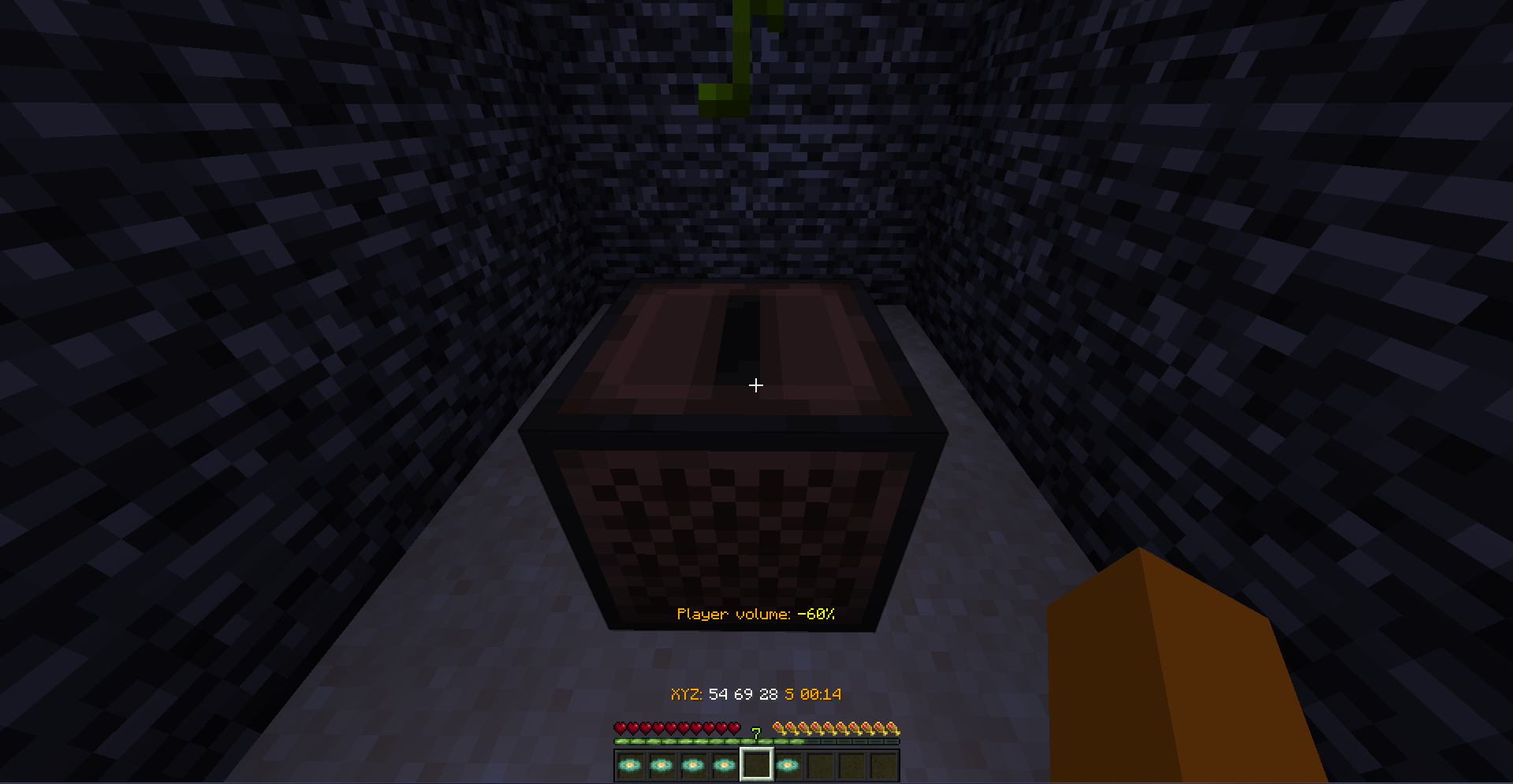 Work of mod
Versions
Files
Relations
Project Relations
More like this
Similar Mods
Suggestions use data such as tags, dependencies, dependents, descriptions, titles, and more to rank how much they overlap with this mod.
On ModDex
Community snapshot
By the numbers
Statistics

Want to reach Minecraft players?
We're looking for a server hosting partner to feature here and other parts of the site. Interested? Send us a message!
Get in touchGet it on
Available Platforms
On ModDex
Community snapshot
By the numbers
Statistics
Resources