
Community listing page, reviews here may not be monitored by the author.
Tyco

No reviews yet
Mine, sell, bank, and shop with a fully moddable coin economy.
Community voices
Reviews
No reviews yet. Be the first to review this project!
Get it on
Available Platforms
Compatibility
Supported Environments
Must be installed on both the client and the server.
About
Project Details
For authors
Embed Badge
If you're the author of this project, you can embed a live badge anywhere that supports HTML or Markdown. It updates automatically whenever ratings change.
Use HTML for any page that supports it, or Markdown for README files and Markdown-based descriptions.
Identifiers
Platform IDs
About
Description
Tyco
Tyco adds a full player-driven currency system to Minecraft. It includes ore/log generators that consume coins to produce resources, a seller block that converts items into coins, a banker block for converting between coin tiers, and a shop block where players can browse and buy items using coins.
Why you'd want this: almost every mechanic in Tyco is data-driven and modular, so modpack developers can freely add, remove, or override recipes, prices, and categories through datapacks or KubeJS without touching any Java code. This makes Tyco a flexible base economy system rather than a fixed, one-size-fits-all mod.
Before downloading: Tyco ships with a working default economy (vanilla ore/log recipes, a six-tier coin system, and sample shop items) so it functions immediately with no setup. Everything described below is optional customization for modpack developers who want to change that default behavior.
Recipe Types Overview
Every recipe type below works identically whether defined as a JSON file in a datapack (data/tyco/recipe/<type>/*.json) or added through KubeJS's ServerEvents.recipes.
| Type | Used by | Purpose |
|---|---|---|
tyco:generating |
Miner, Lumberjack | Defines what a generator produces from a block below it, and its coin cost |
tyco:selling |
Seller | Defines what the Seller converts an item into (coins) |
tyco:banking |
Banker | Defines custom currency conversions (the built-in Coal to Netherite tiers are config-driven, not recipe-driven — see the Config section below) |
tyco:shop_entry |
Shop | Defines an item for sale, its price, and which category tab it belongs to |
tyco:shop_category |
Shop | Defines a category tab's display (text or item icon) |
tyco:generating (Miner / Lumberjack)
ServerEvents.recipes(event => {
  event.custom({
    type: 'tyco:generating',
    machine: 'miner',                  // 'miner' or 'lumberjack' - which block this applies to
    blocks: ['minecraft:iron_ore', 'minecraft:deepslate_iron_ore'],
    coin_input: { item: 'tyco:coal_coin' },
    coin_count: 4,
    output: { id: 'minecraft:raw_iron' },
    min_count: 1,                      // optional, default 1
    max_count: 1,                      // optional, default 1
    bonus_chance: 0.05,                // optional, default 0 - chance to override with bonus_count instead
    bonus_count: 2,                    // optional, default 0
    interval: 20                       // ticks between production cycles (20 = 1 second)
  })
})
Weighted output pool (multiple possible results, for example a "mystery ore" block)
Use outputs instead of output/min_count/max_count/bonus_chance/bonus_count. If outputs is present, it takes priority entirely:
ServerEvents.recipes(event => {
  event.custom({
    type: 'tyco:generating',
    machine: 'miner',
    blocks: ['modid:mystery_ore'],
    coin_input: { item: 'tyco:coal_coin' },
    coin_count: 6,
    outputs: [
      { item: 'minecraft:raw_iron', weight: 50, min_count: 1, max_count: 1 },
      { item: 'minecraft:raw_copper', weight: 30, min_count: 1, max_count: 2 },
      { item: 'minecraft:raw_gold', weight: 15, min_count: 1, max_count: 1 },
      { item: 'minecraft:diamond', weight: 5, min_count: 1, max_count: 1, bonus_chance: 0.05, bonus_count: 2 }
    ],
    interval: 30
  })
})
Weights are relative and do not need to sum to 100.
tyco:selling (Seller)
Direction is always item in, coins out.
ServerEvents.recipes(event => {
  event.custom({
    type: 'tyco:selling',
    input: { item: 'minecraft:iron_ingot' },
    input_count: 1,
    output: { id: 'tyco:coal_coin', count: 5 },
    interval: 20
  })
})
tyco:banking (Banker — custom currencies only)
The built-in Coal to Netherite coin tier conversion is not driven by this recipe type. It is handled directly by the Banker block using live config values (see the Config section below), so it can be adjusted instantly without a recipe reload.
Use tyco:banking only for currencies other than Tyco's own six coins, such as a modpack's own custom currency item:
ServerEvents.recipes(event => {
  event.custom({
    type: 'tyco:banking',
    direction: 'up',                  // 'up' or 'down' - which Banker mode this applies to
    input: { item: 'modid:custom_token' },
    input_count: 10,
    output: { id: 'modid:custom_token_gold' },
    interval: 20
  })
})
tyco:shop_entry (Shop)
ServerEvents.recipes(event => {
  event.custom({
    type: 'tyco:shop_entry',
    item: { id: 'minecraft:diamond', count: 1 },
    price: 50,                        // always denominated in Coal Coin value
    category: 'Ores'                  // optional, defaults to "Misc"
  })
})
Players can pay with any mix of coin tiers. The Shop automatically converts using the live Banker config ratios and gives change back in the largest denominations that fit.
tyco:shop_category (Shop tab display)
Optional. Any category referenced by a shop_entry automatically gets a plain text tab. Define this only if you want a category to show an item icon instead:
ServerEvents.recipes(event => {
  event.custom({
    type: 'tyco:shop_category',
    category: 'Ores',
    icon: 'minecraft:diamond'         // optional - omit entirely for a plain text tab
  })
})
Removing or Overriding Shipped Defaults
Every recipe Tyco ships has a predictable ID in the form tyco:<recipe_type>/<file_name>. To replace one, remove it first, then add your own version:
ServerEvents.recipes(event => {
  event.remove({ id: 'tyco:generating/iron' })

  event.custom({
    type: 'tyco:generating',
    machine: 'miner',
    blocks: ['minecraft:iron_ore', 'minecraft:deepslate_iron_ore'],
    coin_input: { item: 'tyco:coal_coin' },
    coin_count: 8,
    output: { id: 'minecraft:raw_iron', count: 2 },
    interval: 100
  })
})
Wiping an entire category of defaults
ServerEvents.recipes(event => {
  event.remove({ type: 'tyco:generating' })   // removes ALL default Miner/Lumberjack recipes
  event.remove({ type: 'tyco:selling' })      // removes ALL default Seller recipes
  event.remove({ type: 'tyco:shop_entry' })   // removes ALL default Shop items
})
tyco:banking recipes are unaffected by any of the above, since the built-in tier conversion does not use them.
Config File (config/tyco-common.toml)
Generated automatically on first launch.
[banker]
    # How many Coal Coins are needed to convert into 1 Copper Coin
    coalToCopperRatio = 10
    # How many Copper Coins are needed to convert into 1 Iron Coin
    copperToIronRatio = 10
    # How many Iron Coins are needed to convert into 1 Gold Coin
    ironToGoldRatio = 10
    # How many Gold Coins are needed to convert into 1 Diamond Coin
    goldToDiamondRatio = 10
    # How many Diamond Coins are needed to convert into 1 Netherite Coin
    diamondToNetheriteRatio = 10
    # How many ticks the Banker takes to perform one coin tier conversion (20 ticks = 1 second)
    conversionIntervalTicks = 20
The Banker ratios above are also what the Shop uses to calculate change when a player pays with a higher-tier coin than an item's price requires.
Item Tags
Coins belong to the tyco:coins tag (data/tyco/tags/item/coins.json), which controls what the Miner, Lumberjack, Seller, and Banker input slots accept. Custom currencies added by a modpack are not accepted by Tyco's own machines unless added to this tag, but they can still be used through the tyco:banking and tyco:shop_entry recipe types above, which check the specific item ID directly rather than the tag.
Full source, build instructions, and further documentation are available on GitHub.
Screenshots
Gallery
-
 LOGO
LOGO -
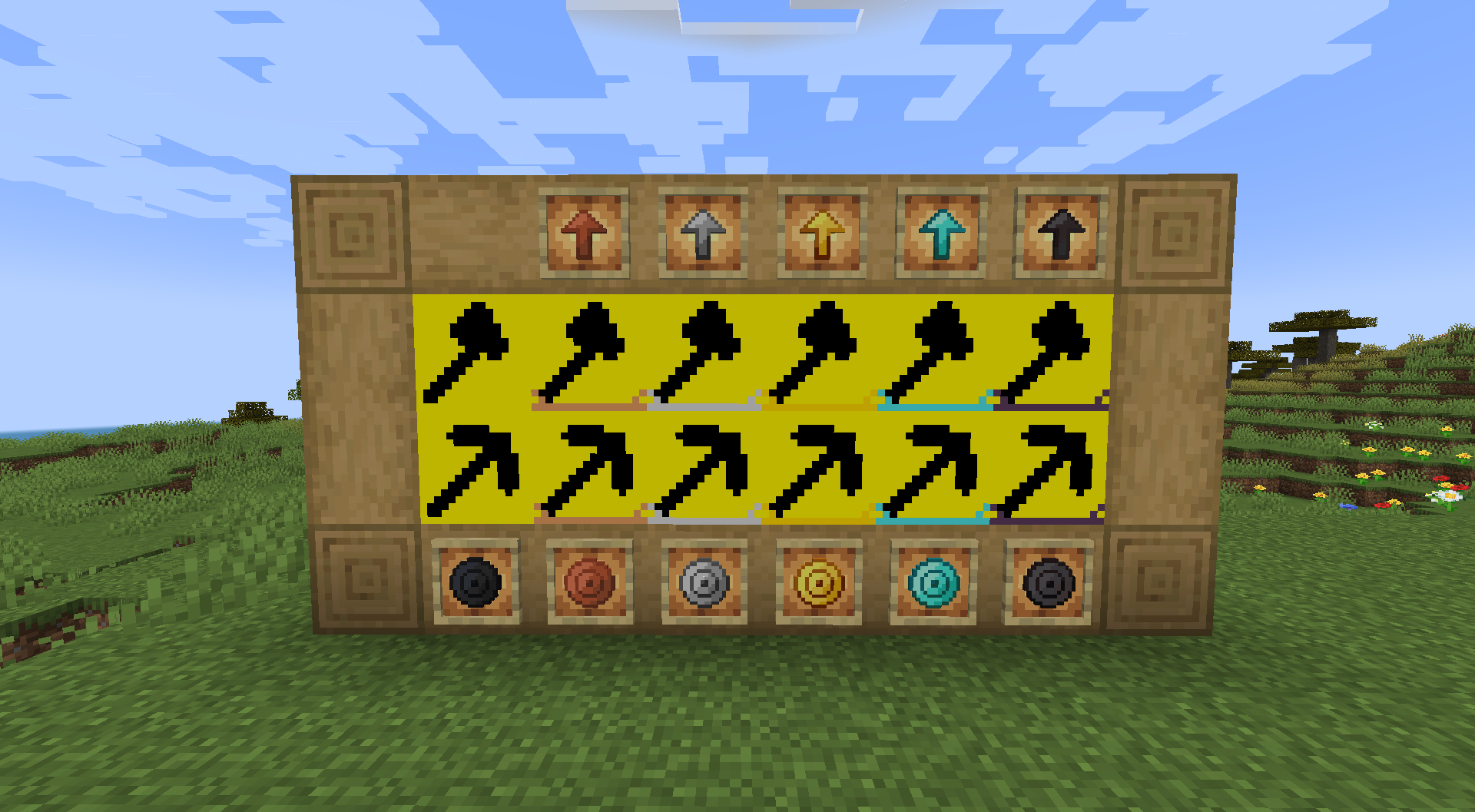 All the generators and upgrades, as well the coins!
 -
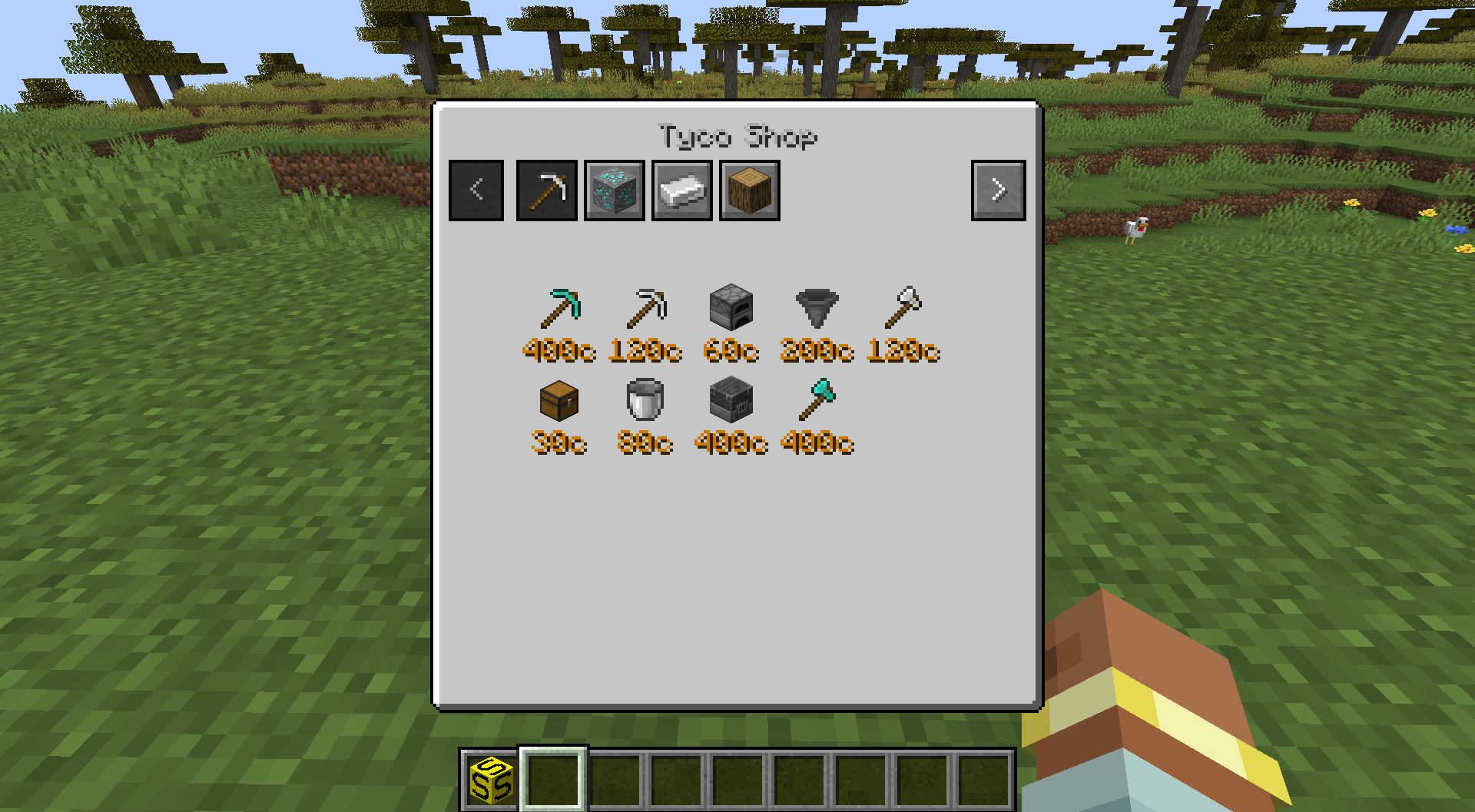 Shop GUI
 -
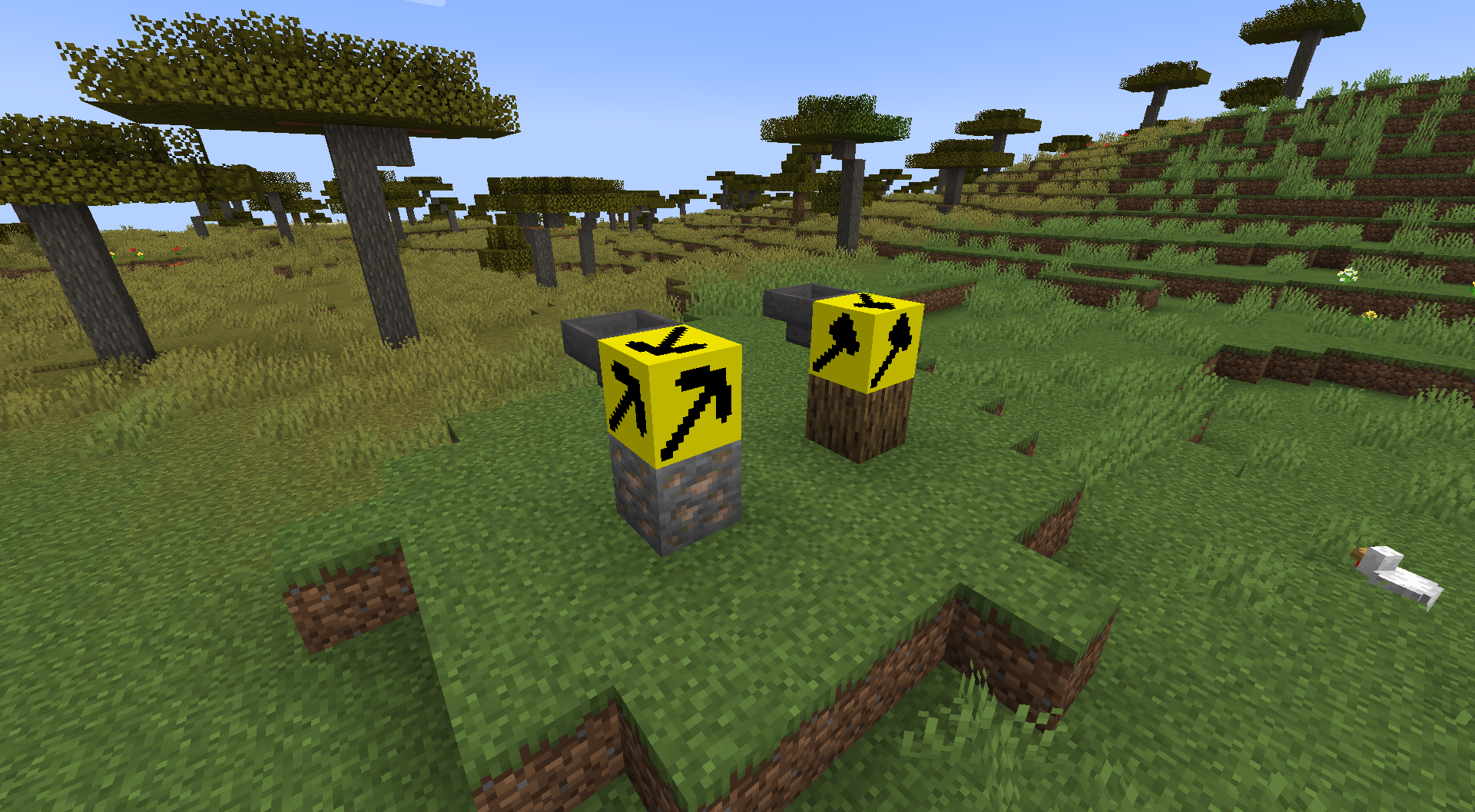 Example generator for vanilla people, just right click the block to get the items out of it
 -
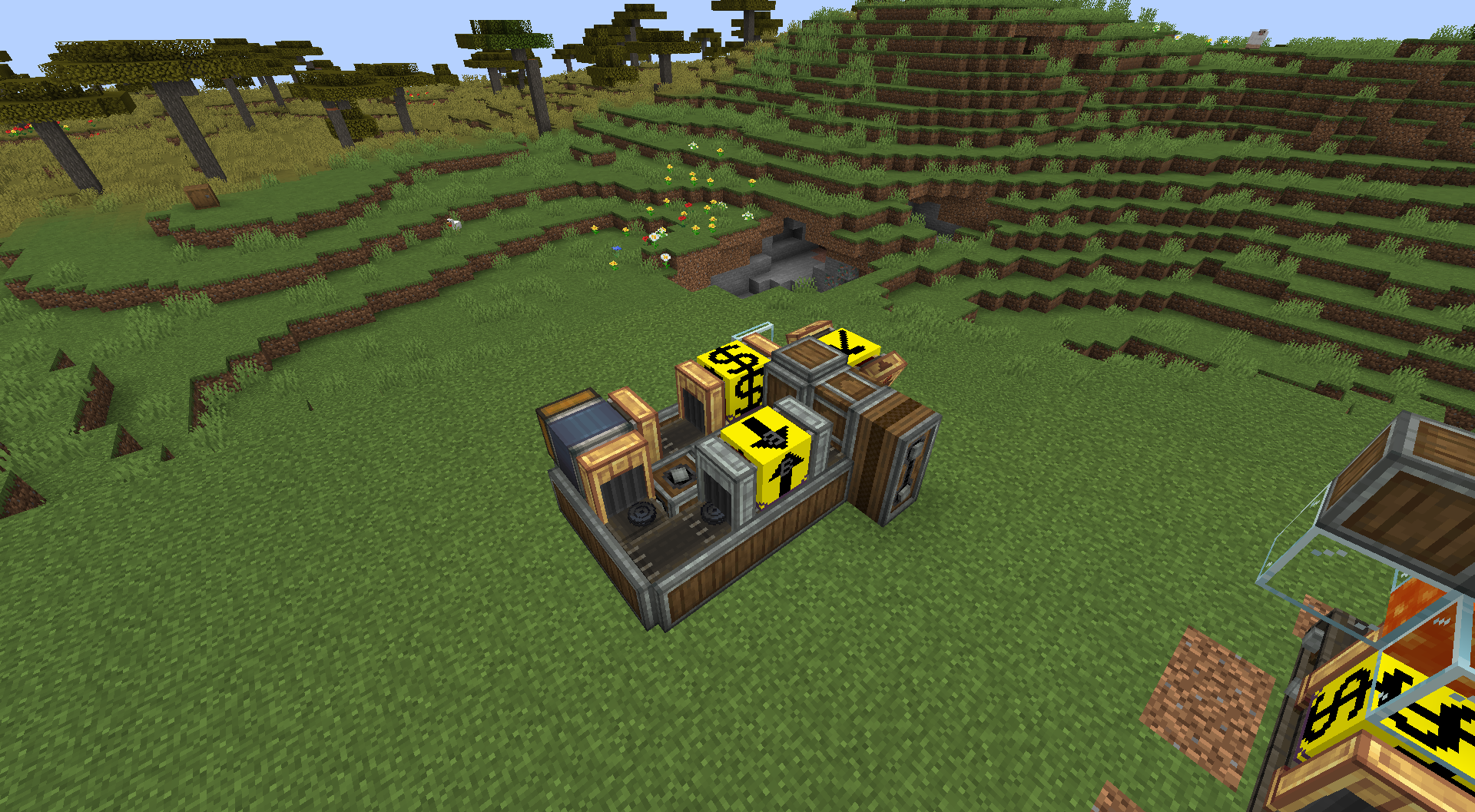 Example machine And has other mods support as well!
Versions
Files
Relations
Project Relations
More like this
Similar Mods
Suggestions use data such as tags, dependencies, dependents, descriptions, titles, and more to rank how much they overlap with this mod.
On ModDex
Community snapshot
By the numbers
Statistics

Want to reach Minecraft players?
We're looking for a server hosting partner to feature here and other parts of the site. Interested? Send us a message!
Get in touchGet it on
Available Platforms
On ModDex
Community snapshot
By the numbers