
Community listing page, reviews may not be monitored by the author.
Ubi-Utils

No reviews yet
Catch people op abusing or admin abusing. (Gamemode Switches)

Community voices
Reviews
No reviews yet. Be the first to review this project!
Get it on
Available Platforms
Compatibility
Supported Environments
Runs entirely on the client. Works on vanilla servers.
About
Project Details
For authors
Embed Badge
If you're the author of this project, you can embed a live badge anywhere that supports HTML or Markdown. It updates automatically whenever ratings change.
Use HTML for any page that supports it, or Markdown for README files and Markdown-based descriptions.
Identifiers
Platform IDs
Resources
External Links
About
Description

Catch Op/Admin Abusers!
If you have ever suspicions someone in your server is abusing creative mode, this mod is for you!
works on most servers
Utilities
- GamemodeNotifier (Notifies the player when someone changes their gamemode)
- TabIntegration (Integrates each players gamemode in TabGUI)
- Notification History (saves history of gamemode notifications)
- No Weather (sets weather to clear client-side)
- Chat Plus (increases chat history)
- Auto Reconnect (auto reconnects after disconnection)
Commands
- /ubi-help (lists all modules)
- /ubi-help 2 (lists all cmds)
- /ubi-ping (shows ping/latency)
- /ubi-toggle (toggles modules)
- /ubi-keybind (enable/disable a key to open GUI)
- /ubi-info (info about the mod)
Usage
- Keybind to open the gui can be changed in the default minecraft keybind settings or /ubi-keybind <key/disable>
To open the Utility GUI, go into a world or server and press the key "insert" (by default) on your keyboard.
This will open up a menu which you can toggle on/off the modules.
Installation
Download the jar from modrinth with the dependencies.
Put the jar inside your mod folder along with the dependencies.
Dependencies (MOD WILL NOT WORK WITHOUT THESE)
yacl may be needed on lower versions
If you run into any issues DM @ubiqqe on discord.
Screenshots
Gallery
-
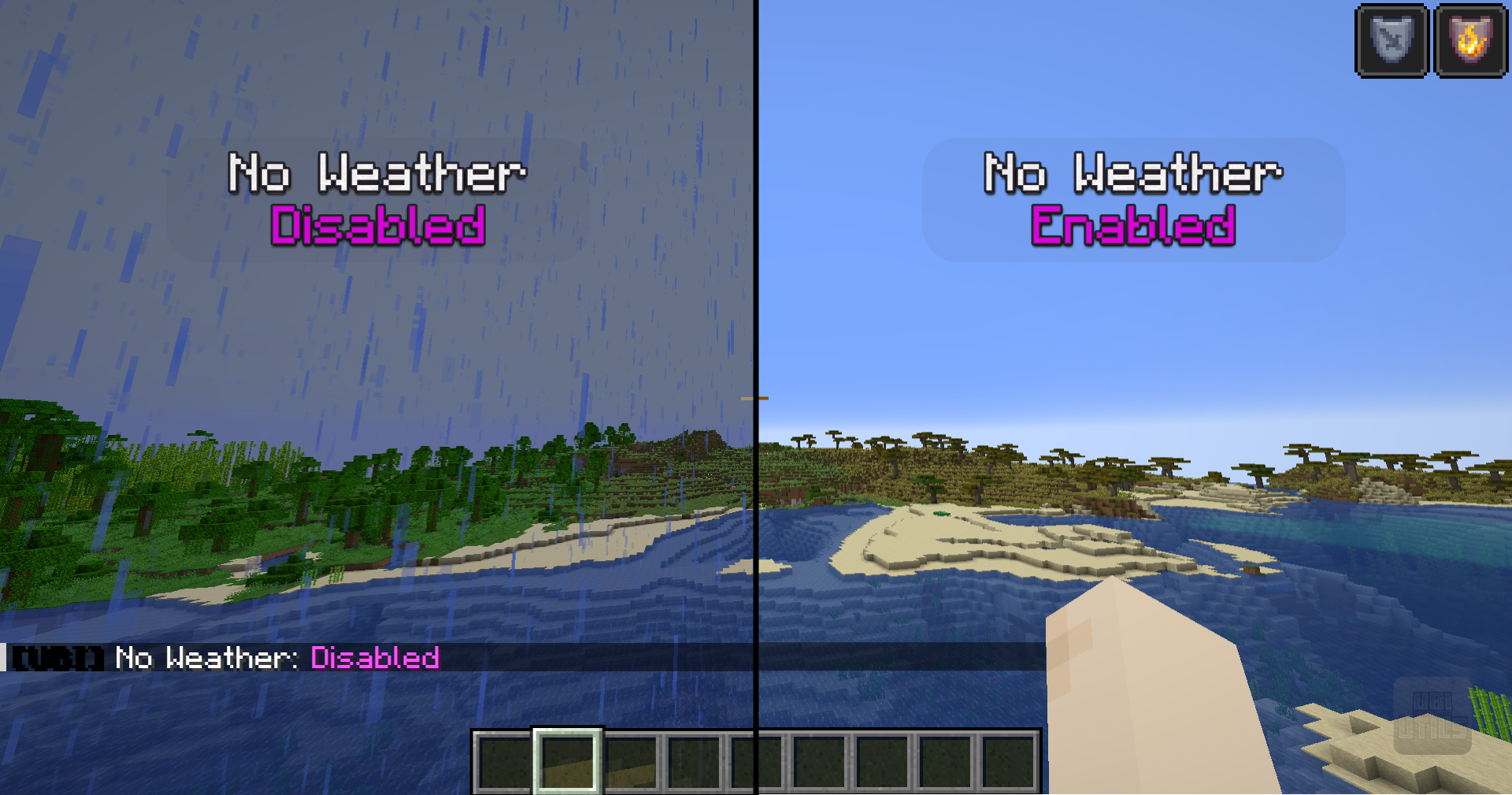 NoWeather Example of what No Weather does
 -
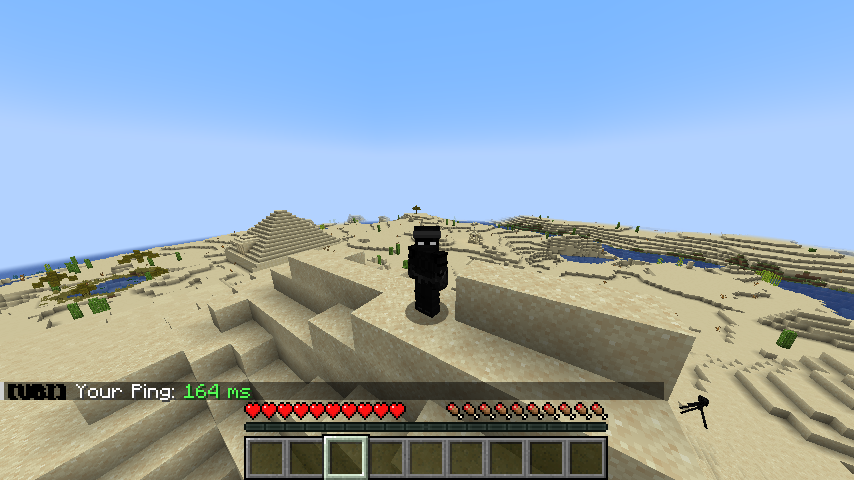 /ubi-ping returns ping in ms
 -
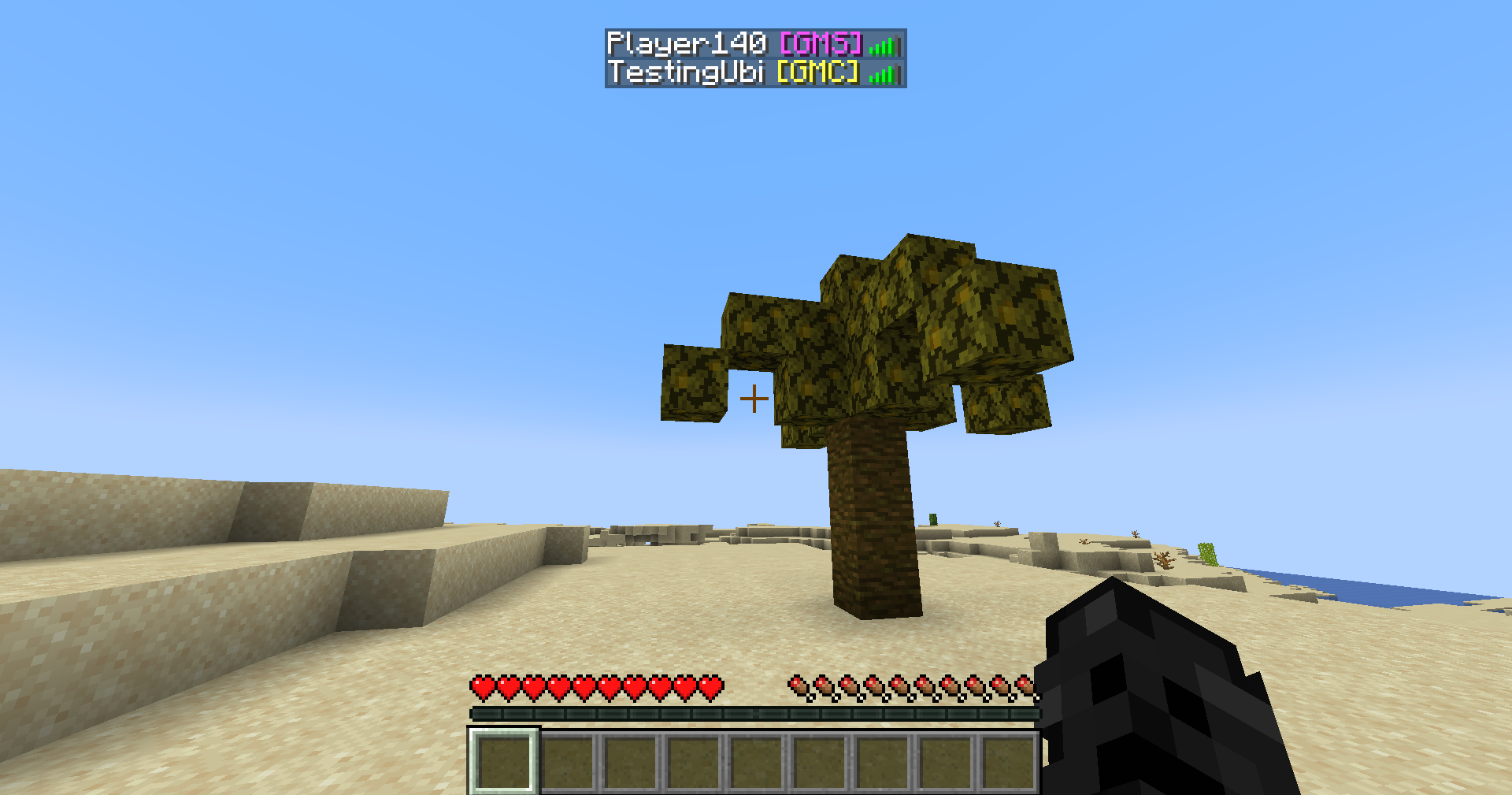 TabIntegration Example of how tab integration looks like.
 -
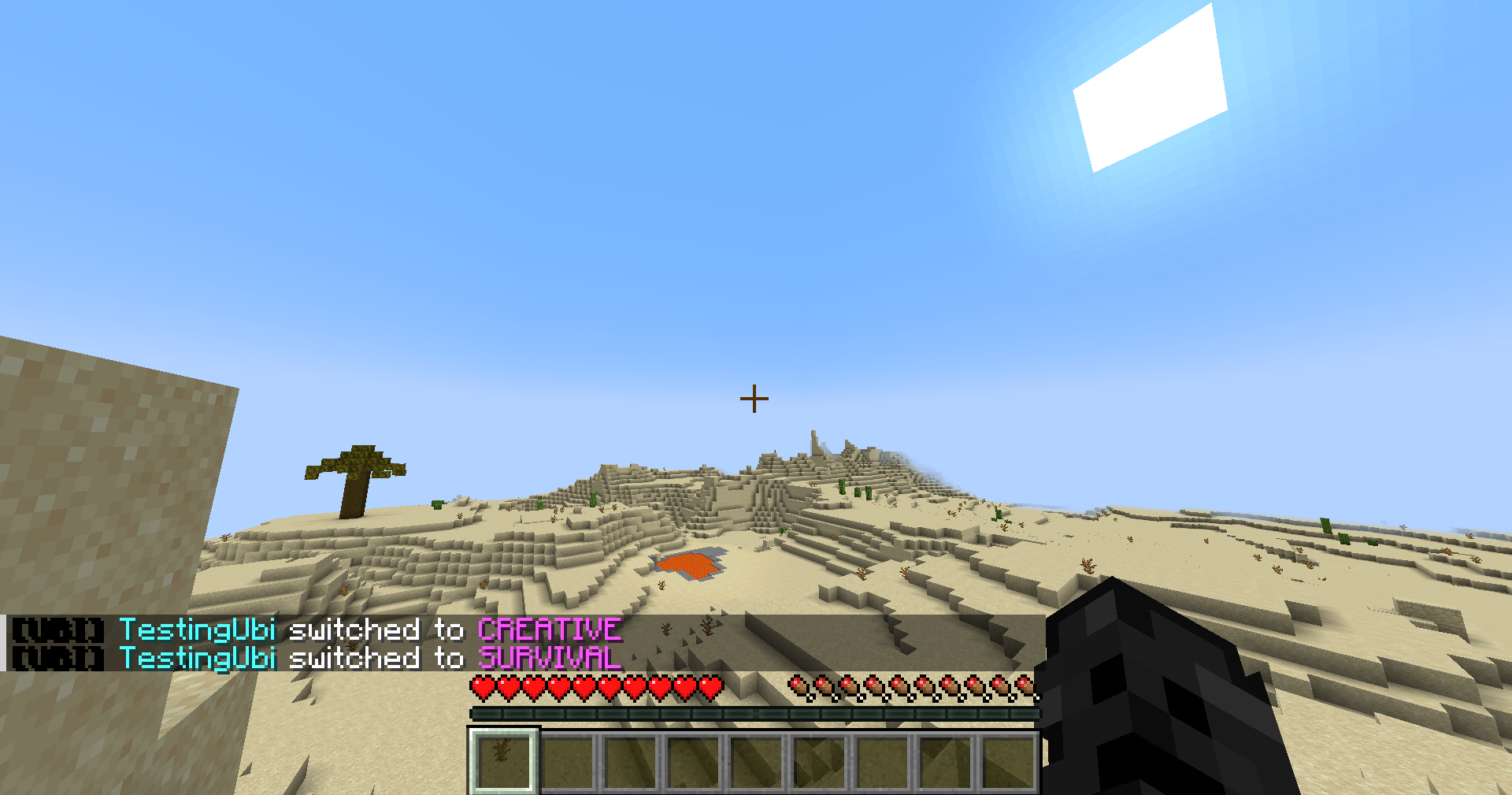 GamemodeNotifier Example of how Gamemode Notifier notifies (client only)
 -
 1.21.4 latest gui Press "insert" (insert is default) to open the ubi utils gui. (you can change key bind in Minecraft's key bind settings)
 -
 1.21.10 Latest GUI now uses Cloth Config API (dependency) instead of YACL to make gui simpler
 -
 Commands Commands included in the mod
Versions
Files
Relations
Project Relations
More like this
Similar Mods
Suggestions use data such as tags, dependencies, dependents, descriptions, titles, and more to rank how much they overlap with this mod.
On ModDex
Community snapshot
By the numbers
Statistics


Get it on
Available Platforms
On ModDex
Community snapshot
By the numbers
Statistics
Resources