
UI Keybinds
No reviews yet
Adds shortcuts to navigate the UI buttons — without a mouse!
Fabric is a mod loader for versions 1.14+ of Minecraft, particularly popular for client side and optimization mods.
Community voices
Reviews
Click once to include, again to exclude, again to clear
No reviews yet. Be the first to review this project!
Get it on
Available Platforms
 Modrinth
Compatibility
Supported Environments
About
Project Details
For authors
Embed Badge
If you're the author of this project, you can embed a live badge anywhere that supports HTML or Markdown. It updates automatically whenever ratings change.
Use HTML for any page that supports it, or Markdown for README files and Markdown-based descriptions.
Identifiers
Platform IDs
About
Description
The killer feature is the ability to use the UI with keyboard only, with no pain.
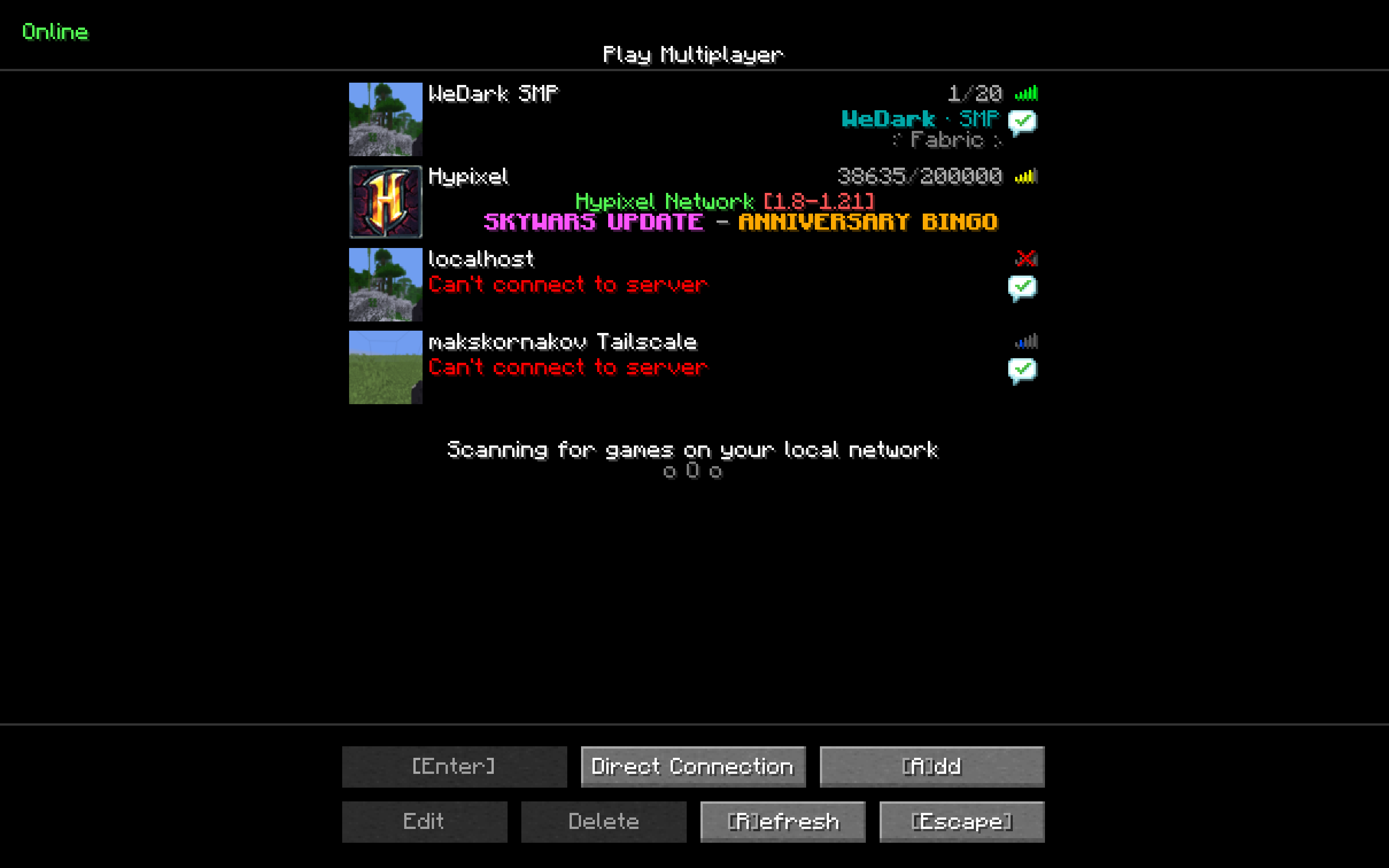
E.g. MM on Title Screen joins the first server in your multiplayer list.
Keybinds
There are currently the following keybinds:
- Main Menu
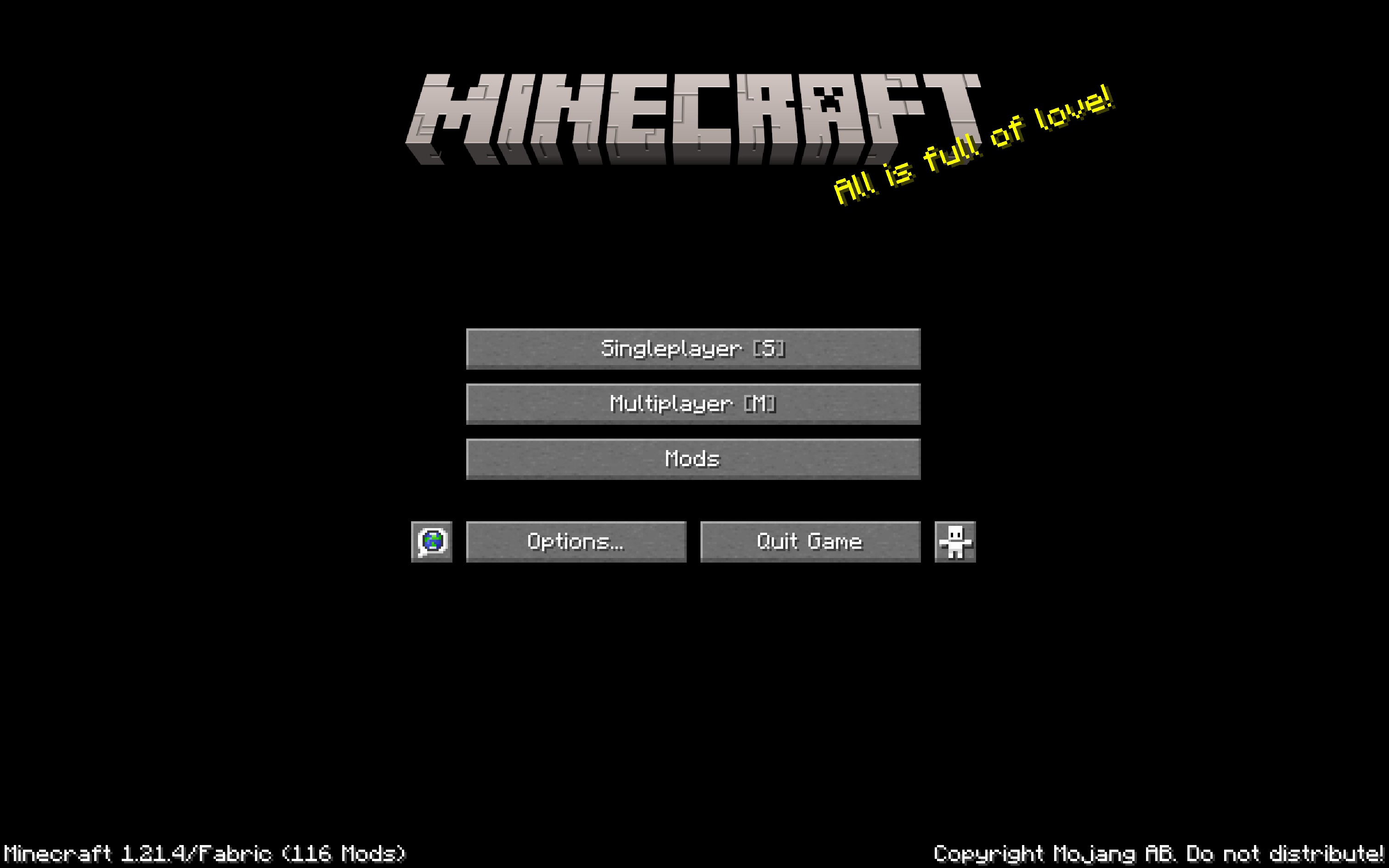
Sto open the World Selection ScreenMto open the Server Selection ScreenMMto join the first server in your server list
- World Selection Screen
- Searchbox is automatically selected when opening screen so you can start typing immidiately
Enterto join the top-most world on the search list
- Server Selection Screen
Mto join the first server in the server listAto add new serverDto open the direct connect screen (not implemented yet)1-9to join the corresponding server in the server list
- Server Disconnect Screen
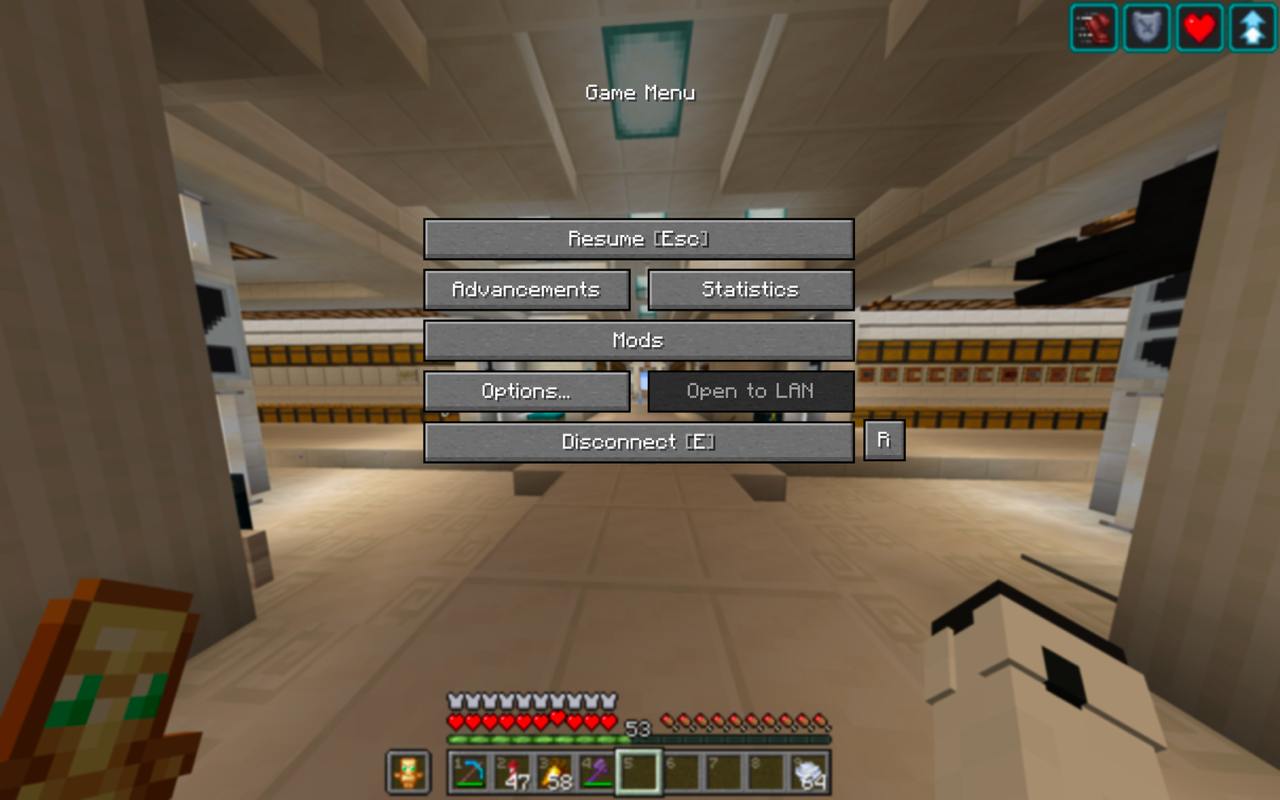
ESCto return to Server Selection ScreenRto reconnect to the server
- Creative Menu
Tabto automatically switch to the search page and automatically select textboxTabwhen you have the textbox selected to clear it
Im open to suggestions for more keybinds!
Resource Pack
This mod comes with a built-in resource pack that shows keybinds in the UI
Why can't I rebind these keys in controls?
This mod does not use the minecraft keybinding system, so as to prevent conflicts (ex. S to open world selection screen would block movement backwards).
You can code a ModMenu integration for user config — I'll accept PRs for that as soon as possible.
Contributing
I'm open to suggestions for more keybinds!
If you are a developer wanting to contribute, or you've found a bug — please open an issue here
Feel free to open Pull Requests!
This is an updated fork of https://modrinth.com/mod/better-ui-keybinds
Screenshots
Gallery
Versions
Files
Relations
Project Relations
More like this
Similar Mods
Suggestions use data such as tags, dependencies, dependents, descriptions, titles, and more to rank how much they overlap with this mod.
On ModDex
Community snapshot
By the numbers
Statistics

Want to reach Minecraft players?
We're looking for a server hosting partner to feature here and other parts of the site. Interested? Send us a message!
Get in touchGet it on
Available Platforms
On ModDex
Community snapshot
By the numbers