
Ultimate Roleplay Kit - Hats
No reviews yet
A resourcepack & datapack combo that adds a ton of cosmetic hats!
Data Packs were introduced to vanilla Minecraft in version 1.13 and allow the server to modify data about the game, or run commands. Data Packs are compatible with all mod loaders.
Forge is a popular mod loader for versions 1.1+ of Minecraft.
Neoforge is a fork of the Minecraft Forge available for versions 1.20.1+ of Minecraft. Many Forge mods are compatible with Neoforge and vice versa.
Fabric is a mod loader for versions 1.14+ of Minecraft, particularly popular for client side and optimization mods.
Quilt is a fork of the Fabric mod loader. Many Fabric mods are compatible with Quilt and vice versa.
Community voices
Reviews
Click once to include, again to exclude, again to clear
No reviews yet. Be the first to review this project!
Get it on
Available Platforms
 Modrinth
Compatibility
Supported Environments
About
Project Details
For authors
Embed Badge
If you're the author of this project, you can embed a live badge anywhere that supports HTML or Markdown. It updates automatically whenever ratings change.
Use HTML for any page that supports it, or Markdown for README files and Markdown-based descriptions.
Identifiers
Platform IDs
Resources
External Links
About
Description
THIS DATAPACK/MOD REQUIRES A DEPENDENCY RESOURCEPACK TO FUNCTION CORRECTLY!
Ultimate roleplay kit (URK) is collection of datapacks, focused on adding vanilla friendly, multiplayer-focused features! So, items that don't add any innate gameplay, but can greatly enchance player interractions, which makes them a perfect addition to any vanilla-style server!
This specific URK pack adds 36 diffirent cosmetic hats, that are sold by the Wandering Trader.
The mod version still requires a resourcepack
Features:

-
Hats - Wandering traders now additionally sell 3 random hats from the datapack's pool. Each hat costs 4 emeralds + some a special items, to the specific hat (full list below). This is made in order to encourage exploration, as some of the items may be quite obscure.
-
Customisation - Most hats can be dyed any colour, just like leather armour!
-
Locator Bar Integration - All the hats also change your locator bar icon, and some may hide it alltogether.
-
Config Menu A config menu can be called via this command:
/function ndwthats:config_menu. This menu allows you to configure the amount of diffirent hats sold per trader, and the locator bar settings. -
Advancements - An advancement tree including a brief tutorial, as well as some fun challenges for hat collectors out-there.
-
If you simply want to get all the hats right away, you can use the following command:Feature currently unavailable./function ndwthats:giveallhats
Hats

URK items also include a few tooltip tags, which are supposed to signify what can be done with the items, to make the pack easier to use without a tutorial. The following tags are used in this datapack:
- [H] Headwear - The item can be worn in your head slot, and will be displayed accordingly!
- [D] Dyeable - The item can be dyed any colour, just like leather armor!
- [E] Emissive - Some part, or the whole cosmetic glows in the dark. It does not emit light, or stop mobs from spawning, but the cosmetic item itself will be visible regardless of the light level.
- [S] Stealth - Hides your waypoint from the locator bar, if it's enabled.
Full list of cosmetics & trades
Hats
Each hat requires 4 emeralds + some uniqie items to buy. Only the unique items are listed below. Each trade can only be done once per trader, and only 4 random ones are available at a time.
- [H,D] Duelist's hat: 3 feathers
- [H,D] Bad boy cap: 1 Flint and steel
- [H,D] Artistic berete: 1 Brush
- [H,D] Library Bookstack: 6 Books
- [H,D,S] Super sneaky bush-hat: 3 Azalea
- [H,D] Sea-captain's hat: 3 Prismarine crystals
- [H,D,S] Carnival mask: 9 Paper
- [H,D] Mastershef's hat: 4 Pumpkin pie
- [H,D] Jeweled crown: 3 Golden Apples
- [H,D,E] Crown of the cult: 1 Eye of ender
- [H,D] Solemn draped hat: 2 Cobwebs
- [H,D] Potted torchflower: 1 Torchflower
- [H,D,E] Radient halo: 12 Glowstone dust
- [H,D] The Legendary Xiaolong plushie: 2 Horn corals
- [H,D,E] Gameing Headset: 4 Noteblocks
- [H,D] Showmaster's tophat: 7 Amethyst shards
- [H,D] Winter ushanka: 16 Snowballs
- [H] Sculk Tendrils: 2 Sculk Sensors
- [H,D,S] Mysterious spirit's mask: 18 Bamboo
- [H] Dreamy Flower crown: 4 Sunflowers
- [H,D] Cozy Beanie: 5 Red wool
- [H,D] Geometric Copper Glasses: 8 Copper Ingots
- [H,D] Scerene Flutterby - 2 Honey Blocks
- [H,D] Holiday Hat - 9 Spruce Saplings
- [H,D] Deco Cake - 1 Cake
- [H,D] Straw hat - 14 Wheat
- [H,D] Pilot's cap - 1 Leather Helmet
- [H,D] Cute Bow - 12 String
- [H,D] Historic Helmet Replica - 1 Iron Helmet
- [H,D] Badass Bandana - 7 Leather
- [H,D,E] Arcane Hat - 6 Glistering Watermelon Slices
- [H,D] Bewitching Skull - 11 Bones
- [H,D] Fedora - 13 Gunpowder
- [H,D,E] Hard Hat - 16 Bricks
- [H,D,E] Itty-bitty Spider - 5 Spider Eyes
- [H,D] Jester Hat - 3 Poisonous Potatoes
Locator bar

Wearing a hat changes ones locator bar icon (but not the colour). Some hats hide your icon from the locator bar, and are marked by the Stealth tag. By default these fetures apply to players only, but can be changed in the settings menu - /function ndwthats:config_menu.
Advancements

A few advancements were added to serve as an in-game tutorial to the datapack, so the players don't have to go online for the information on the pack. In addition, there are a couple of fun challenge advancements. These provide no EXP reward.
To unlock the advancement tree, you need to pick up a single emerald.
How to install
In order to access the cosmetic items, you will have to install both the datapack & the resourcepack! The resourcepack adds the models & textures themselves, while the datapack makes the cosmetic items actually accessible in-game by adding them to the wandering trader's pool! THIS IS STILL THE CASE IF YOU'RE USING THE MOD VERSION INSTEAD OF THE DATAPACK
Resourcepack installation
- First of all, download the resourecpack version appropriate for the datapack version. This can be checked in the specific version's changelog. drag the downloaded files into your
.minecraft/resourcepacksfolder, and then enable it via the in-game menu.
Datapack installation
- To install the datapack, you will need to do one of the following:
- If you're creating a new world: in the world creation screen, naviagate to the "More" tab. Find & press the "Data packs" button, and then press "Open Pack Folder" in the new menu. Drag the downloaded file into this folder. After that, enable the newly added datapack via the in-game menu.
- If you're adding the pack to an existing world: drag the downloaded files into your
.minecraft/saves/[WorldName]/datapacksfolder, then re-enter the world. You may need to use the /datapack enable [pack_name] command, to activate the datapack.
Removing the packs
- In order to remove the Ultimate Roleplay kit from your world, you can simply delete the datapacks located in the
.minecraft/saves/[WorldName]/datapacksfolder. Any newly spawned wandering traders will not include the custom trades. The cosmetic items themselves will stay, and can be destroyed. Removing the resourcepack will also remove the cosmetic's custom models & textures
- When updating to a newer version of the Ultimate Roleplay Kit, please update both the resourcepack AND the datapacks! So don't forget to also download the resourcepack.
Knowns issues & Planned features
Issues:
- Hats containing transparent elements may display incorrectly if you're using the 3D skin layers mod
- This datapack may conflict with other ones that change the locator bar icons. In order to avoid any conflicts, open the settings menu via
/function ndwthats:config_menu> Waypoint Display Mode > Affected Entities > None.
Plans:
- More hats will be added from time to time, depending on my availability.
- ✅ Implemented
Locator bar support will be added as it comes to an official release. - ✅ Implemented
Some sort of Settings/Options system to further customise the datapack for your needs. - ✅ Implemented
Implementing minecraft's translate strings, to allow localisations.
Other URK Packs:
Mandatory Resourcepack:
- Ultimate roleplay kit - Resourcepack - A mandatory dependency resourcepack, utilized by all other Datapacks.
Content Datapcks:
- Ultimate roleplay kit - Hats - Adds 36 cosmetic hats, that are sold by the wandering trader.
- Ultimate roleaply kit - Mail - Adds 36 postel item designs, that can also be customised further with 11 unique seals.
Screenshots
Gallery
-
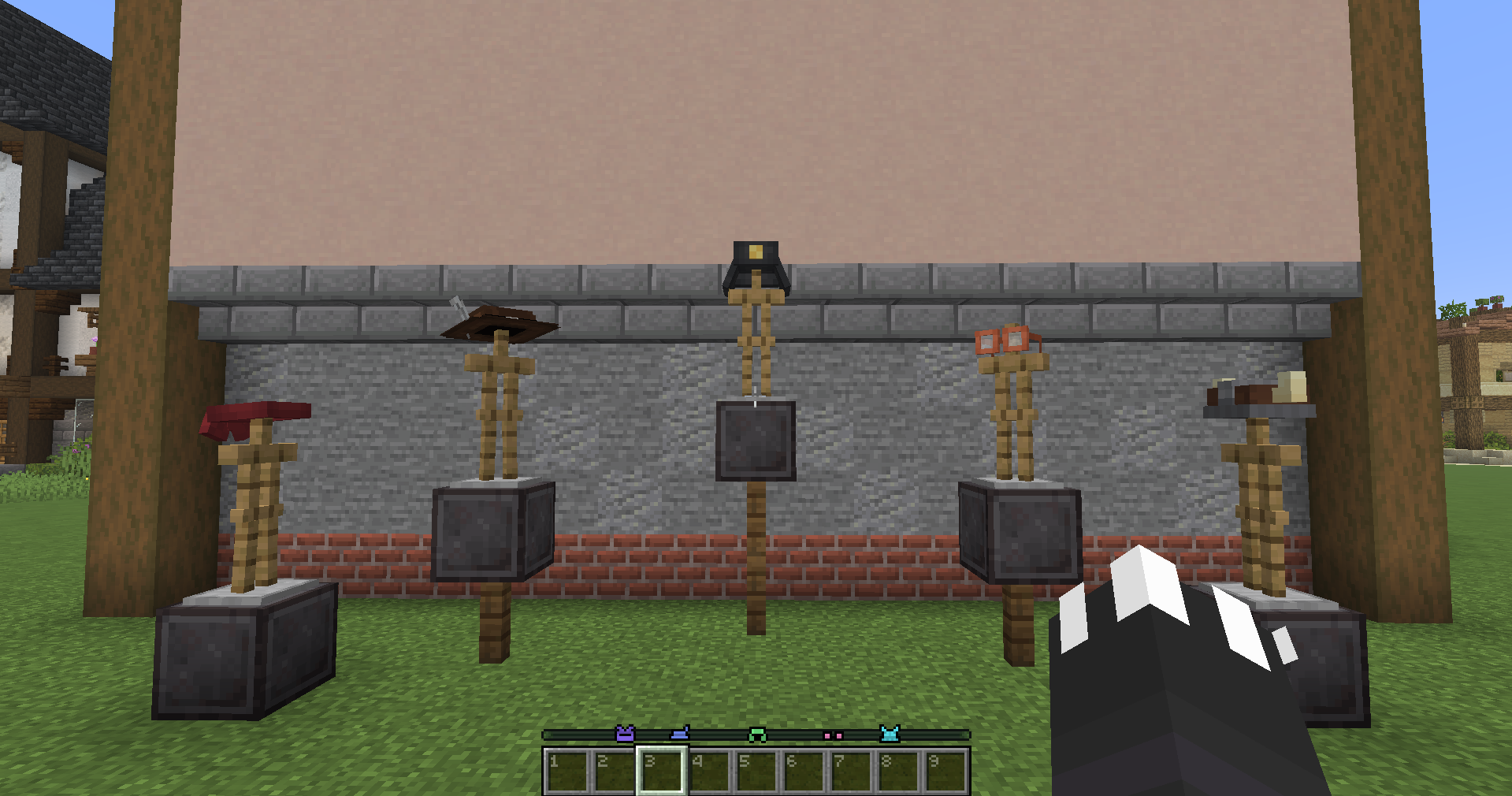 Locator bar integration Wearing different hats changes your locator bar icon
 -
 All the currently Hats
 -
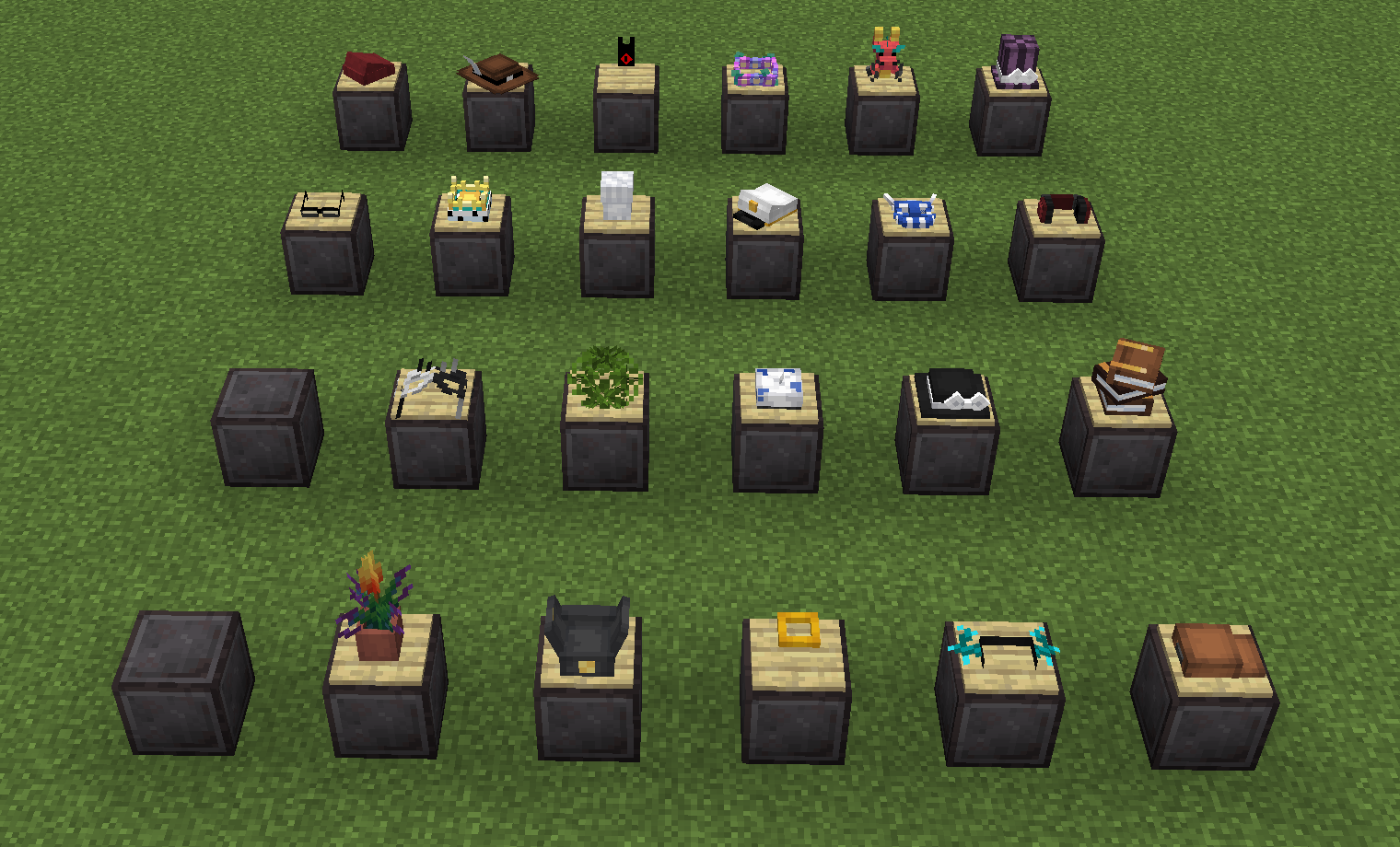 Hats in item frames All the hats placed on item frames
 -
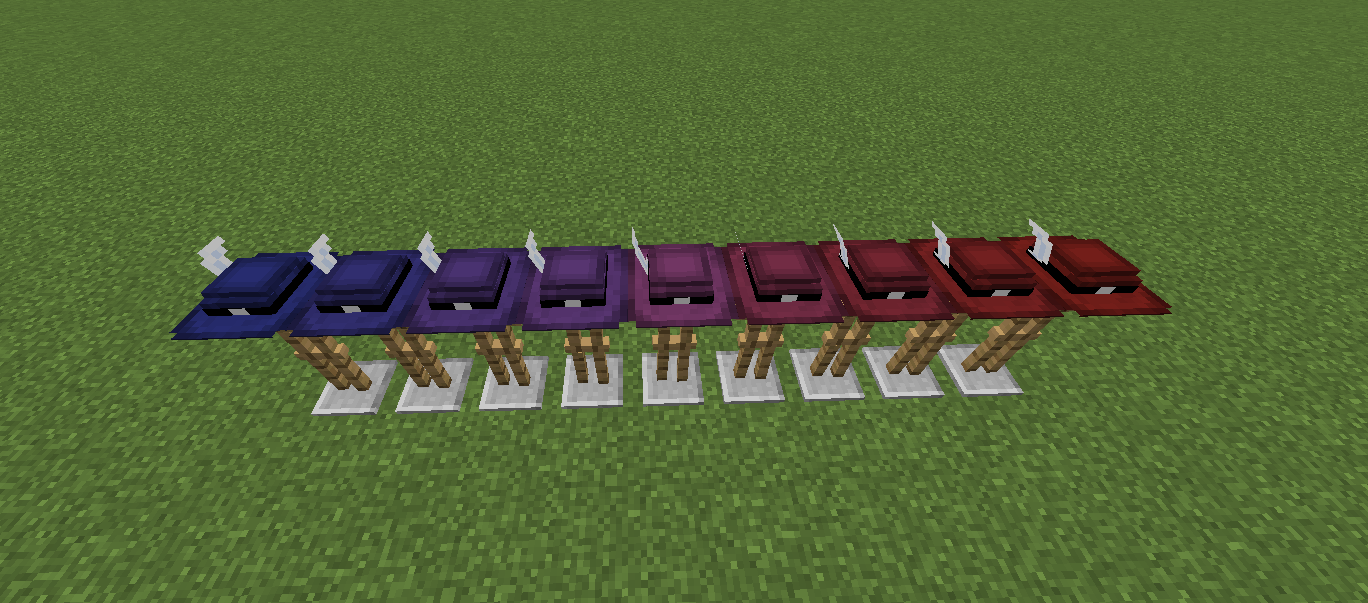 Hat dyeability showcase They can be dyed in a smooth gradient, just like leather armor!
 -
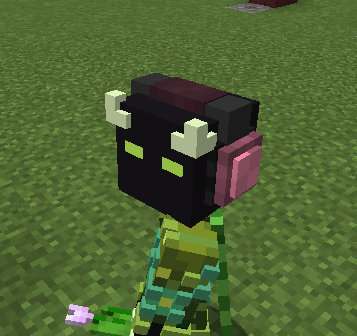 Headset on a player My character wearing the Headset
 -
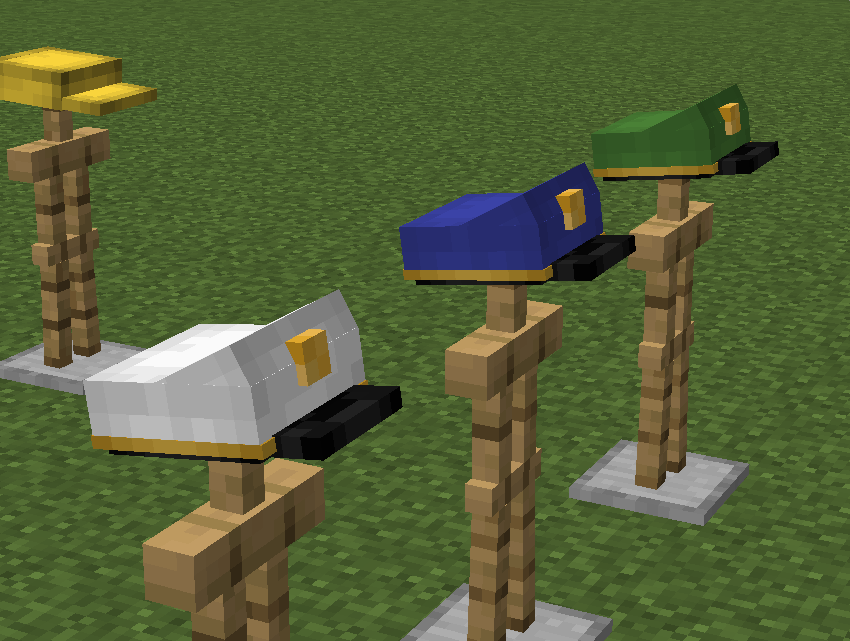 Dyed captain hats An example of how the hats can be dyed
 -
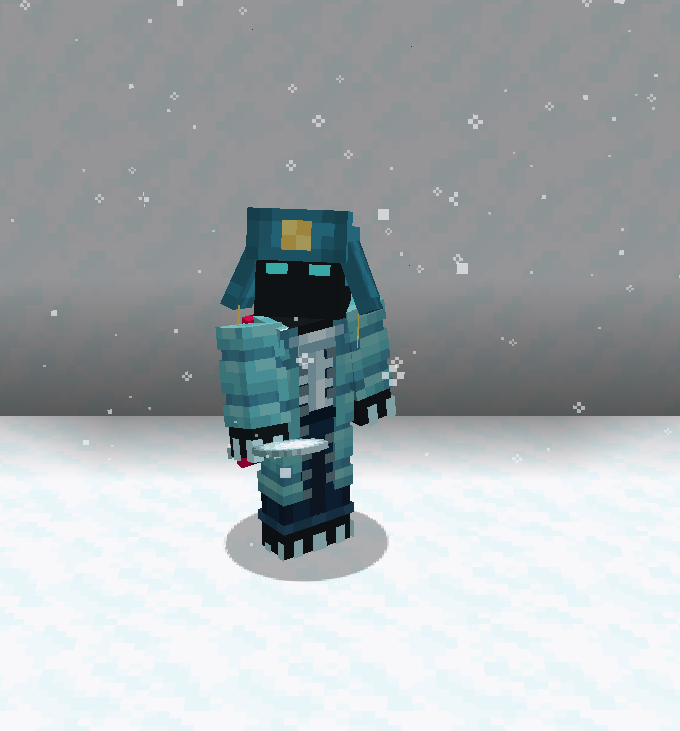 Looks very nice with a matching skin An example of how well a dyed hat can look with a matching skin
Versions
Files
Relations
Project Relations
More like this
Similar Mods
Suggestions use data such as tags, dependencies, dependents, descriptions, titles, and more to rank how much they overlap with this mod.
On ModDex
Community snapshot
By the numbers
Statistics

Want to reach Minecraft players?
We're looking for a server hosting partner to feature here and other parts of the site. Interested? Send us a message!
Get in touchGet it on
Available Platforms
On ModDex
Community snapshot
By the numbers
Statistics
Resources