Community listing page, reviews may not be monitored by the author.
Ultimate Track Map

No reviews yet
A track diagram of your Create railway, opened with M: tracks, stations, signals with their colours, level crossings and trains. Click for departure boards, train schedules and signal info.

Community voices
Reviews
No reviews yet. Be the first to review this project!
Get it on
Available Platforms
About
Project Details
For authors
Embed Badge
If you're the author of this project, you can embed a live badge anywhere that supports HTML or Markdown. It updates automatically whenever ratings change.
Use HTML for any page that supports it, or Markdown for README files and Markdown-based descriptions.
Identifiers
Platform IDs
Resources
External Links
About
Description
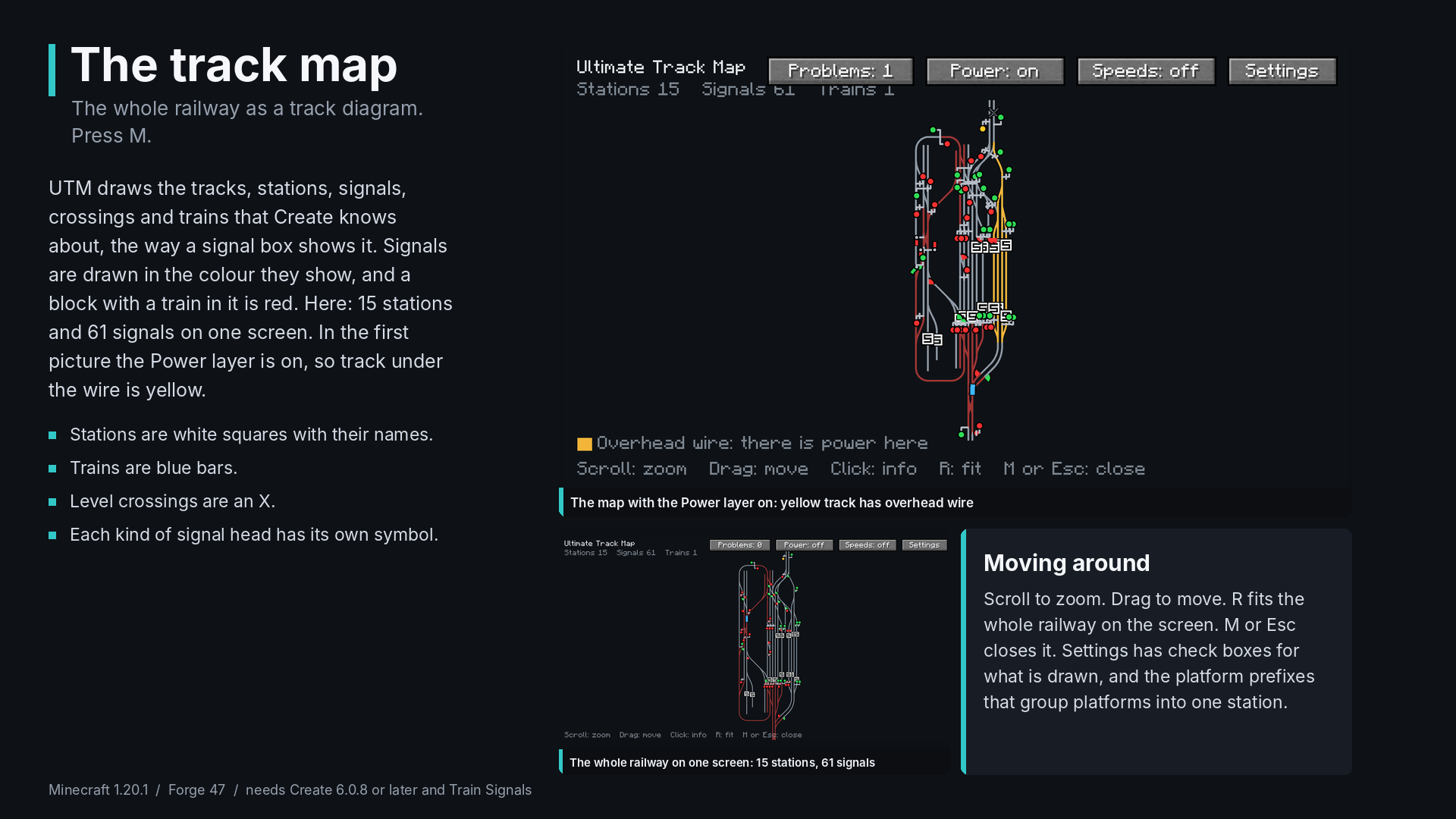
UTM, the Ultimate Track Map, draws your whole Create railway as a track diagram, the way a signal box shows it: tracks, stations, signals with their colours, level crossings and trains. Press M to open it.
What it shows
- Tracks in grey. A block with a train in it turns red.
- Stations as white squares with their names. The platforms of one station are drawn together.
- Signals in the colour they show now, with a different symbol for each kind of head: lamp, dwarf, distant, semaphore and semaphore distant. A short stem shows which way the signal governs.
- Trains as blue bars with their names.
- Level crossings as an X.
Click for details
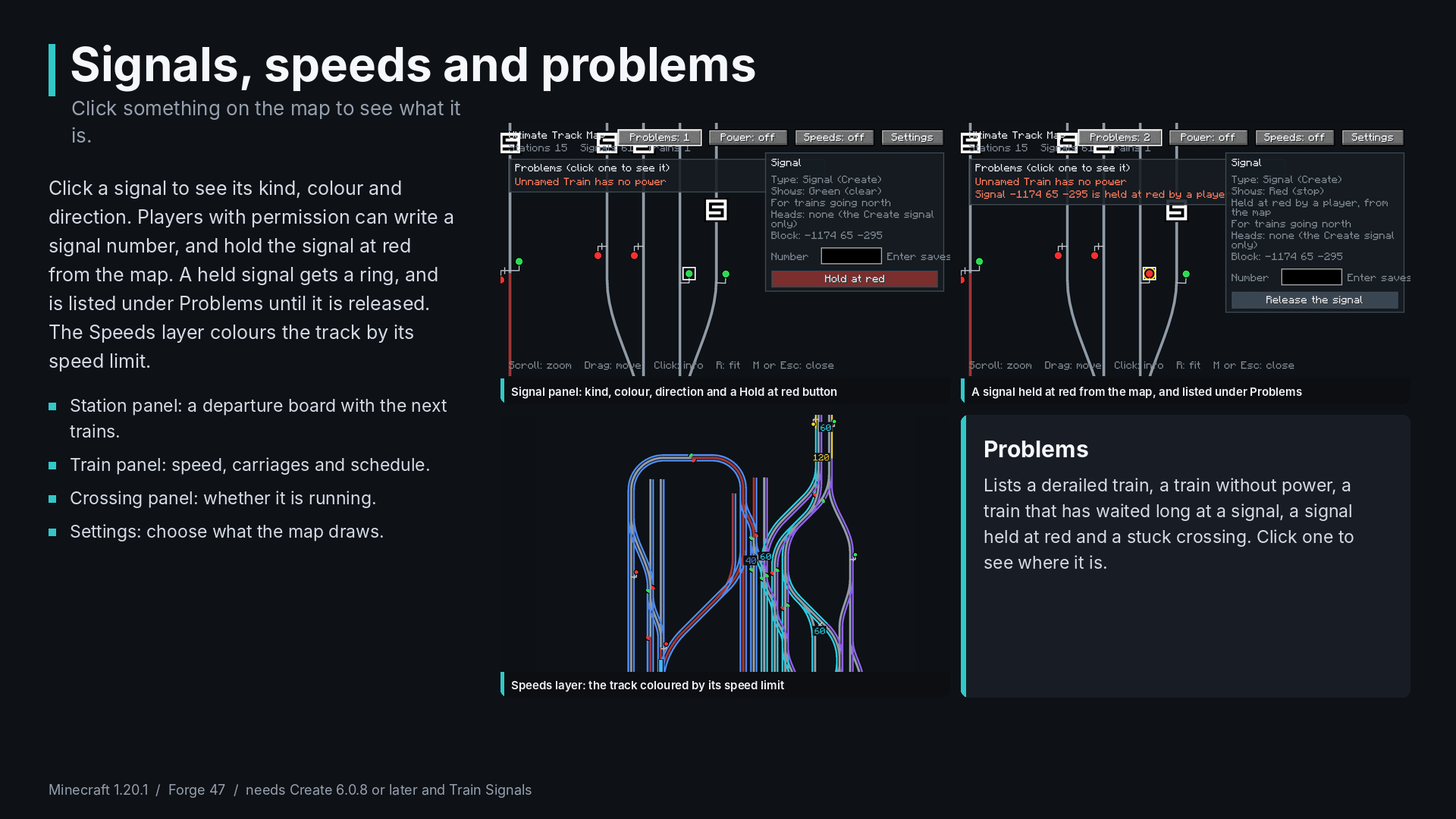
- Station: its name and platform, which train is there, and the next trains with where they go. It works as a departure board.
- Signal: its kind, colour, direction and number. Players with permission can write a signal number and hold a signal at red from the map.
- Crossing: whether it is running.
- Train: its name, speed, number of carriages and schedule.
Layers and the problem list
- Speeds colours the track by its speed limit.
- Power draws the overhead wire, so you can see where a train has power.
- Reserved route shows the blocks that trains have reserved ahead.
- Problems lists a derailed train, a train without power, a train that has waited long at a signal, a signal held at red and a stuck crossing. Click one to see where it is.
Controls
Scroll to zoom, drag to move, R to fit the whole railway on the screen, click for details, M or Esc to close. The key can be changed in the controls under UTM.
Station names: name the platforms of a station with a common first part, and set the platform prefixes in the settings (the default is Platform, PF).
Requirements
- Minecraft 1.20.1
- Forge 47.x
- Create 6.0.8 or later
- URM 0.1.0 or later
Good to know
- This is version 0.1.0. So far it has only been tested in single player. It may not work right on a server yet.
- The map draws the track that Create knows about. Build track first, then press M.
- Forge 1.20.1 only.
If something breaks, tell me what you did and attach the log, and I will look at it.
Screenshots
Gallery
-
 01-track-map.png 01-track-map.png
 -
 02-signals-speeds-problems.png 02-signals-speeds-problems.png
Versions
Files
Relations
Project Relations
More like this
Similar Mods
Suggestions use data such as tags, dependencies, dependents, descriptions, titles, and more to rank how much they overlap with this mod.
On ModDex
Community snapshot
By the numbers
Statistics

Get it on
Available Platforms
On ModDex
Community snapshot
By the numbers
Statistics
Resources